Release notes 26.2.1
· 3 min read
Portal:
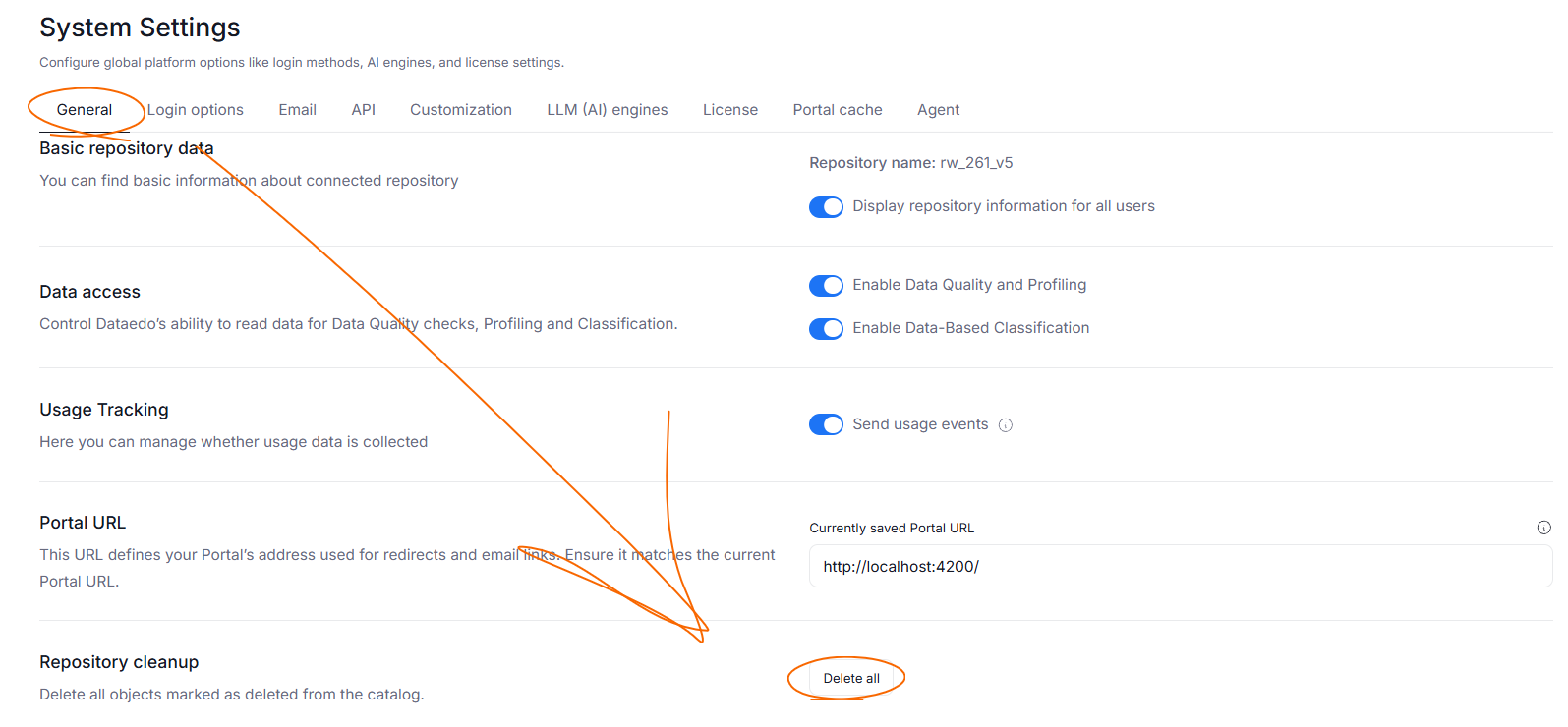
- Added the option to permanently delete all objects that are marked as removed from the original catalog. This option can be found in System Settings>General>Repository Cleanup
- Resolved issues with increased RAM usage for large repositories when navigation was enabled
- Fixed issues with data being exported outside of the selected scope in Excel Export. Badge Links, Glossary Mappings, Area Links, Domain Links, Relation and term-relationship sheets, and Data Product Links now filter target objects so that only elements pointing to in-scope objects are exported
- Added a validator to Excel Export, now if any scope IDs are missing, an
ERROR 400 EXPORT_UNKNOWN_IDSwill be returned - All selected objects are now displayed in Excel Export's view configuration
- Excel export now produces spreadsheets only if sufficient data exists
- Added four missing categories to the XLSX file generated by Excel Export -
DATABASE,REPORTING,GLOSSARY,DATA_PRODUCT - The Objects spreadsheet is now hidden by default in the xlsx file generated using Excel Export
- Fixed an issue where Import Summary displayed incorrect data regarding applied settings and object counters
- Adjusted Lineage parser logic, now Lineage is built properly for queries with
SELECT *and tables withIDENTITYcolumns - Redesigned a pop-up with Foreign Key testing results
- Improved the mapping of Sensitivity Levels in Metadata Sync
- Restored the option of calling columns using
@in Data Quality Rule Instance's Failed Row configuration - Fixed issues that caused modal screens (adding a new connection, foreign key references, etc.) to occasionally close without user interaction
- Sources are now manually expanded when selecting them while establishing a connection and Metadata Import configuration
- Restored a warning regarding overlong display names when configuring a Connection
- Removed Manual Database and Manual Reporting from the Connection menu. Manual objects can now be added only from the Report Catalog or Data Sources
- Added tracking for the Metadata Sync feature. Now changes regarding the settings and results of conflict resolution are stored in Dataedo
- Ensured proper wrapping of descriptions on tiles in general views
- Object headers no longer disappear when scrolling down
- In the navigation, renamed Domains to Data Domains
- Improved the position of pointers during Onboarding
- Fixed the behavior of searchbar in Metadata Sync history
Agent:
-
Agent's appsettings will now be automatically updated with your SMTP details in SaaS environments
Connectors:
-
Bugfixes:
- Amazon Keyspaces - resolved an issue where Dataedo Agent working on a Linux machine could not connect to Amazon Keyspaces
- Databricks - improved the behavior of object count for Import Summary; fixed queries responsible for Data Profiling
-
Power BI's connection menu in Portal received a slight UI overhaul. We tweaked the spacing of toggle buttons and renamed the "Is a premium workspace" toggle to "Use a nonstandard XMLA"