Release notes 25.4
HIGHLIGHTS
- Data Quality, Badges and Classification on Data Lineage
- Notifications for failing Data Quality tasks
- Notifications reworked — New notifications, Updated mention notifications, Ability to edit notification preferences
- Browser Extension Search
- Import Metadata in Portal — Databricks, Tableau, SSRS, SSIS, MLflow, Azure Machine Learning
- Navigation by Source Structure
- Popularity metric for Reports
- Connectors — Azure Machine Learning, MLflow, Power BI, Tableau, Snowflake, Databricks, AWS Athena, IBM Db2 LUW, Interface tables
- UX/UI
- Other improvements — Parallel Processing for Data Quality Checks, Restored Manual Portal URL Setting, Authentication Update
Breaking changes
As of the current release, the following platform requirements have been updated:
.NET Version
The application now targets .NET 9.0, replacing the previous .NET 8.0 dependency. To ensure compatibility, the .NET 9.0 must be installed on all environments running the application.
Download: https://dotnet.microsoft.com/en-us/download/dotnet/9.0
SQL Server Compatibility
The minimum supported version of Microsoft SQL Server has been raised from 2012 to 2016. Any server hosting the application's repository must be running SQL Server 2016 or newer to ensure full feature support and compatibility.
Data Quality, Badges and Classification on Data Lineage
Indicators on lineage
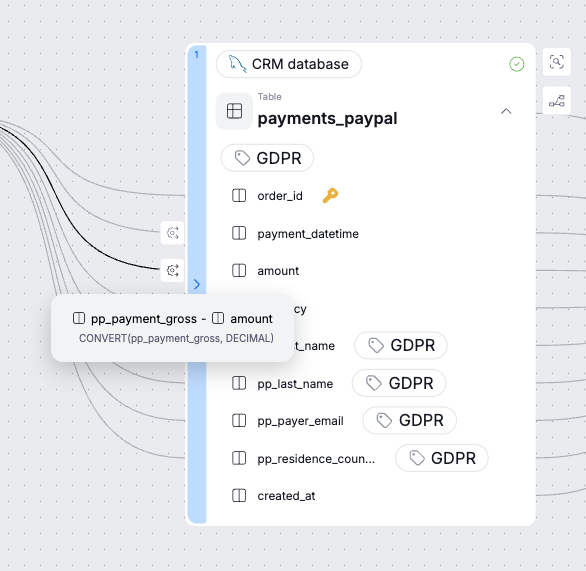
We now display key Data Quality indicators, badges (e.g., Certified, Master Data, Critical Data, and custom badges) and classification tags directly in the lineage graph. This is a major improvement that increases trust and awareness around your data, making it much easier to catch downstream issues and detect potential outflow problems early.
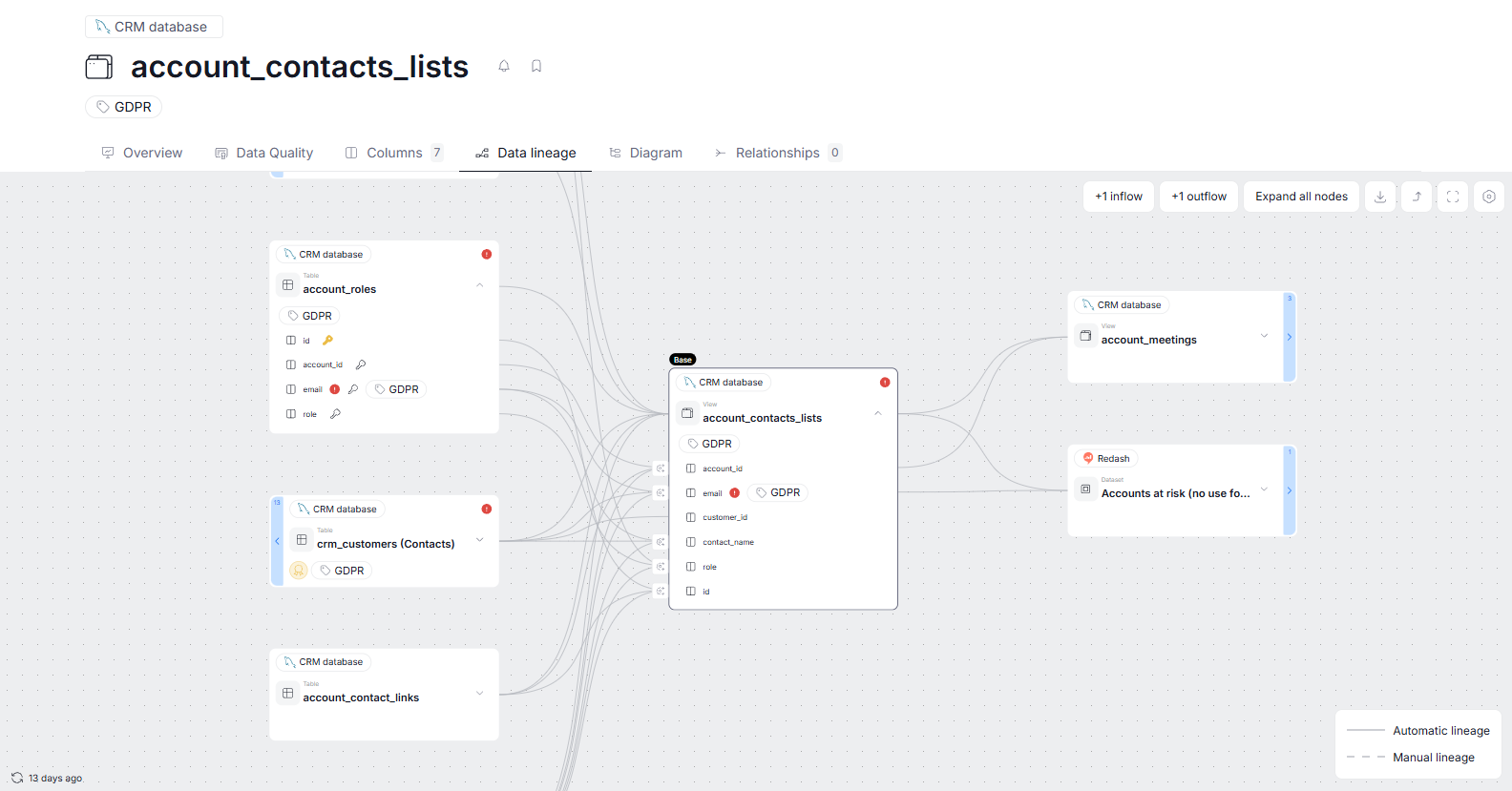
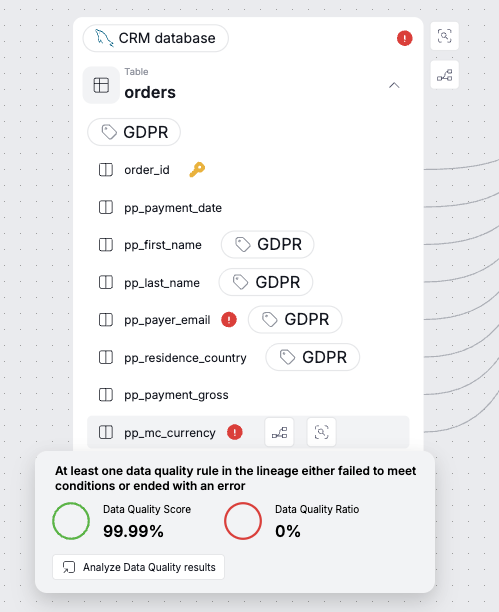
Data Quality
Failing Data Quality instances are highlighted in red, with full details available on hover.
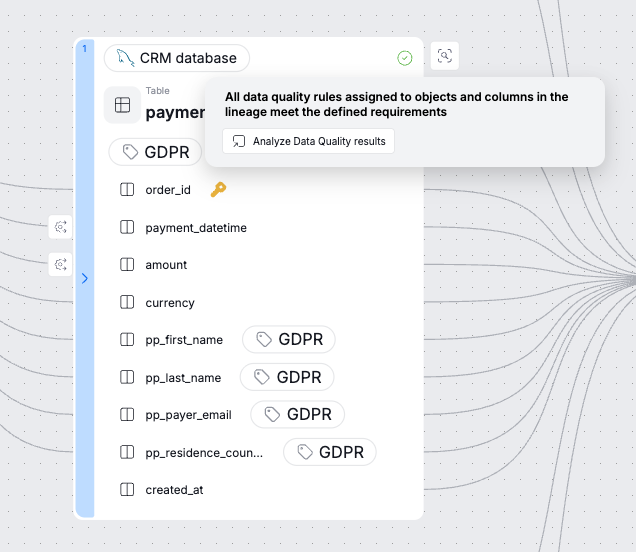
If all Data Quality rules pass, a green icon will be displayed. If an object has no assigned Data Quality rules, no indicator will appear.
Processors and transformations
On top of this, we refreshed the lineage visuals and redesigned processors so they stand out clearly from other object types.
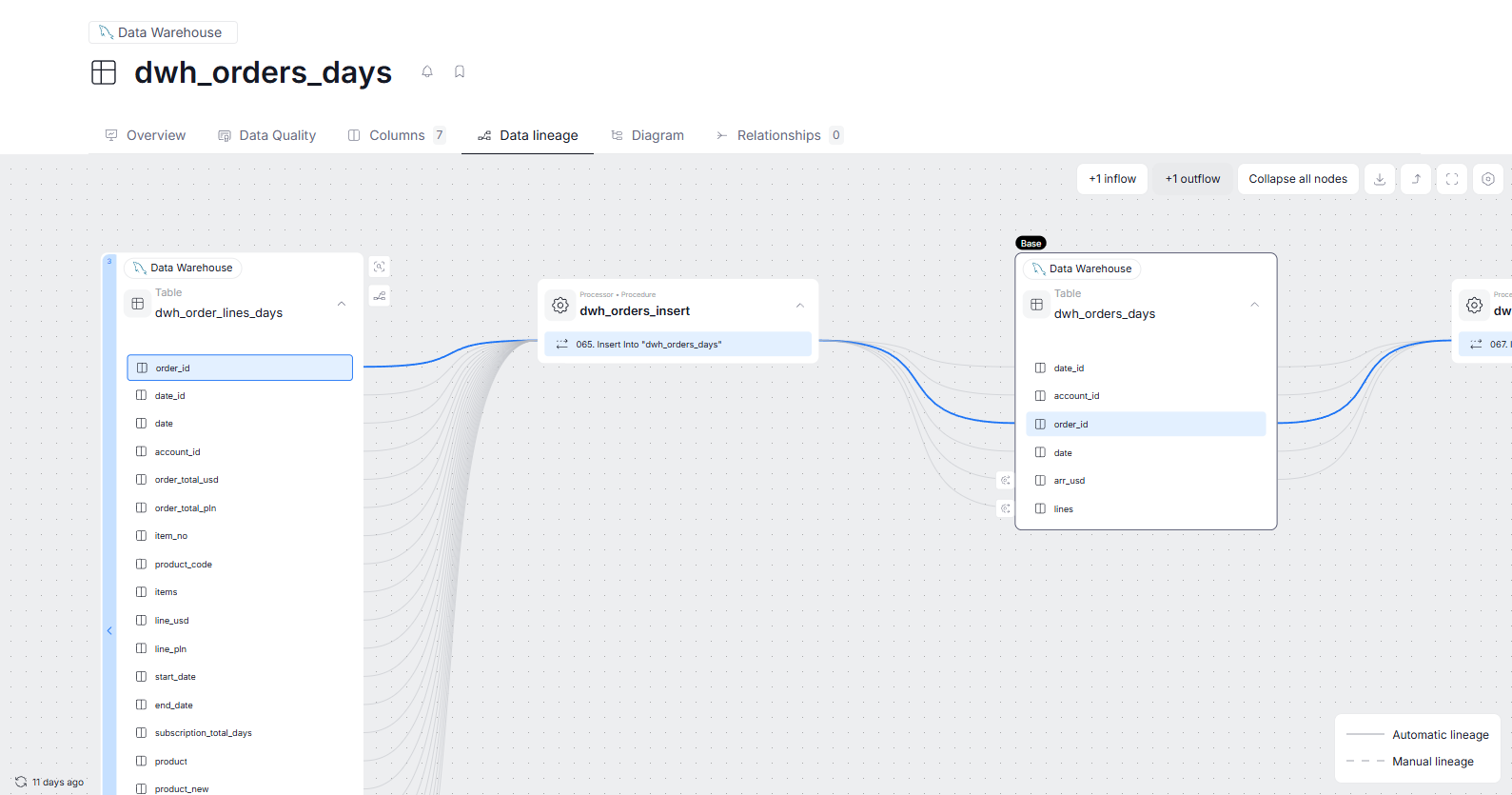
Transformations are now shown on hover over the gear icon — if the icon appears, it indicates that a transformation is present.
Notifications for failing Data Quality tasks
We introduced notifications to keep you on track with your scheduled Data Quality tasks. From now on, whenever irregularities in your Data Quality checks occur, you will be notified immediately.
Rule failures and Task failures
There are now two separate notification types you can receive regarding your Data Quality tasks.
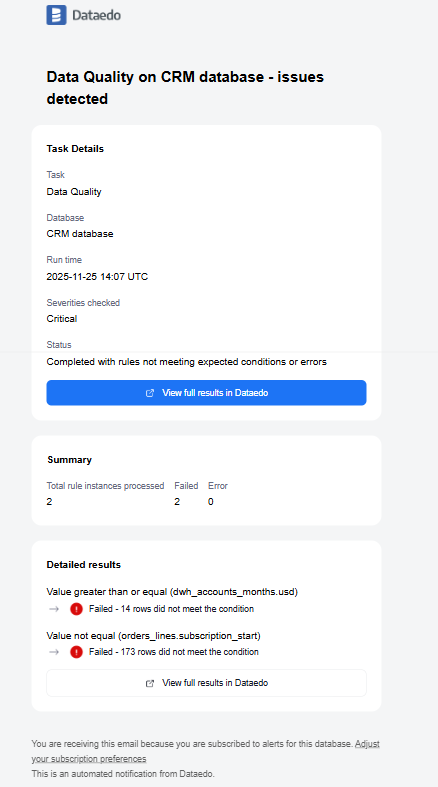
Rule Failure notifications are sent to all users who follow an object when a rule instance fails to meet expected conditions or contains definition-level errors. This helps you quickly take action by inspecting your Rule Instance and the object itself to make sure your organization works with the best data possible.
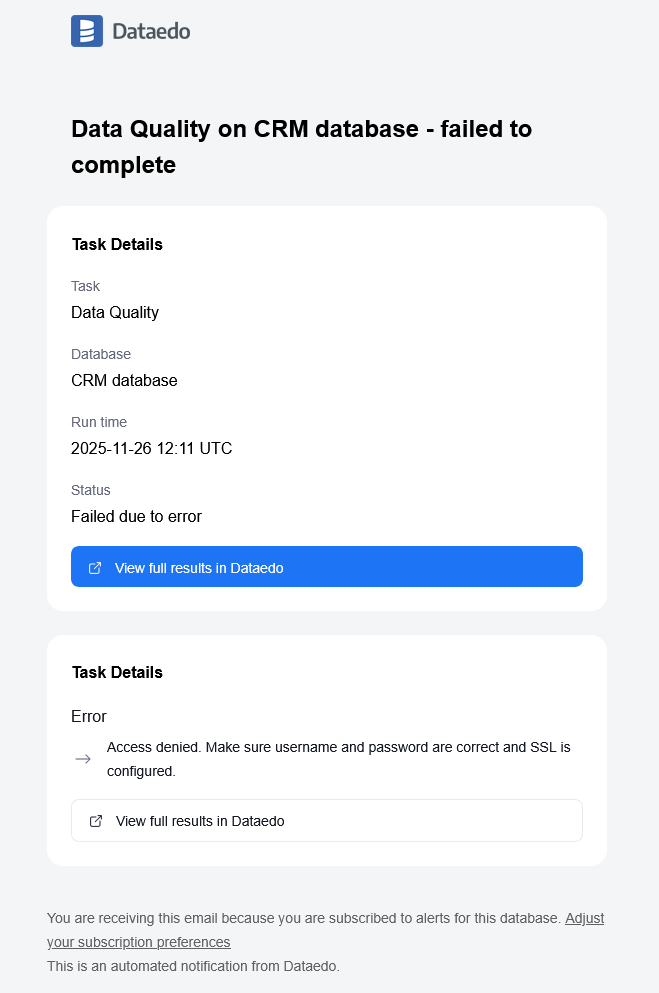
Task Failure notifications are sent only to Connection Managers when a scheduled Data Quality check fails to run. This notification signifies an external issue — most often with wrong credentials or a server failure.
Notifications reworked
With release 25.4 we overhauled the notification system both on the functional and UX level.
Our biggest priority was making the new system smarter and more efficient to help you stay updated on most important changes even if you are not actively monitoring specific objects. Here is a short overview of the biggest changes we made:
Notifications configuration and receiving
You can still receive notifications by either e-mail or directly in our portal, but now your preferences can be easily adjusted using your profile settings.
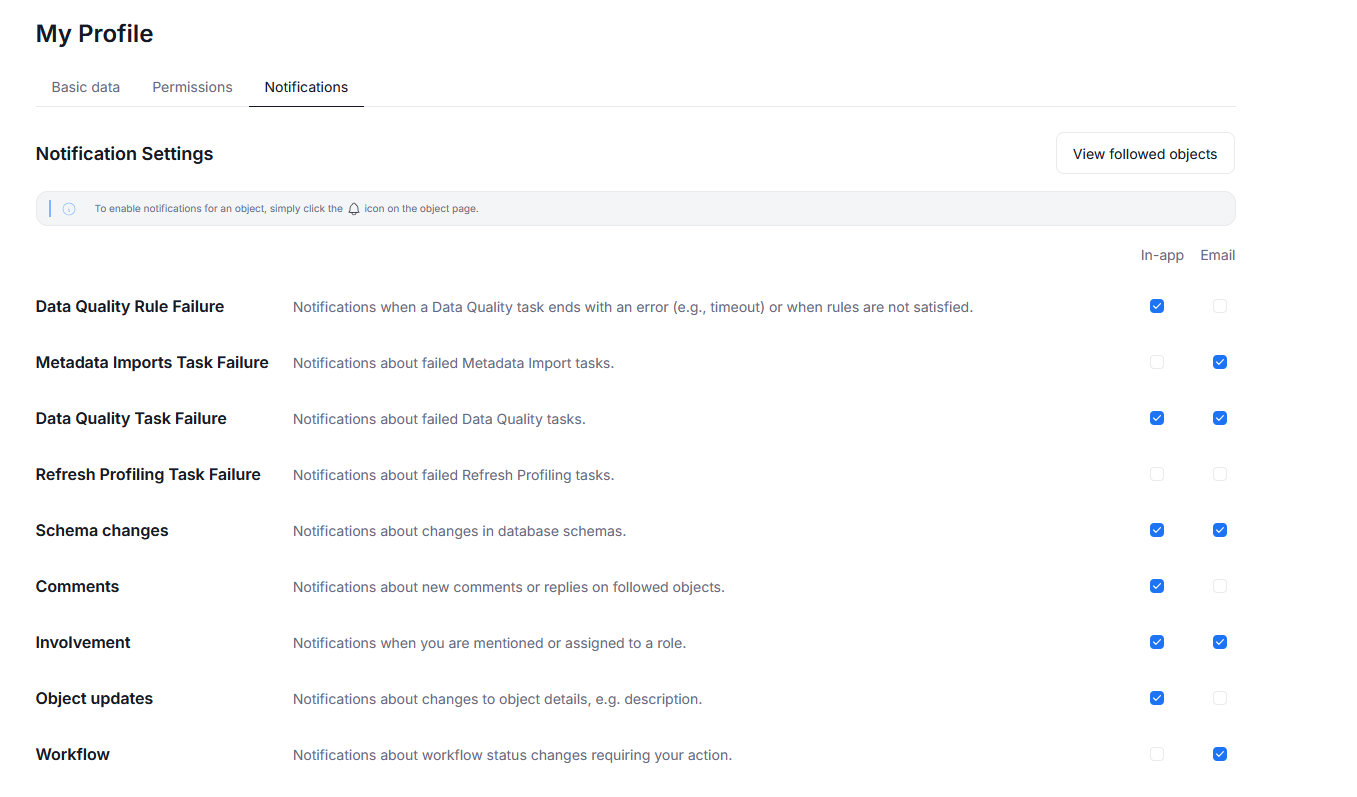
The process of following an object to receive notifications remains the same, but we refreshed our UI. You can simply click on the bell icon when you open the object to start following it. When you follow an object, you will follows its children as well.
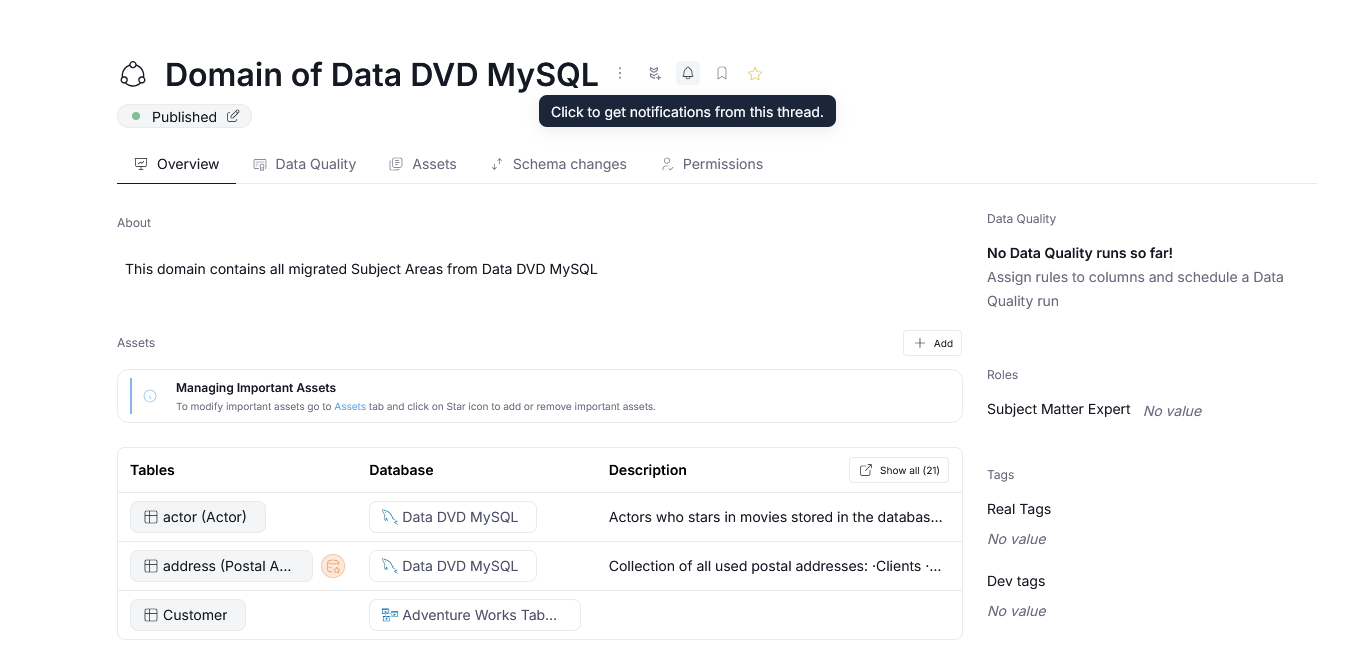
The in-app notifications can be viewed quickly using the Notifications button in the top part of our portal, next to your profile icon. Once you click it, a side panel with your notifications will appear. You can then click on a specific notification to be taken directly to the relevant object.
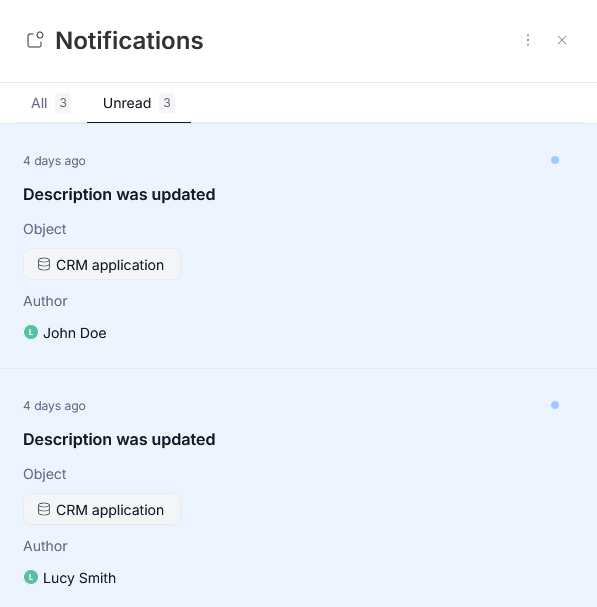
Changes to mention notifications
We also reworked mention notifications. Now they work similarly to those known from popular collaboration and project management tools. Whenever you are mentioned in a comment or somebody leaves a reply in the community tab of the object you are following, you will receive a notification. The same applies to role assignment — whenever you are assigned a new role, you will be automatically notified.
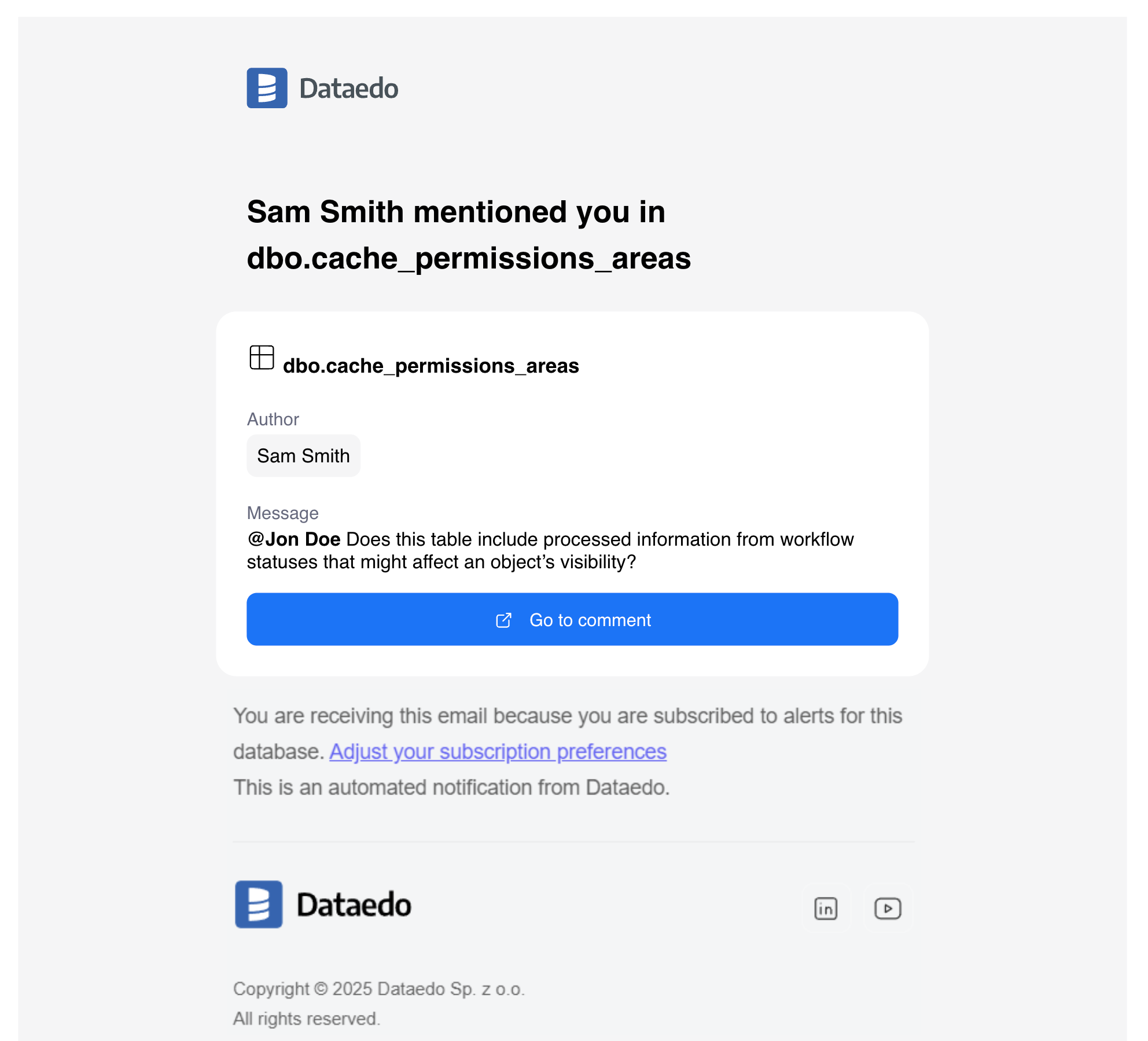
If you are mentioned or assigned to an object you cannot view you will still receive a notification. It will, however, be anonymized to ensure data safety.
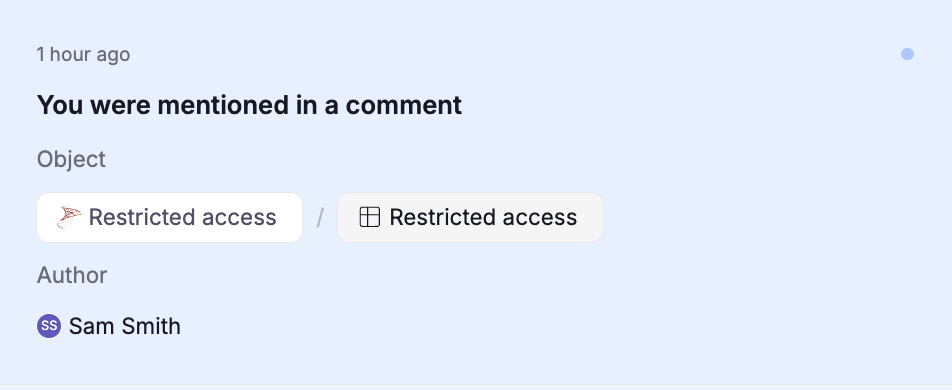
New notifications
Connection Managers in your organization will be happy to learn that we added three new notifications related to failing scheduled tasks. These are:
- Notifications regarding Metadata Import failure
- Notifications regarding Data Quality task failure
- Notifications regarding the failure of a scheduled data profiling refresh.
We also offer a granular way of managing these notifications directly in the Scheduler. We did this to offer a more streamlined process and a fast way to filter out unnecessary alerts.
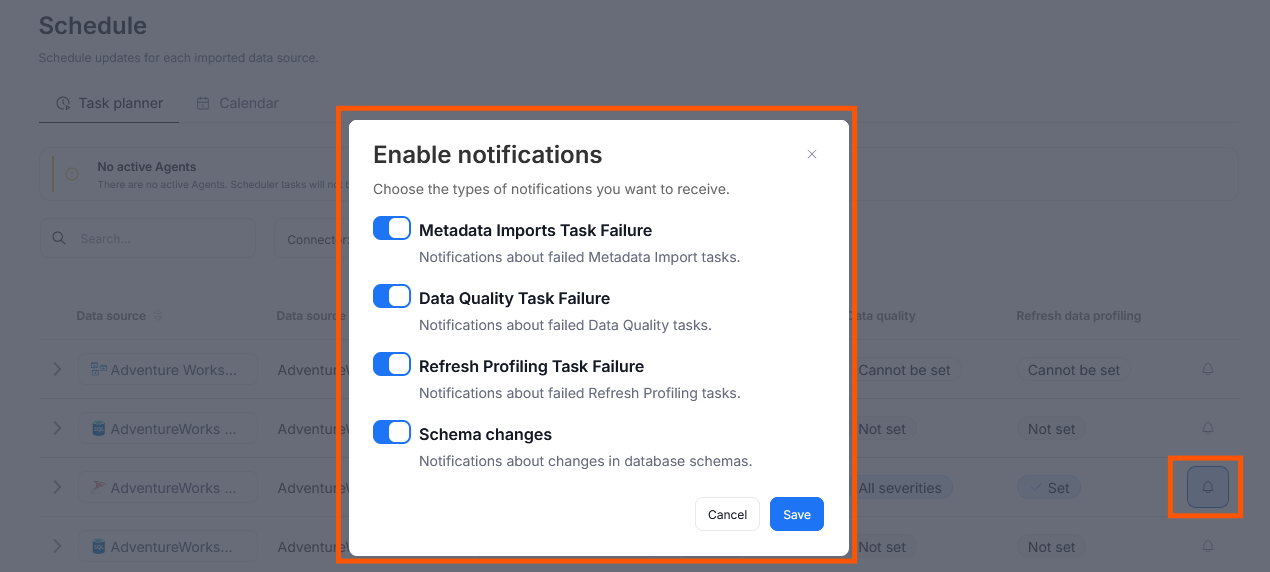
Another new type of notification relates to Schema Changes. These notifications can be enabled by all users with access to Database objects. Whenever a schema is changed following an import or a manual intervention, a notification will be triggered.
One of the most exciting changes has to do with notifications regarding Data Quality tasks. While Connection Managers can follow scheduled checks to be notified of their failure, all users who can view Data Quality tasks can follow them to receive crucial info regarding Rule Failures — these notifications are a quick signal that you should inspect your data and the rule definition to fix the issues. If you'd like a more detailed breakdown of those features, check the Notifications for failing Data Quality tasks section above!
You can learn more about the full capabilities of our notification system — like what counts as the object's children or how to manage automatic notification deletion — in our dedicated article.
Browser Extension Search
We added a search feature to the browser extension, letting you quickly look up information from your repository without switching tabs. Open the extension, type your query, and optionally apply user-based filters. Results follow your portal’s structure, and you can explore full details or open items directly in the Portal. Read the full documentation
Import Metadata in Portal
We added portal-side metadata import for the following connectors:
Navigation by Source Structure
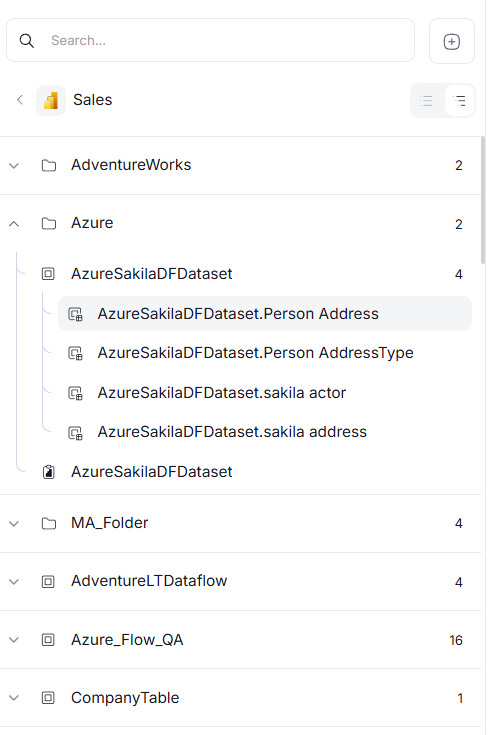
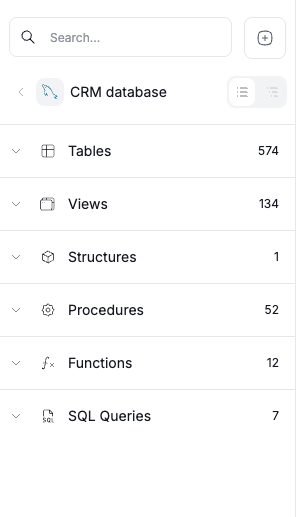
We introduced a new source-aligned navigation view that lets you switch between grouping objects by type and viewing them in their original folder structure from the source system. This makes browsing imported metadata (such as Power BI reports and dashboards) more intuitive and consistent with how it is organized in the source tool.
You can switch between the two views using the toggle on the right, just below the search bar.
Report Popularity Metric
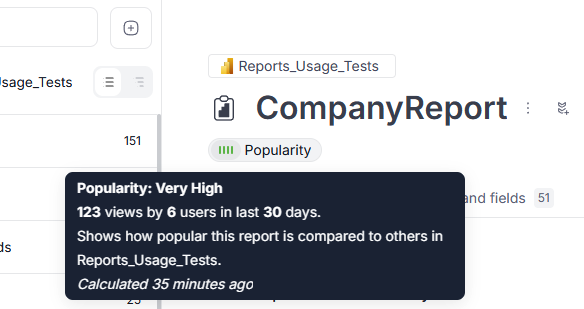
We introduced a new popularity metric that aggregates report usage data and compares reports within the same reporting instance, letting users quickly see whether a report is actively used or not.
The metric becomes available after the upgrade and will appear once the first post-upgrade metadata import is completed. It is displayed in the report header within its details view.
Connectors
Azure Machine Learning - new connector
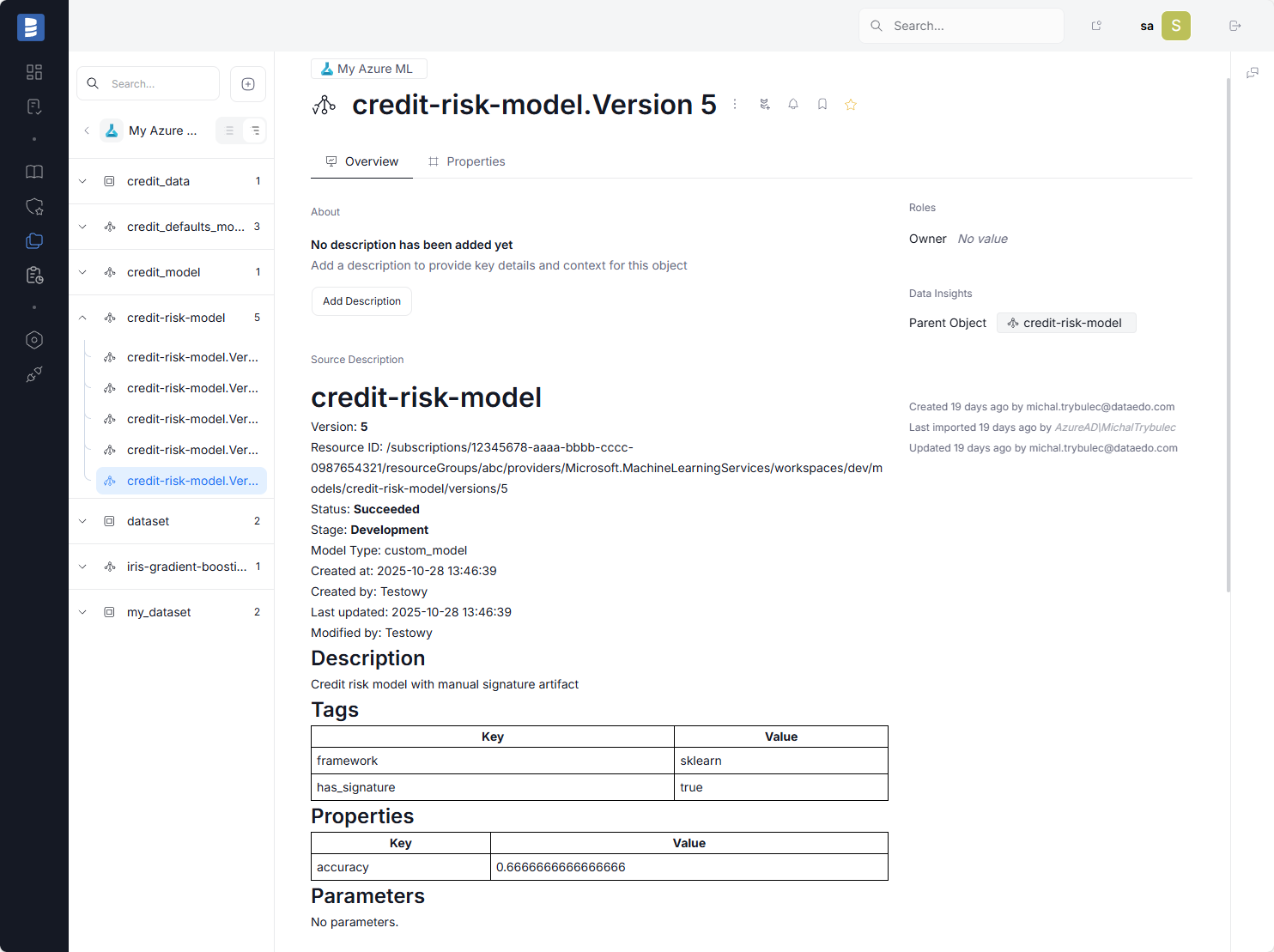
Azure Machine Learning is a cloud-based environment for training, deploying, and managing machine learning models. With Dataedo's new connector, you can import metadata from your Azure ML workspace directly into your Dataedo repository.
You can import your models and model versions as model cards (see: Model Cards for Model Reporting), along with datasets and dataset versions. This makes it easier to document and maintain your machine learning assets consistently and transparently.
Learn more in our Azure Machine Learning Connector article.
MLflow - new connector
MLflow is an open-source platform for managing the end-to-end machine learning lifecycle. With Dataedo's new connector, you can seamlessly import metadata from MLflow directly into your Dataedo repository.
You can import your models and model versions as model cards (see: Model Cards for Model Reporting), along with datasets and dataset versions. This helps centralize documentation and simplifies governance of your ML assets.
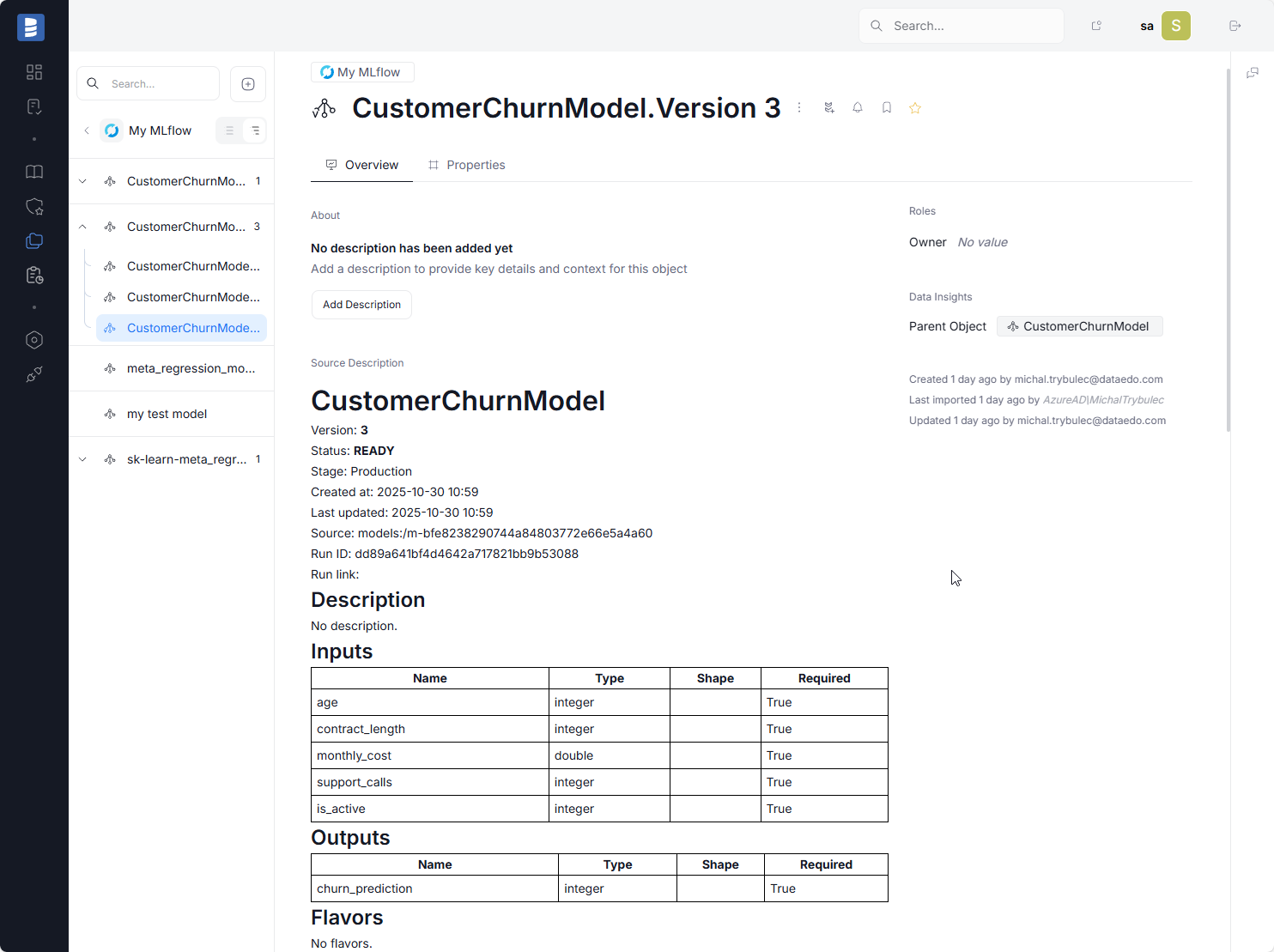
Learn more in our MLflow Connector article.
Power BI
With the new navigation by source structure feature, Dataedo imports the Power BI folder structure, allowing you to navigate reports and dashboards in the same way as in the Power BI service.
Additionally, we improved lineage for measures and One Lake, making it easier to trace data origins and dependencies.
Tableau
With the new navigation by source structure feature, Dataedo imports Tableau project structures and allows you to navigate workbooks just like in the Tableau Server.
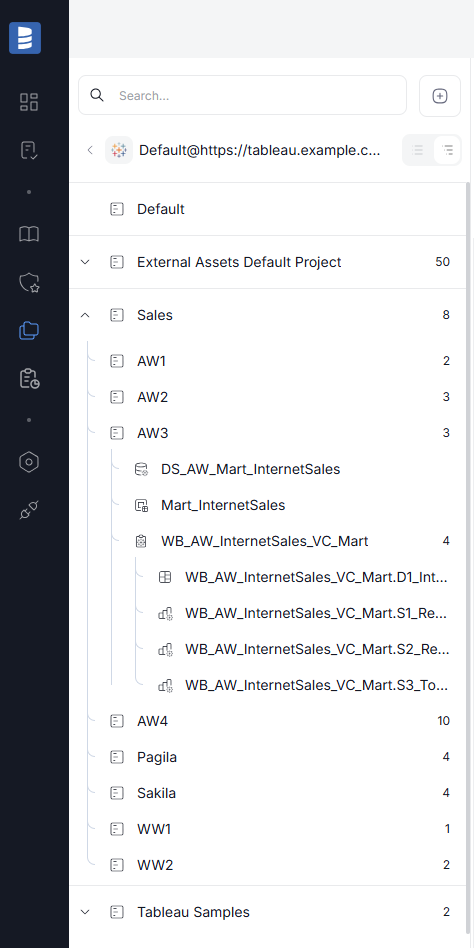
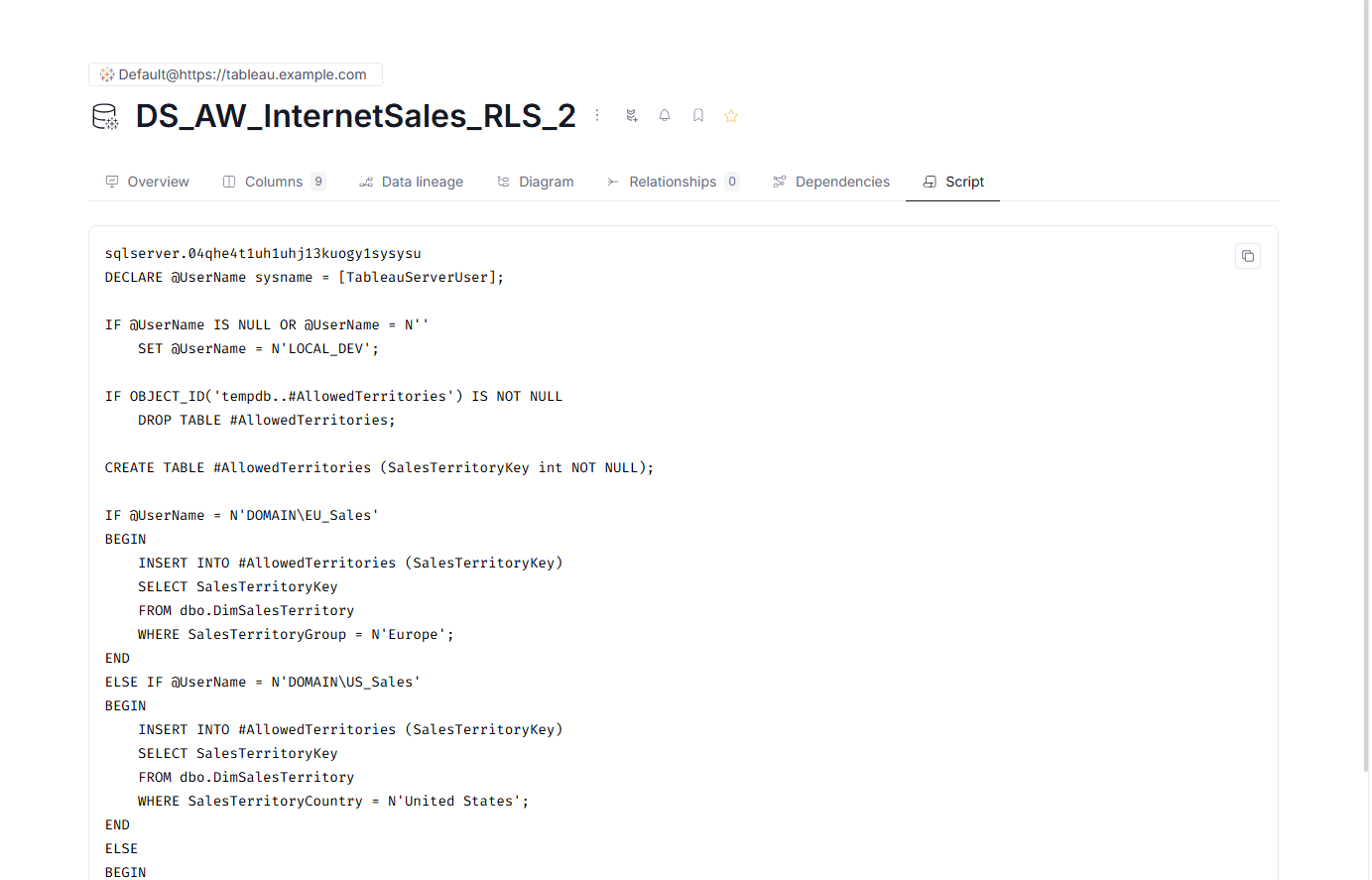
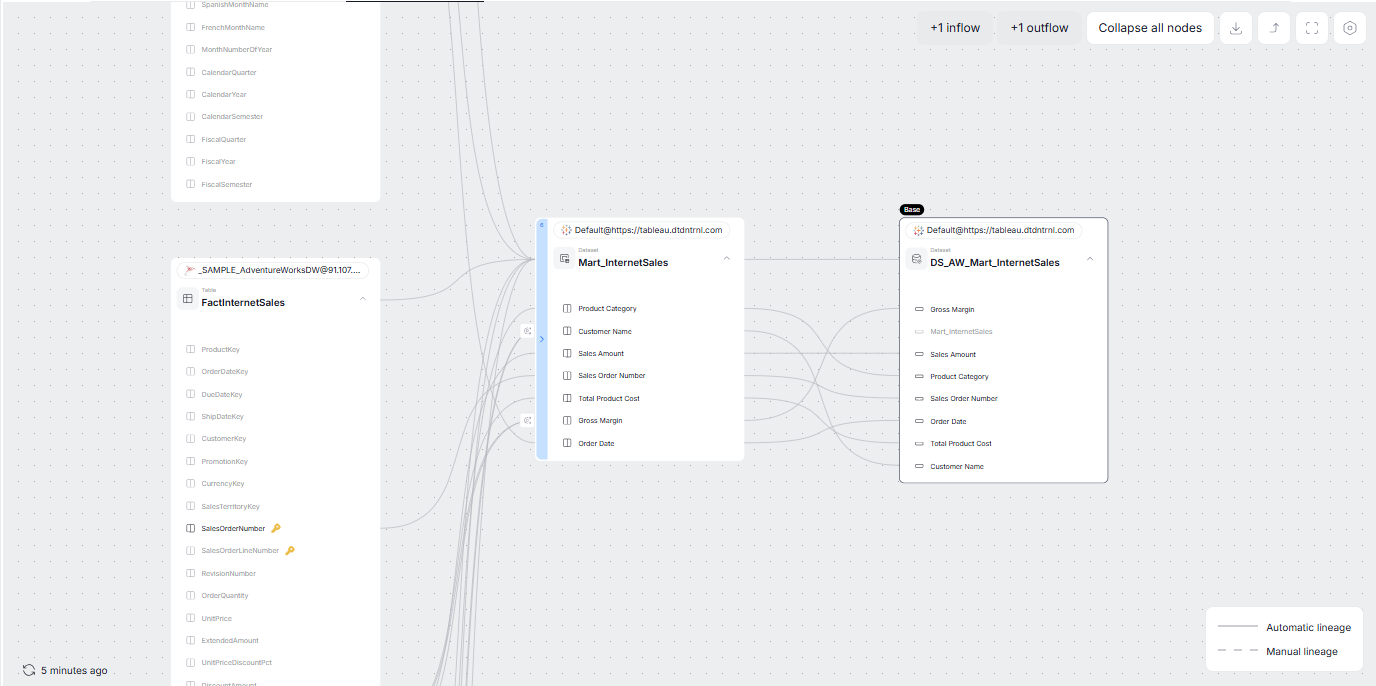
Additionally, Dataedo now imports and parses initial SQL, and we improved automatic data lineage for Virtual Connection tables and Custom SQL Virtual Connection tables.
- Initial SQL
- Virtual Connections Lineage
Snowflake
For Enterprise or higher Snowflake editions, Dataedo now duplicates lineage directly from Snowflake's Data Lineage feature. This enhances the accuracy and completeness of lineage information in your Dataedo repository.
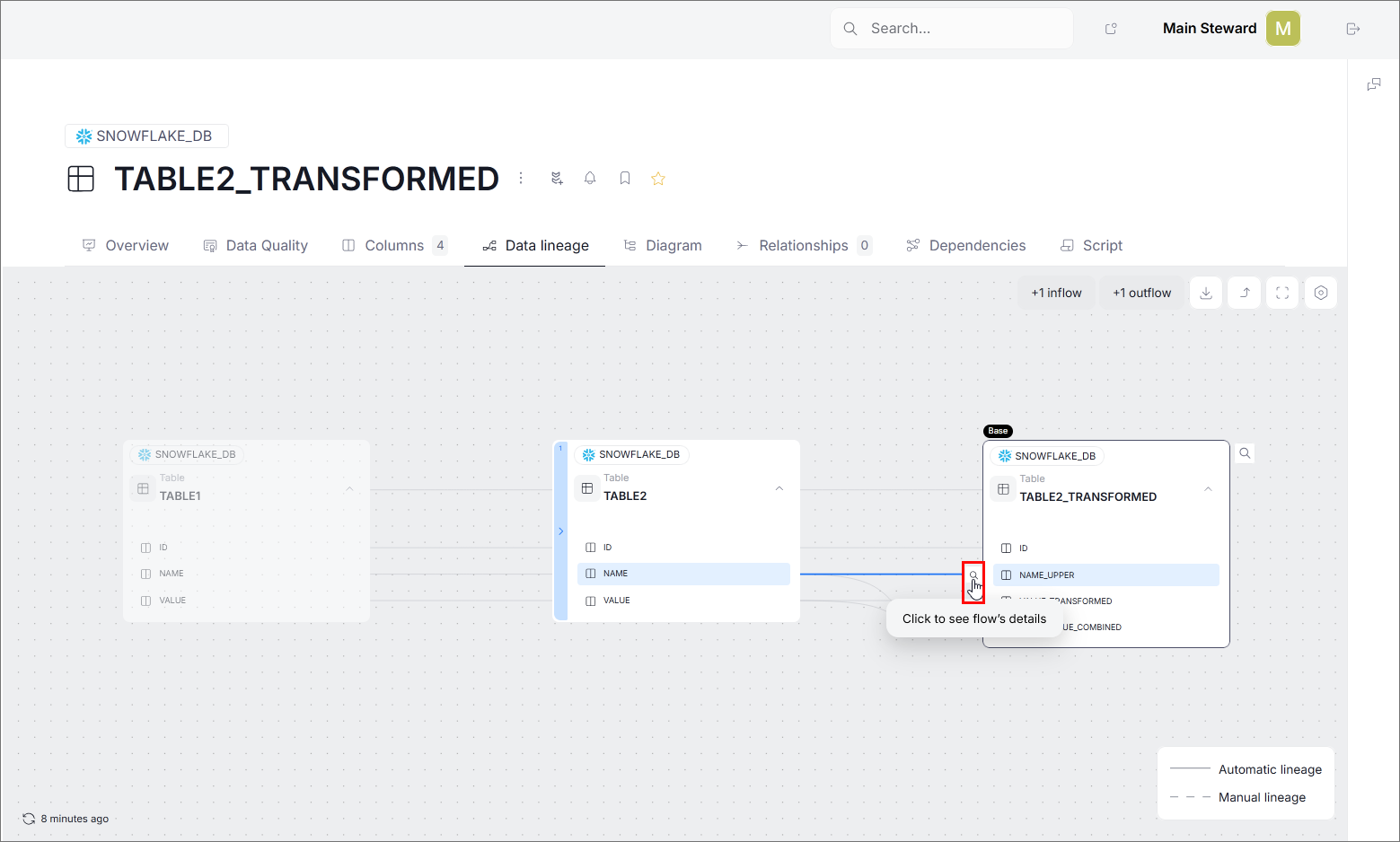
If you also want to see SQL Queries that generated the lineage, you can use Snowflake Enterprise Lineage Connector alongside the standard Snowflake connector.
Databricks
Since version 25.4, you can test your foreign keys in Databricks using Primary/foreign keys tests feature.
AWS Athena
Since version 25.4, Dataedo supports the Data Quality feature for Athena databases. You can now create and run Data Quality rules on your Athena tables to ensure data accuracy, consistency, completeness, and overall reliability.
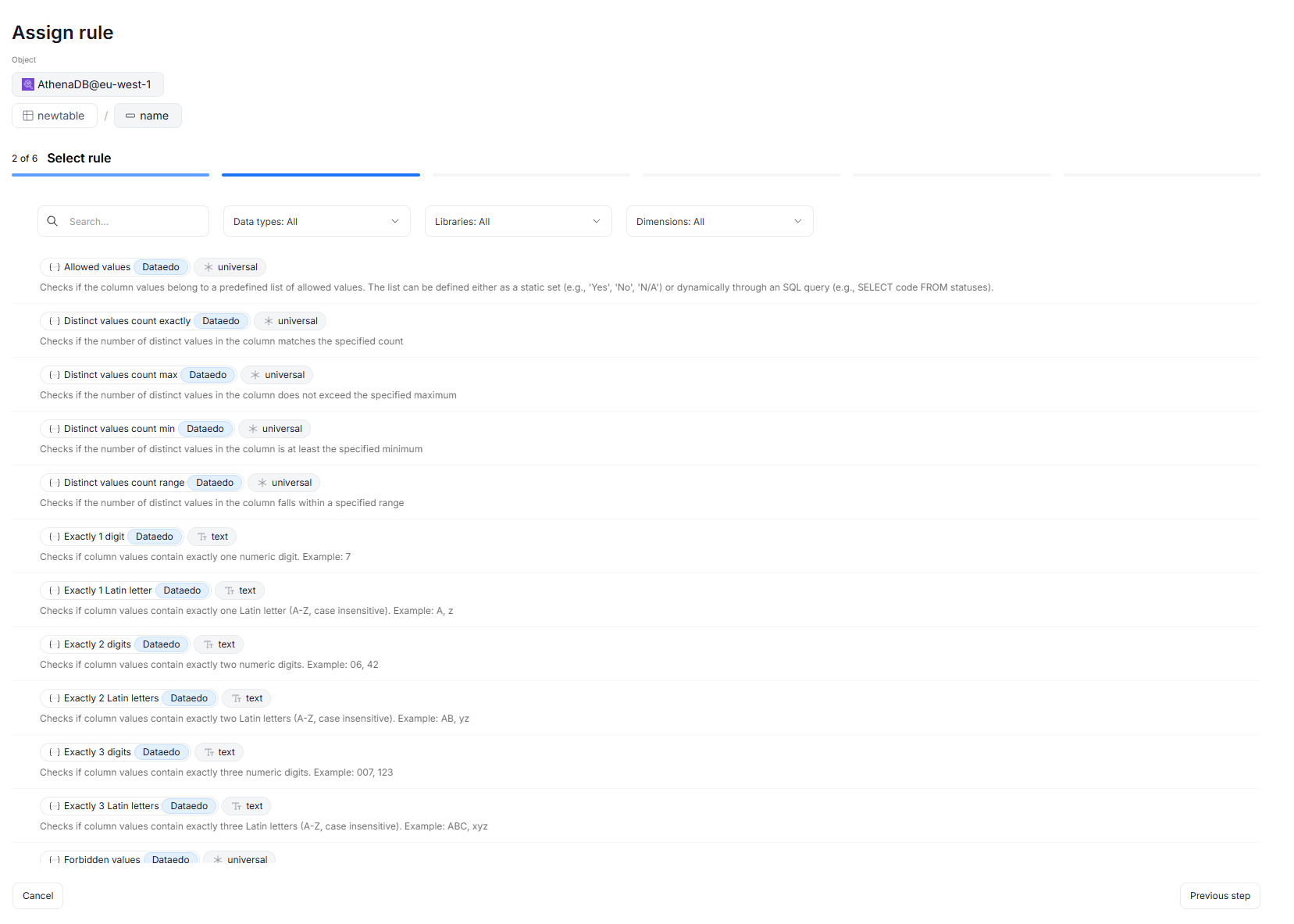
Additionally, Dataedo now supports IAM role-based authentication and AWS STS authentication for Athena connections, making integration more flexible and secure.
IBM Db2 LUW
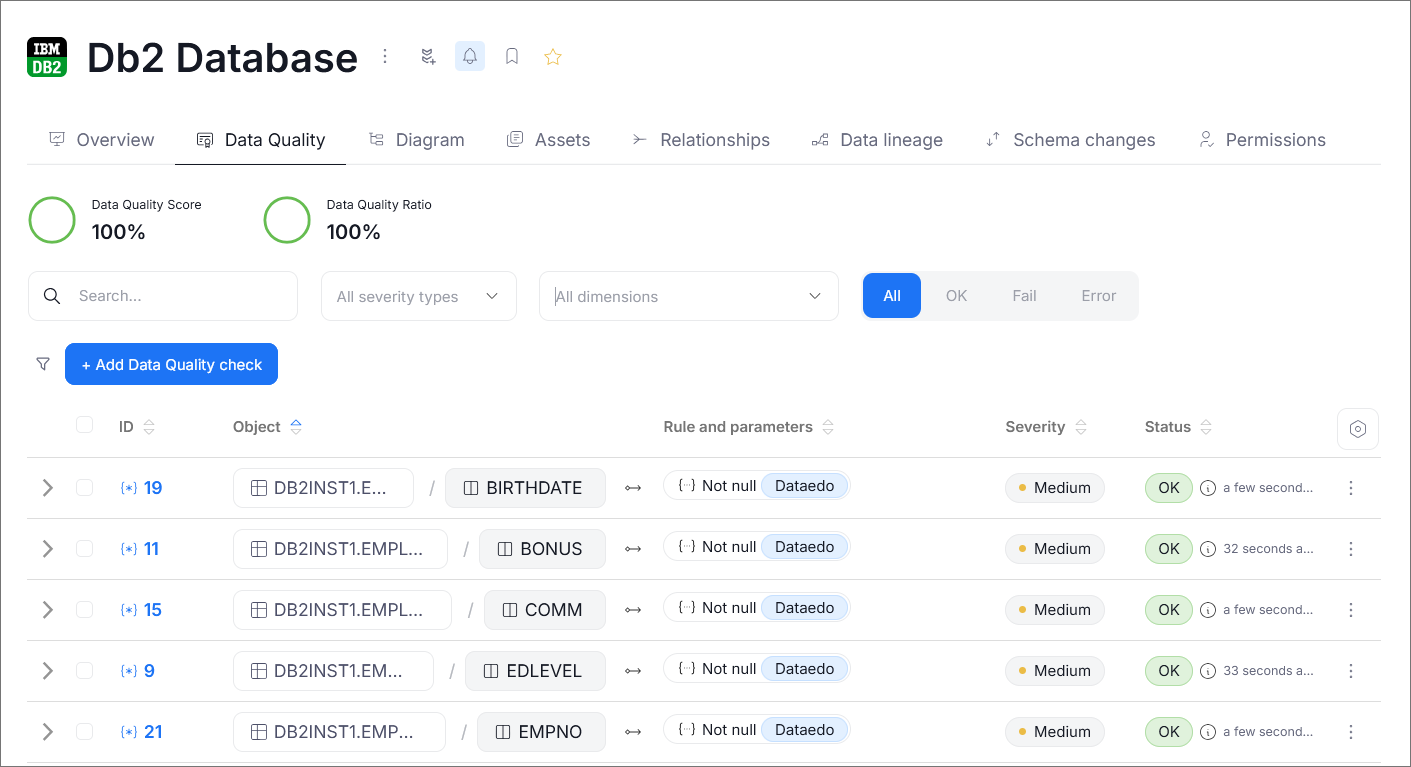
Since version 25.4, Dataedo supports the Data Quality feature for IBM Db2 LUW databases. You can now create and run Data Quality rules on your Db2 LUW tables, helping you maintain the accuracy, consistency, completeness, and reliability of your data.
Interface Tables
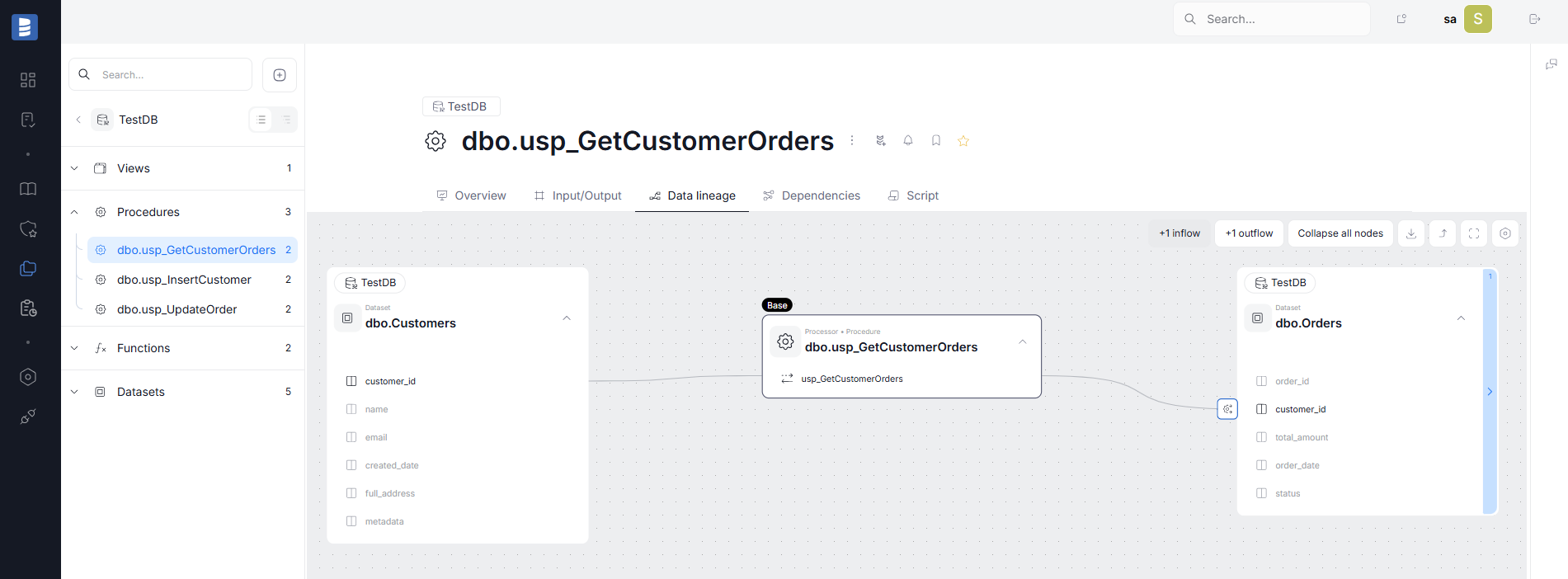
The Interface Tables connector now supports linking parent objects and automatically parses and creates lineage for views and stored procedures. This streamlines impact analysis and improves visibility into how data flows across your system.
UX/UI
- Updated all object overview pages by removing unnecessary section borders, simplifying metadata (now showing who created and last modified the object in plain text), and keeping the right-hand column fixed during scrolling.
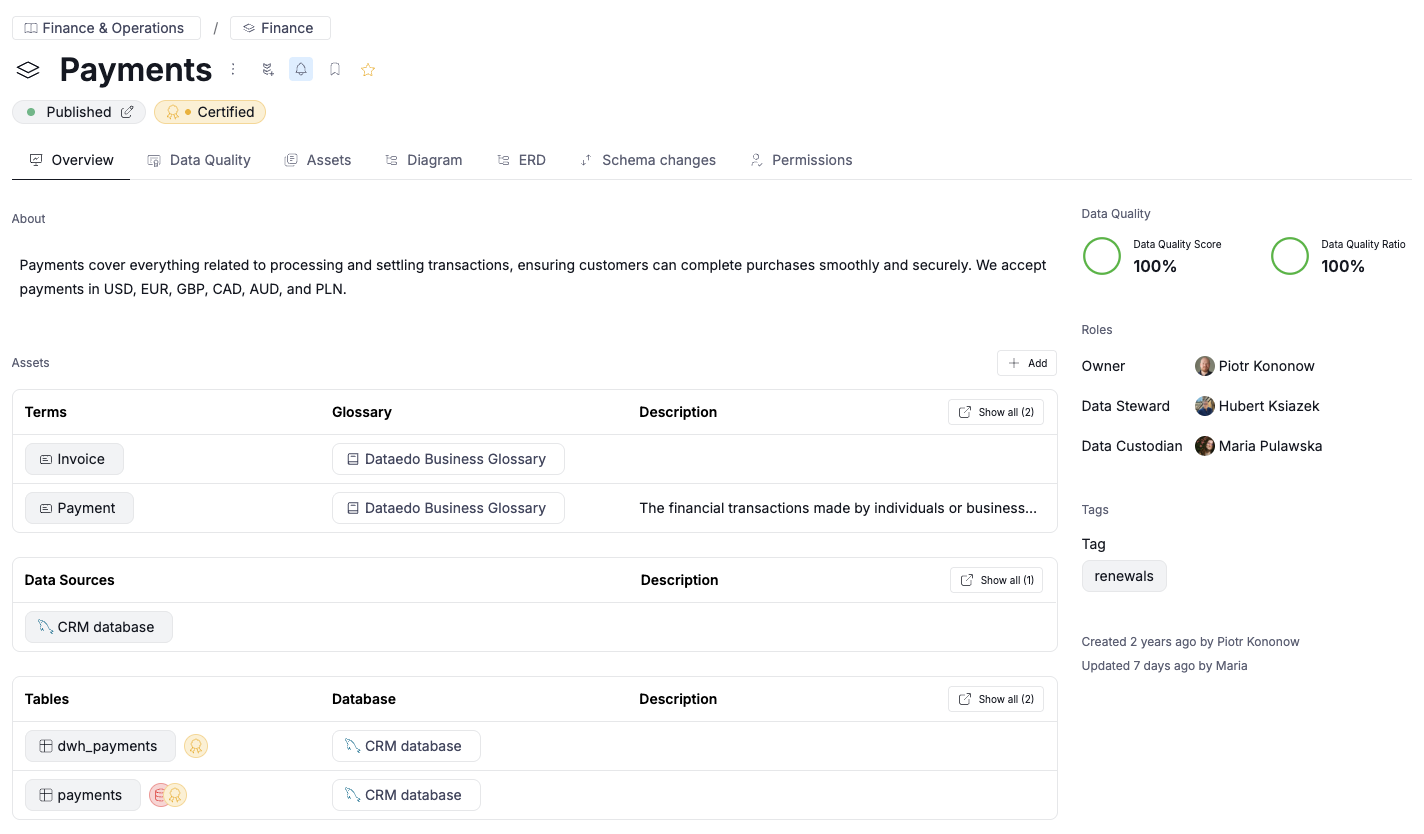
- Redesigned the page header for a cleaner look. When an object has both a manually assigned title and an original name from the source (e.g., table/column name), the manual title is now more prominent, with the original name displayed in a smaller font. Unnecessary buttons have been removed.
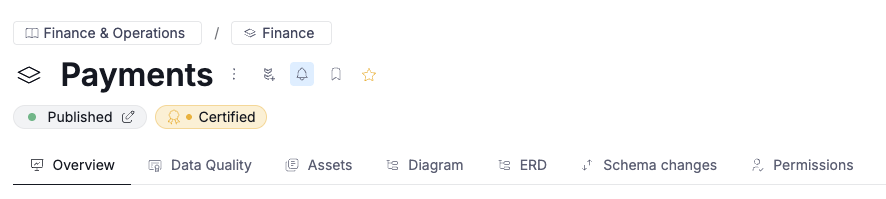
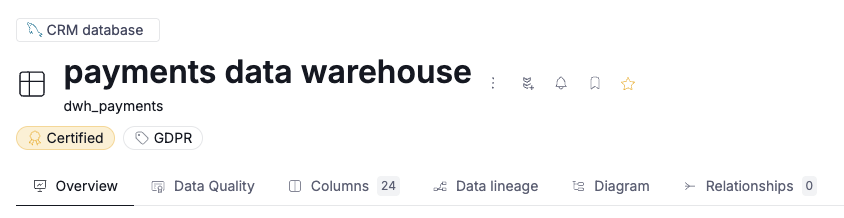
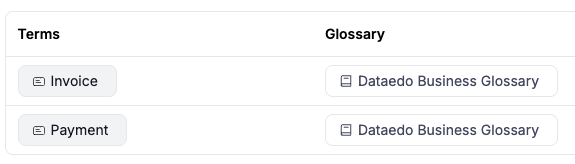
- Unified tag components across the application: clickable tags now have a more rectangular shape with slightly rounded corners, while non-clickable tags use more pronounced rounding.

- Enabled drag & drop reordering for custom fields in settings.
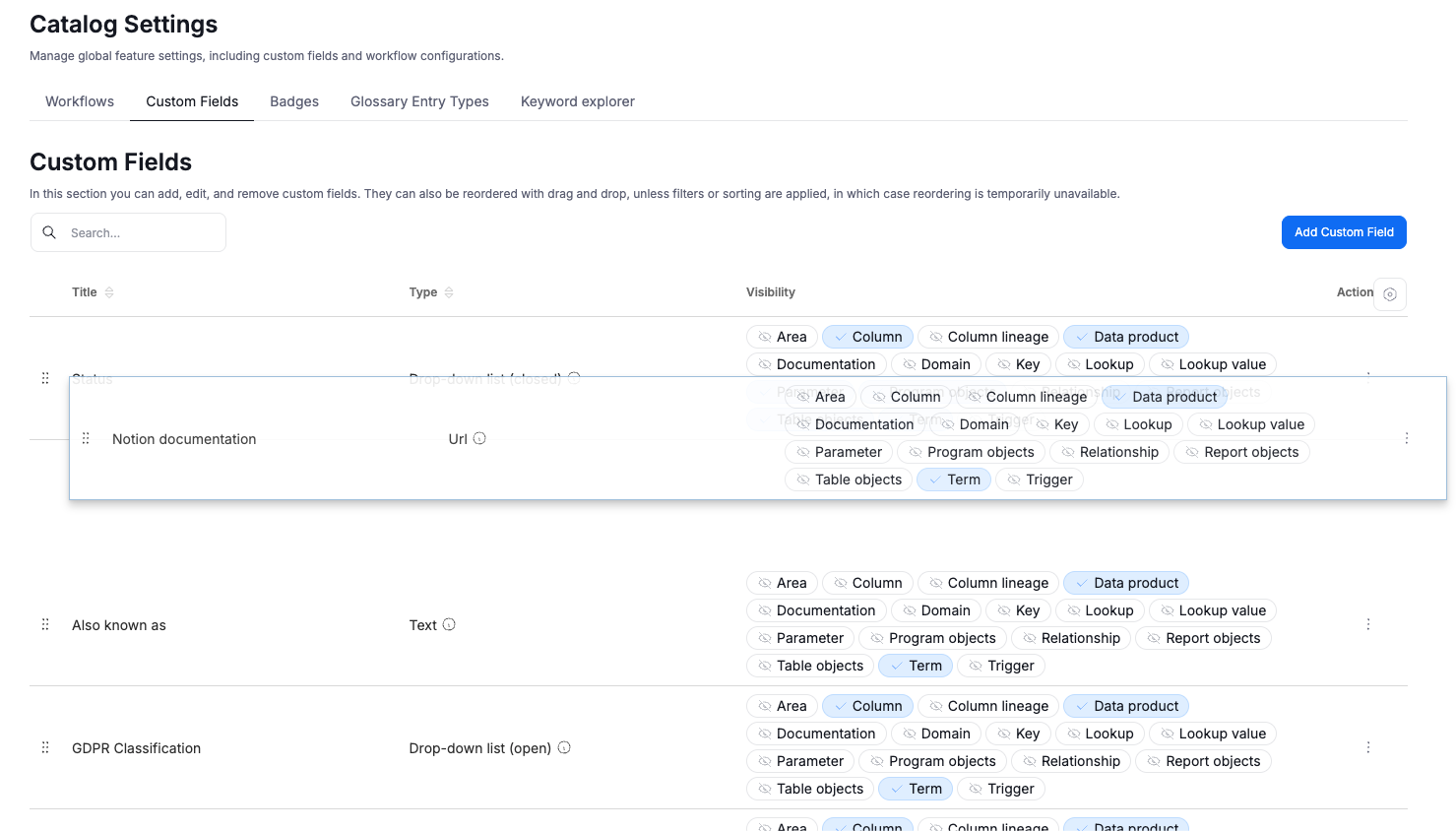
- Removed the “pinned custom fields” section: role- and tag-related custom fields remain in the right column of the object overview, while all others appear at the bottom of the page.
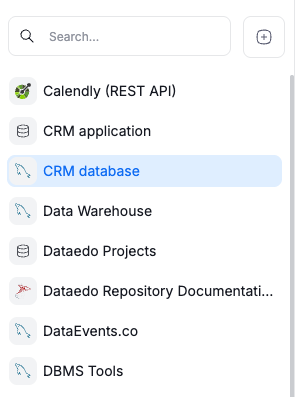
- Redesigned the object navigation tree to align with the updated application style and simplify navigation.
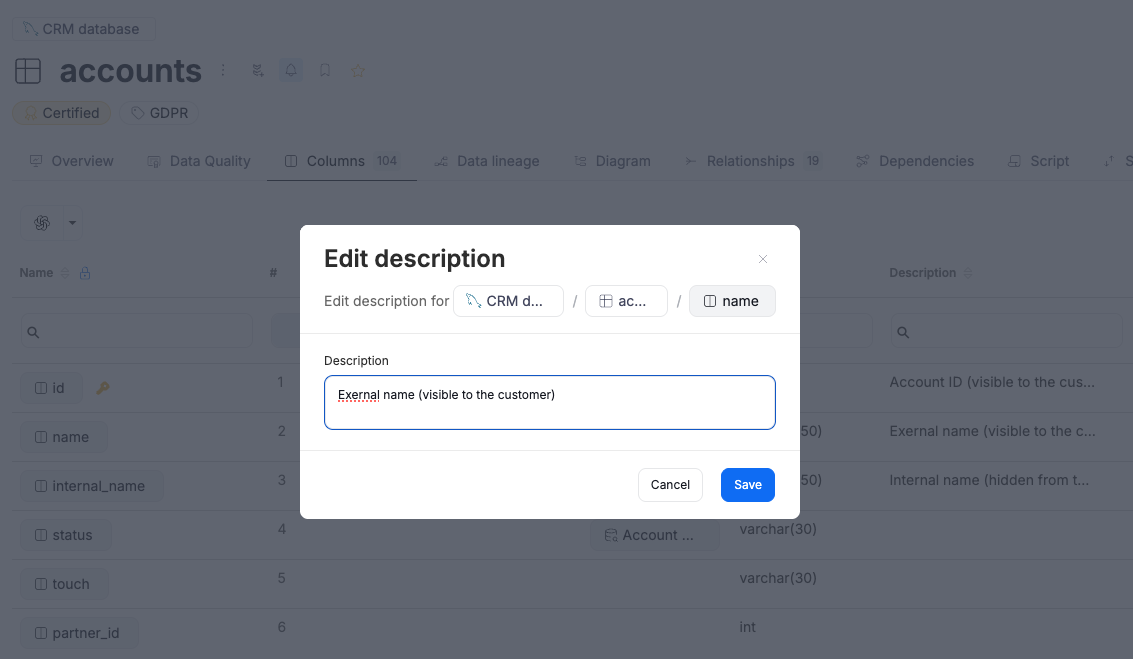
- Improved column descriptions editing on grids: descriptions now open in a popup with clear save and discard options.
- Added instance description as an optional column to display for in data quality grids. When enabled, this property becomes visible only for the user who turns it on.
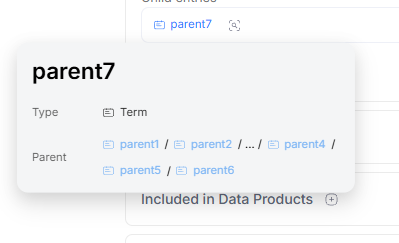
- Enhanced term tooltips by displaying the full hierarchical path of all parent terms, not just the immediate parent.
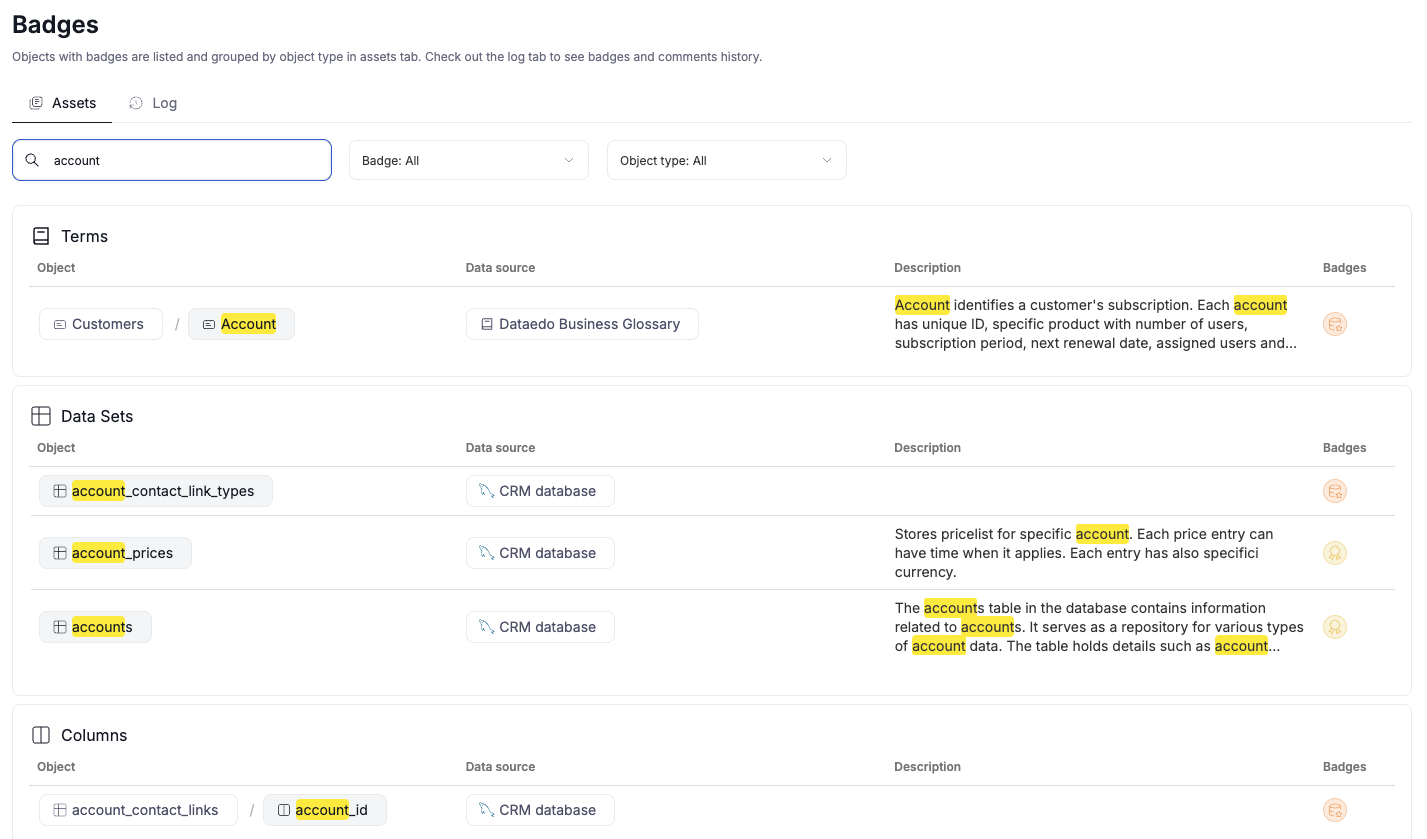
- Search fields on grids now highlight the matched text.
- Plus numerous bug fixes and minor refinements throughout the interface.
Other improvements
Parallel Processing for Data Quality Checks
We introduced parallel processing for Data Quality checks, allowing multiple tasks to run simultaneously for faster execution.
Checks are now grouped into packages based on each table — meaning a table and all of its columns are processed together. These table-based groups run in parallel, ensuring that no data in the source is ever overlapped between concurrent operations.
You can control the level of concurrency using the DATA_QUALITY_MAX_CONCURRENT_TASKS parameter in the configuration table. The default value is 10, but you can adjust it as needed.

If you encounter issues or prefer sequential processing, set the parameter to null or 0 to run all checks synchronously.
Restored Manual Portal URL Setting
We reintroduced the ability to manually edit the Portal URL in System settings → Basic: while the automatic update mechanism added in the previous release remains in place, you can now override the value manually whenever needed.
This setting defines your portal’s base URL and is stored in the repository to ensure that links in system emails and redirects (SAML and OAuth) point to the correct address.
Authentication Update
We switched from JWT tokens to secure HTTP-only cookies to improve session security.