Release notes 8.1.4
Bug fix
- Fixed a crashed caused by clicking question mark symbols in some areas of the app
8.1.4
8.1.3
From this version free Lite edition is no longer supported. Read about our reasoning. Please feel free to keep using 8.1.2 if you want to enjoy the free documentation tool.
Many users mentioned that running Dataedo for the first time can be complicated due to the amount of information on our starting screen. We've decided to rebuild it from scratch to make starting the app more straightforward.

Another thing that complicated using Dataedo was the positioning of ribbon buttons. Many users tried the New/Open button (which most users don't really need) to add new documentations due to its prominent position. Now the button for adding new documentation is moved to the start of the ribbon. We've also updated some of the icons so their use is clearer. We believe this will make choosing the right options easier for new users to use Dataedo.

Fixed an issue with primary and unique key icons in HTML export
Removed "(64 bit)" from menu start option, leaving just "Dataedo", to make it more obvious as a default option
Upgrading file repository checks the user's license before upgrading now
Updated UI libraries
8.1.2
Fixed an issue with Oracle connection using SID
Fixed an issue with dropdown lists (open) not updating correctly when changed on terms grid
Fixed an issue with custom fields to extended properties export
Fixed an issue with importing unsupported MySQL versions lower than 5.1
8.1.1
Fixed an issue with connecting to an unsupported version of a DBMS.
8.1
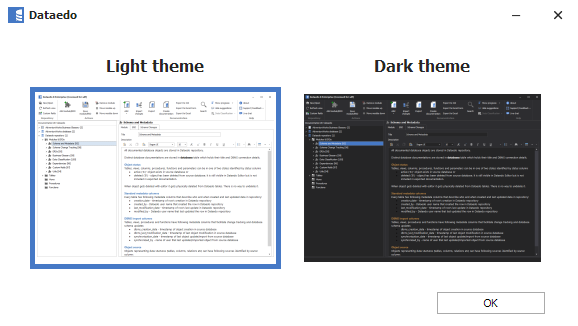
Until now, Dataedo only had one color scheme, with light colors. Since multiple users mentioned being used to working in darker environments, we've decided to add a dark theme to Dataedo.

When first run, Dataedo will ask you to choose a theme:

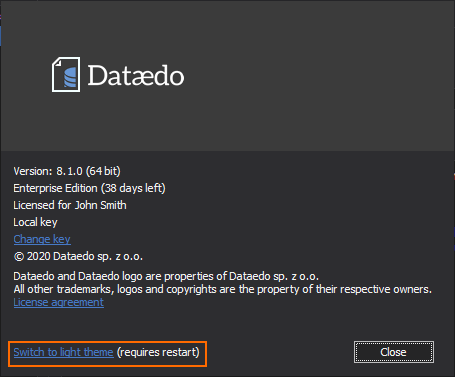
You can choose the theme you want to use when first opening the app, and later change it in the About window.

Fixed an issue with custom fields of dropdown - open type not updating the option list
Fixed a crash related to choosing DBMS in the Import documentation screen
Fixed graphical issues when using Dataedo with remote desktop
Improved performance of the update notification bar
8.0.2
This updated fixes a critical bug where editing a module's description could remove descriptions of tables it includes.
We recommend installing this update immediately.
If you encountered this issue and don't have a backup to restore, you can use this query in your repository to recover most of the descriptions in plaintext:
UPDATE [dbo].[tables]
SET [description] = [description_plain]
WHERE [description] IS NULL;
You can also contact us at [email protected] and we'll guide you step by step.
8.0.1
We've received error reports appearing during metadata import from DB2 and Redshift. These issues are resolved in Dataedo 8.0.1.
A few errors were reported related to ERD manipulation in Dataedo 8.0. These issues are resolved in Dataedo 8.0.1.
8.0
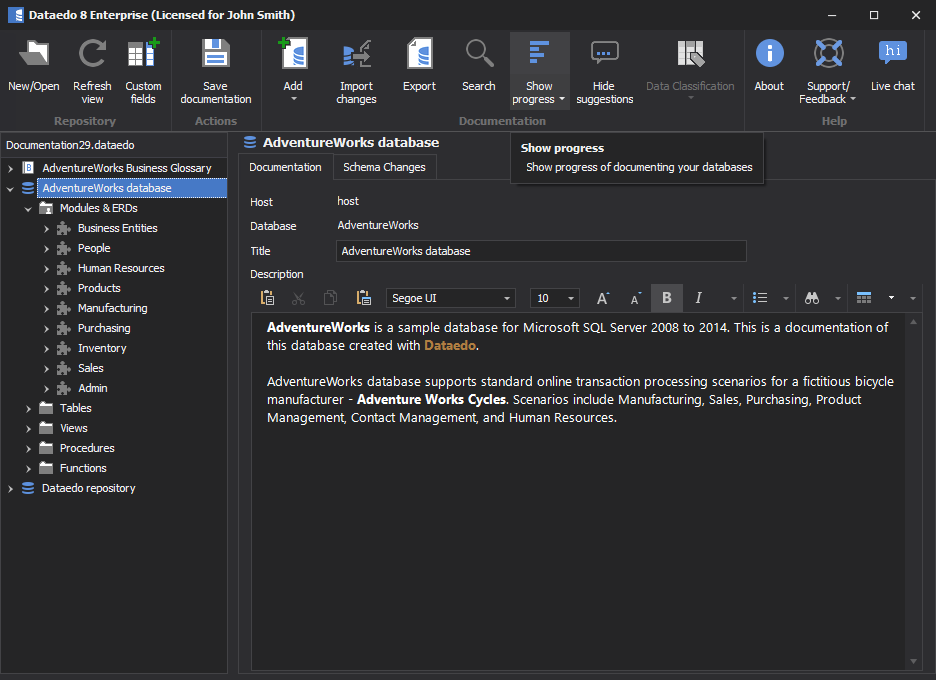
We've updated frameworks used in the development of Dataedo and refreshed the UI. Higher display scaling should no longer make Dataedo unreadable. This also allowed us to fix multiple hard to replicate issues that some users encountered and unlock additional options for improvements in the near future.
Multiple users asked us about the option of including tables in rich-text descriptions. Previously it was possible to paste a table from another spreadsheet, but with limited formatting options.
Dataedo 8 adds an option to create and format a table directly in a rich-text field.

When creating user-defined relations, most of the time the column used for the PK side is the column on which the primary key is specified. They are now suggested by default when creating a user-defined relation, and if the table on FK side has columns with the same name, they will be suggested too!

We're adding support for new versions of metadata sources. Dataedo 8 now supports:
IBM BigSQL - new connector
Amazon Redshift - support for native connection, no ODBC required
MariaDB version 10.3 - support for new version, added support for system-versioned tables
MySQL 8.0.16 - support for new version
Oracle - added support for triggers on views, more schemas can now be imported simultaneously
Percona MySQL 8 - support for new version
SQL Server 2019 - support for new version, added support for triggers on views
Snowflake - added support for procedures
Until now, customized templates were independent of the source template. This could cause issues since when new features were added to the standard template, they wouldn't automatically be included in custom templates.
Templates created in Dataedo 8 onwards will automatically update their base parts. However, this will require re-creating the templates (we promise it's the last time!).
When sharing exported documentation, especially with databases hosted online, showing host and database name can be a vulnerability. It is now possible during export to hide this information.

Previously, search in HTML export by default checked only object names. An additional option had to be set to also search column names. This setting is now checked by default.
Dataedo 7 allowed for exporting comments to database schema for:
SQL Server
Oracle
Azure SQL Database
Azure Synapse Analytics (formerly SQL DW)
Now, we added this functionality for following connections:
PostgreSQL
DB2
Snowflake
Amazon Redshift
Search tab now correctly searches business glossary terms
Schema change tracking now correctly scrolls even long scripts
HTML Export should now display source documentation for business glossary data links
HTML export should now display term type correctly
Improved search for data links from business glossary terms
Fixed an issue where removing a custom field could cause the app to crash
Fixed an issue where sorting a closed list custom field could make it display incorrect values
Multiple other fixes and UI improvements
7.5.4
7.5.3
Fixed an issue with Oracle import checking access to DBA tables
Fixed an issue with adding business glossary links on screens with display scaling
Fixed an issue with connecting to SQL Server without encryption support (e.g. localDB)