Make Dataedo your own
No two data teams work the same way, and your data catalog shouldn't make them try. Dataedo adapts to your organization. Put your brand on the Portal, describe metadata in your own terms, and build review and approval processes that match how your people actually work.
Here's a quick tour of what you can tailor. Each section links to the full guide.
Portal UI
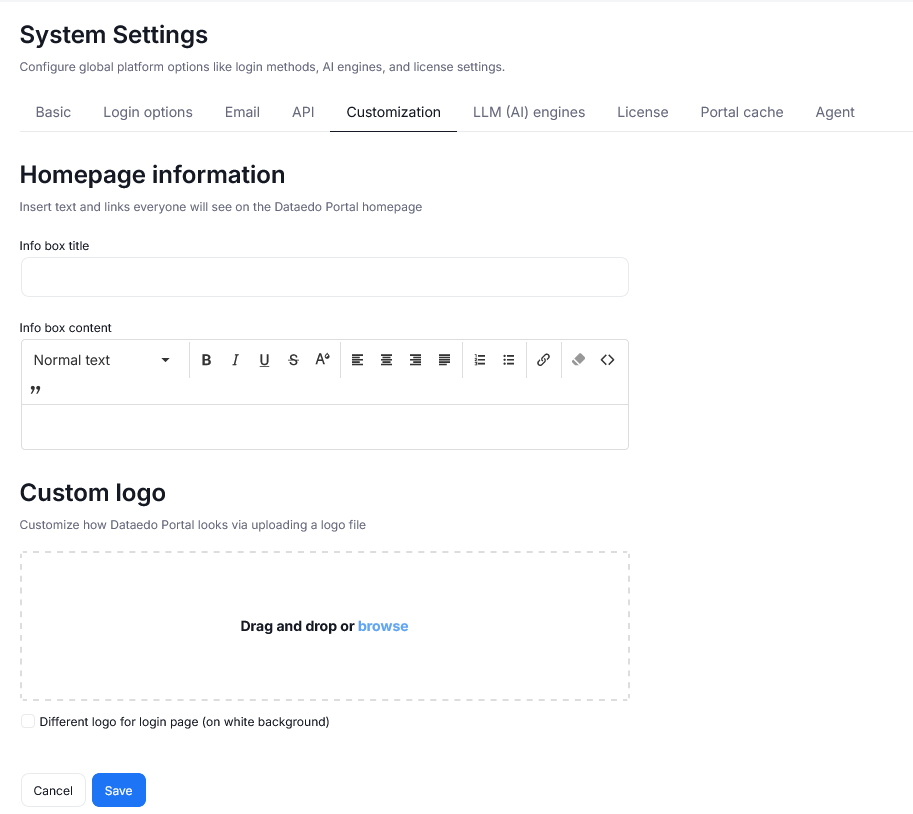
Homepage
Give your catalog its own name and welcome users with a custom infobox on the Portal homepage. Use it for onboarding tips, announcements, or links to your data policies. Admins can control how the homepage looks in Settings > System settings > Customization.
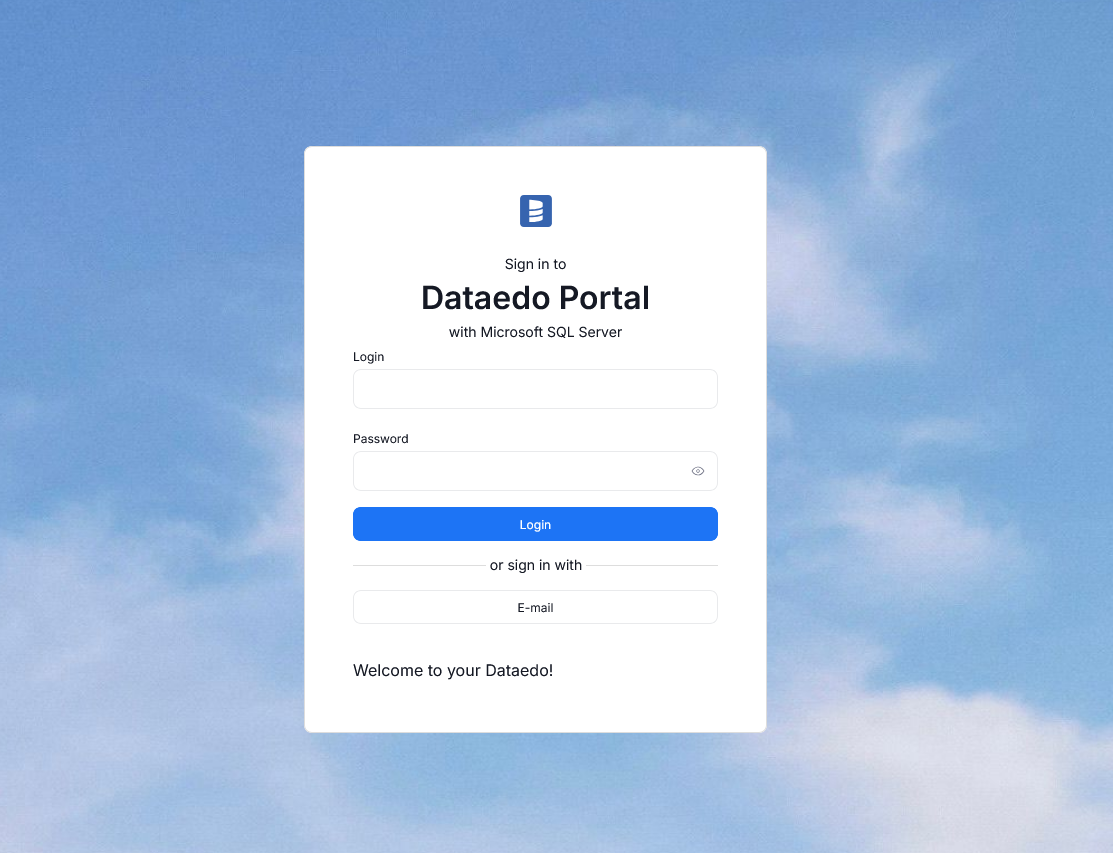
Login page
The changes you make can be viewed by users even before they log in. Add your own background image, logo, catalog name, and welcome message, so the first screen your users see feels like an integral part of your company's ecosystem. You can customize the login page in Settings > System settings > Customization.
The right information for every team
A business analyst and a data engineer need different things from the same table. You can choose which tabs each user group sees for each object type, and every user can fine-tune their own view according to their preferences. This lets everyone in your company work with exactly the information they need. Learn about tab visibility.
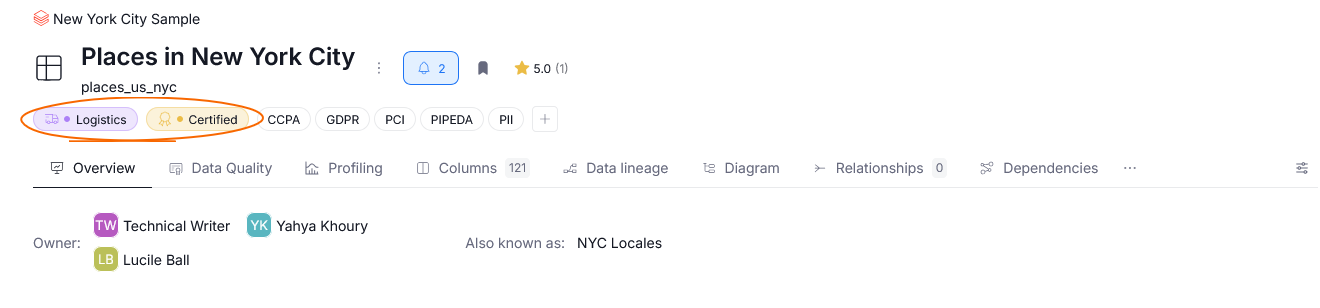
Badges to quickly view what matters
Dataedo lets you create custom badges, which you can use to mark your assets, so that they are recognizable at a glance. Is this master data? Does it need updating? Is this an asset you use frequently and is of utmost importance?
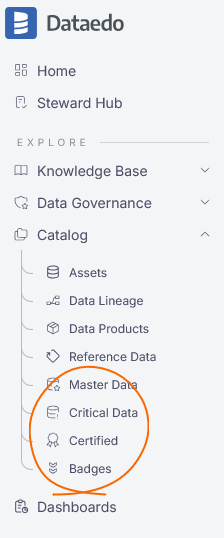
You can create shortcuts in the Portal's navigation tree that take you directly to badge lists. Your most important assets are always one click away. Add badges to the navigation tree.
Settings
Data classification tuned to your policies
Dataedo ships with over 80 Semantic Types that automatically recognize data such as names, phone numbers, or ID numbers, plus built-in classifications for GDPR, CCPA, HIPAA, and PII. Edit them, add your own rules, or build a classification from scratch. Learn about Data Classification and managing Semantic Types.
Groups and permissions that mirror your company's structure
Start with four ready-made groups (Administrators, Global Approvers, Global Data Stewards, and Global Explorers), then add your own. Grant roles across the whole repository or on selected objects, and choose a default group for every new user. Manage user groups.
Workflows and documenting
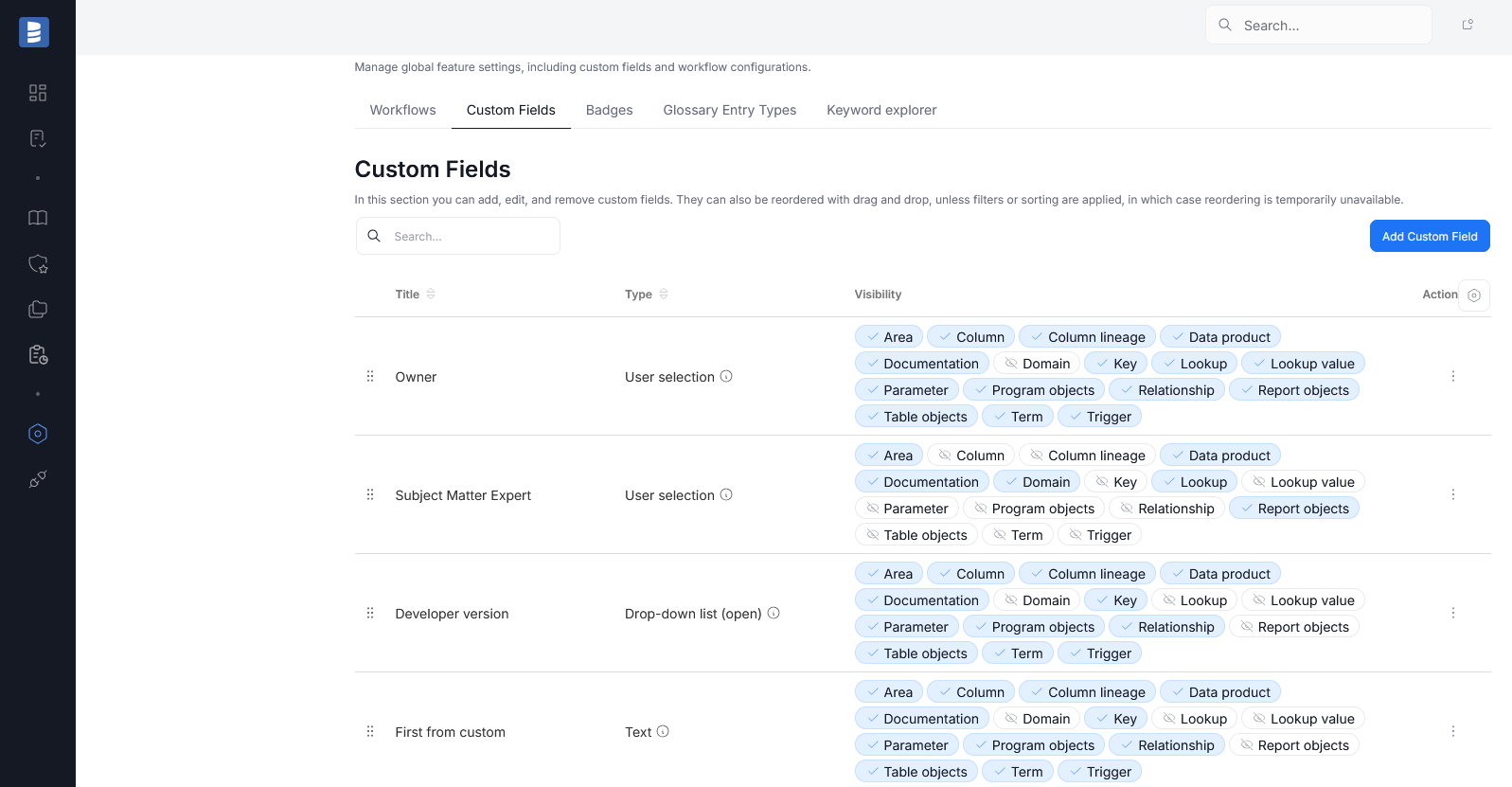
Custom fields
You can create up to 100 custom fields to better contextualize your data. Capture ownership, criticality, retention rules, or anything else your organization tracks. Explore custom fields.
Workflows built around your process
Define the statuses your documentation moves through, from draft to approved. Set each status's color, name, description, and Steward Hub call to action. Choose who can set it, who it's assigned to, and whether non-editors can see it. You can even assign a different workflow to each object type. Configure workflows, or watch Dataedo Talks #6 for a walkthrough.
Data quality rules that fit your data
Dataedo comes with over 90 built-in Data Quality rules, but every business has checks only it can define. Write your own SQL rules to test exactly the conditions that matter to you, or save them as reusable rules and apply them to any table, view, or column. Define a rule once and keep quality standards consistent across your whole catalog. Create custom SQL rules or reusable rules.
A glossary structured your way
Organize business knowledge with glossaries and their entry types. Dataedo ships with four predefined types (Term, Category, Policy, and Rule), but you can add or edit types to match how your company thinks about its data. Learn about entry types.
Metadata from any source
Can't find your source on the connector list? Custom SQL connectors, built by the Dataedo team or by you and signed by Dataedo, let you document even niche systems. For fully custom solutions, interface tables let you load metadata into the repository through a defined set of tables. Explore custom connectors and interface tables.
Branded HTML exports
Share parts of your catalog beyond Dataedo. Export selected documentation to an interactive, searchable HTML site and host it on any web server, inside your network or publicly on the Internet. With a custom template, you can add your logo and favicon and change fonts, colors, and headers, so the site matches your company's brand. Customize HTML export and publish it on a web server.

