Accessing Dataedo Portal
Find out what the options for accessing the Dataedo Portal are, the differences between them, and how to configure those options.
If you are not using the Active Directory login method, you should disable it through settings to ensure security. It is common that the default environment is available already, which can lead to giving everyone who has an AD account access to the Dataedo Portal. If you are using Active Directory, you may want to remove or limit permissions assigned to default groups.
Login options in Dataedo Portal
Allowed login methods can be set and edited by Admin users.
To manage allowed login methods, navigate to Settings>System Settings and switch to the Login options tab. Your enabled login methods will be displayed as tiles. New methods can be added using an empty Add new login method tile [a]. This opens up a menu where you can configure your chosen login method (for specific instructions, visit the authentication section). Unsaved changes will be marked as a draft [b] until you save your edited configuration.
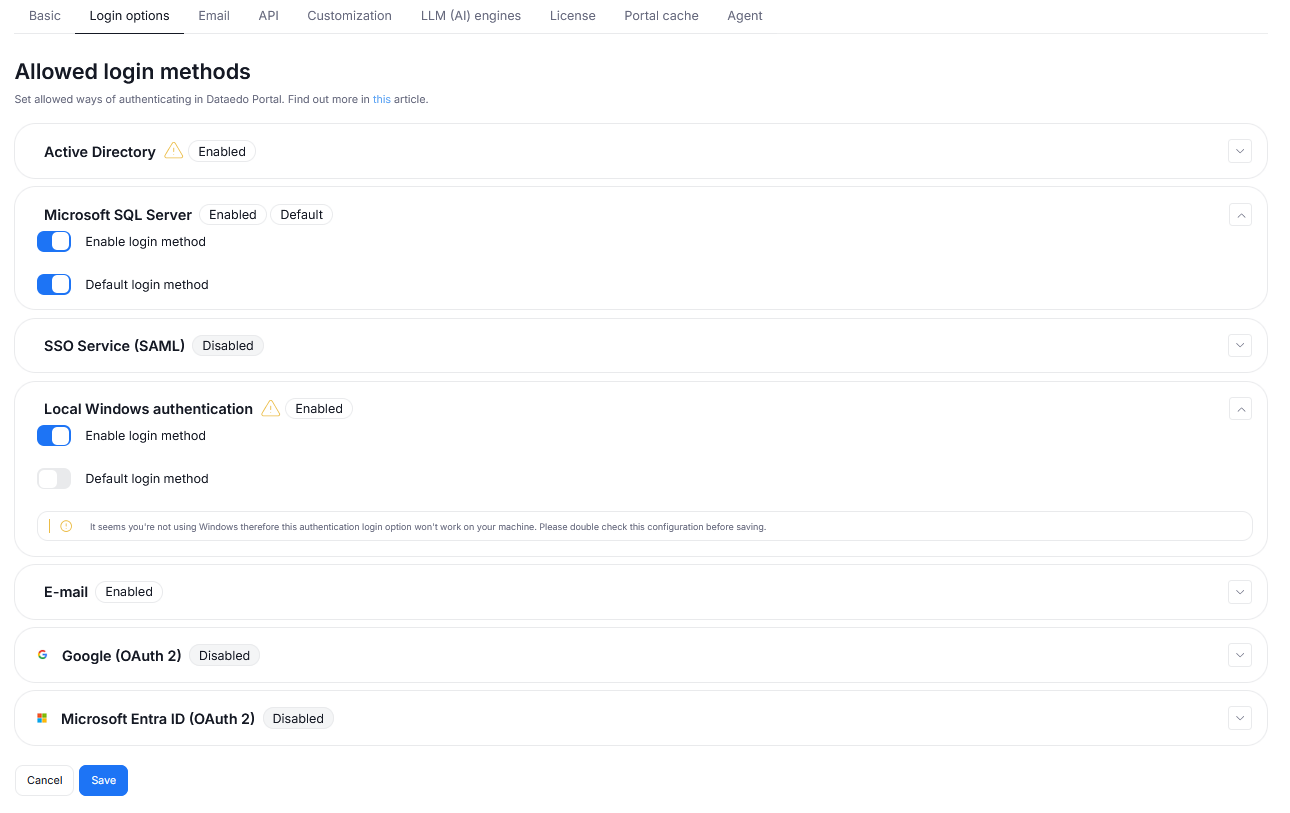
If there are any factors that might prevent a specific method from working, the Portal will show a warning sign [a]. Additionally, you can use the Set as default [b] button to make a select method the default one for logging into Dataedo Portal.
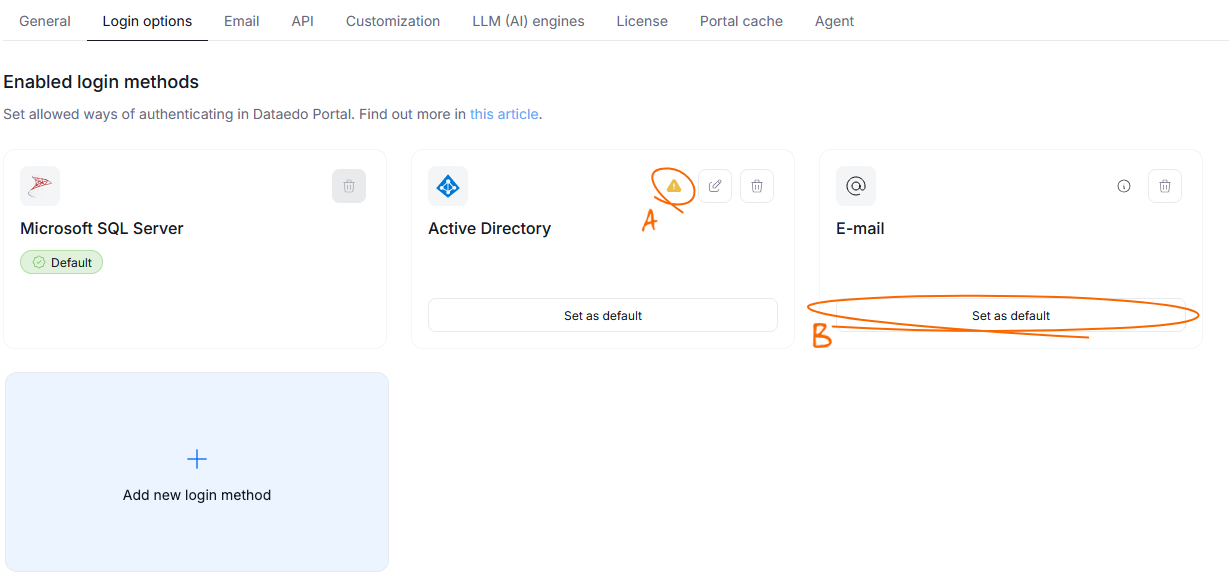
This saved configuration takes precedence over other access settings. For example: even if you have configured a SAML provider, but the SSO is not enabled as a login option in System settings, you will not be able to use this login method.
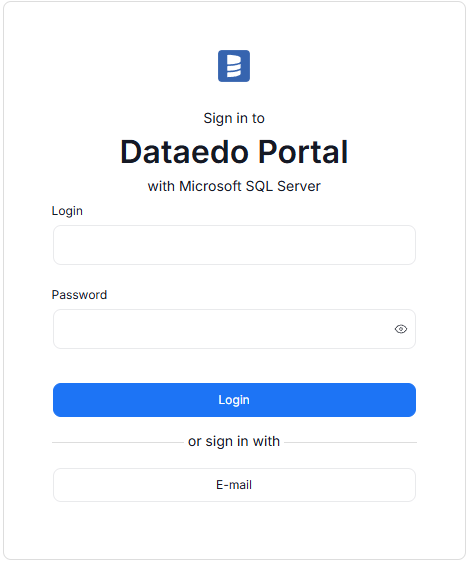
Your login options configuration also affects how the login form to the portal looks like.
Automatically redirect to SSO
You can configure the login methods so that the relevant SSO service is opened automatically when accessing Portal's login page. For this option to work, you have to meet two prerequisites:
- only one identity provider is configured for SAML
- no other login methods are enabled
To enable this option, you have to check the Automatically redirect to SSO if it's the only available option checkbox in the SSO Service(SAML) section of the Login options.
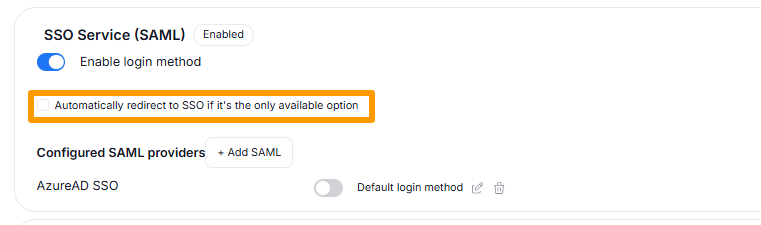
The SSO redirection checkbox is not visible until you meet the prerequisites. Conversely, if you configured this option, and then enabled other login methods or other identity providers, the functionality will no longer work.
Authentication flow
The Authentication flow differs between methods. After initial authentication, the authorization uses Permissions in Dataedo Portal to accurately apply each user's permissions.
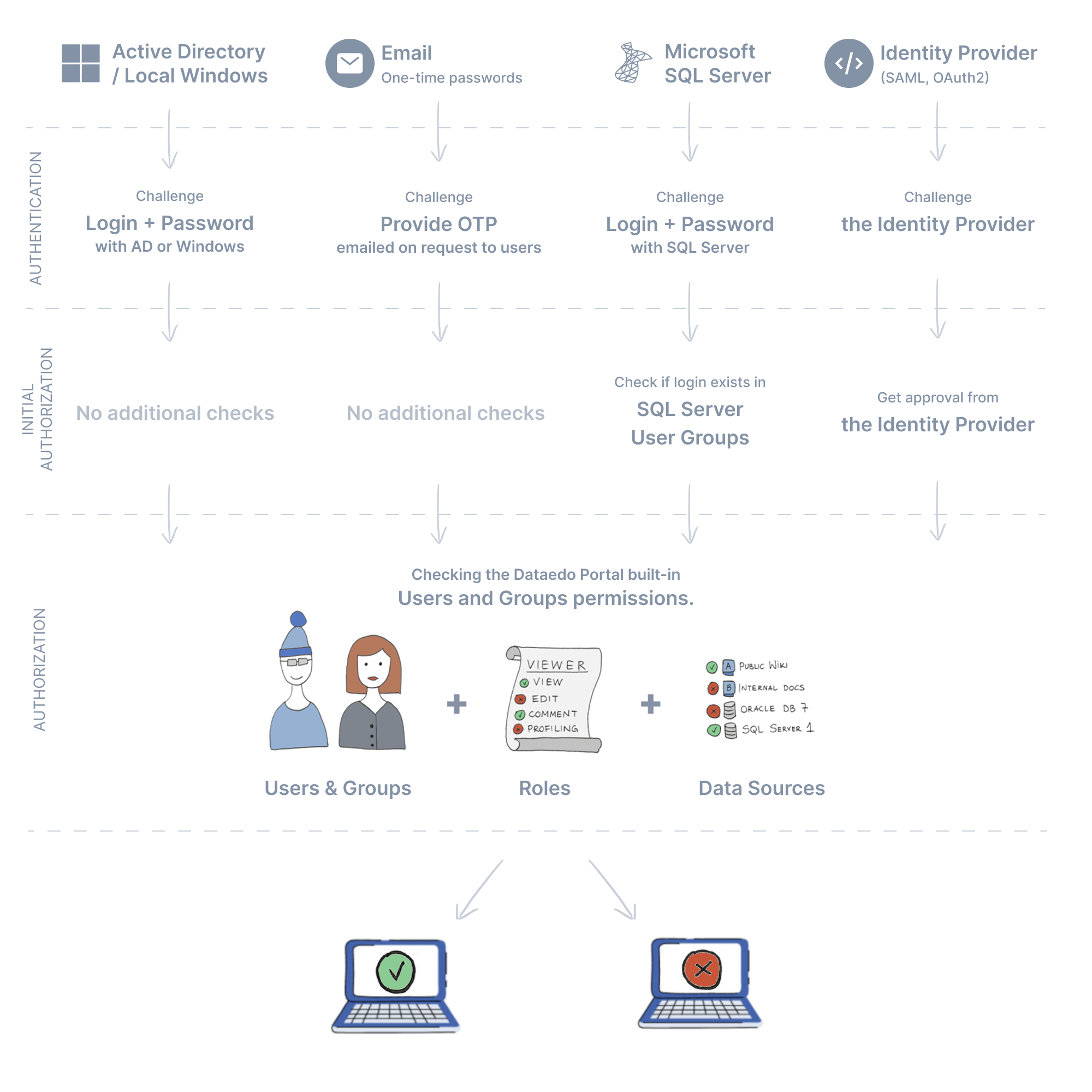
Please note that checking if the login is in the User Group for SQL Server is, in fact, checking if login belongs to the user who is in the Users Group (since for SQL Server, login and user are not always the same).
Account creation flow
When a user completes authentication and the initial authorization flow, but their account does not exist in dbo.licenses (the user logs in for the first time and didn’t previously have any explicit permissions assigned), then the row is added and the user is granted access to Dataedo Portal based on default groups.
Please ensure that the default groups are set properly, as they are assigned to every new user who is authorized with any enabled login option. For instance, if the newcomer is granted an AD account, and the AD login option is enabled, then the newcomer will be granted all default groups upon the first login. This is a very useful feature for scaling purposes but can be potentially harmful if not configured correctly.
Find out more details in the Users management article.
SAML User Data Extraction
If SAML was configured as a Login options, missing User data can be automatically filled in based on information provided by the SAML provider.
If Dataedo User's email address or name is empty, and they authenticate successfully with SAML, their name and email will be automatically extracted, and filled in Dataedo.
The name extraction works for Microsoft Entra ID (Azure AD) without any special configuration. However, for Okta and Keycloak, some additional work is required.
Single session mechanism
By default, the Dataedo Portal uses a single session mechanism for security reasons. It means that one user can access Dataedo Portal only from one device at a time. Upon login on a new device, all older sessions are closed.
Please note that even if you are using Dataedo Portal through two browsers on one device, each browser still uses a separate session — so logging in a new browser will end your session in the other browser.
The single session mechanism can be disabled in your portal's files. To do so, open the appsettings.json file located in your portal repository and find the Login key. In the corresponding object, look for the AllowMultipleSessions flag and set it to true.
Cookie settings
The cookie settings control for how long you remain logged in after successful authentication. By default they expire 30 days after logging in.
You can, however, customize the login cookie's behavior using the appsettings.json file, which can be found in your portal repository.
The parameters responsible for cookie files can be found in the CookieAuthentication key. The three editable parameters are:
ExpireInHourscontrols how long cookies are stored for expressed in hours. Its input can be any positive integer. The default value is720SecurePolicycontrols the protocol for the encryption and transfer of your cookie files. It is set toAlwaysby default. Learn more about accepted values and their outcomes hereSameSitecontrols when cookie files can be sent in cross-site requests. It is set toNoneby default. Learn more about accepted values and their outcomes here
When an invalid value is provided or a parameter is deleted, the cookie settings will make use of their default values.

