Managing Semantic Types
Semantic Types enable quick and automatic categorization and identification of your data. Dataedo offers over 80 Semantic Types out of the box. You can also freely create new Types, or edit existing ones.
How it works
Semantic Types classify your data based on rules. Depending on the configuration of your repository, either samples of each column's data, or column names are scanned and compared against rules. Based on match certainty, a Semantic Type can be assigned. This Semantic Type is then used to determine Data Classification.
Rule types
If Data Access is turned off, only column name rules can be used to detect Semantic Types
Each Semantic Type has a rule (or a set of rules) that govern what conditions need to be met for a match to occur.
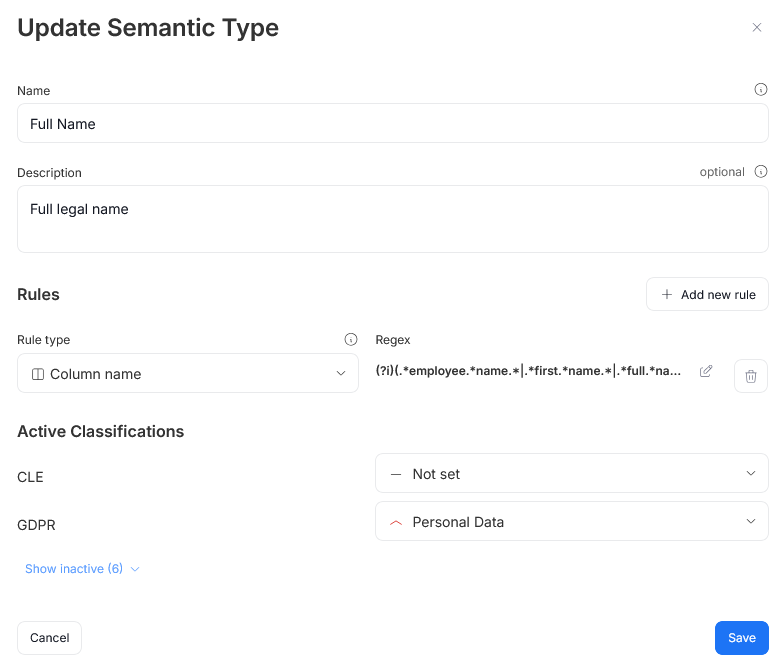
You can define multiple rules for a single Semantic Type. Each data point in a column's data sample is tested against all rules in all of your Semantic. A Semantic Type is assigned to the column when more than 70% of column's sample values meet at least one of its rules. Rules are not combined or stacked.
Regex
Regex rules use regular expressions. The defined pattern is tested against a column's sample values. If a majority of tested data points match it, that column is deemed as belonging to tested Semantic Type.

Regex rules have a 10-second timeout window. Therefore they might have trouble matching columns where cells contain large amount of text data (for example columns with longtext type).
Dictionary
Dictionary rules use a closed list of comma-separated strings. Each string represents a value expected for the Semantic Type.

Dataedo looks for a match between each data point in a column's data sample, and one of the strings saved in a dictionary. If the majority of column sample values are present in the dictionary, a Semantic Type will be assigned.
Lookup
Lookup rules are similar to Dictionary rules, but use an existing Dataedo Lookup. If the majority of tested Data Points return a match, the Semantic Type is assigned.

Column name
Column name rules use regular expressions. A column's name is tested against the expression, and if a match occurs, this column is assigned the Semantic Type.

Semantic Types tab
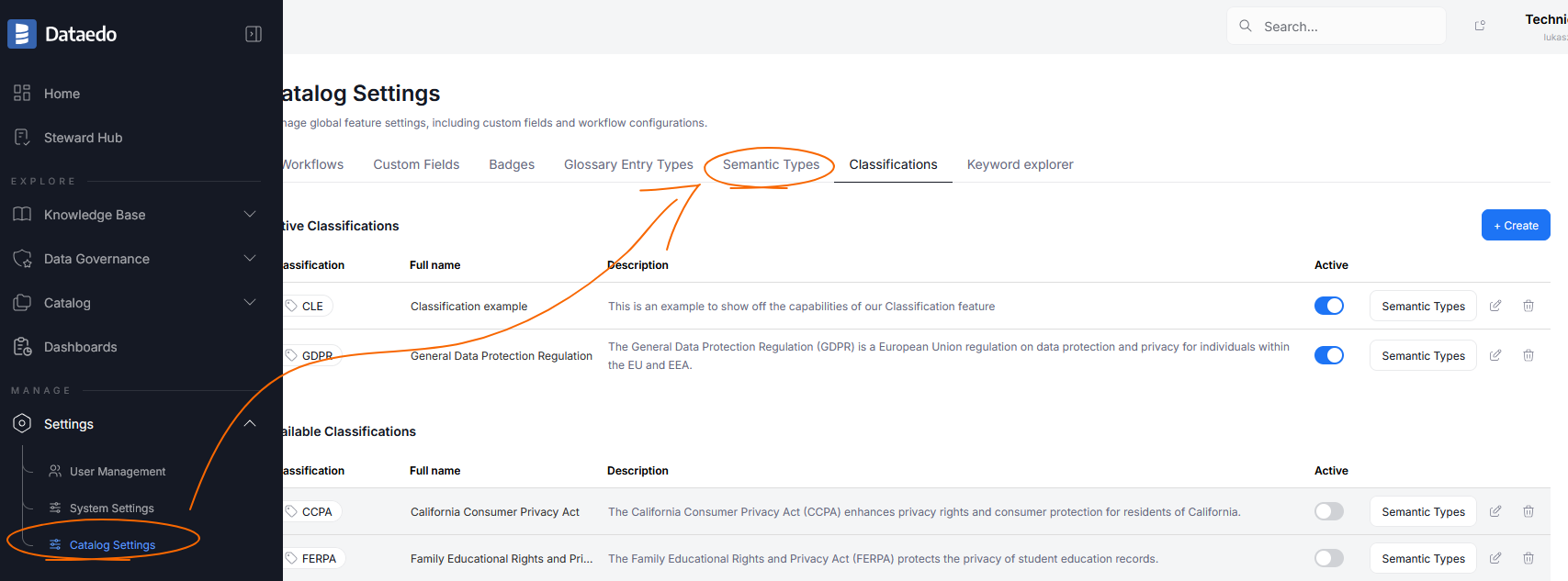
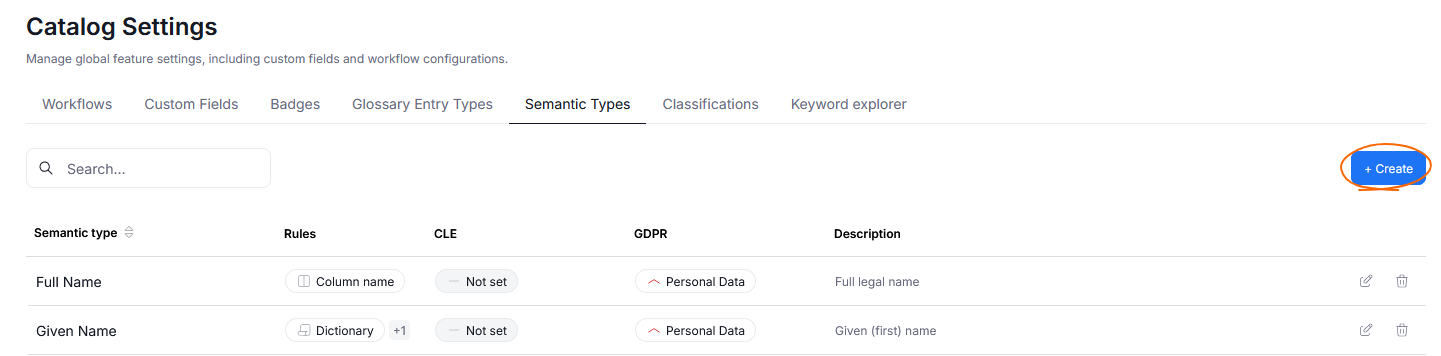
The overview of your Semantic Types can be found in Catalog settings>Semantic Types.
Editing existing Semantic Types
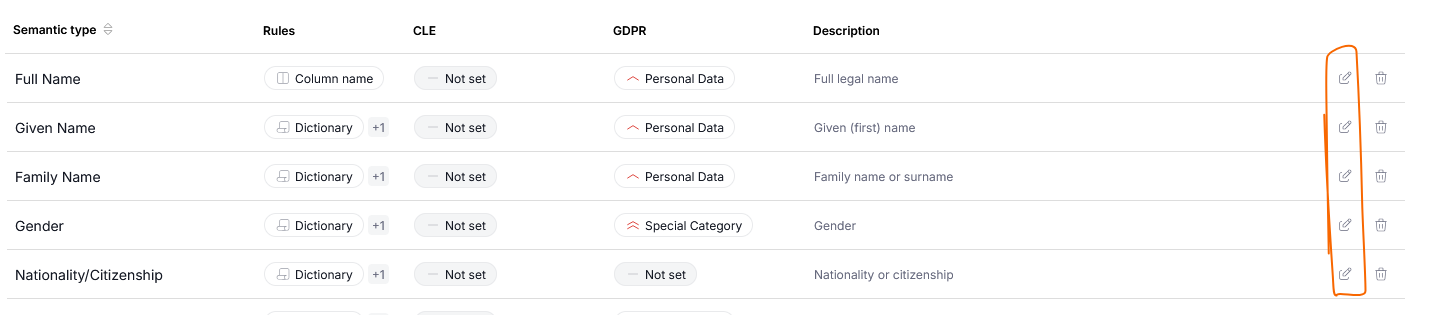
You can edit a Semantic Type by clicking the edit icon next to its name.
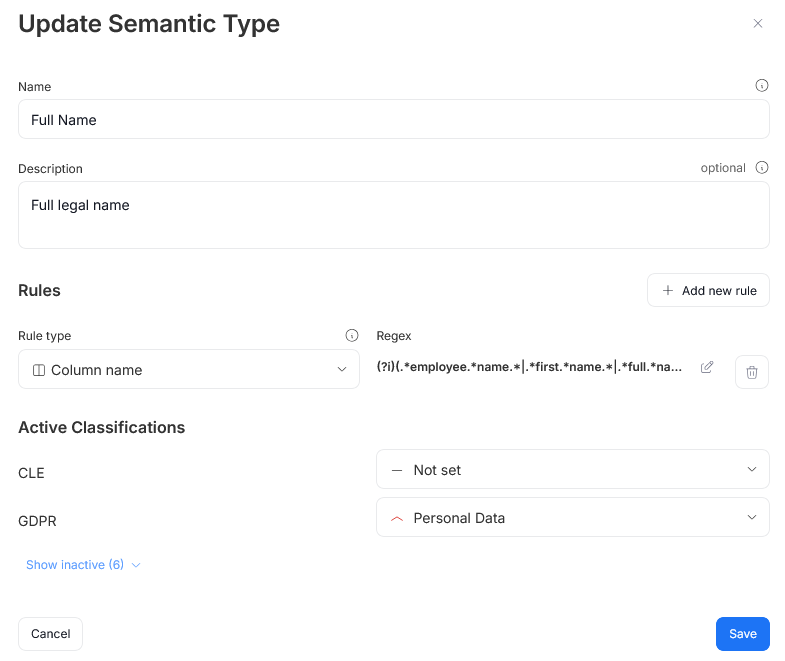
The edit popup allows you to change the Name and Description that are used to define your type. You can also edit existing rules, or add new ones, using the Add new rule button. More here.
Adding a new Semantic Type
You can add a new Semantic Type, using the Create button. The creation popup features the same fields as the one used for editing.
Linking Semantic Types to Classifications
Semantic Types map to Data Classifications. For example, if a column is detected as having a Phone number semantic type it consequently will be classified as Personal Data under the GDPR data protection act.
This behavior can be configured in the Semantic types tab. The edit/creation pop-up features an Active Classifications section. It displays all currently active Classifications in your repository. Each Classification has a drop-down. Use it to map your Semantic Type to a chosen Classification category. Remember to use the Save button to finish the process.
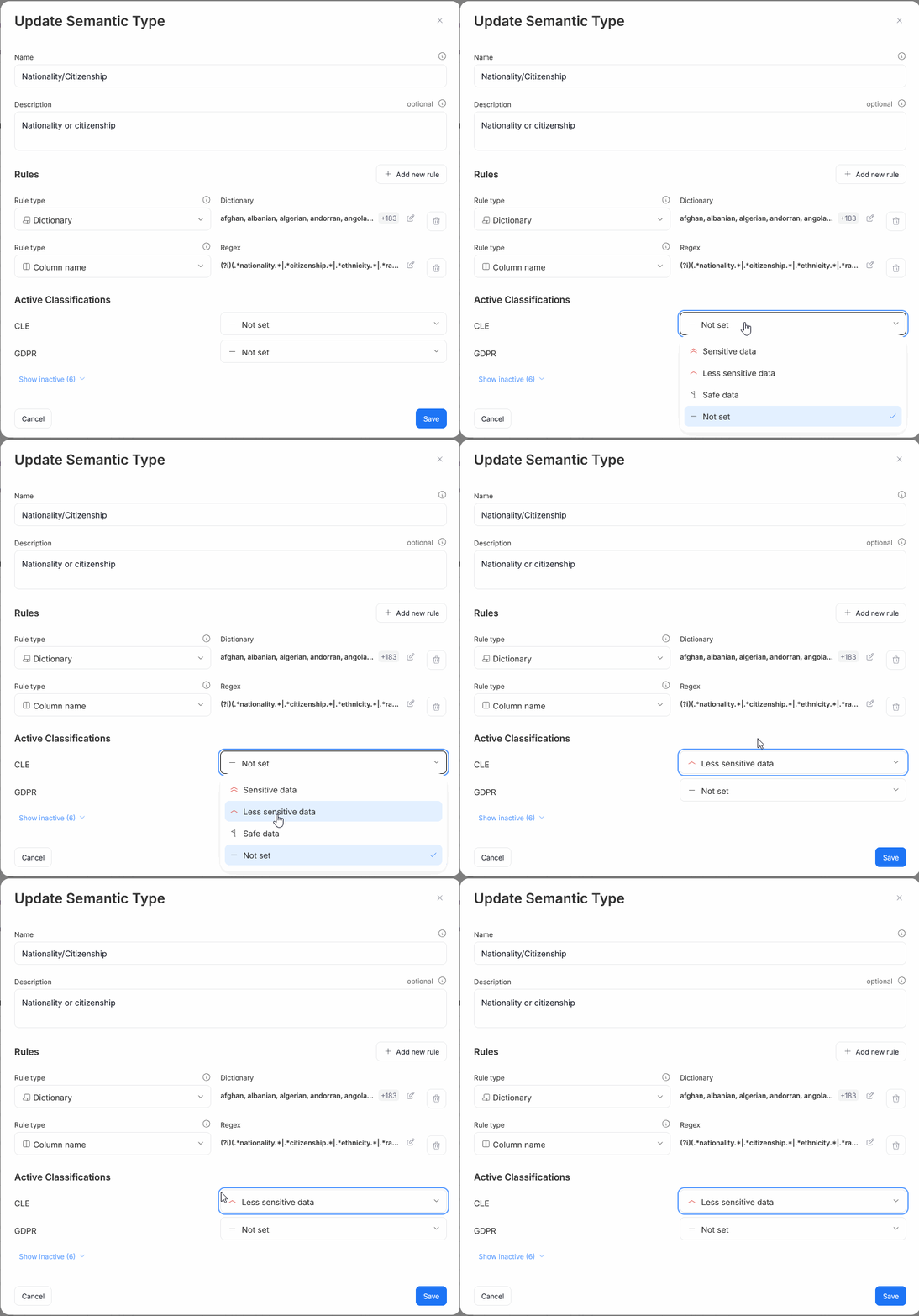
If you want to view inactive classifications, use the Show inactive button.

