SQL Server - Automatic Data Lineage
What to Expect
Views
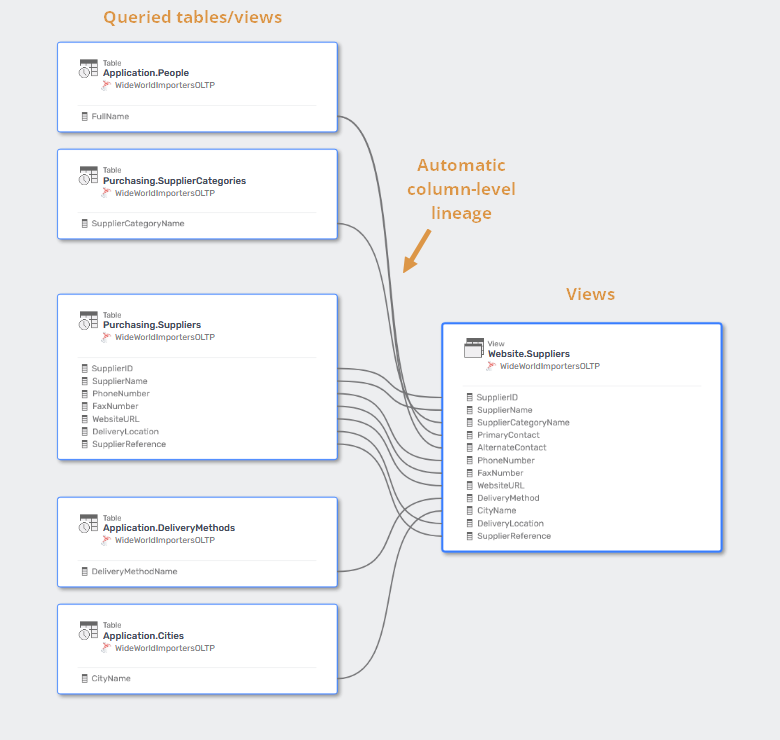
Dataedo analyzes SQL of database views with a built-in SQL Parser and builds column-level lineage from tables/views queried by the view script to the view object.
Learn more about Transact-SQL SQL parser
Stored Procedures and Functions
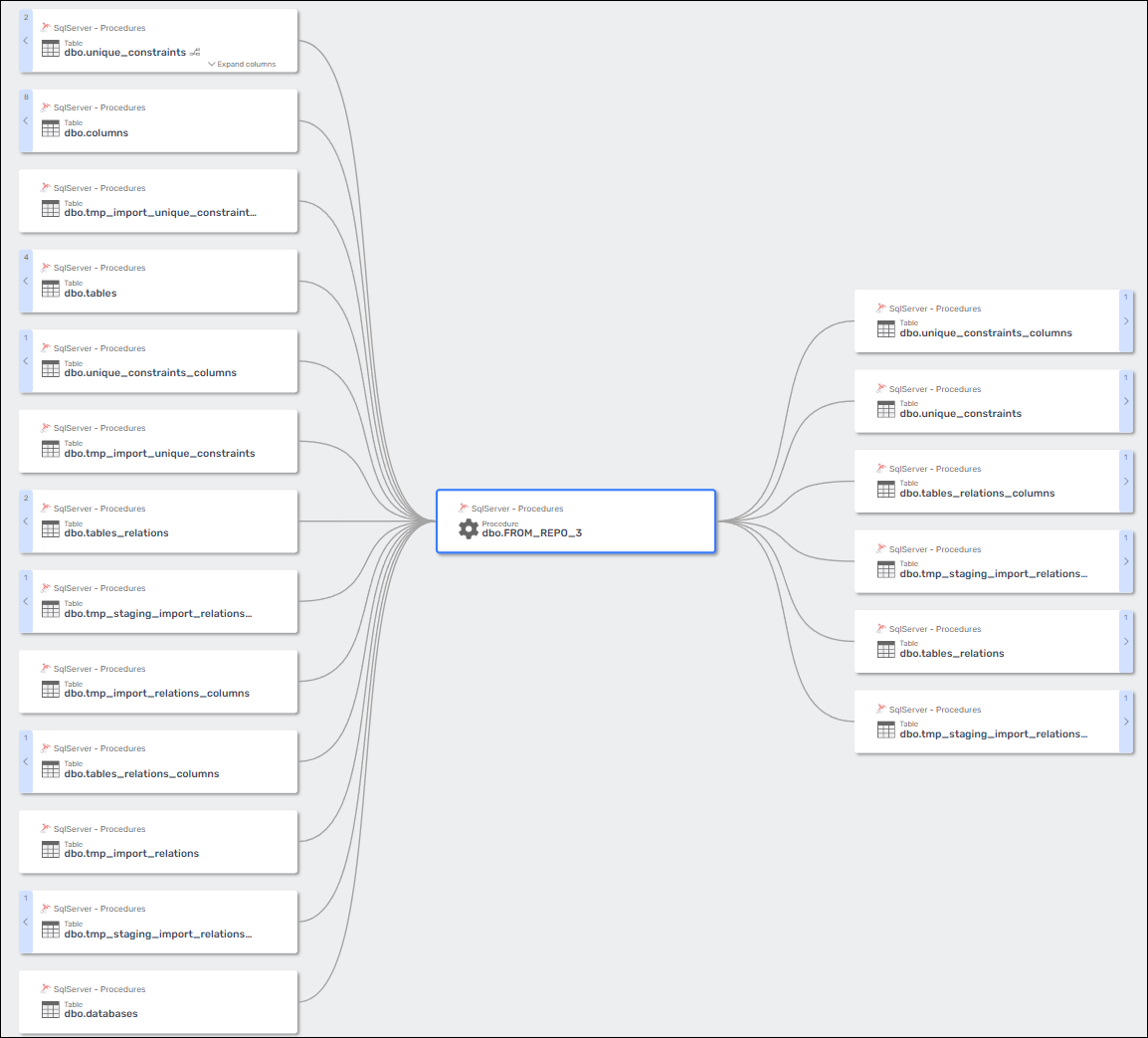
Dataedo creates column-level data lineage for both stored procedures and functions based on their scripts.
The script is divided into logical steps, each represented as a separate process in the lineage.
- Lineage is created only for supported statements.
- Unsupported statements are shown as separate steps named after the first keyword in the statement and ending with
.... - This behavior is visible in the Data Lineage configuration tab in Dataedo Desktop.
This applies in particular to table-valued functions, which can fully participate in lineage analysis.
This lineage also includes parameters – if a procedure or function parameter is used to populate a column, Dataedo will show that parameter as a lineage source for the column.

SQL Queries returned by procedures and functions
If a stored procedure or function returns a result set, Dataedo creates a SQL Query object to represent the output.
For such objects:
- Dataedo generates column-level data lineage between source objects and the SQL Query.
- The procedure or function acts as a processor in the lineage.
- The lineage connects input sources → procedure/function → SQL Query output.
- Lineage is derived directly from the procedure or function script.

Polybase (external tables)
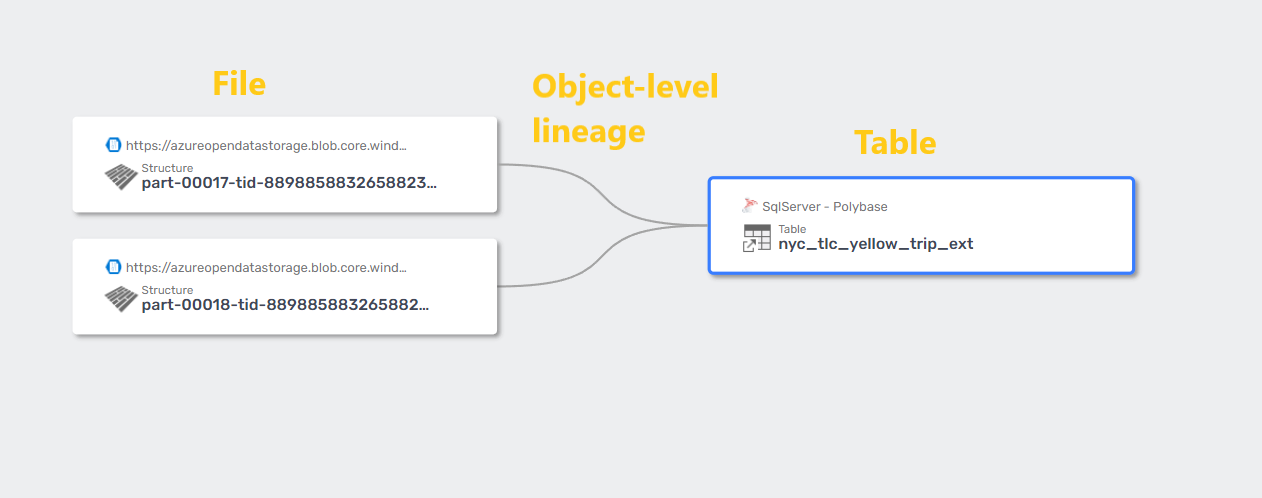
Dataedo will create object-level data lineage for Polybase connections. Dataedo supports the following sources:
- Oracle
- MongoDB
- Azure Data Lake Storage (ADLS) and Azure Blob Storage
- SQL Server
- S3-compatible object storage
Synonyms
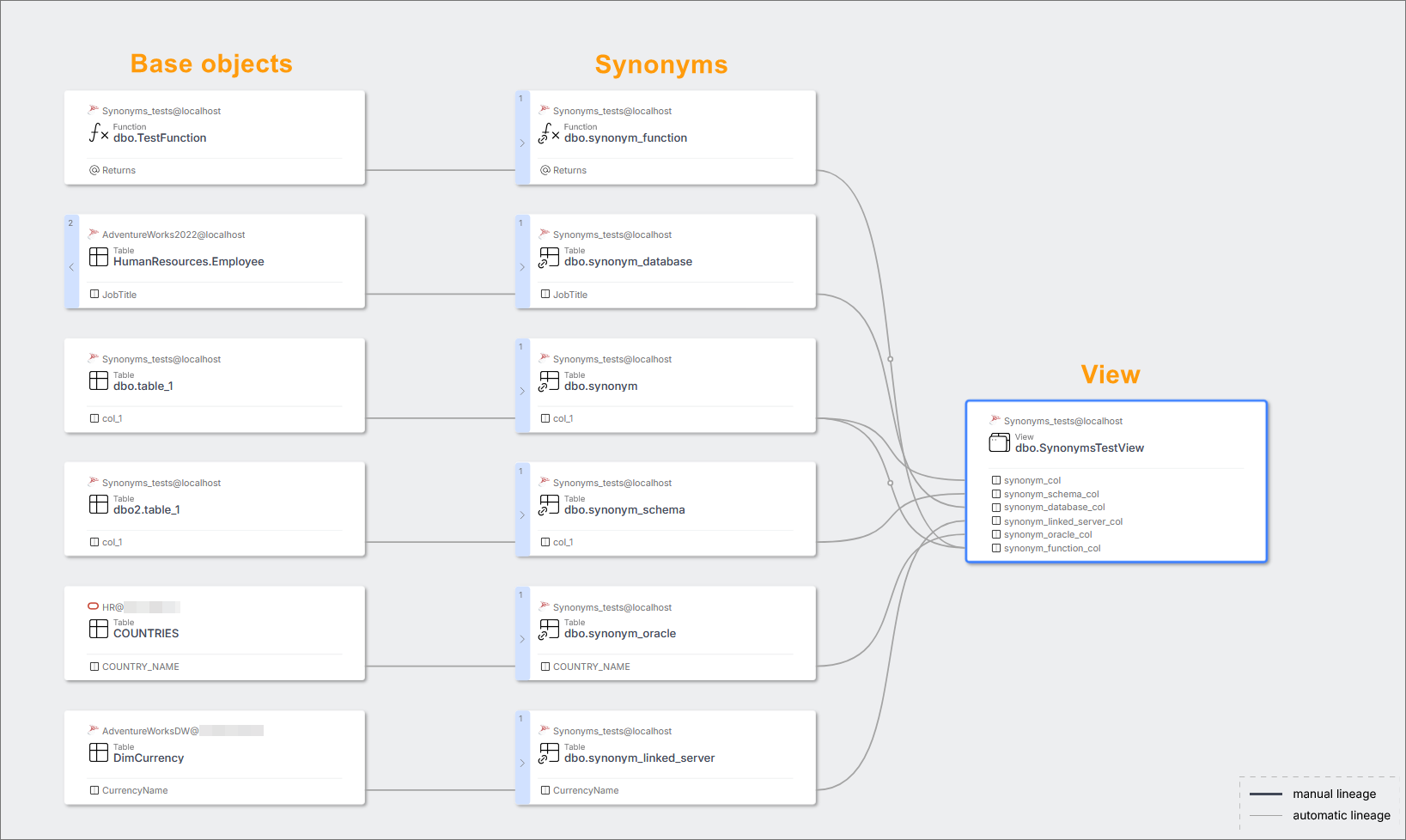
Dataedo finds base objects of synonyms and creates column-level data lineage between them. Lineage is supported for synonyms that refers to objects:
- In the same database
- In different database on the same server
- In different database on linked server (linked servers for DBMS different than SQL Server e.g. Oracle are also supported) Lineage is created only if the base object of the synonym is documented in Dataedo.
Known Limitations
- Check the limitations for views lineage from SQL parser
- Check the limitations for stored procedures lineage from SQL parser
Troubleshooting
I don't see data lineage for views
- Make sure you have selected the right SQL dialect - in this case Transact-SQL (SQL Dialect field at Data Source level).
- Rerun the import of the source - maybe the schema was imported in an older version or the configuration was incorrect.
I don't see data lineage for stored procedures
- Make sure Dataedo supports the SQL syntax of the procedure. Check Known Limitations above.
- Rerun the import of the source - maybe the schema was imported in an older version or the configuration was incorrect.
I don't see data lineage for Polybase
- Make sure the source object has a Linked Source with a correctly assigned database.
- Rerun the import of the source - maybe the schema was imported in an older version or the configuration was incorrect.
Cross-database lineage is not built
- Make sure the source object has a Linked Source with a correctly assigned database.
- Rerun the import of the source - maybe the schema was imported in an older version or the configuration was incorrect.
I don't see data lineage for synonyms that refers to objects in Linked server
- Make sure the Linked Source that corresponds to Linked server have correctly assigned database
- Rerun import of the source - maybe schema was imported in older version or configuration was incorrect.

