Snowflake Enterprise Lineage
The Snowflake Enterprise Lineage Connector is a powerful feature that tracks column-level data lineage within your Snowflake instance. This connector allows you to import queries (up to one year old) along with the data lineage they produce, enhancing the overall data governance and traceability of your Snowflake environment.
The Snowflake Enterprise Lineage Connector supplements the standard Snowflake Connector by adding advanced lineage tracking at the query level. It provides a detailed view of data flows between objects, making it a critical tool for data governance, compliance, and auditing.
Comparison: Regular Snowflake Connector vs. Snowflake Enterprise Lineage Connector
| Snowflake | Snowflake Enterprise Lineage |
|---|---|
| Imports standard metadata, including tables, columns, views, etc. Data lineage is generated based on metadata and parsing | Imports queries along with the data lineage they produce within Snowflake. Data flows are created between objects imported via the regular Snowflake connector. |
Which Connector Should You Use?
The Snowflake Enterprise Lineage Connector enhances the lineage capabilities of the regular Snowflake connector but does not replace it. The recommended workflow is as follows:
- First: Use the regular Snowflake connector to import all metadata (e.g., tables, columns, views).
- Then: Use the Snowflake Enterprise Lineage connector to enrich the lineage data between these objects, providing a detailed view of data movement and transformation.
What is Imported?
The Snowflake Enterprise Lineage Connector imports the following data types:
- Root Queries: Queries that are not called by other queries are imported as script objects. The script name includes the date and time of the last query run, as well as the database, schema, and type (if available).
- Child Queries: Queries called by other queries are imported as processes linked to the root query script object.
Processes (child queries) without data lineage are ignored. Similarly, script objects (root queries) without data lineage and associated processes are also ignored. Queries are imported only once (based on query hash and parameterized query hash). If a query runs multiple times, the data lineage from all executions is merged into a single query object/process. All objects and processes have a query script.
Example
CREATE PROCEDURE INSERT_PROC()
    RETURNS BOOLEAN
LANGUAGE SQL
AS
$$
BEGIN
    -- child query
    INSERT INTO TABLE2 (ID, NAME, VALUE)
    SELECT ID, NAME, VALUE
    FROM TABLE1;

    RETURN TRUE;
END;
$$;

CALL INSERT_PROC(); -- root query
In this example, CALL INSERT_PROC(); is a root query that is imported as a script object. The INSERT INTO ... is a process of the root query object and has data lineage.
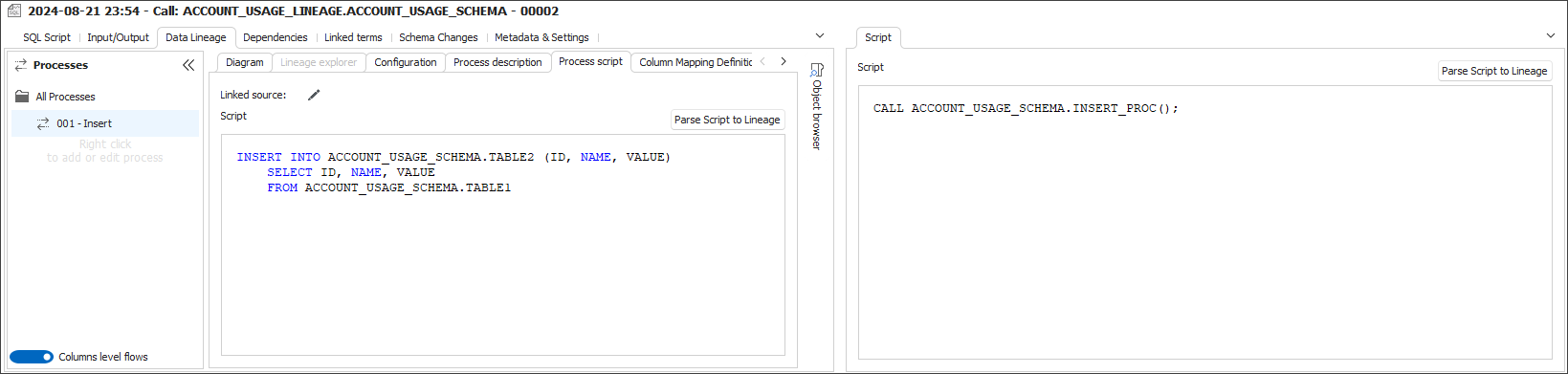
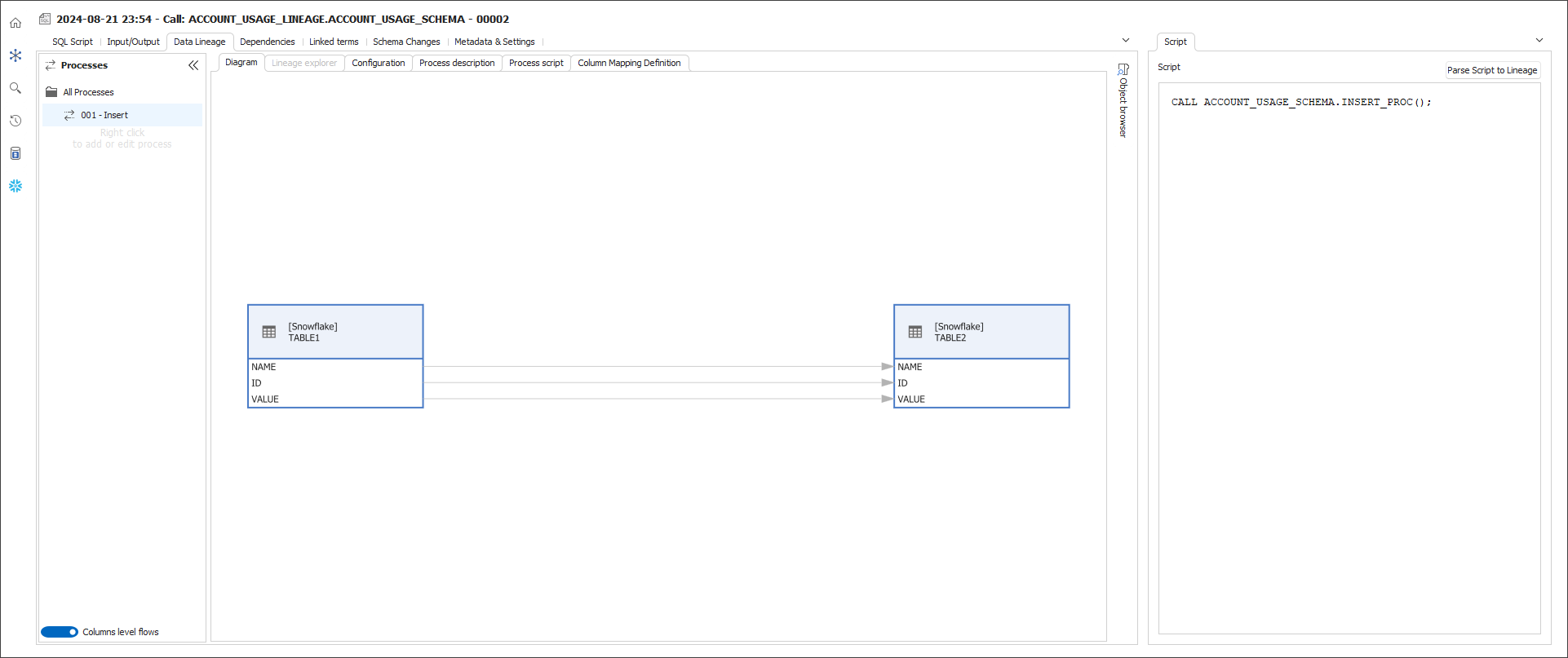
Supported Statements
Dataedo supports column-level lineage from the following SQL statements:
- CREATE TABLE ... AS SELECT
- CREATE TABLE ... CLONE
- INSERT ... SELECT ...
- MERGE
- UPDATE
- Self-update:
UPDATE t1 SET col_1 = col_1 + 1; - Two table update:
UPDATE t1 FROM t2 SET t1.col1 = t2.col1;
- Self-update:
Data lineage is created only inside Snowflake instances - statements that read from or write to external sources (e.g., COPY INTO, GET, PUT) are not supported.
Dataedo Portal
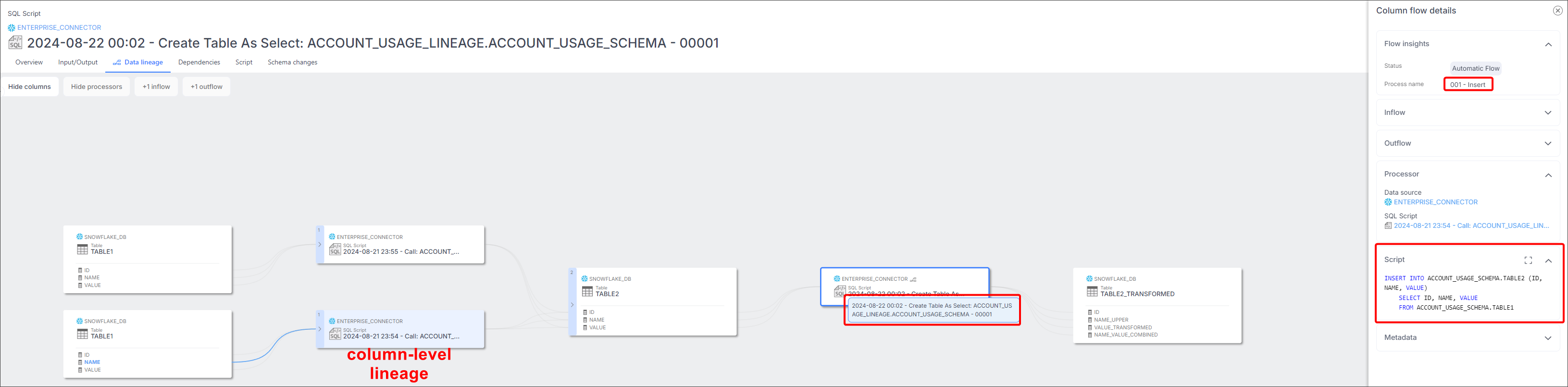
You can view column-level data lineage along with the scripts that created this lineage in Dataedo Portal.
How to Import
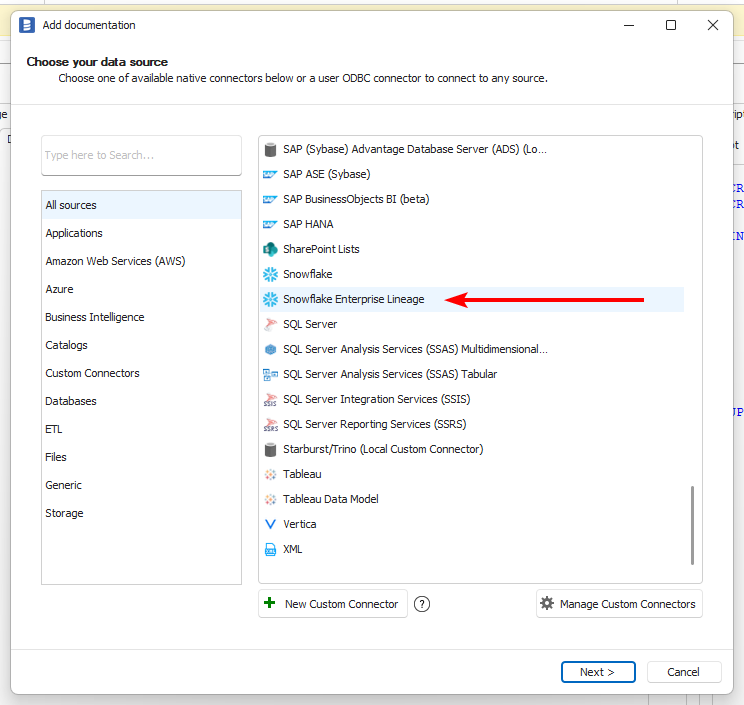
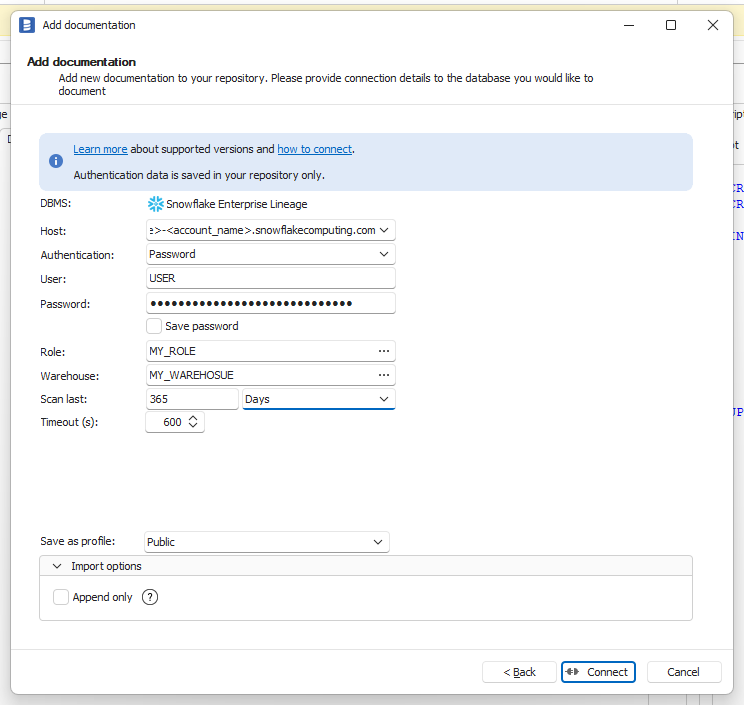
To use the Snowflake Enterprise Lineage Connector, select Snowflake Enterprise Lineage from the list of available connectors.
Connect the same way as with the regular Snowflake connector. The only difference is that you can't select a specific database, instead, you need to provide how many days back you want to import queries (up to 365 days).
Required Permissions
Snowflake Edition
This connector requires Snowflake Enterprise Edition or higher. The ACCESS_HISTORY view it relies on is not available on Standard Edition.
ACCOUNT_USAGE access
To build lineage, Dataedo queries the following views from the SNOWFLAKE system database:
| View | What Dataedo reads | Latency |
|---|---|---|
SNOWFLAKE.ACCOUNT_USAGE.QUERY_HISTORY | Executed SQL statements (text, type, database, schema, execution time) | Up to 45 minutes |
SNOWFLAKE.ACCOUNT_USAGE.ACCESS_HISTORY | Objects modified by queries and column-level data flows (via OBJECTS_MODIFIED JSON) | Up to 3 hours |
Both views must be accessible and contain data for the connection test to pass.
Granting access
Option A — Granular database role (recommended):
GRANT DATABASE ROLE SNOWFLAKE.GOVERNANCE_VIEWER TO ROLE <role_name>;
SNOWFLAKE.GOVERNANCE_VIEWER is a predefined database role that grants read access to governance-related ACCOUNT_USAGE views including ACCESS_HISTORY and QUERY_HISTORY. Only ACCOUNTADMIN can grant it by default.
Option B — Legacy blanket access:
GRANT IMPORTED PRIVILEGES ON DATABASE SNOWFLAKE TO ROLE <role_name>;
Option B grants access to all ACCOUNT_USAGE and ORGANIZATION_USAGE views. Snowflake recommends Option A for least-privilege access.
Base metadata permissions
The Enterprise Lineage connector creates data flows between objects that were already imported via the regular Snowflake connector. Make sure the role also has the base metadata import permissions so that the referenced tables, views, and procedures are present in Dataedo.
Known Limitations
The same limitations as the regular Snowflake connector apply to the Snowflake Enterprise Lineage Connector. For more information, refer to the Snowflake connector documentation.
The latency for views that Dataedo uses to retrieve query data is 3 hours.

