Microsoft Fabric - Data Lakehouse
See also:
Catalog and documentation
Data Dictionary
Dataedo imports the following report objects from MS Fabric - Data Lakehouse:
- Tables
- Views
- Procedures
- Functions
- Dependencies
Descriptions, aliases, and custom fields
When technical metadata is imported users will be able to edit descriptions of each object and element, provide meaningful aliases (titles), and document everything with additional custom fields. Dataedo reads extended properties from the following MS Fabric - Data Lakehouse objects:
- Tables
- Columns
- Views
- Columns
- Procedures
- Parameters
- Functions
- Parameters
Data Profiling
Users will be able to run data profiling for a table or view in the lakehouse and then save selected data in the repository. This data will be available from Desktop and Web.
Data Quality
Users will be able to check if data in MS Fabric Lakehouse tables is accurate, consistent, complete, and
reliable using Data Quality functionality. Data Quality requires SELECT permission over
the tested object.
Connection requirements
Permissions
Importing database schema requires a certain access level in the documented database. The user used for importing or updating the schema should at least have "View definition" permission granted on all objects that are to be documented. "Select" also works on tables and views.
To be able to import dependencies, the user needs to have SELECT permission on the
sys.sql_expression_dependencies view.
Finding server name
Open your MS Fabric and on the left side panel choose Onelake Data Hub.
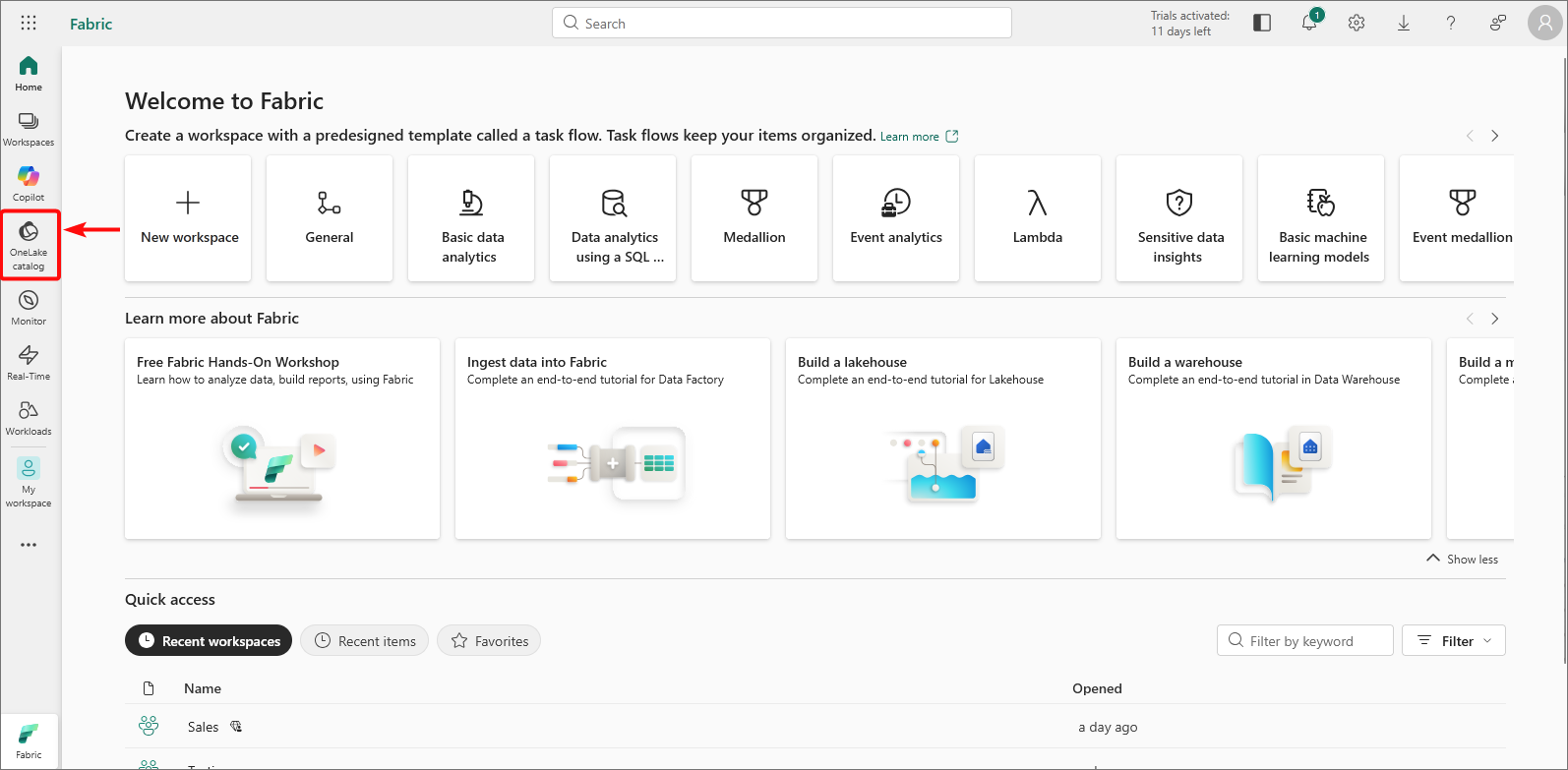
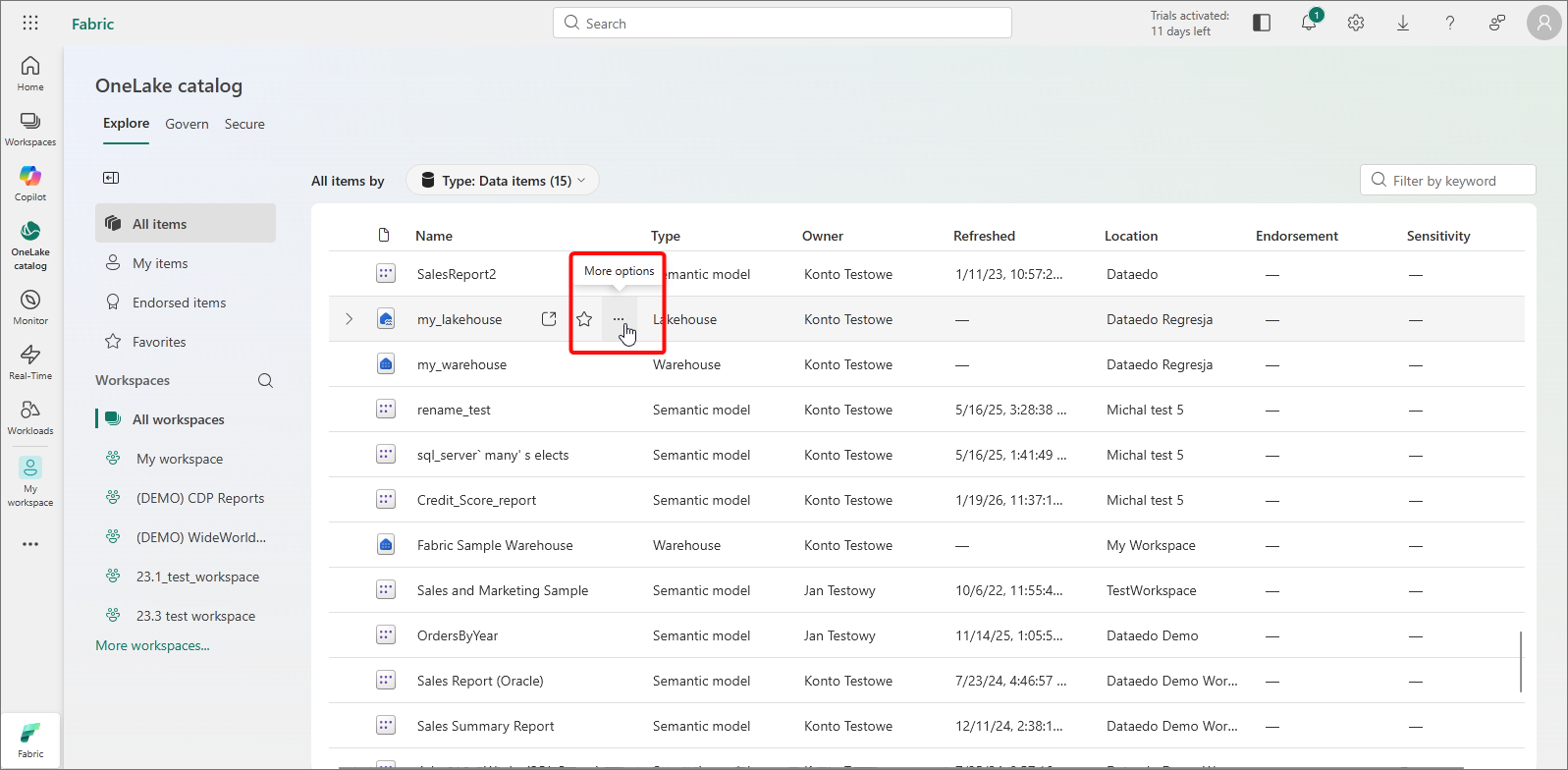
On the object list find the Lakehouse you would like to document and click on three dots [ ... ].
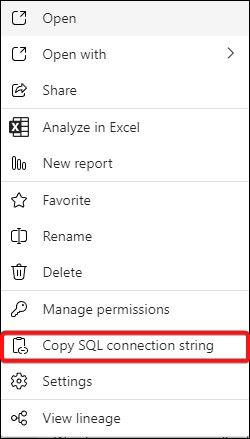
From the context menu pick Copy SQL connection string.
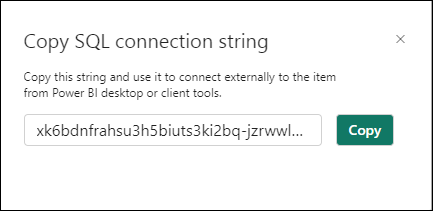
Copy it and paste it as your Server name.
Connecting to Microsoft Fabric - Data Lakehouse
For detailed connection instructions, see:
Specification
Imported metadata
| Imported | Editable | |
|---|---|---|
| Tables & External Tables | ||
| Columns | ||
| Data types | ||
| Nullability | ||
| Description | ||
| Identity (is identity on) | ||
| Default value | ||
| Views | ||
| Description | ||
| Script | ||
| Columns | ||
| Data types | ||
| Nullability | ||
| Description | ||
| Identity (is identity on) | ||
| Default value | ||
| Procedures | ||
| Script | ||
| Parameters | ||
| Functions | ||
| Script | ||
| Parameters | ||
| Returned value | ||
| Dependencies |
Supported features
| Feature | Imported |
|---|---|
| Import comments | |
| Write comments back | |
| Data profiling | |
| Reference data (import lookups) | |
| Importing from DDL | |
| Generating DDL | |
| FK relationship tester | |
| Data quality |
Comments
Dataedo reads comments from the following objects:
| Object | Read | Write back |
|---|---|---|
| Tables comments | ||
| External tables comments | ||
| Views comments |
Data Lineage
| Source | Method | Version |
|---|---|---|
| Tables (column-level) | Metadata API | 23.2 (2023) |
| Views (column-level) | Metadata API | 23.2 (2023) |

