Open Lineage
OpenLineage is an open standard for tracking data lineage across processing systems. It standardizes the collection of metadata about data pipelines, enabling better visibility, debugging, and governance of data workflows.
Dataedo provides a public API with a dedicated lineage endpoint. When tools like Apache Airflow and Apache Spark are configured to emit OpenLineage events, those events are captured by Dataedo and stored in the open_lineage_events table.
The collected events can then be imported and analyzed using Dataedo's OpenLineage connector, offering powerful lineage visualization and insights into your data pipelines.
Catalog and Documentation
Dataedo imports jobs, input datasets, and output datasets extracted from OpenLineage events that have a status of COMPLETE and are successfully sent to the Dataedo Public API. These events are then saved in the open_lineage_events table in the Dataedo repository.
Jobs
Overview
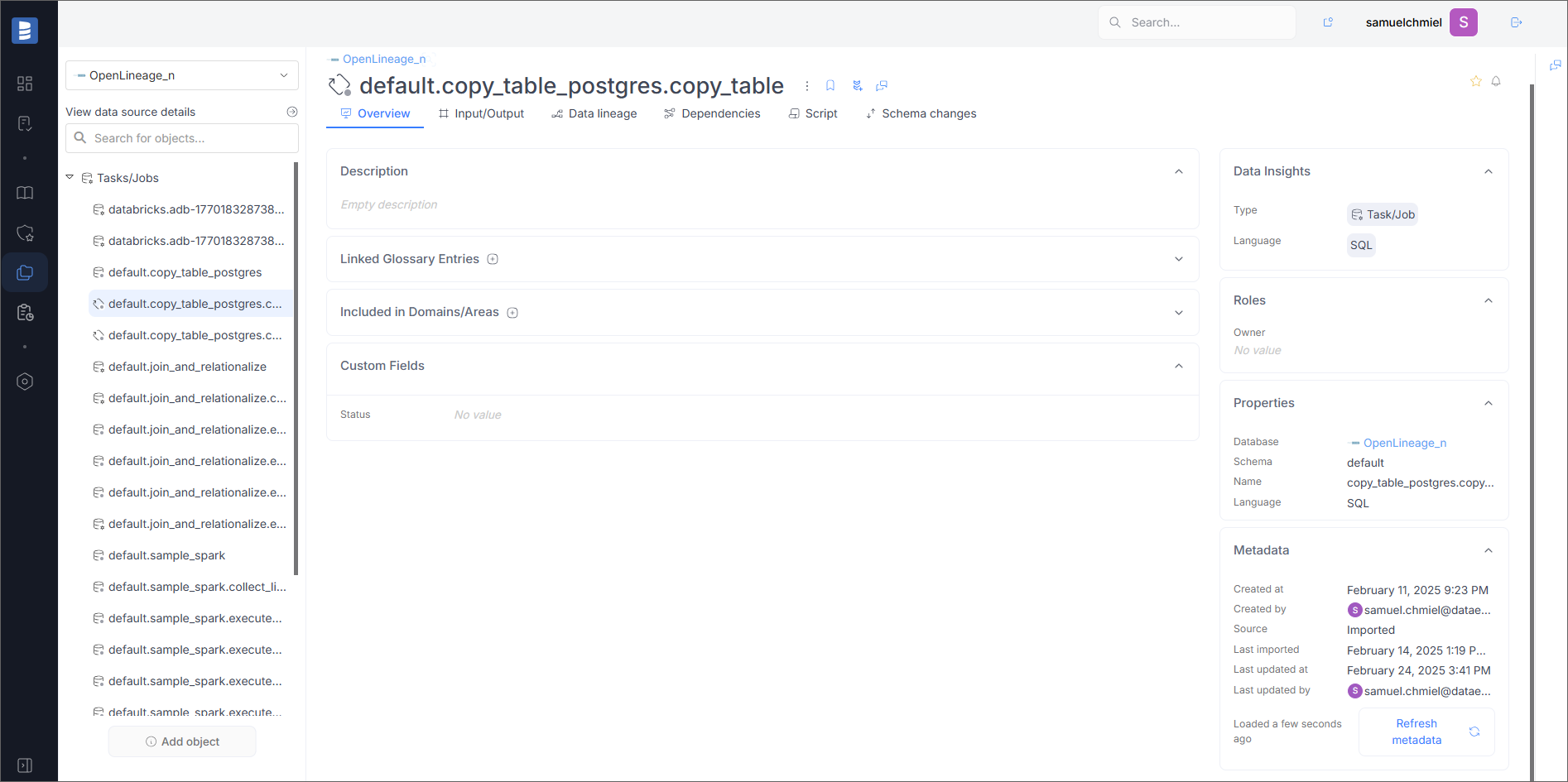
On the overview page, you will see basic information about the job, such as Job Namespace (in the Schema field) and Job Name.
Script
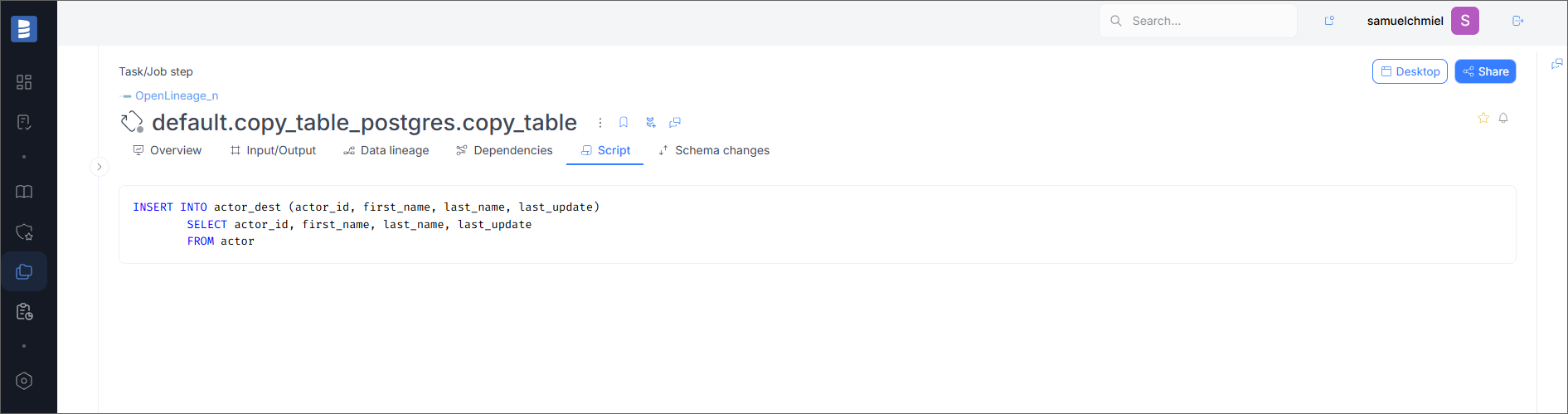
If the job has a script, it will be visible in the Script tab.
Data Lineage
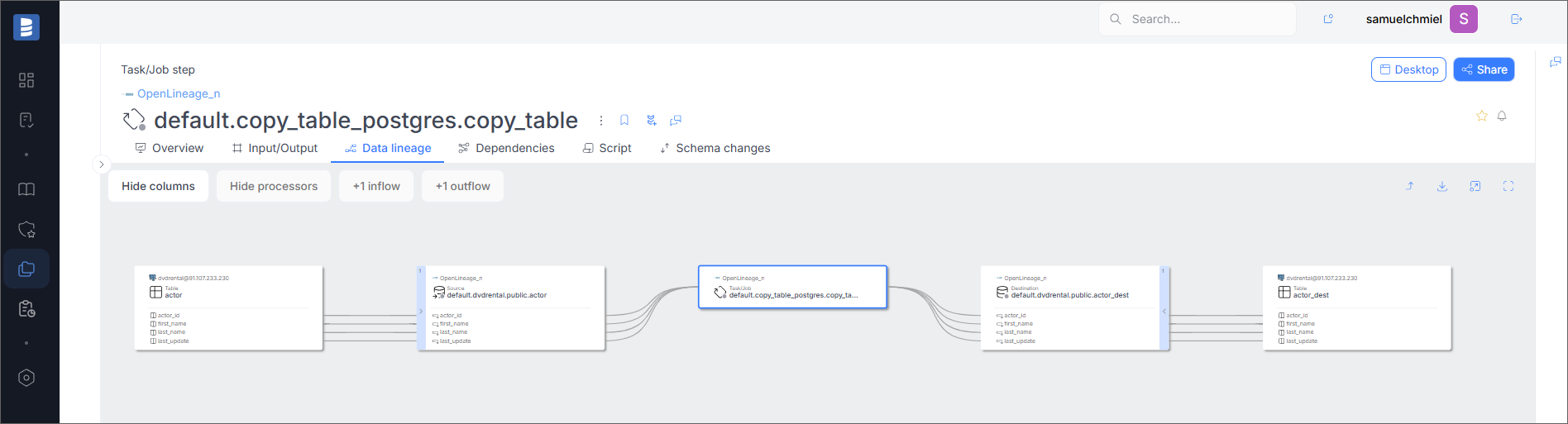
If the Run Event contains information about lineage, it will be visible in the Data Lineage tab.
Input Datasets
Overview
On the overview page, you will see basic information about the dataset, such as Dataset Namespace (in the Schema field) and Dataset Name.
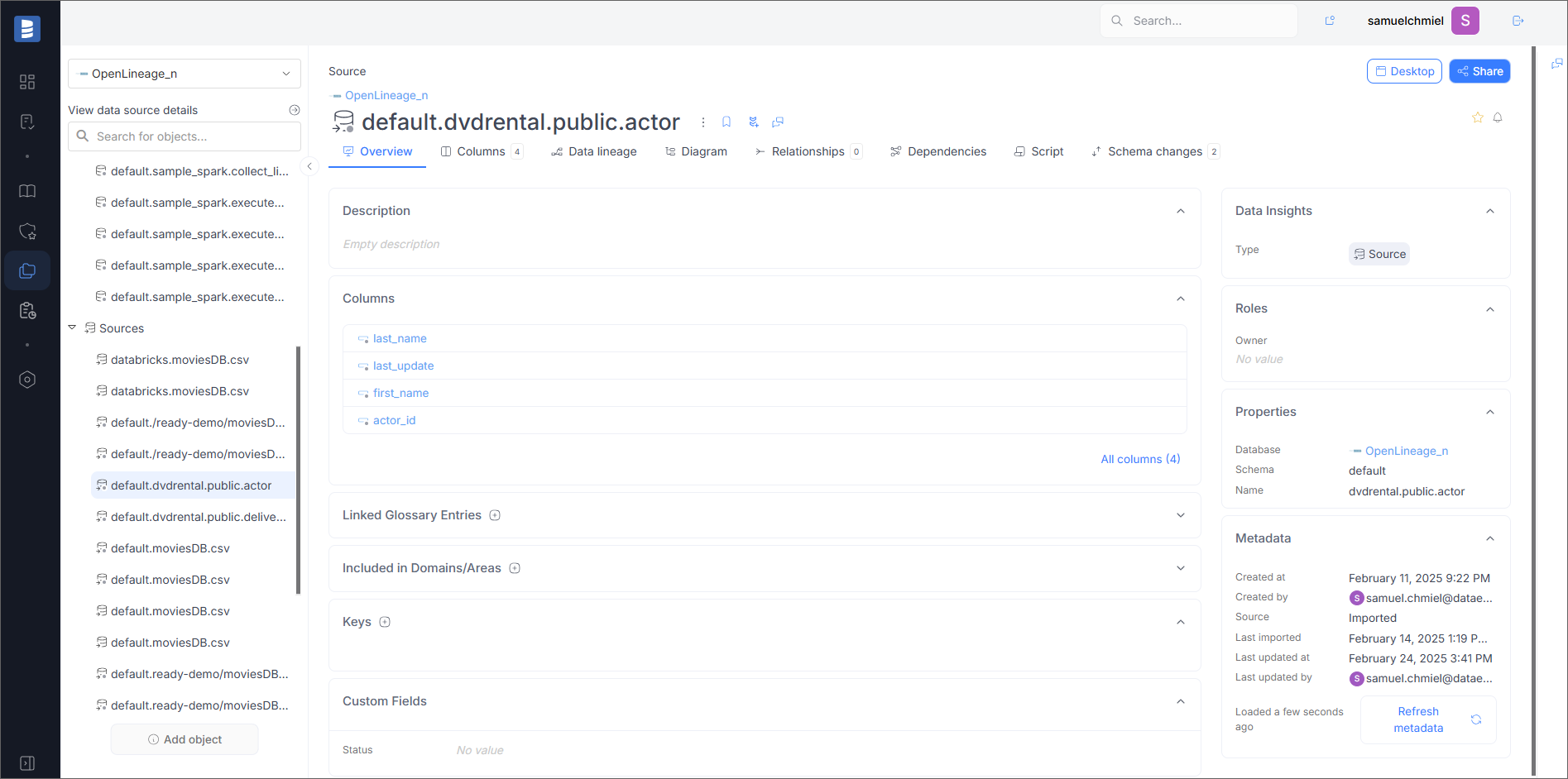
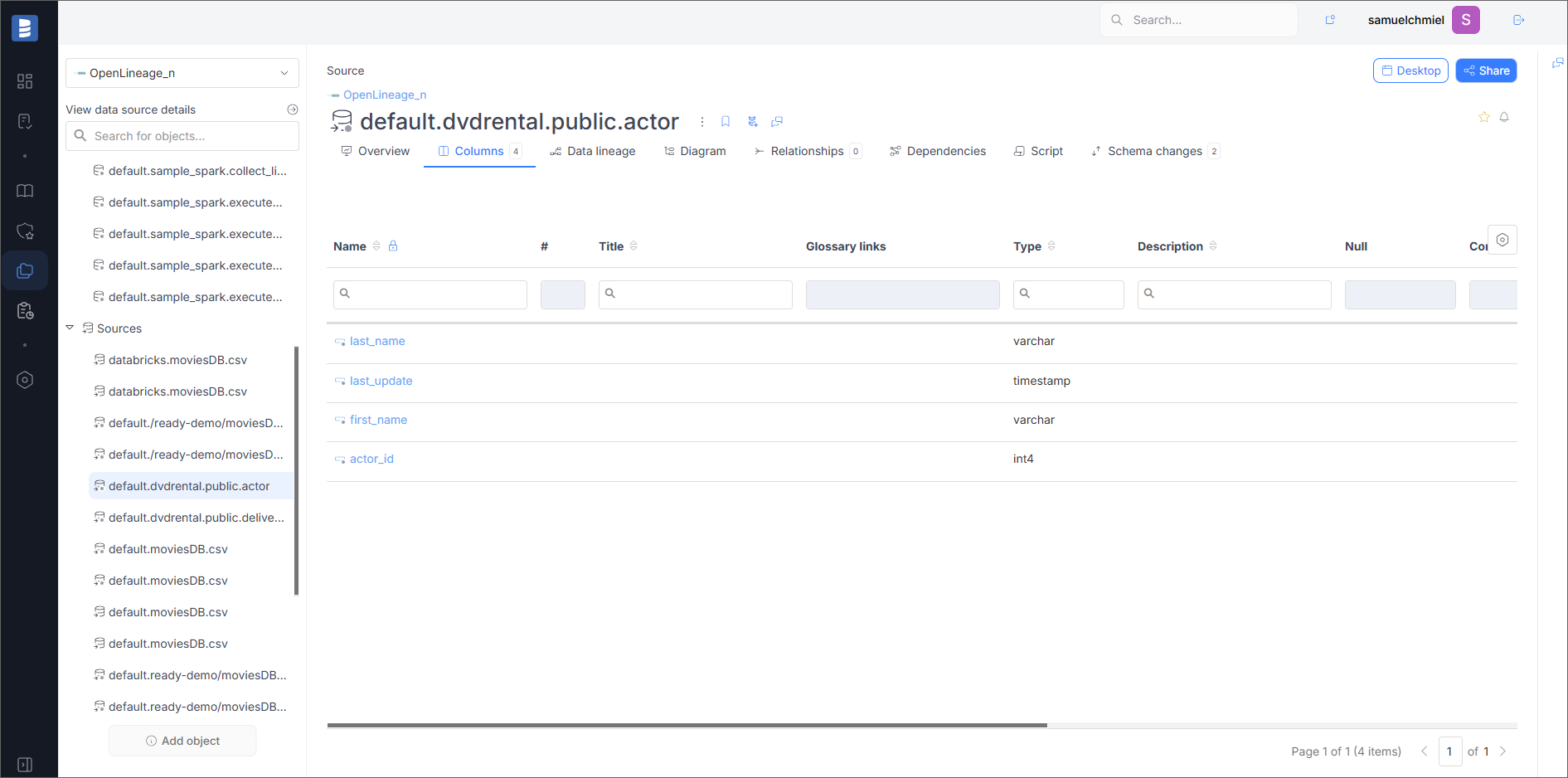
Fields
If the dataset has fields, they will be visible in the Columns tab.
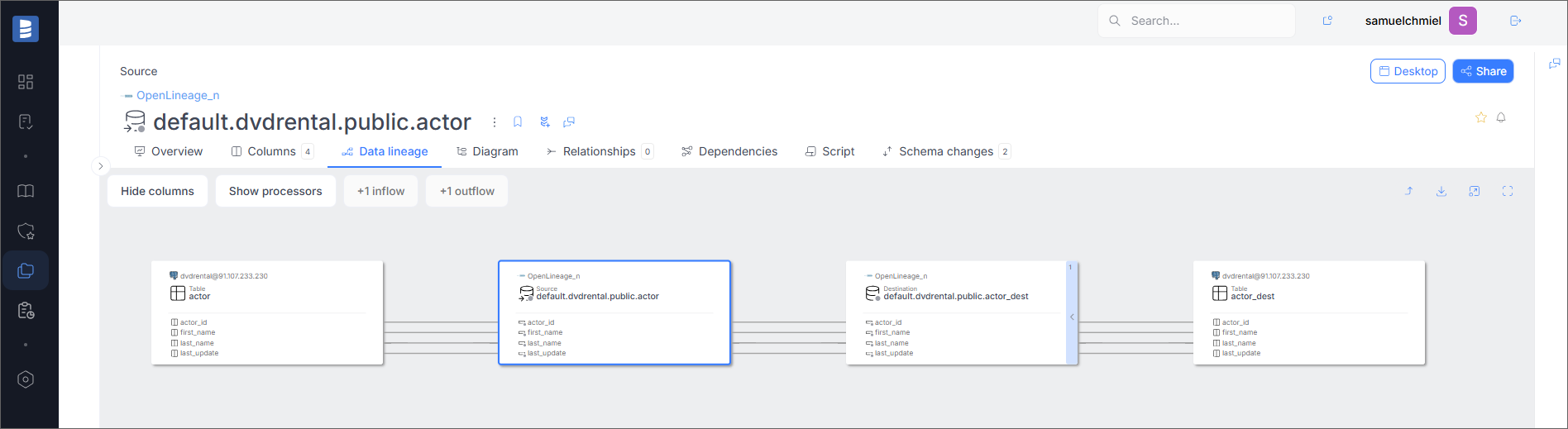
Data Lineage
If the Run Event contains information about lineage, it will be visible in the Data Lineage tab.
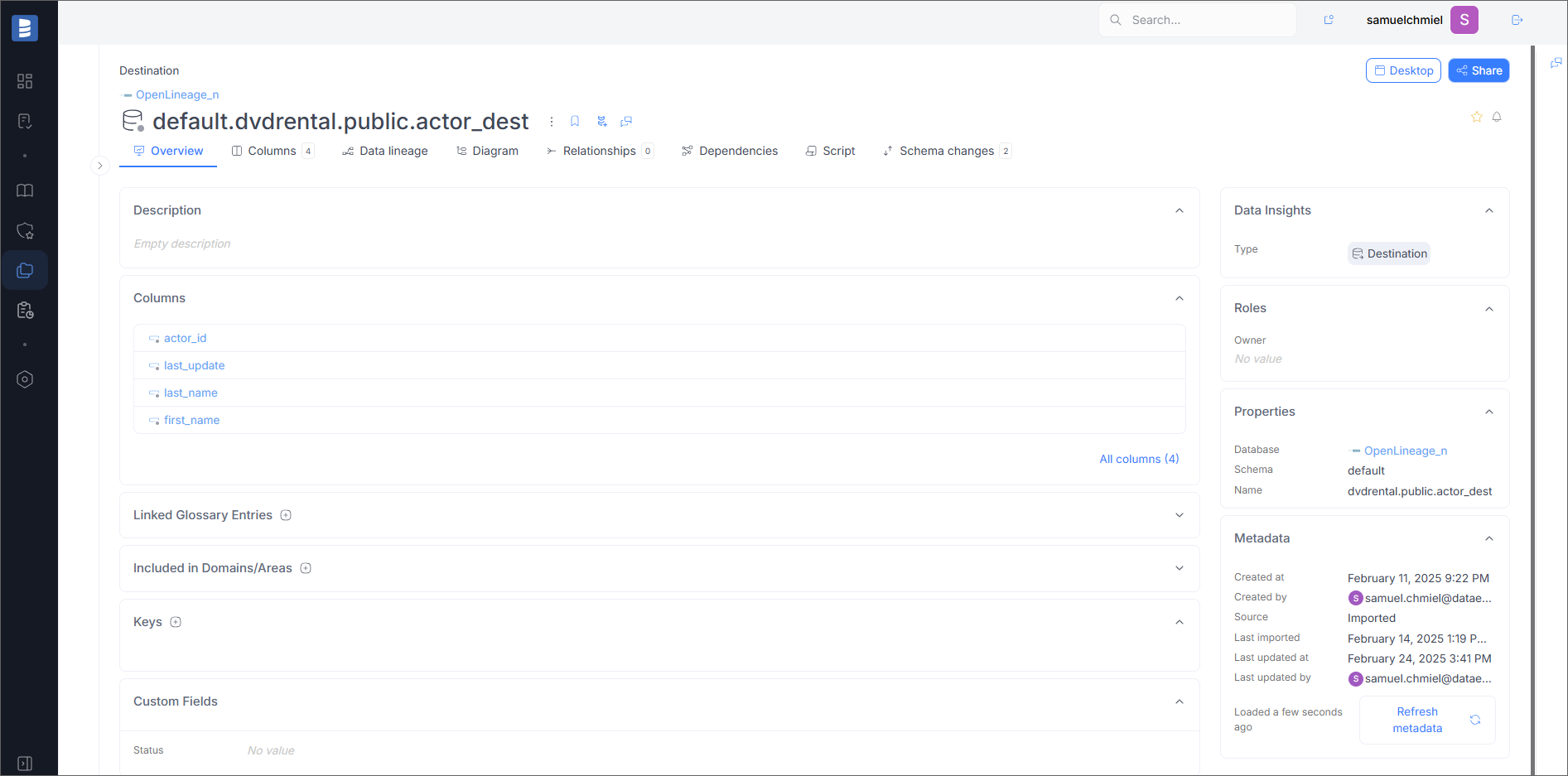
Output Datasets
Overview
On the overview page, you will see basic information about the dataset, such as Dataset Namespace (in the Schema field) and Dataset Name.
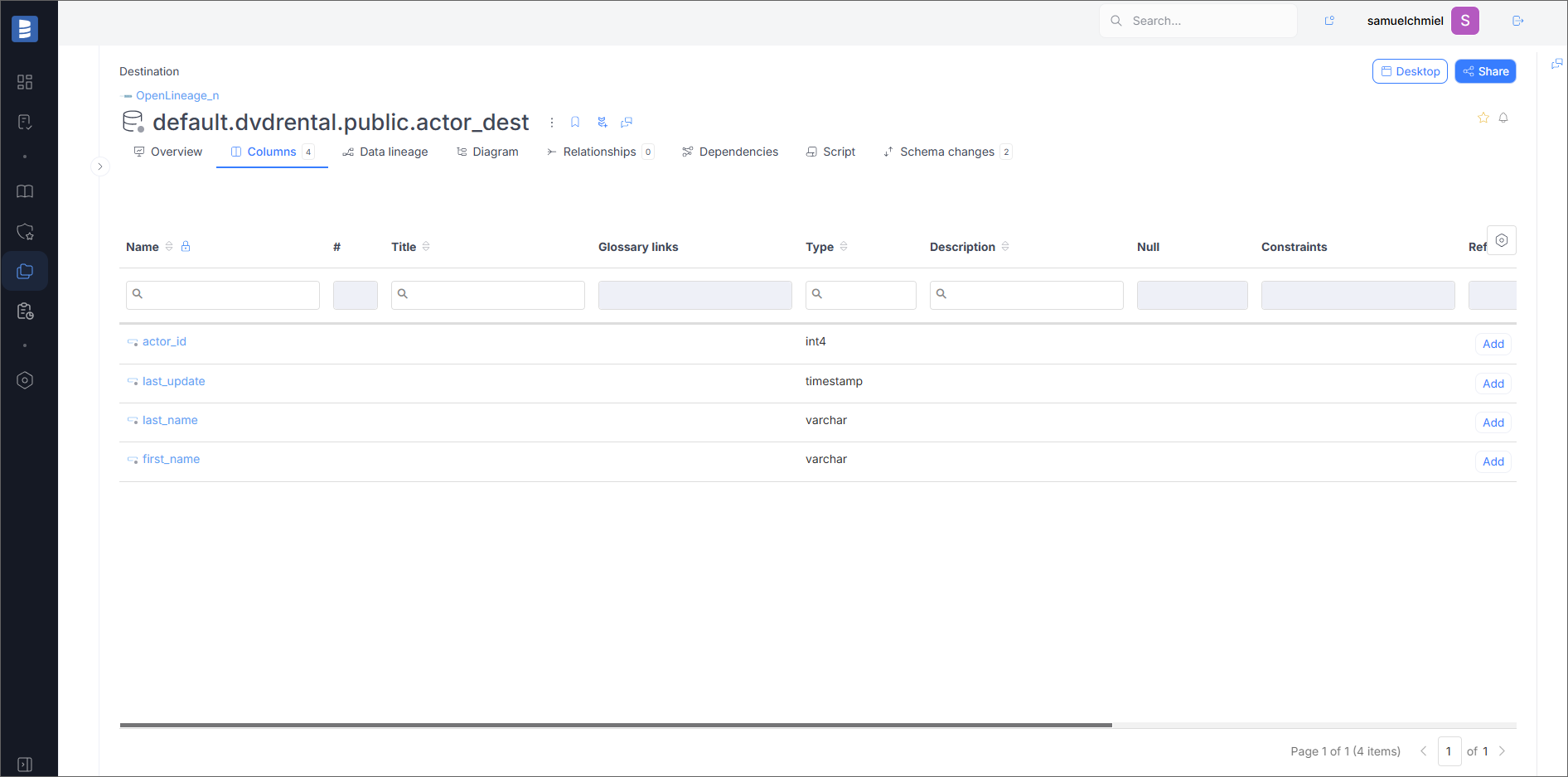
Fields
If the dataset has fields, they will be visible in the Columns tab.
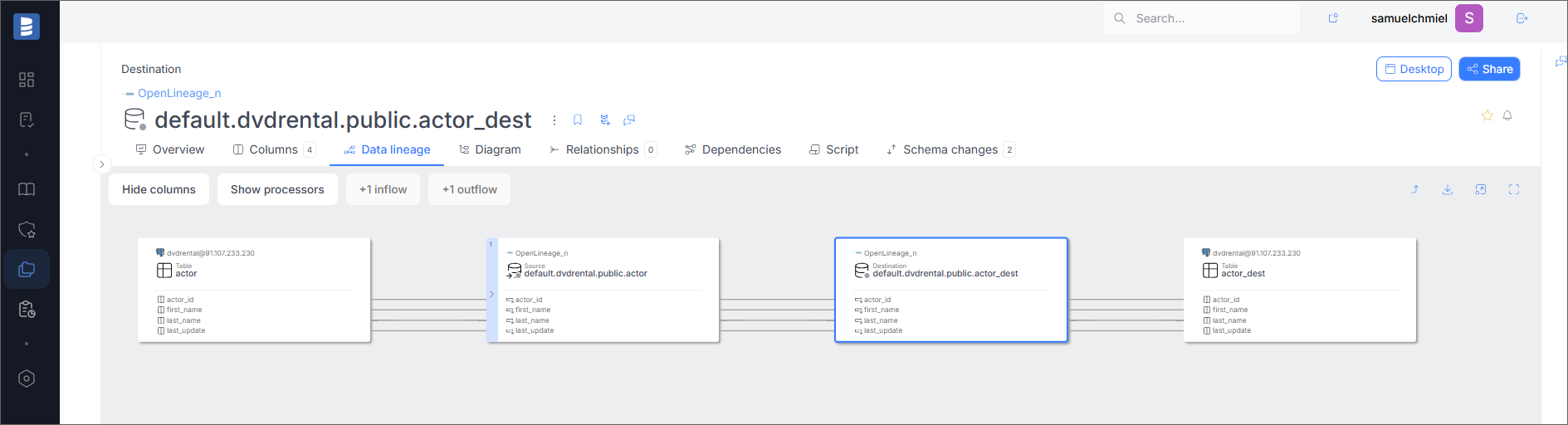
Data Lineage
If the Run Event contains information about lineage, it will be visible in the Data Lineage tab.
Specification
Imported Metadata
Dataedo reads the following metadata from OpenLineage events:
| Imported | Editable | |
|---|---|---|
| RunEvent | ||
| Inputs | ||
| Fields | ||
| Outputs | ||
| Fields | ||
| Input Fields |
Configuration
To enable OpenLineage events gathering, it is required to enable the Dataedo Public API and get a token. Next, you need to configure the OpenLineage events emitter. The OpenLineage events will be stored in the open_lineage_events table in the Dataedo repository. To process events, you need to run the OpenLineage connector import.
Configuration of Dataedo Public API
To enable the Dataedo Public API, follow the steps from the article: Dataedo Public API Authorization
Apache Airflow Configuration
To enable emitting OpenLineage events, follow the official documentation: Apache Airflow OpenLineage provider configuration
Example configuration file for Airflow OpenLineage configuration:
transport:
  type: http
  url: {YOUR_DATAEDO_PORTAL_PUBLIC_API_URL}
  endpoint: public/v1/lineage
  auth:
    type: api_key
    apiKey: {API_KEY_GENERATED_IN_DATAEDO_PORTAL}
Apache Spark Configuration
To enable emitting OpenLineage events, follow the official documentation: Quickstart with Jupyter
Example configuration of Spark Session:
from pyspark.sql import SparkSession

spark = (SparkSession.builder.master('local')
         .appName('sample_spark')
         .config('spark.extraListeners', 'io.openlineage.spark.agent.OpenLineageSparkListener')
         .config('spark.jars.packages', 'io.openlineage:openlineage-spark:1.28.0')
         .config('spark.openlineage.transport.type', 'http')
         .config("spark.openlineage.transport.url", "{YOUR_DATAEDO_PORTAL_PUBLIC_API_URL}")
         .config("spark.openlineage.transport.endpoint", "/public/v1/lineage")
         .config("spark.openlineage.transport.auth.type", "api_key")
         .config("spark.openlineage.transport.auth.apiKey", "{API_KEY_GENERATED_IN_DATAEDO_PORTAL}")
         .config('spark.openlineage.columnLineage.datasetLineageEnabled', 'true')
         .getOrCreate())
Apache Spark on Databricks
To enable emitting OpenLineage events, follow the official documentation: Quickstart with Databricks
Example configuration of Spark Session:
spark.conf.set("spark.openlineage.columnLineage.datasetLineageEnabled", "true")
spark.conf.set("spark.openlineage.transport.url", "{YOUR_DATAEDO_PORTAL_PUBLIC_API_URL}")
spark.conf.set("spark.openlineage.transport.endpoint", "/public/v1/lineage")
spark.conf.set("spark.openlineage.transport.auth.type", "api_key")
spark.conf.set("spark.openlineage.transport.auth.apiKey", "{API_KEY_GENERATED_IN_DATAEDO_PORTAL}")
spark.conf.set("spark.openlineage.transport.type", "http")
Apache Spark on AWS Glue
To enable emitting OpenLineage events, follow the official documentation: Quickstart with AWS Glue
Example configuration of Job:
--conf spark.extraListeners=io.openlineage.spark.agent.OpenLineageSparkListener
--conf spark.openlineage.transport.type=http
--conf spark.openlineage.transport.url={YOUR_DATAEDO_PORTAL_PUBLIC_API_URL}
--conf spark.openlineage.transport.endpoint=/api/v1/lineage
--conf spark.openlineage.columnLineage.datasetLineageEnabled=true
--conf spark.openlineage.transport.auth.apiKey={API_KEY_GENERATED_IN_DATAEDO_PORTAL}
--conf spark.openlineage.transport.endpoint=/public/v1/lineage
--conf spark.openlineage.transport.auth.type=api_key
Importing OpenLineage events in Portal
Entry point
To start the Metadata Import flow, make sure you have the Connection Manager role.
Then navigate to:
Connections → Add new connection → OpenLineage
This will open the import wizard described in the following steps.
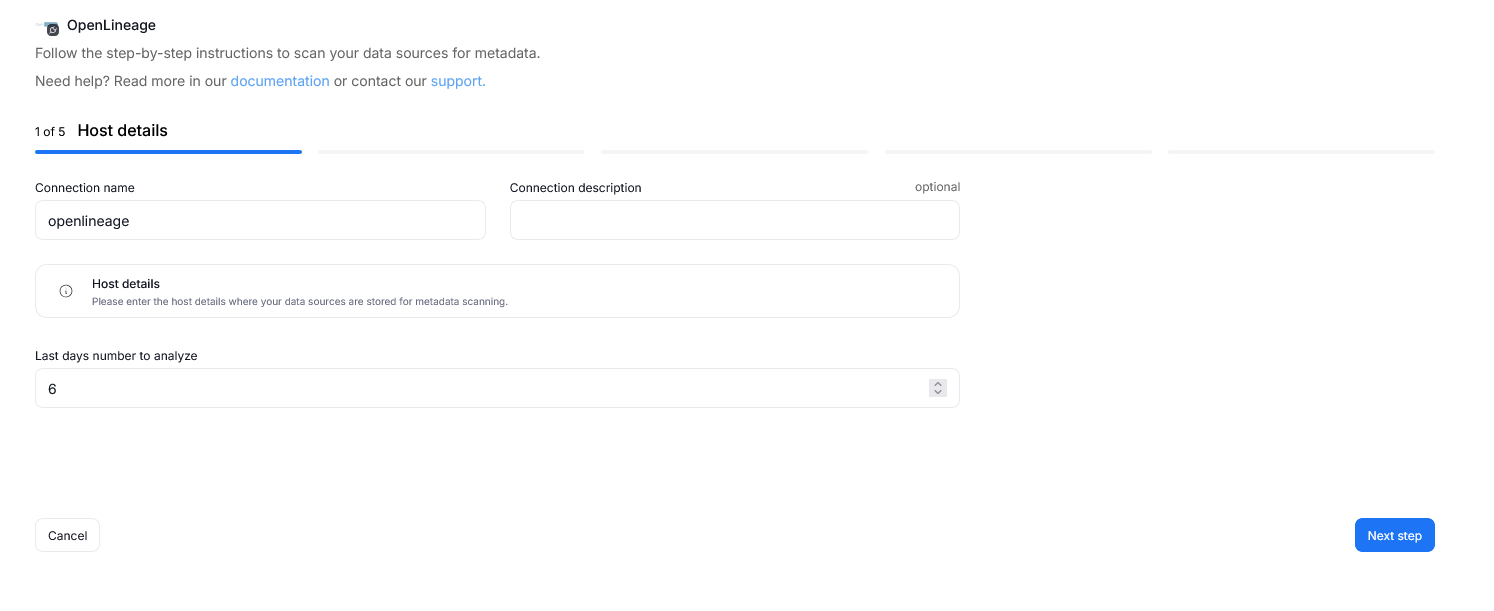
Step 1. Connection details
Provide the name of Connection and an optional description.
Specify the Last days number to analyze — this determines how many days of OpenLineage events stored in the Dataedo repository will be processed during import.
A Connection in Dataedo represents a saved configuration for accessing a data source.
It can be reused for future imports and scheduling.
Step 2. Objects to import
For each selected database, you can refine which objects to import:
- Select schemas and object types.
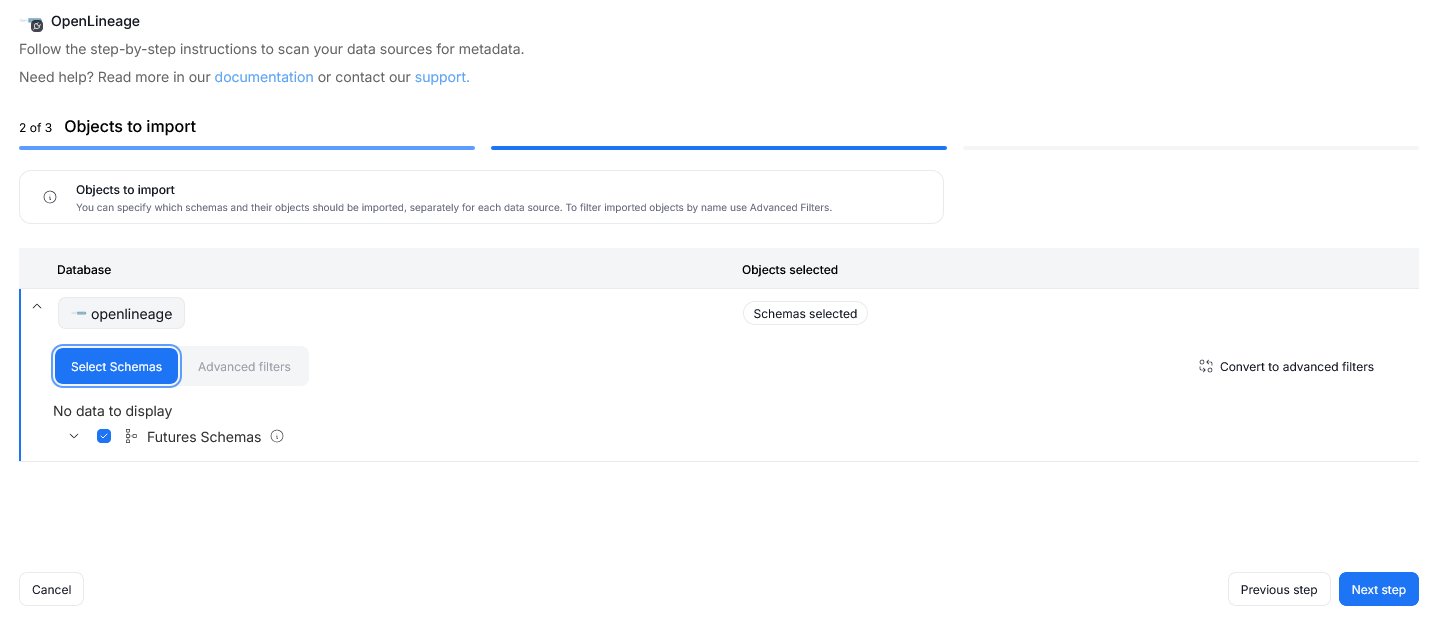
- Use Advanced filters to include or exclude objects with:
- schema patterns
- name patterns
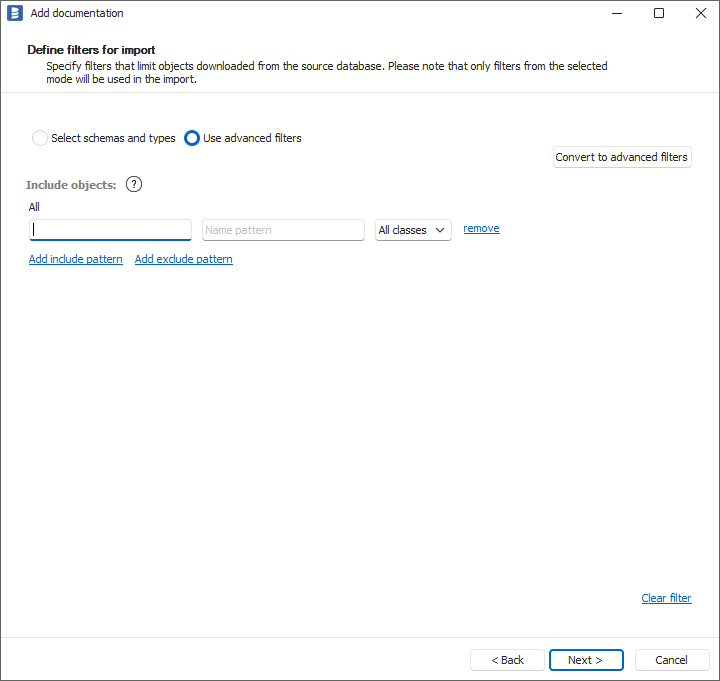
If you have several OpenLineage producers with different namespaces, you can import them in separate data sources by filtering the namespace using the Schema field.
Step 3. Schedule
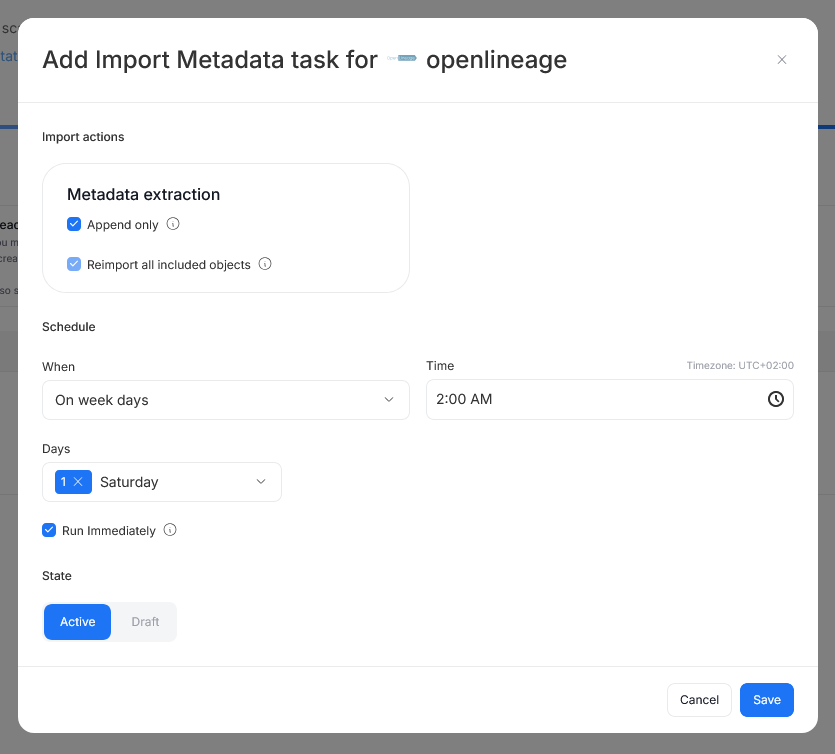
Configure scheduling options for each source individually:
- Define tasks you want to schedule (Metadata Import).
- Run daily, on selected weekdays, or on specific days of the month.
- Choose an exact time of execution.
- Task state:
Active– the task will run as scheduled.Draft– the task is saved but not executed until switched to Active.
- Run immediately – when checked, the task will also be executed right after clicking
Create connection.
Only one source in a metadata import can have Run immediately selected.
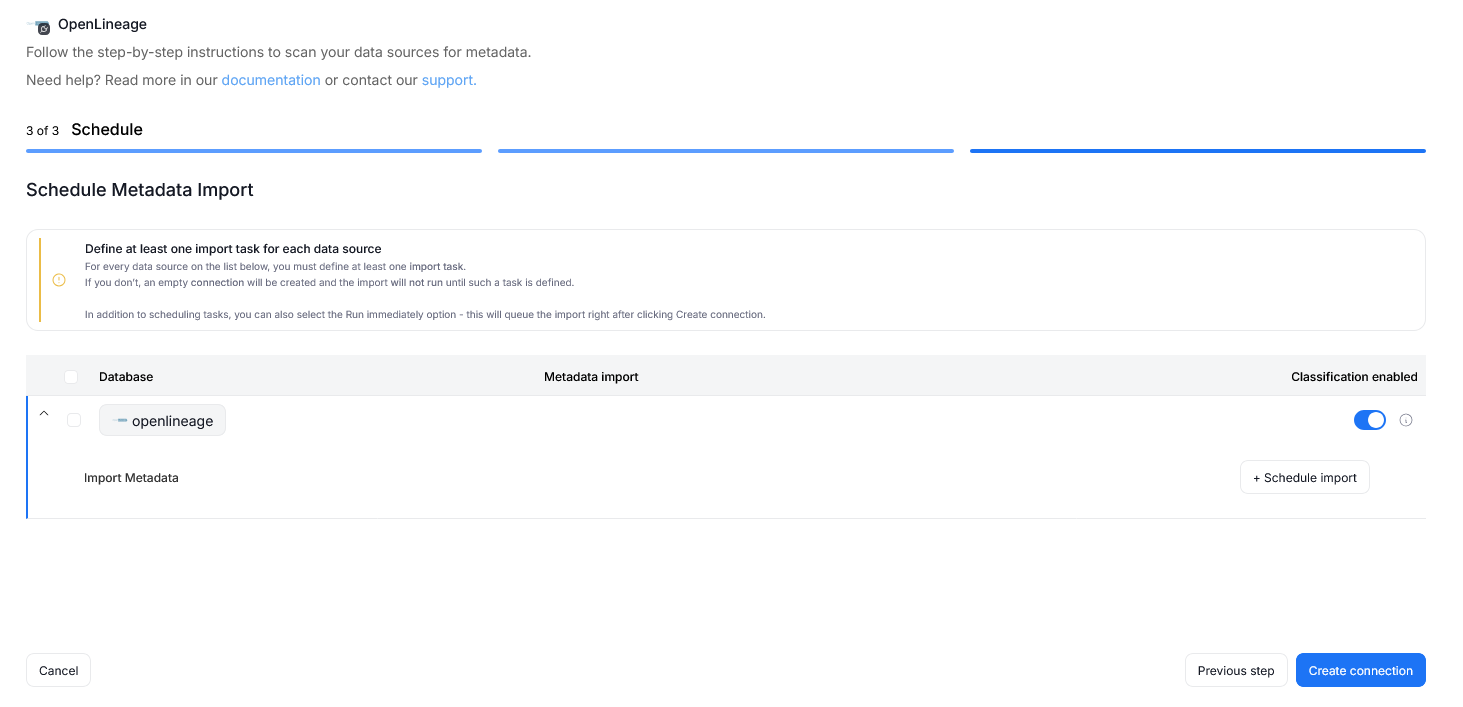
You must configure at least one import task in the schedule section.
If you skip this, an empty database will be created and no metadata will be imported.
Importing OpenLineage Events in Desktop
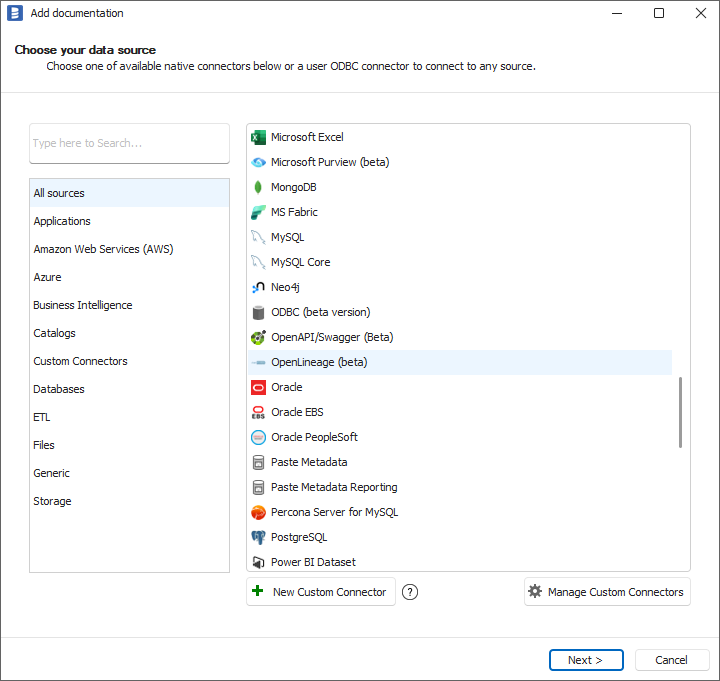
To process OpenLineage events stored in the Dataedo repository, select Add source -> New connection. On the connectors list, select OpenLineage.
Select the number of last days to analyze. Click Connect and go through the import process.
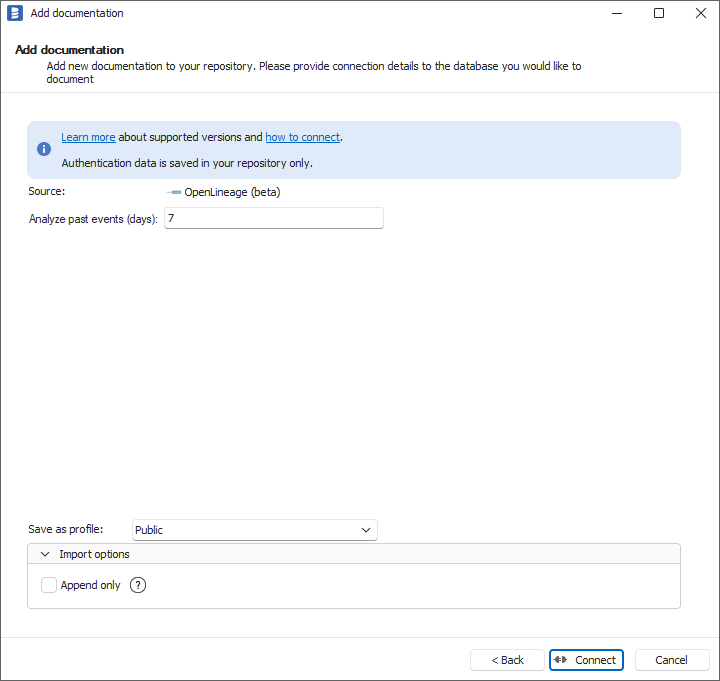
If you have several OpenLineage producers with different namespaces, you can import them in separate data sources by filtering the namespace in the Dataedo Schema field.