Documenting Azure Machine Learning
The Azure Machine Learning connector imports metadata from Azure Machine Learning into Dataedo, including:
- Machine Learning models (Model Containers)
- Model versions (Model Version Resources)
- Datasets
- Dataset versions
Dataedo connects to an Azure ML workspace, retrieves metadata for registered models and their versions, and imports them as documentation objects.
Additionally, in the Source Description field, the connector automatically generates:
- Model Card – for a model
- Model Version Card – for a specific version of a model
Both cards are generated as HTML using dedicated templates from the connector.

Structure of the Model Card Template (Model Container)
The Model Card for MachineLearningModelContainerResource includes the following sections:
-
Header
- title (model name)
- created by
- created at
- last updated
-
Description
- model description
- or No description
-
Latest Version
- latest version number/name
- or No version
-
Tags
- table of model-level tags:
- Key
- Value
- table of model-level tags:
Structure of the Model Version Card Template (Model Version Resource)
The Model Version Card for MachineLearningModelVersionResource includes detailed metadata about a single version:
-
Header
- model name
- version
- resource ID
- status (provisioning state)
- stage
- model type
- created at
- created by (+ type)
- last updated
- modified by (+ type)
- job name
-
Description
- version description
- or No description
-
Tags
- table of version tags:
- Key
- Value
- table of version tags:
-
Properties
- table of custom properties:
- Key
- Value
- or No custom properties
- table of custom properties:
-
Parameters
- parameters extracted from the associated job (if available)
- table:
- Key
- Value
- or No parameters
Connecting to Azure Machine Learning
Importing Metadata in Dataedo Portal
Entry point
This action can be performed only by users with the Connection Manager role
Navigate to:
Connections → Add new connection → Azure Machine Learning
This will open the import wizard.

Step 1. Connection details
A Connection in Dataedo represents a saved configuration for accessing a data source.
It can be reused for future imports and scheduling.
Provide the required connection details: Connection name, Subscription ID, Resource Group, and Workspace Name.
Optionally, you may also add a description to provide additional context.
You can also customize the Display name, which can be helpful for easier identification in the future.

Step 2. Credentials
Choose your credentials from the list of the already saved ones, or add new ones using the New credentials button.

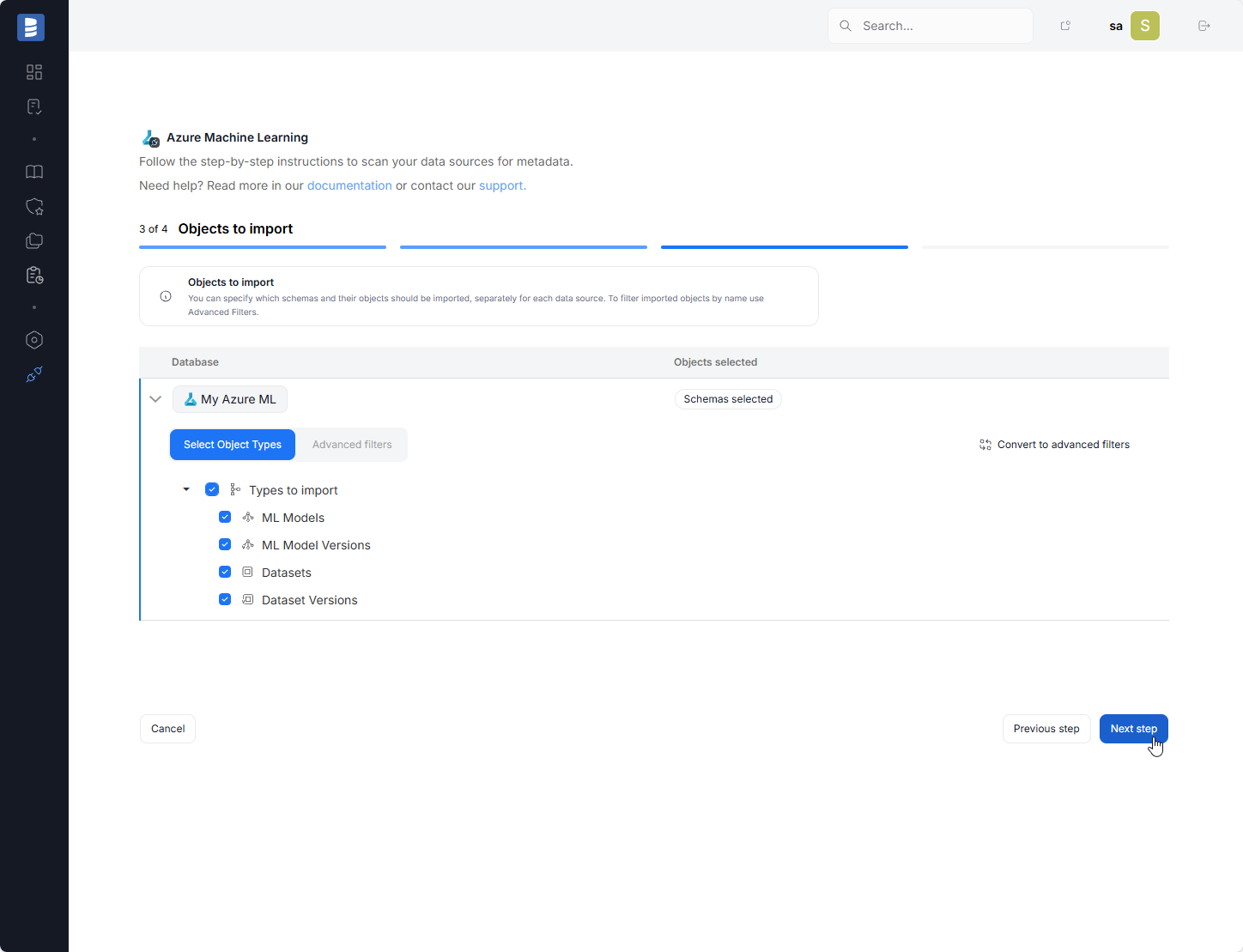
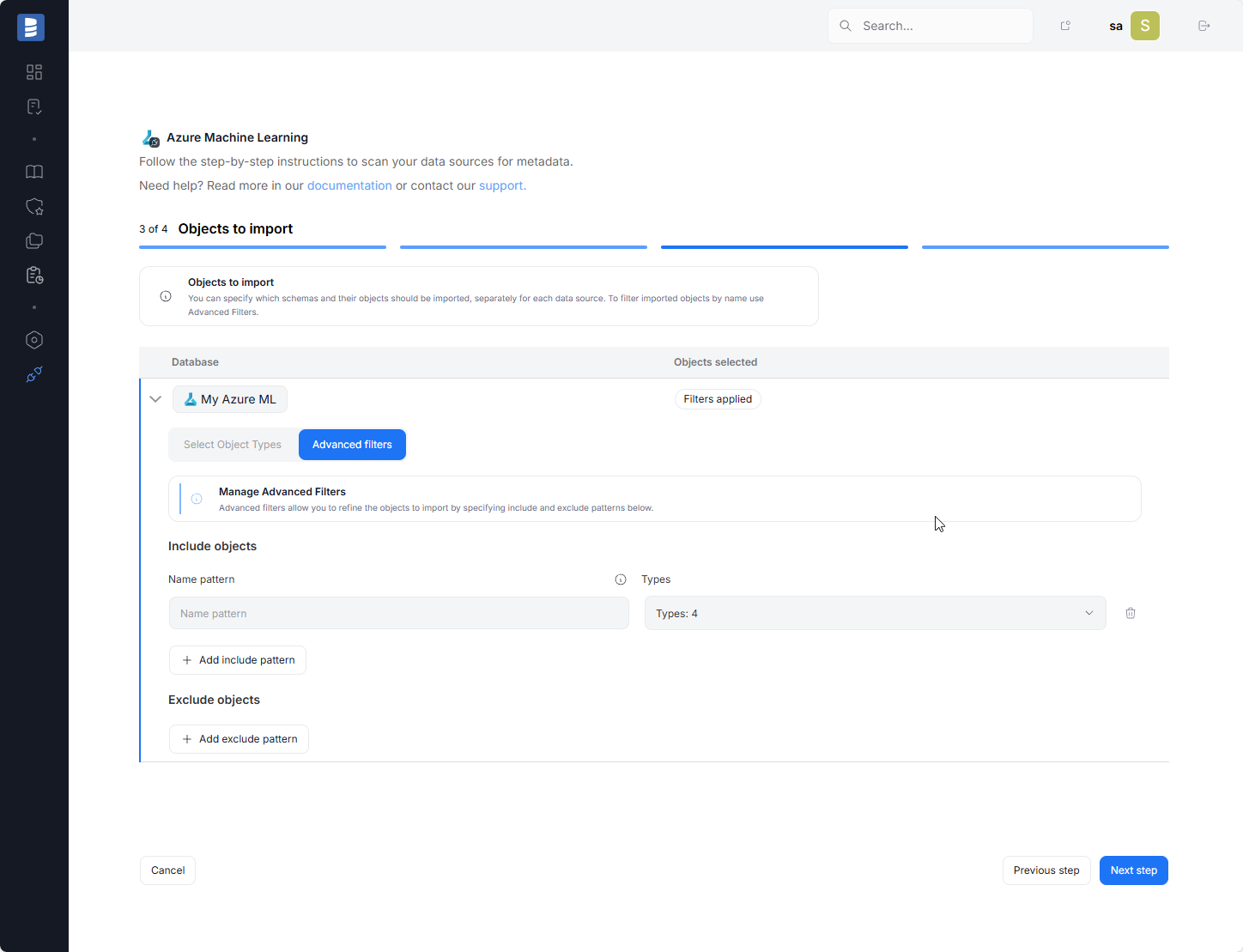
Step 3. Objects to import
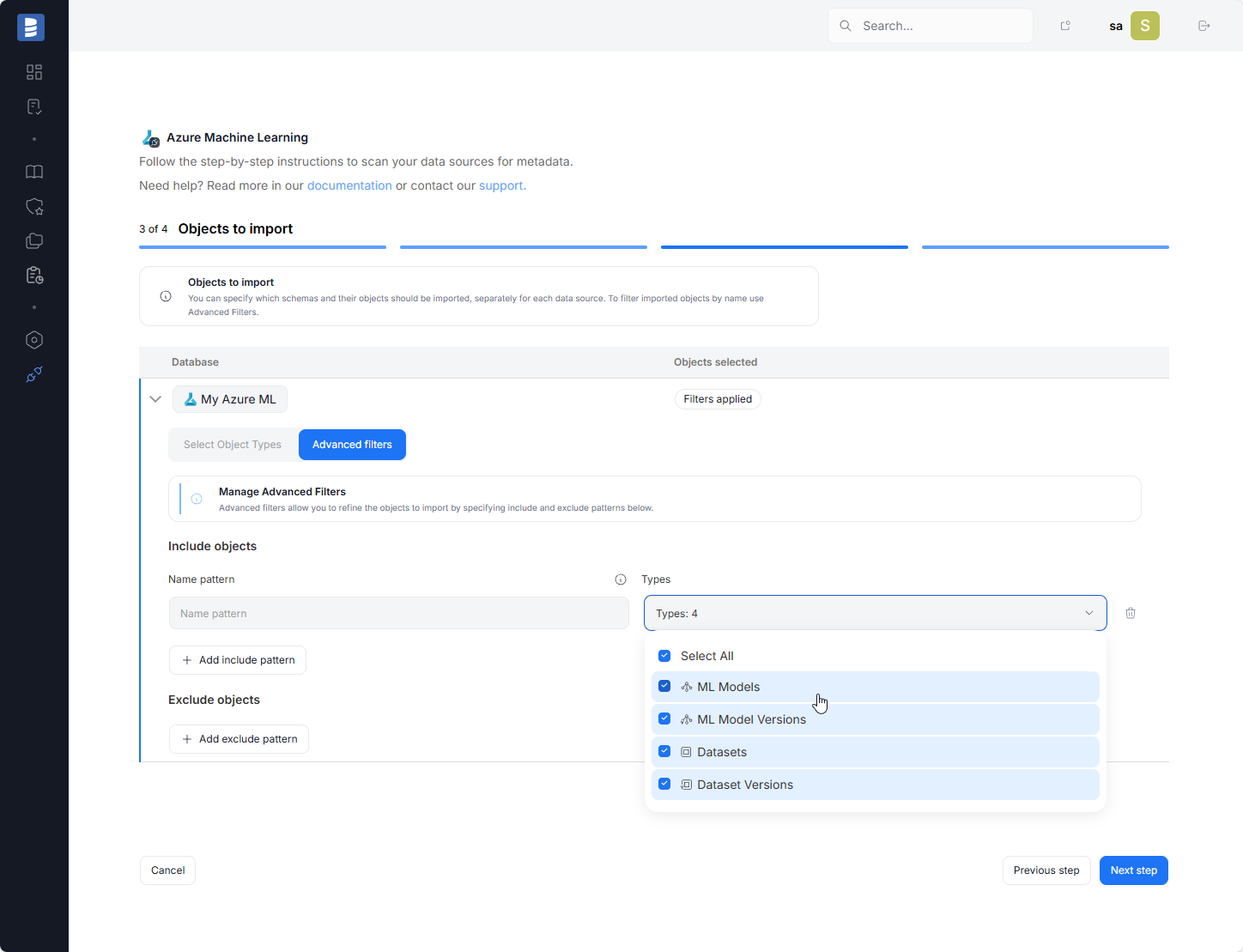
For each selected database, you can choose which objects to import:
- Select object types.
- Use Advanced filters to include or exclude objects with name patterns
Step 4. Schedule
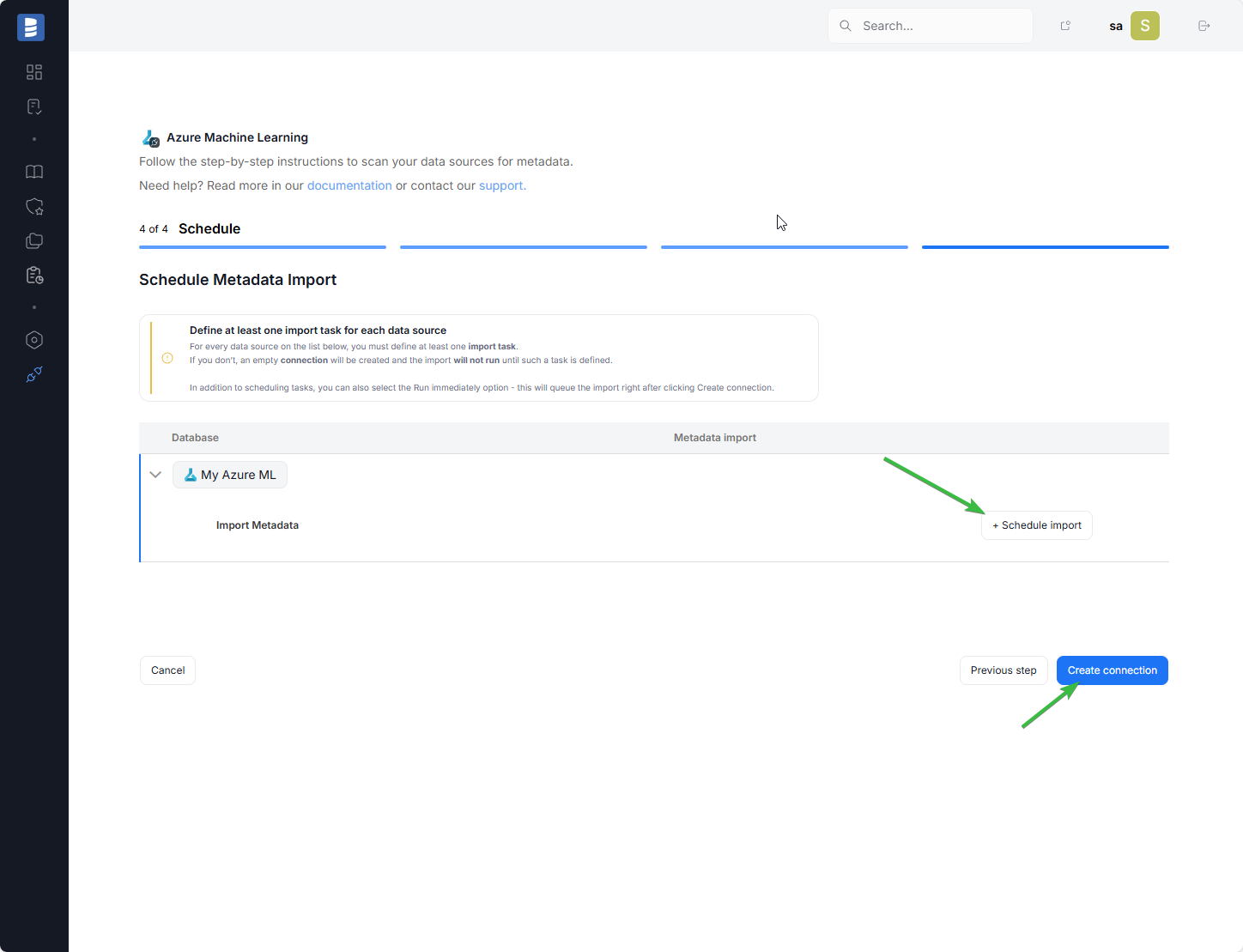
By default, Dataedo adds a Metadata Import task for each selected source. It runs every Monday at 1:00 AM and has Run immediately selected, so the first import starts as soon as you click Create connection. You can edit or delete this task, or add more.
Each source needs at least one import task. If you delete the default one and don't add another, an empty database will be created and no metadata will be imported.
Configure scheduling options for each source individually:
- Define tasks you want to schedule (Metadata Import, Data Quality run, Refresh Profiling)
- Run daily, on selected weekdays, or on specific days of the month
- Choose an exact time of execution
- Task state:
Active– the task will run as scheduledDraft– the task is saved but not executed until switched to Active
- Run immediately – when checked, the task will also be executed right after clicking
Create connection
For each source, you can select Run immediately for only one Metadata Import task.
Limitations
- Dataedo does not import Execution or Prompt objects. The metadata of Run objects is part of the Model Version Card documentation, but they are not separate objects.
- Datasets do not contain information about their columns or their sources, and lineage is not built.
- Model versions do not contain information about input or output parameters.
Specification
Imported metadata
| Imported | Editable | |
|---|---|---|
| Model | ||
| Model Card (Source Description) | ||
| Model Version | ||
| Model Version Card (Source Description) | ||
| Dataset | ||
| Dataset Version |

