Importing metadata from DDL scripts
Not supported: Data Quality, Data Profiling, Foreign Key Testing, Reference Data, Extended Properties, Metadata Sync, Scheduling tasks, Execution Flows
This feature is in beta version.
Concept of DDL script
Data Definition Language (DDL) is a subset of SQL. This language is used to describe database structure and relationships in a database. Using DDL script is a way of exchanging data with Dataedo Repository and any other external database.
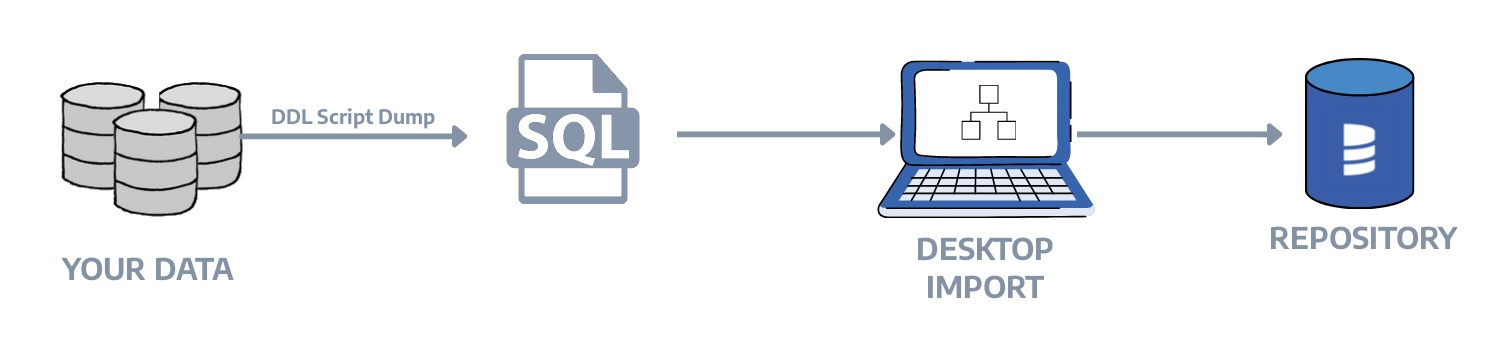
Did you know, that Dataedo also offers an option to export your database to DDL script?
How to use DDL script import?
You need to start with creating a script (dump) of your database structure.
Importing Metadata in Dataedo Portal
Entry point
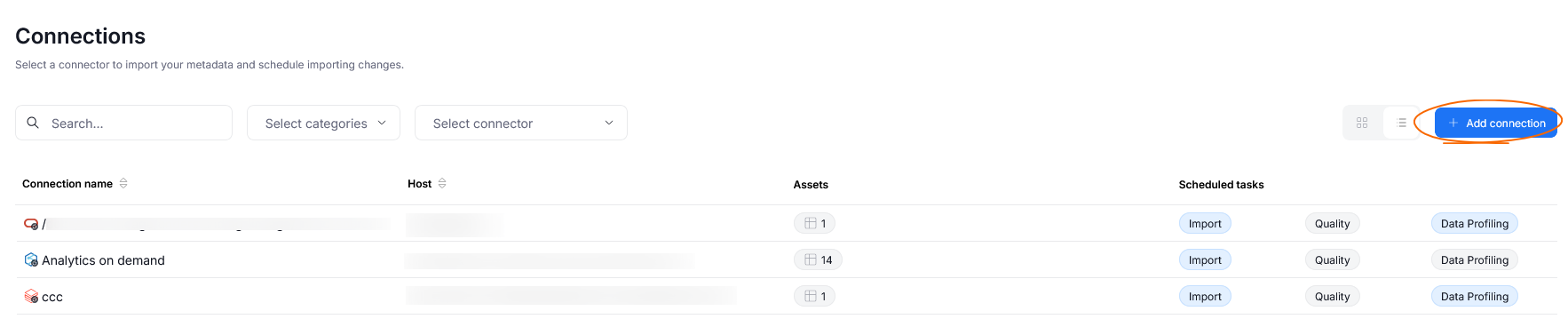
To start the Metadata Import flow, make sure you have the Connection Manager role. Go to Connections and click Add connection, then pick DDL Script from the connector list to open the import wizard described in the following steps.
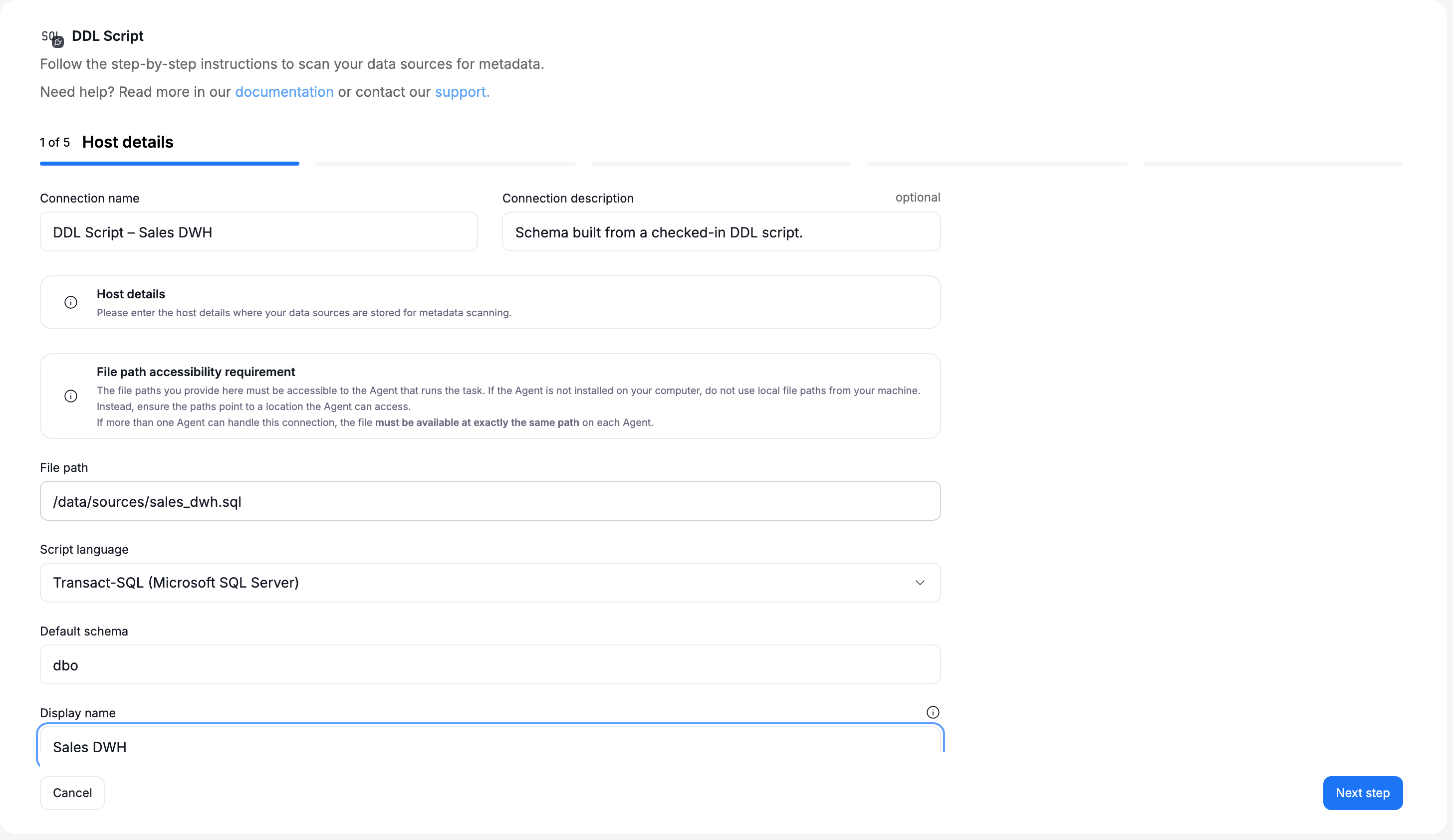
Step 1. Host details
Provide the name of the Connection, an optional description, and tell Dataedo where the script is and how to read it:
- File path - the path to the DDL script file, for example
/data/sources/sales_dwh.sql - Script language - the SQL dialect the script is written in, for example
Transact-SQL (Microsoft SQL Server) - Default schema - the schema to assign to objects whose definition does not name one, for example
dbo - Display name - the Title under which the imported source will be visible in Dataedo
The path you enter here is opened by the Agent that runs the task, not by your browser - so a local path from your own machine will not work unless the Agent runs there. If several Agents can handle this connection, the file must be available at exactly the same path on each of them.
A Connection in Dataedo represents a saved configuration for accessing a data source.
It can be reused for future imports and scheduling.
Advanced settings is optional — you can leave it collapsed and the connection will run on any available agent with the global timeouts. Expand it if you want to restrict the connection to a specific agent or override the task timeouts.
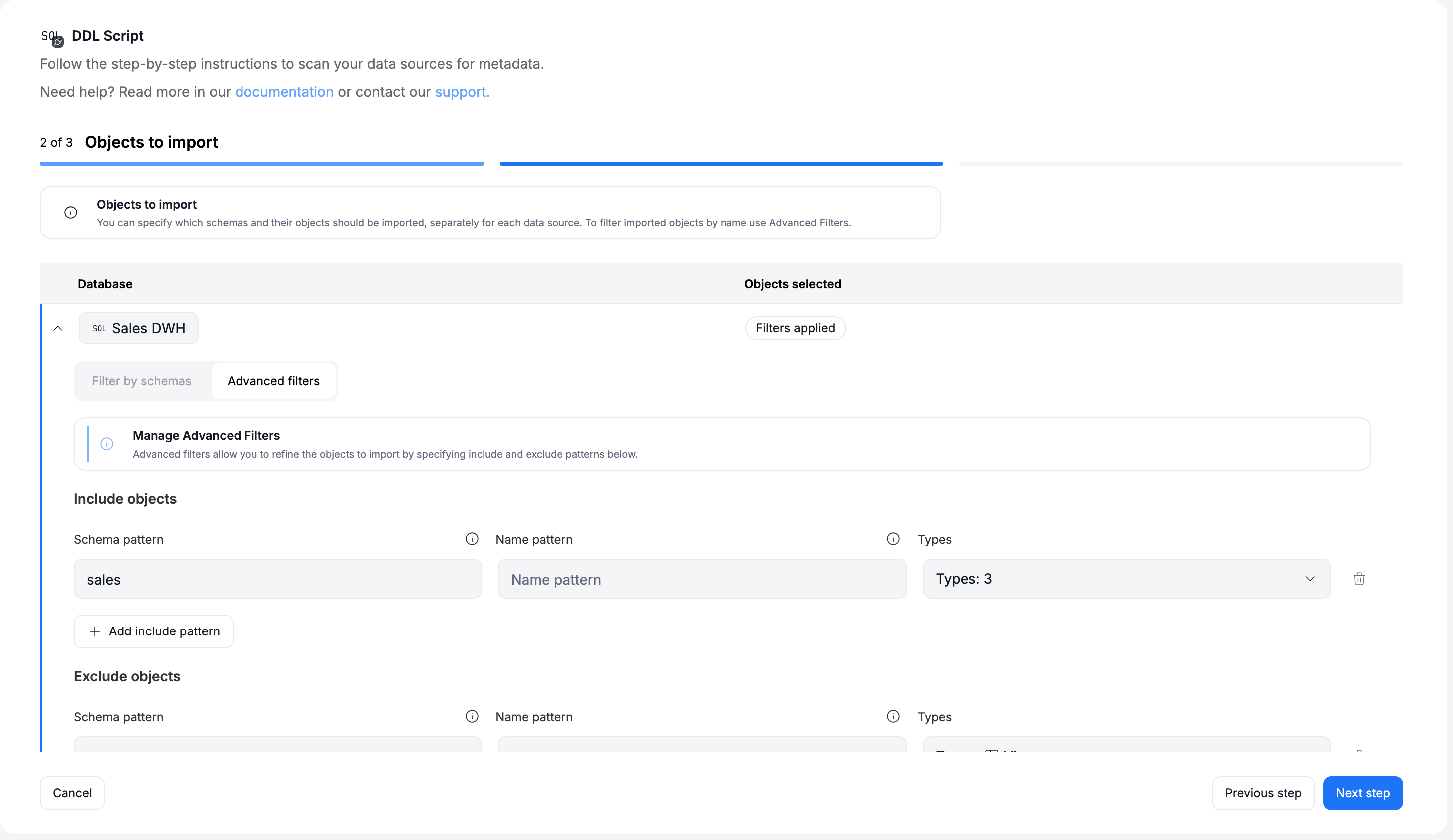
Step 2. Objects to import
Dataedo parses the script and lists the schemas it found. Use Filter by schemas to choose the schemas to read and, within each one, the object types to import - Tables, Views, Procedures and Functions. Select Future Schemas to include schemas that appear in the script after this import as well.
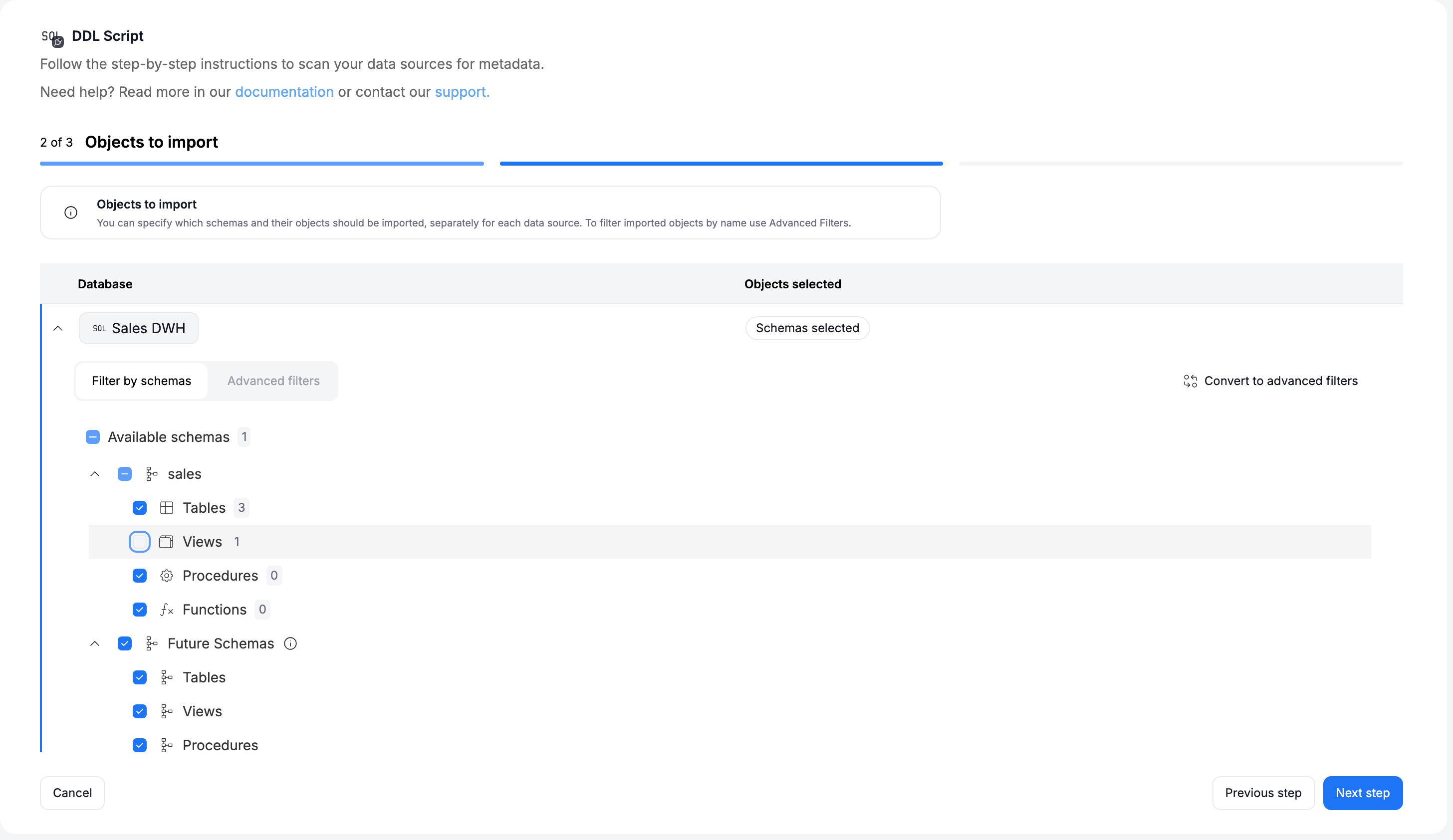
Switch to Advanced filters to include or exclude objects with schema patterns, name patterns and object types instead.
Step 3. Schedule
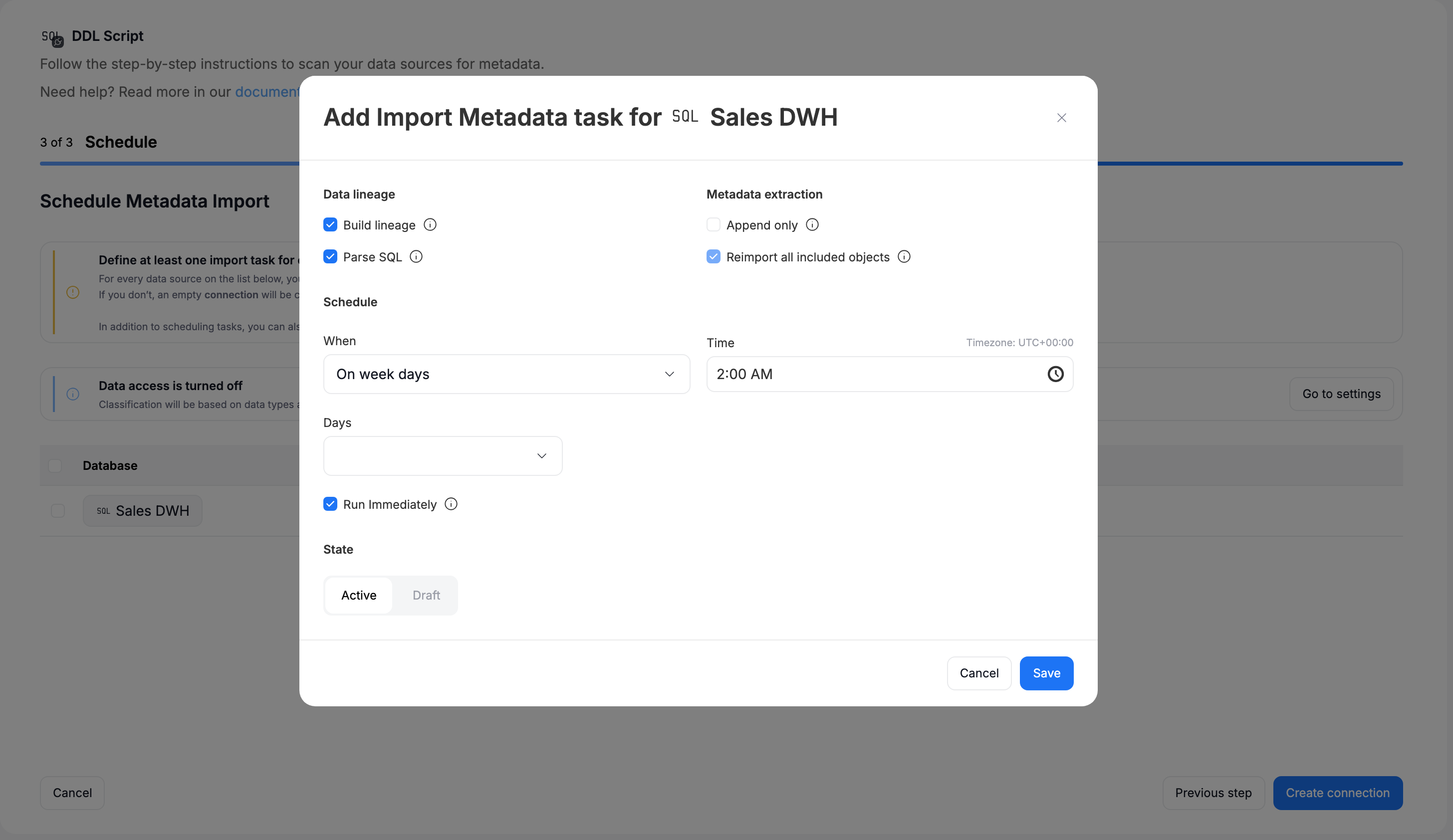
Configure the Metadata Import task for the source:
- choose the metadata extraction options (
Append only,Reimport all included objects) - run daily, on selected weekdays, or on specific days of the month
- choose an exact time of execution
- Task state:
Active- the task will run as scheduledDraft- the task is saved but not executed until you switch it to Active
- Run Immediately - when checked, the task will also be executed right after you click
Create connection
Once saved, the task appears next to its source in the schedule list.
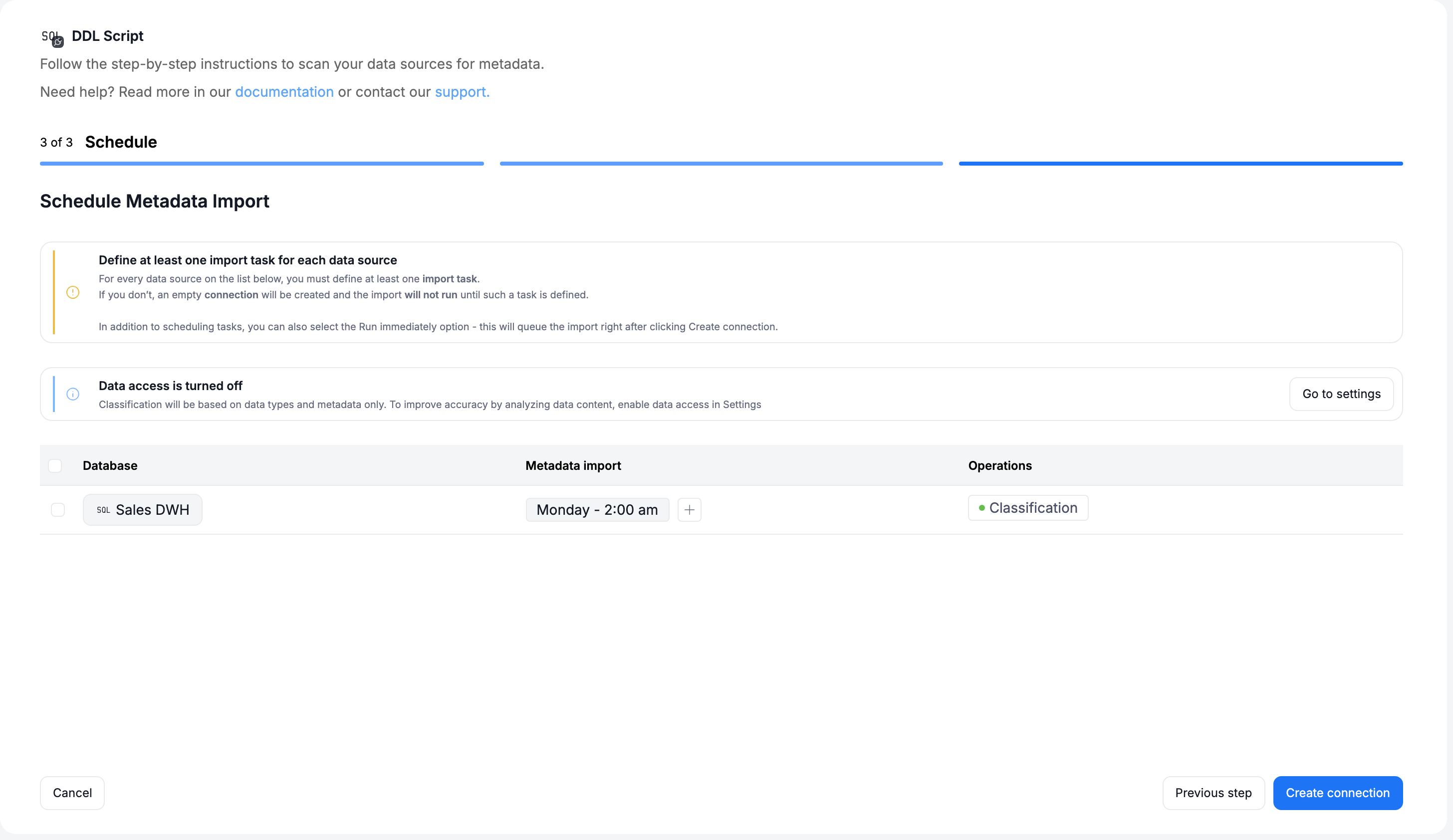
You must configure at least one import task in the schedule section.
If you skip this, an empty database will be created and no metadata will be imported.
Importing Metadata in Dataedo Desktop
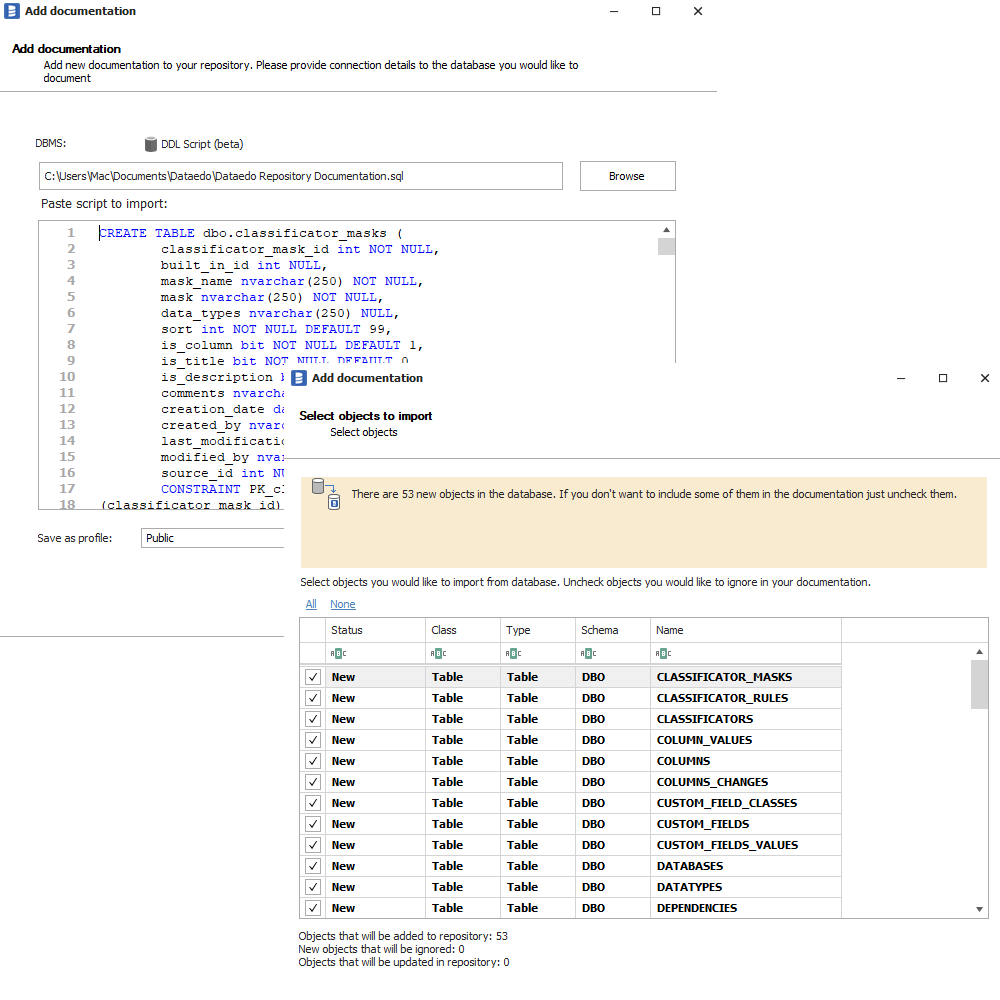
After you prepared the script file, you should use the new connector directly in Dataedo Desktop.
Script interpretation errors
Currently, there are no errors reported, during DDL script import. All objects which are not correctly recognized, are simply skipped during import.
If you notice on the summary, that your object is missing, you can fix the script manually, directly in the Dataedo import window.

