Connecting to database with ODBC
Configuring the ODBC Driver
First, download and install the ODBC Driver for your database.
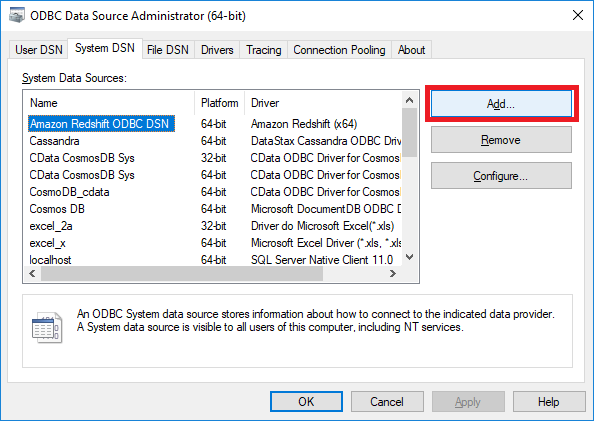
Then, create a User or System DSN (data source name).
To do this, open Control Panel, access Administrative Tools, then open either ODBC Data Sources (64-bit) or ODBC Data Sources (32-bit).
Click the User or System DSN tab, then click add.
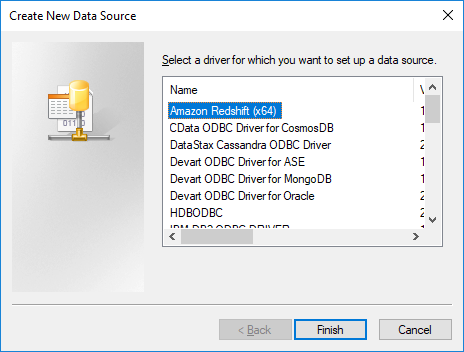
Select a driver and configure DSN.
Connect to database with ODBC
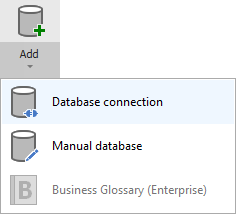
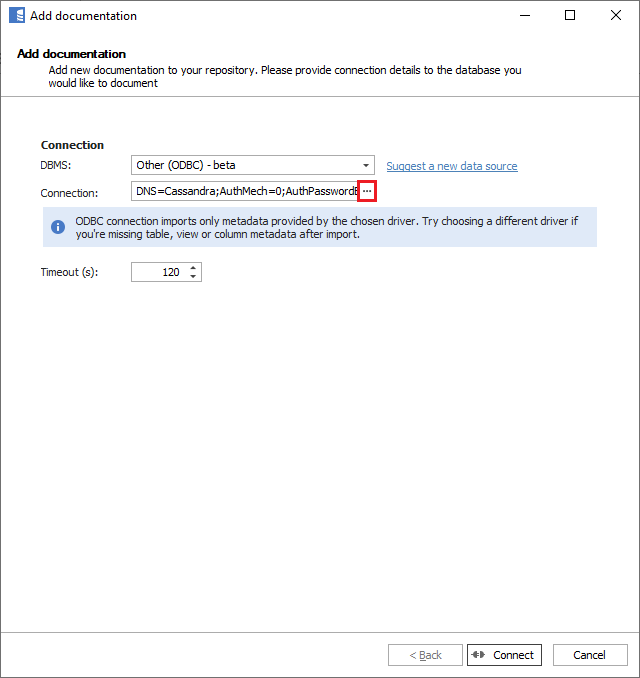
Create new documentation by clicking Add documentation and choosing Database connection.
In the DBMS field, select Other (ODBC connection).
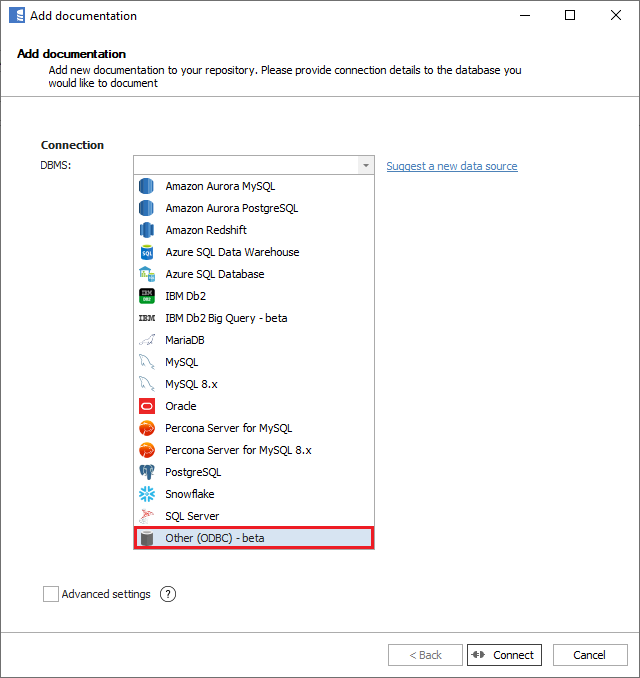
Select and choose the DSN you created and click connect.
Importing schema
If the connection is successful, Dataedo will show a list of objects from the database. You can choose which objects to import.
Confirm the selection by clicking Next.
You can now change the name of your documentation.
Click Import to start the import, and when it ends, close the window with the Finish button.
Your database schema has been imported to new documentation in the repository.
List of ODBC Drivers
We have tested and successfully connected to and imported metadata from databases with the ODBC drivers listed below. It is highly likely it will work with other drivers as well.
Amazon Athena
Supported schema elements and metadata
ODBC version: Simba 1.0.3.1004 64 bit
Apache Cassandra
Supported schema elements and metadata
ODBC version: DataStax ODBC 2.5 64-bit
Apache Hive
Supported schema elements and metadata
ODBC version: 2.6.1 (64 bit)
Apache Impala
Supported schema elements and metadata
ODBC version: 2.6.4 (64 bit)
Google BigQuery
Supported schema elements and metadata
ODBC version: 2.1.20.1025 64 bit
IBM Db2 for iSeries (Db2 for IBM i)
Supported schema elements and metadata
ODBC version: 11.01.2021.1452
Microsoft Access
Supported schema elements and metadata
ODBC version: Microsoft Access Driver 64 bit
Microsoft Dynamics 365
Supported schema elements and metadata
ODBC version: Devart for Dynamics CRM 1.6.11 64 bit
Microsoft Dynamics 365 version: 9.1
SAP ASE (Sybase)
Supported schema elements and metadata
Download Devart for ASE ODBC driver
ODBC version: 1.4.8 64-bit
SAP ASE (Sybase) version: 16.0
SAP Hana
Supported schema elements and metadata
The driver is installed as part of the SAP HANA client installation.
ODBC version: HDBODBC 2.3.106 64 bit
SAP Hana version: 2.0 SPS03
SAP IQ
Supported schema elements and metadata
The driver is installed as part of the SAP IQ client installation.
SAP IQ ODBC version: SYBASE IQ 17.00.09.1031 64 bit
SAP IQ version: 16.1
Salesforce
Supported schema elements and metadata
Download Devart for Salesforce ODBC driver
ODBC version: 1.7.16 64-bit
Salesforce version: Professional Edition
SQLite
Supported schema elements and metadata
ODBC version: 64 bit
SQLite version: 3.26.0
Teradata
Supported schema elements and metadata:
- Tables
- Columns
- Data type with length
- Nullable
- Default value
- Generated column formula
- Primary keys
- Columns
- Unique indexes
- Columns
- Foreign keys
- Columns
- Triggers
- When triggered
- Script
- Columns
- Views
- Columns (see tables)
- Script
- Procedures
- Script (SQL procedures only)
- Parameters
- Functions
- Script (SQL functions only)
- Parameters
- Returned values
ODBC version: 16.20 64-bit
Teradata version: 16.20
Vertica
Supported schema elements and metadata
ODBC version: 9.2.x 64-bit
Vertica version: 9.0.1-5

