Apache Avro
Not supported: Data Quality, Data Profiling, Foreign Key Testing, Reference Data, Extended Properties, Metadata Sync, Scheduling tasks, Execution Flows
Dataedo 9.3 added support for Avro files. Dataedo scans Avro files (or Avro schema provided in avsc file) and builds a structure separately for each record. Such structure contains fields (schemas) that can be:
- Primitive types
- Unions
- Nested records
- Enums
- Arrays
- Maps
- Fixed data type
If the file contains only one schema definition, a structure containing only this definition will be created.
Supported Metadata
Metadata
Dataedo reads the following metadata for each field (schema) definition:
- Name
- Namespace (if exists)
- Data Type
- Nullability
- Description
Namespace for complex data types is included in the Data type column.
Data profiling
Dataedo does not support profiling Avro files.
Importing file in Dataedo
To add Avro file:
- Right-click on any database or Structures folder, choose Add Object, then Add/Import Structure, or
- On the main ribbon select Add Object then Structure/File, or
- Select Structures folder and on the main ribbon select Add Structure/File.
Select Paste Document if you want to paste Avro schema represented in JSON format or Import from File to select a file saved locally on PC. Then choose Avro from available formats and either paste schema or point to a binary avro file or avsc schema file. Then click Next to scan the provided schema/file.
If the provided file/pasted structure contains a definition for only one record or schema, then as a result one Dataedo structure is created. Otherwise (if there is more than one record) Dataedo creates a structure listing all records in the file, and one structure for each Avro record.
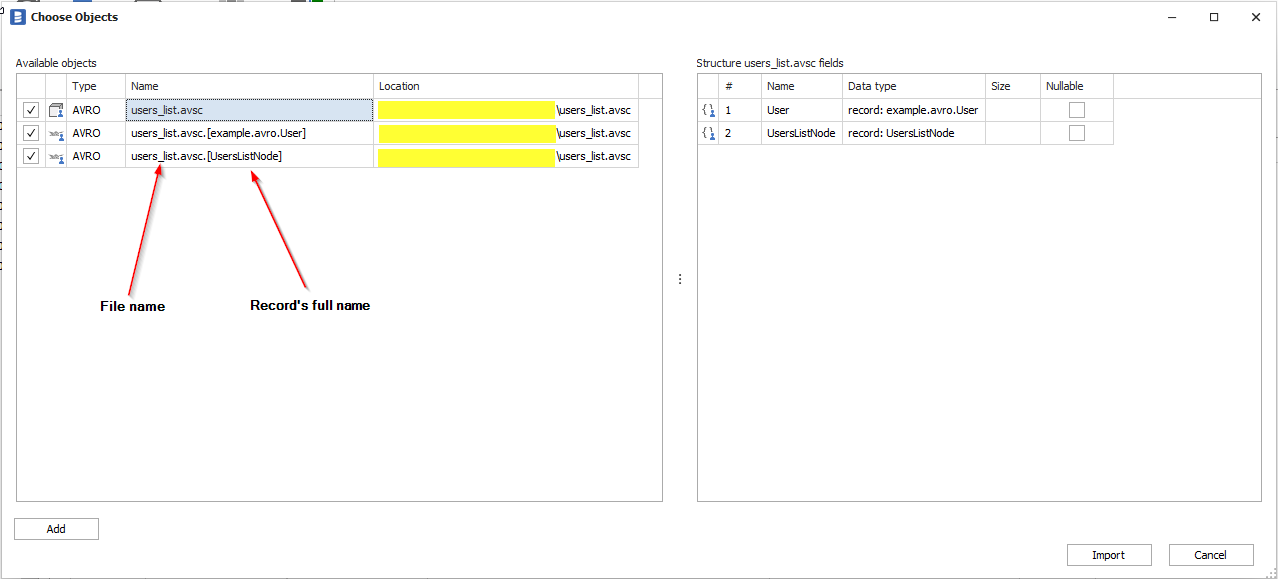
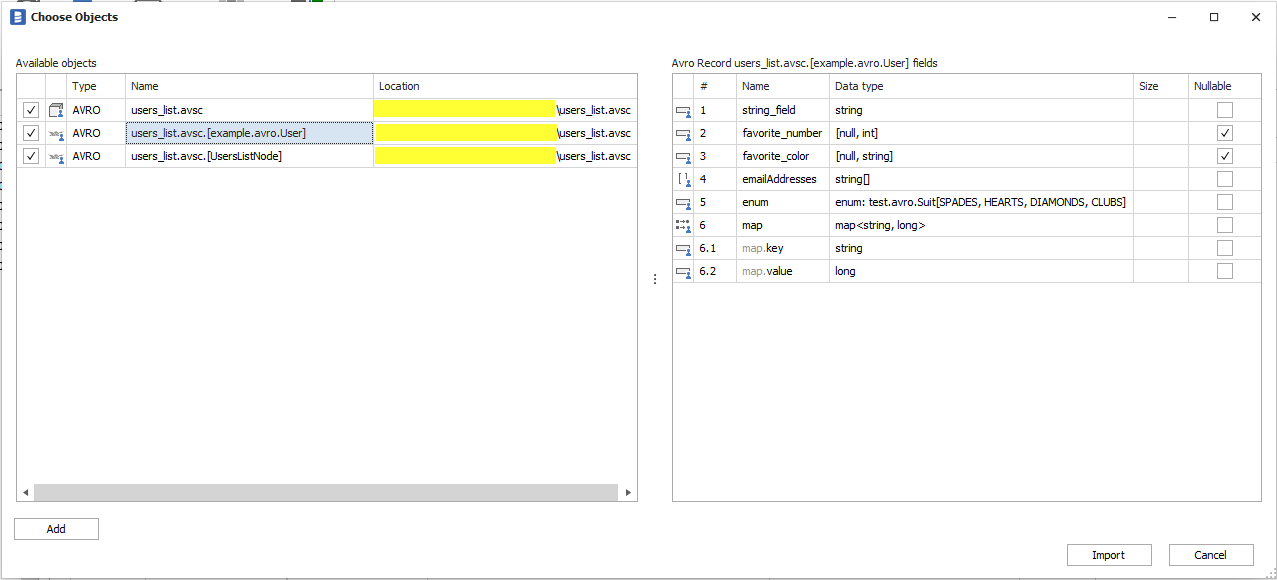
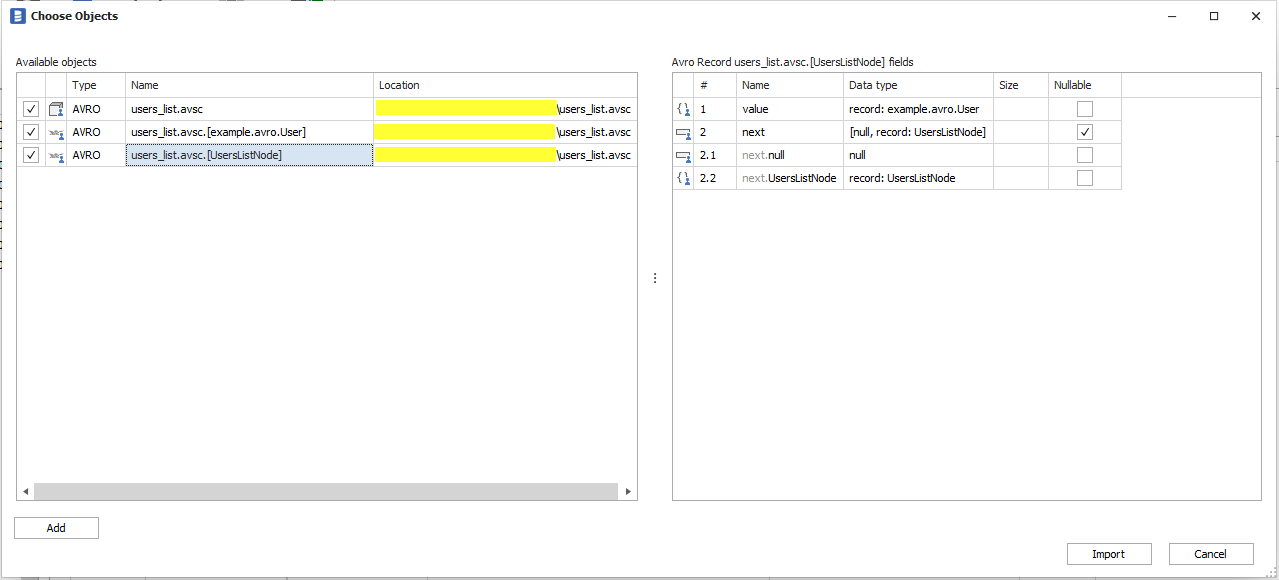
In the following example, an avsc file containing a definition for two records was scanned. Dataedo will produce the following structures:
- Structure of file:
Structure of the first record:
Structure of the second record:
If anything is wrong with the file/pasted structure Dataedo will throw an Error with details of what is wrong. For example: