Oracle - Automatic Data Lineage
Dataedo captures Data Lineage at four levels:
This document outlines how lineage is generated and provides troubleshooting steps for some common issues.
Lineage support by object type
Views
Dataedo analyzes SQL in database views using its built-in SQL Parser and generates column-level lineage by tracking dependencies between queried tables/views and the resulting view object.
Check PL/SQL parser documentation to learn more.
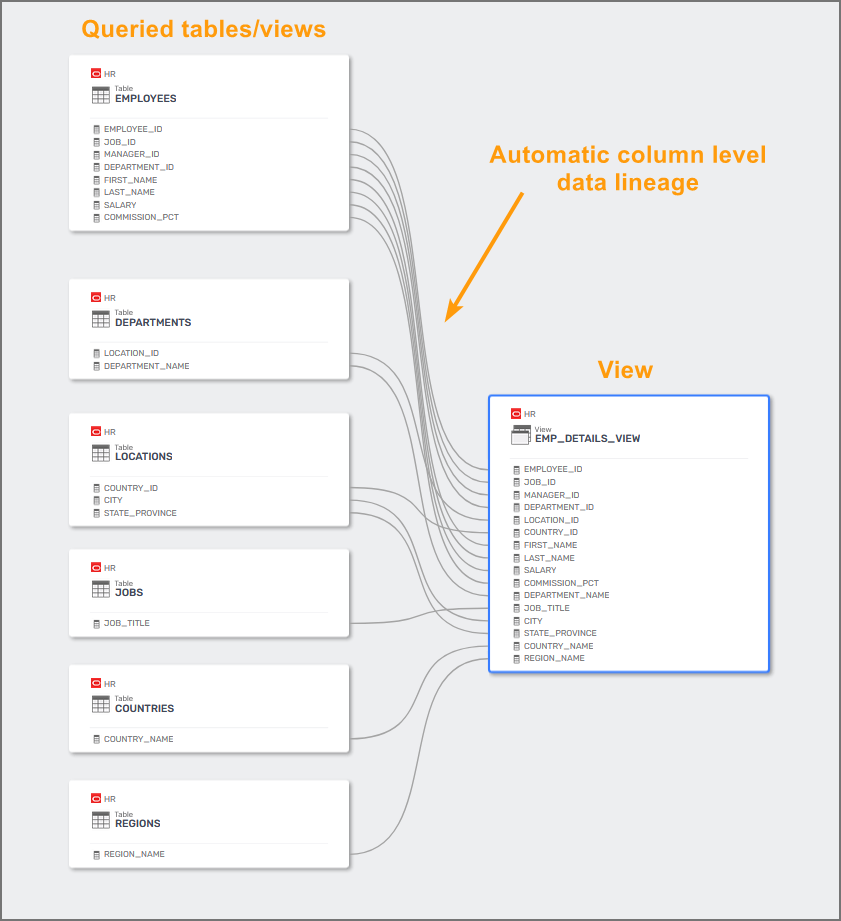
Dataedo will generate lineage only for SQL statements supported by the SQL Parser. Check the SQL Parser documentation for more information.
In case of any issues with view lineage, follow these steps:
- Make sure you selected PL/SQL as the SQL Dialect in the Data Source configuration
- Rerun the import process to update the schema if you're using an older version or incorrect settings
Stored procedures
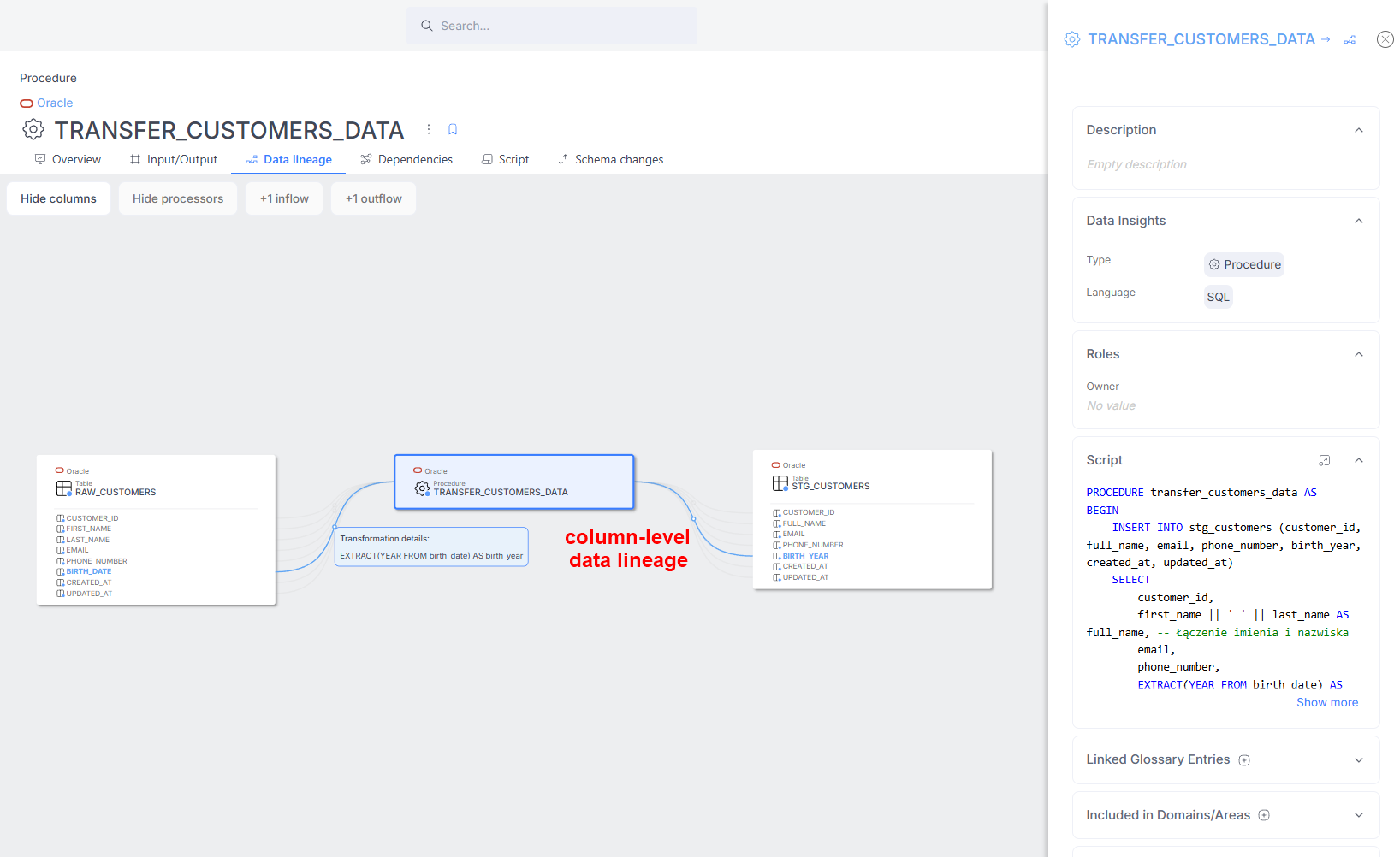
Dataedo extracts column-level data lineage from stored procedure scripts. Each script is divided into steps, represented as separate processes.
- Supported steps generate lineage automatically.
- Unsupported steps are marked with the first word of the process script followed by three dots (
...). These appear in the Data Lineage Configuration tab in Desktop.
This lineage also includes parameters – if a procedure or function parameter is used to populate a column, Dataedo will show that parameter as a lineage source for the column.
Known Limitations
Dataedo generates lineage only for supported SQL syntax (in this case PL/SQL). Check the SQL parser documentation for more information.
Troubleshooting
Missing data lineage for views
-
Make sure you have selected the right SQL dialect - in this case, PL/SQL (SQL Dialect field at the Data Source level).
-
Rerun the import of the source - maybe the schema was imported in an older version, or the configuration was incorrect.
Missing data lineage for stored procedures
-
Make sure Dataedo supports the SQL syntax of the procedure. Check Known Limitations above.
-
Rerun the import of the source - maybe the schema was imported in an older version, or the configuration was incorrect.
Missing cross-database lineage
-
Make sure the source object has a Linked Source with a correctly assigned database.
-
Rerun the import of the source - maybe the schema was imported in an older version, or the configuration was incorrect.
If you encounter any issues with stored procedure lineage, follow these steps:
- Verify that Dataedo supports the SQL syntax used in the procedure
- Rerun the import process to refresh schema changes
Need help?
If you run into any problems or have questions, reach out to Dataedo support.

