MySQL — Execution Flows
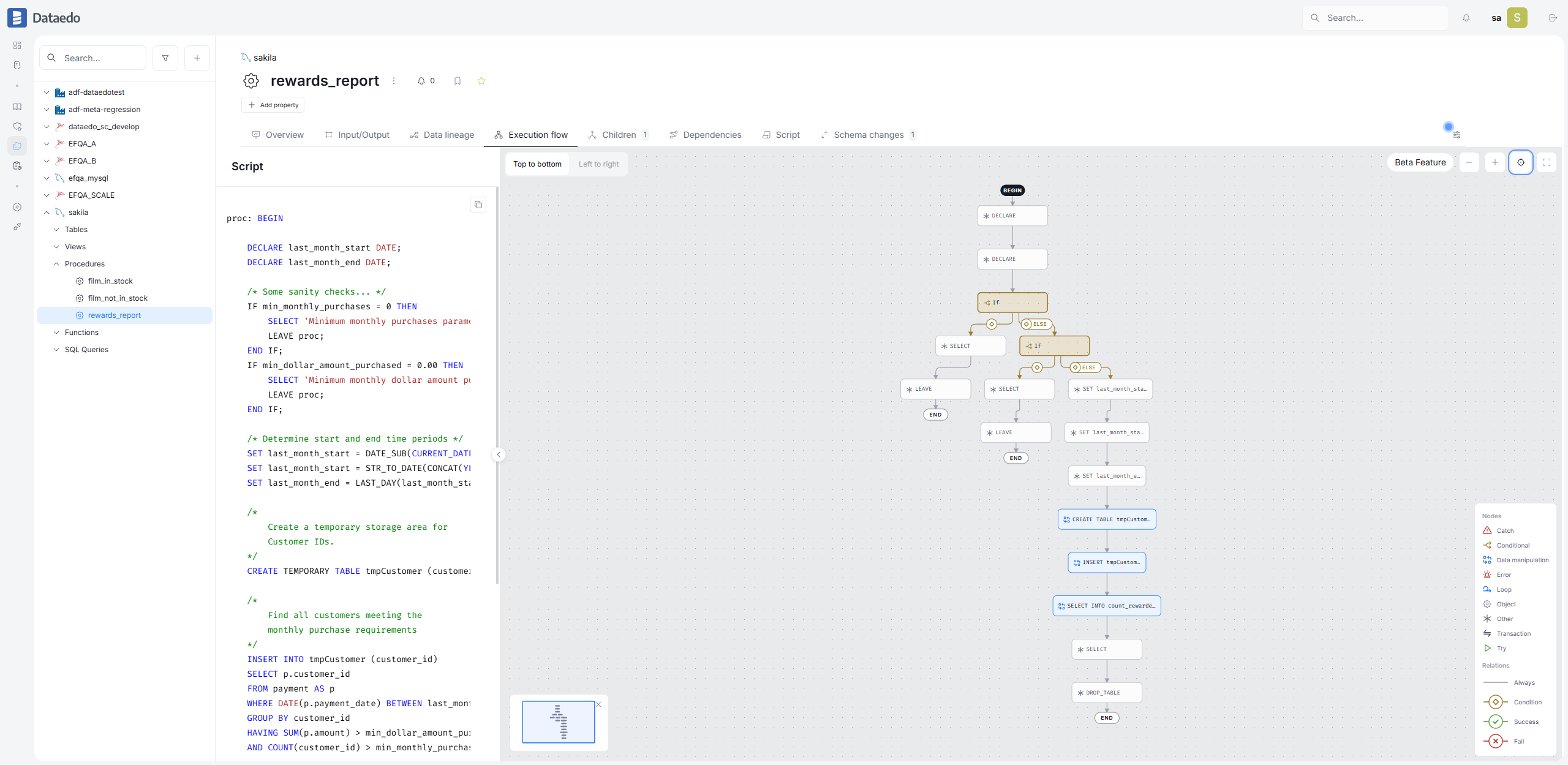
Dataedo builds Execution Flow diagrams for MySQL code using the built-in MySQL Parser.
Supported objects
| Object type | Execution Flows |
|---|---|
| Stored procedures | |
| Stored functions |
Flows are built only for objects whose definitions were imported into the repository.
Requirements
- Enable the Build execution flows option when importing the data source — see Enabling Execution Flows
The account used for the import must be able to read routine definitions (for example, via the
SHOW_ROUTINEprivilege or ownership of the routines). Objects imported without a definition are skipped.- Your Dataedo license must include the Execution Flows. All current licenses except for Dataedo Essentials have it
How flows are built
During import, Dataedo parses the definition of each procedure and function and maps its statements into a diagram: calls to other routines, data-modifying statements (INSERT, UPDATE, DELETE, …), IF and CASE branches, loops, and transactions. See Diagram notation for the full legend.
Data-modifying statements are linked to the Data Lineage processes generated from the same script, so you can jump from a step in the flow to the lineage of the data it produces.
Known limitations
- flows are generated only for SQL statements supported by the parser — check the MySQL Parser documentation. Objects with unsupported syntax will be shown with a warning in the import summary.
Troubleshooting
I don't see the Execution flow tab
- Make sure your license includes the Execution Flows module
- Make sure the object is a stored procedure or function — other object types have no Execution Flows
No flows after import
- Make sure the Build execution flows option was enabled during the import and re-run it
Make sure routine definitions were imported — the import account needs the privileges to read them.
Flows are missing for some objects
- Check the import summary — objects whose SQL could not be parsed are reported as a warning
- Verify the object's definition against the supported MySQL syntax

