MongoDB
Not supported: Data Quality, Data Profiling, Foreign Key Testing, Reference Data, Extended Properties, Metadata Sync, Execution Flows
Supported versions
3.6, 3.8, 4.0, 4.2, 4.4, 5.0
Supported editions
- Community Server
- Enterprise Server
- Atlas (cloud)
Supported schema elements and metadata
Dataedo reads the following metadata from MongoDB databases.
- Collections
- Views
- Data type
- Description (from schema validation)
- Required (from schema validation)
- Min-max (from schema validation)
Data profiling
Dataedo does not support data profiling in MongoDB.
Schema discovery
Dataedo discovers collection schema using two techniques:
- Sampling and parsing documents
- Schema validation
Importing Metadata in Dataedo Portal
Entry point
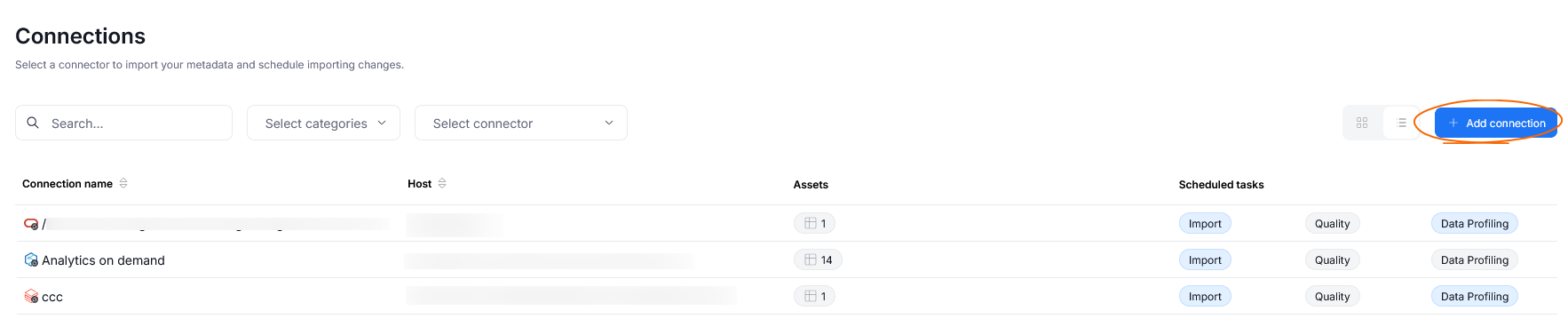
To start the Metadata Import flow, make sure you have the Connection Manager role. Go to Connections and click Add connection, then pick MongoDB from the connector list to open the import wizard described in the following steps.
Step 1. Host details
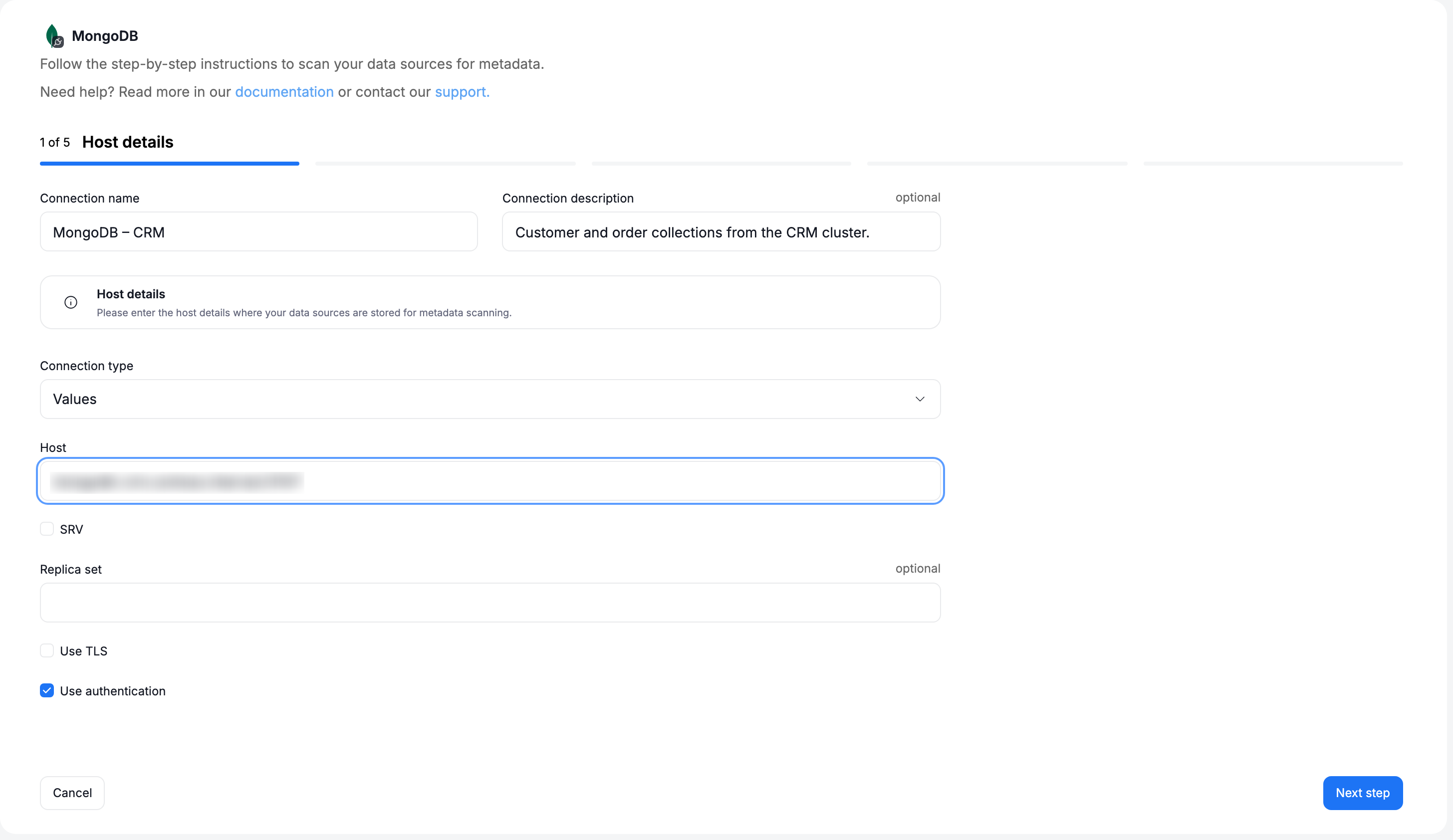
Provide the name of the Connection, an optional description, and the details of the MongoDB host:
- Connection type - choose
Valuesto enter the host details field by field, orConnection stringto paste a full MongoDB URI. - Host - the address and port of the instance, for example
mongodb-crm.internal:27017. - SRV - check this if the address is a DNS seed list (
mongodb+srv) rather than a single host. - Replica set - the replica set name, if you connect through one.
- Use TLS - check this if the instance requires an encrypted connection.
- Use authentication - leave this checked to provide credentials in the next step. Clear it only for an instance that accepts unauthenticated connections.
A Connection in Dataedo represents a saved configuration for accessing a data source.
It can be reused for future imports and scheduling.
Advanced settings is optional — you can leave it collapsed and the connection will run on any available agent with the global timeouts. Expand it if you want to restrict the connection to a specific agent or override the task timeouts.
Step 2. Credentials
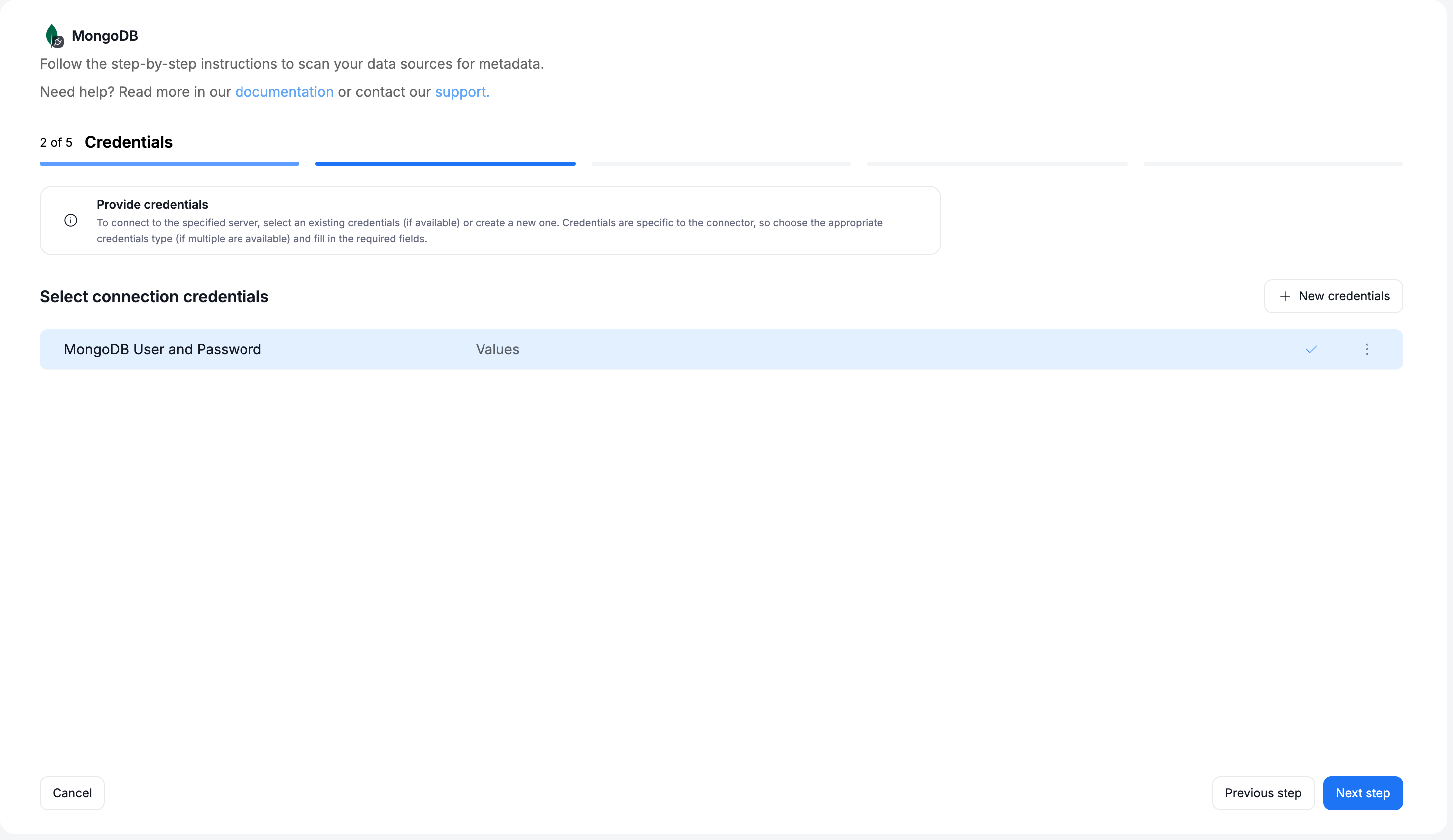
Choose credentials from the list of existing ones available for the selected connector, or add new credentials. MongoDB uses a user and password pair.
Step 3. Data Sources
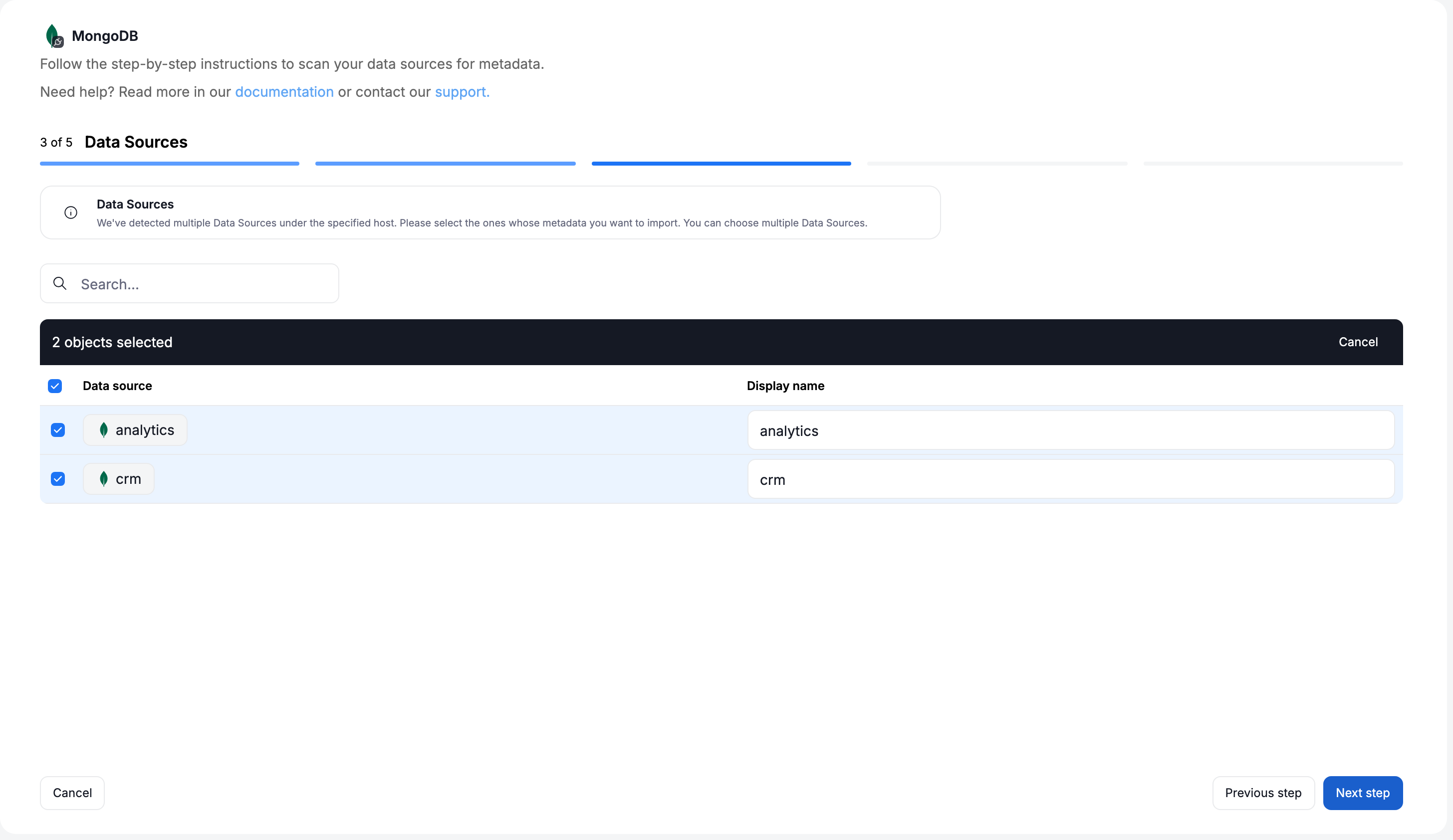
During one import you can read the metadata of up to 20 data sources. You can reuse the same connection to import more sources later.
- Portal displays all databases accessible with the provided credentials
- you can select multiple databases at once and use the search box to narrow down results
- each selected database should be given a Display name, which will be visible in Dataedo
Step 4. Objects to import
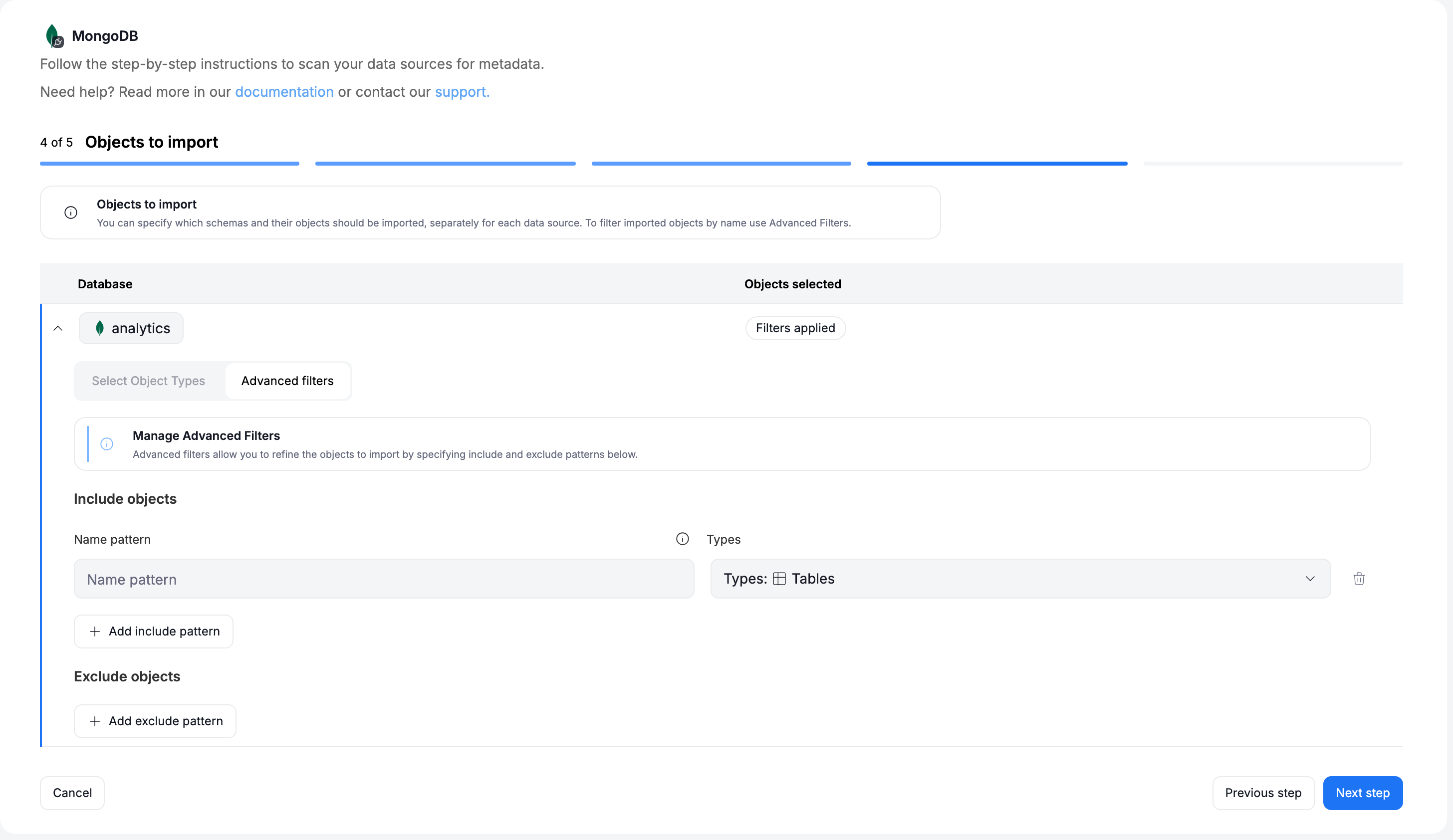
For each selected database, you can refine which objects to import. MongoDB collections and views are both imported as Tables.
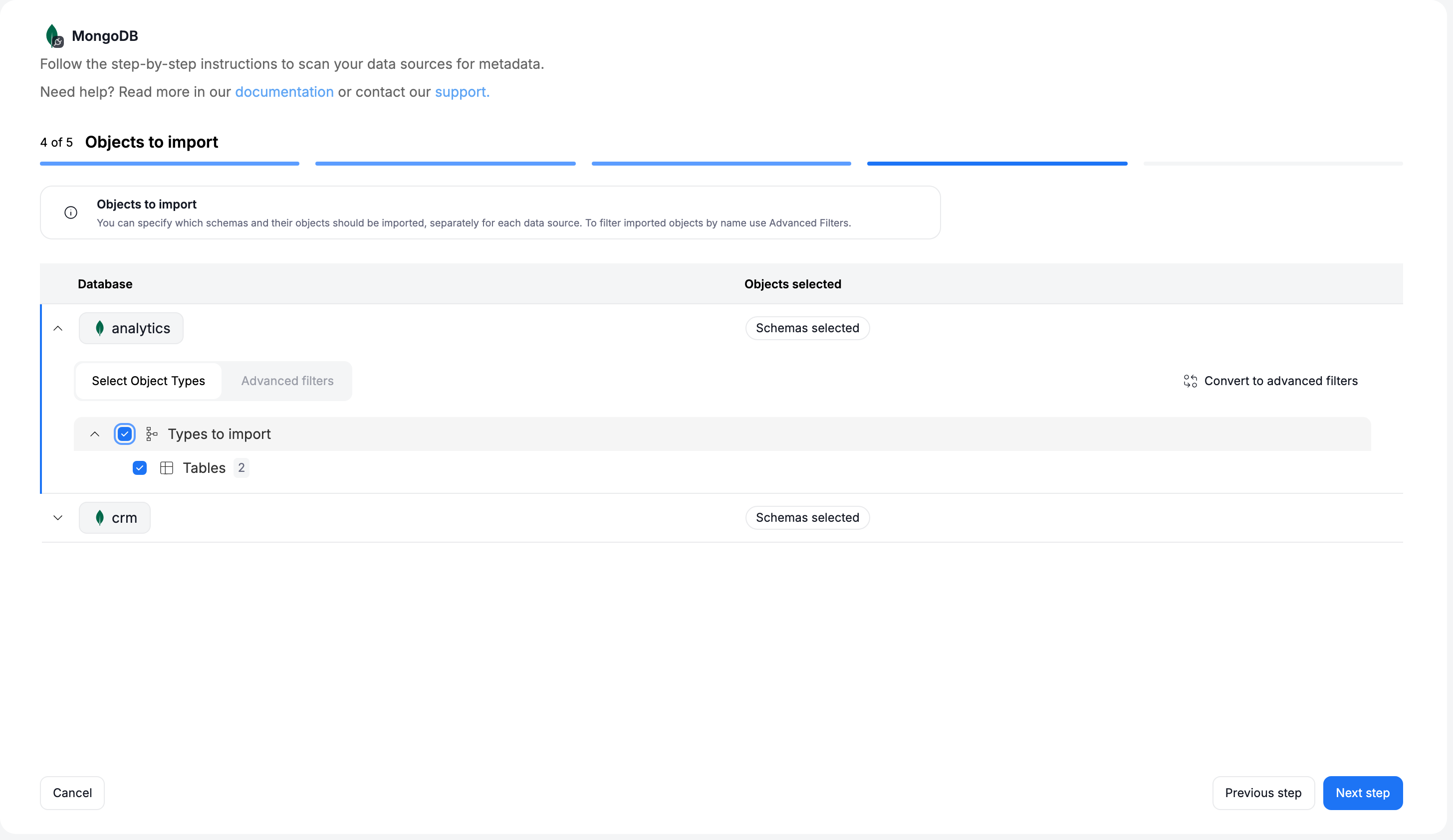
Use Advanced filters to include or exclude objects by name pattern and object type.
Step 5. Schedule
Configure the Metadata Import task for each database individually:
- choose the metadata extraction options (
Append only,Import dependencies,Reimport all included objects) - run daily, on selected weekdays, or on specific days of the month
- choose an exact time of execution
- Task state:
Active- the task will run as scheduledDraft- the task is saved but not executed until you switch it to Active
- Run Immediately - when checked, the task will also be executed right after you click
Create connection
Only one source in a metadata import can have Run Immediately selected.
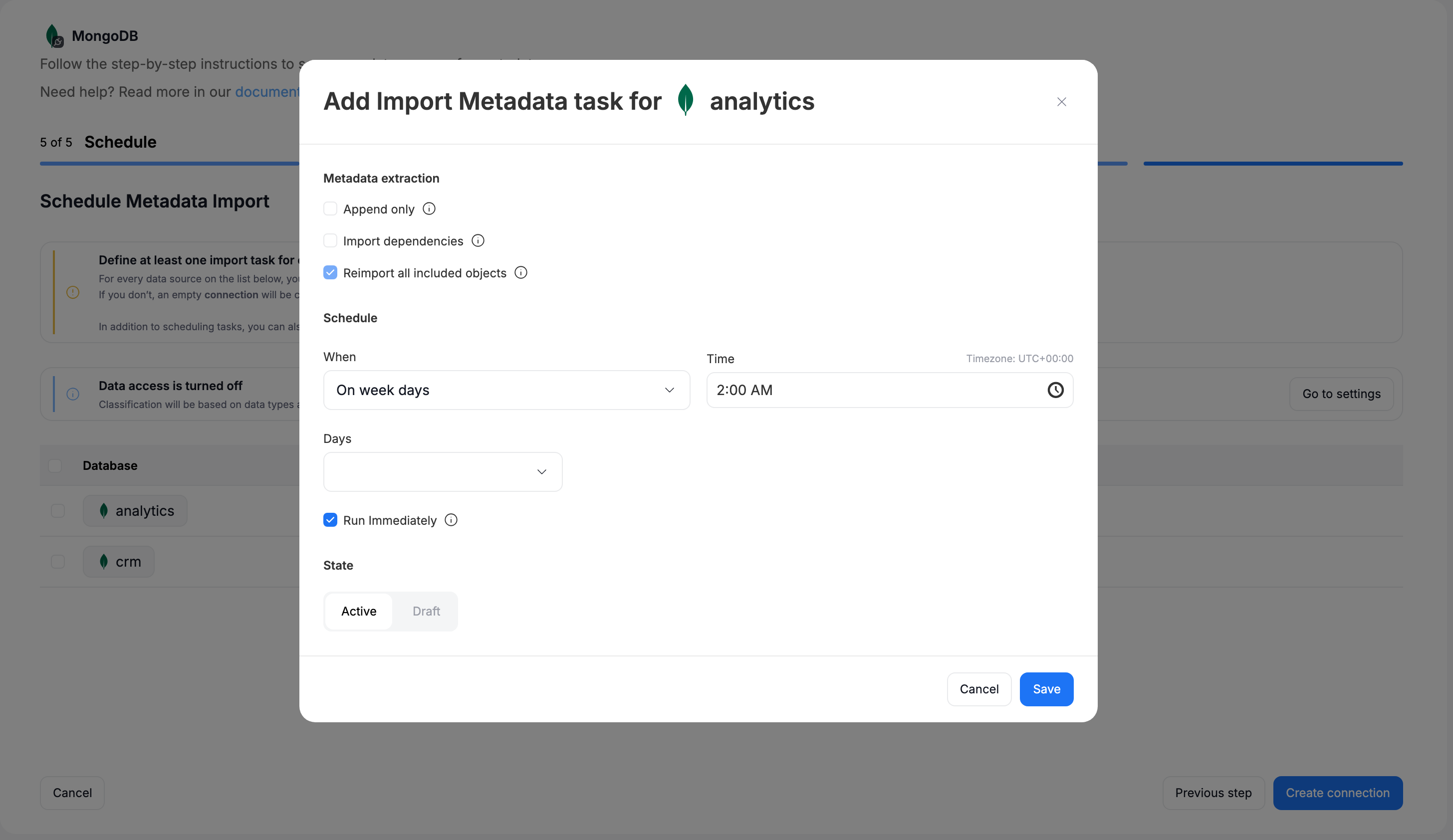
Once saved, the task appears next to its database in the schedule list.
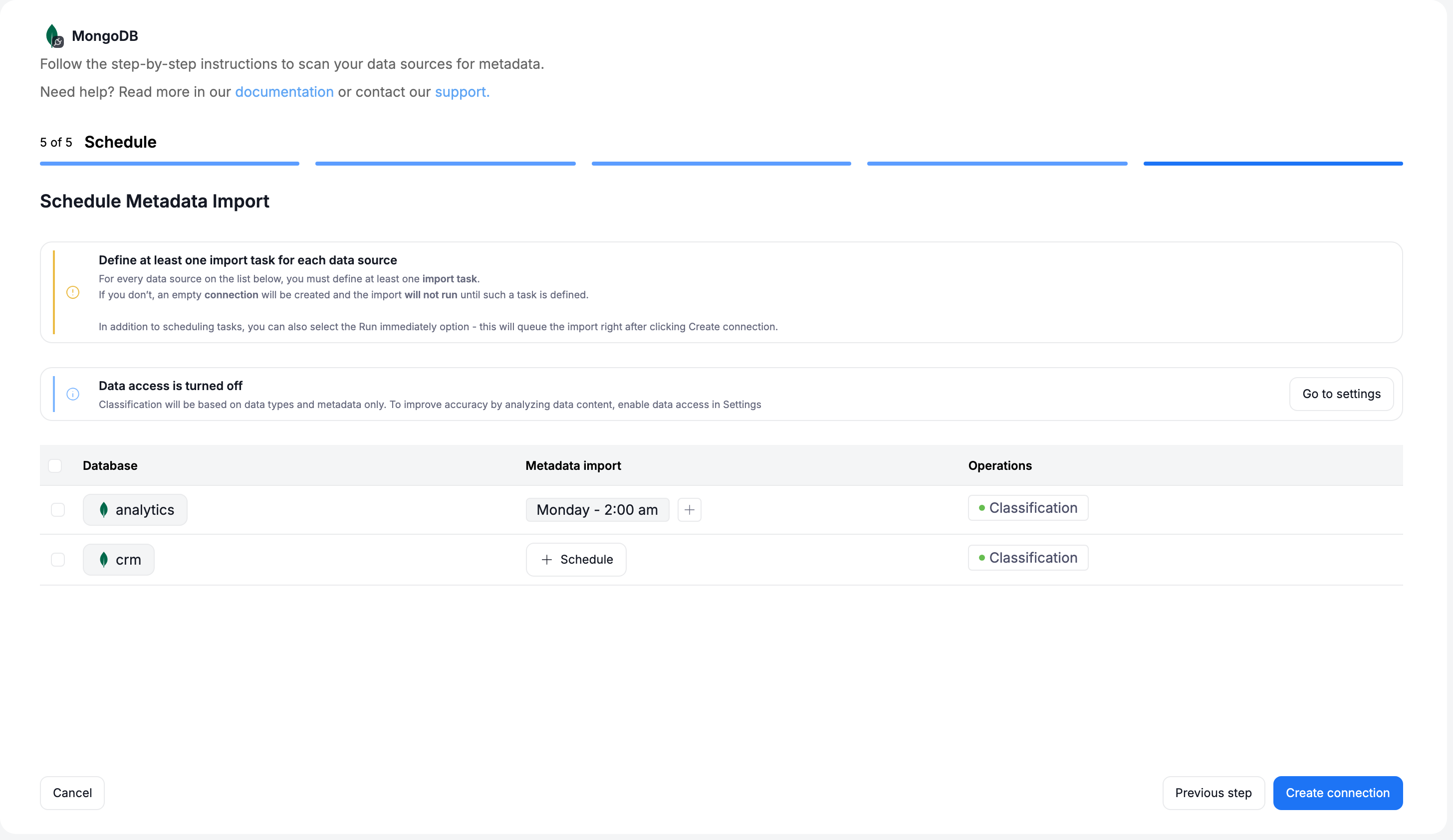
You must configure at least one import task for every data source.
If you skip this, an empty database will be created and no metadata will be imported.
Learn more
[WEBINAR] From Schema Design to Schema Discovery in MongoDB
Watch a recording of Dataedo Expert Webinar with MongoDB expert - Daniele Graziani, Consulting Engineer at MongoDB, and learn about the backward world of schema in MongoDB. Daniele will share his experience from years of advising customers on implementation, transition to, and querying of their MongoDB databases.

