Amazon Redshift - Automatic Data Lineage
Dataedo captures Data Lineage at four levels:
This document outlines how lineage is generated and provides troubleshooting steps for some common issues.
Redshift lineage is built from three independent sources: object dependencies, the SQL parser, and linked sources (including COPY commands read from the query history). Each of them can be enabled or disabled per import task in the Import actions section — see Connecting to Amazon Redshift database.
Lineage support by object type
Views and materialized views
Dataedo analyzes the SQL of Redshift views and materialized views with its built-in SQL Parser and builds column-level lineage from the queried tables and views to the resulting object. In parallel, view dependencies are read from INFORMATION_SCHEMA.VIEW_TABLE_USAGE and produce object-level lineage even when a script cannot be parsed.
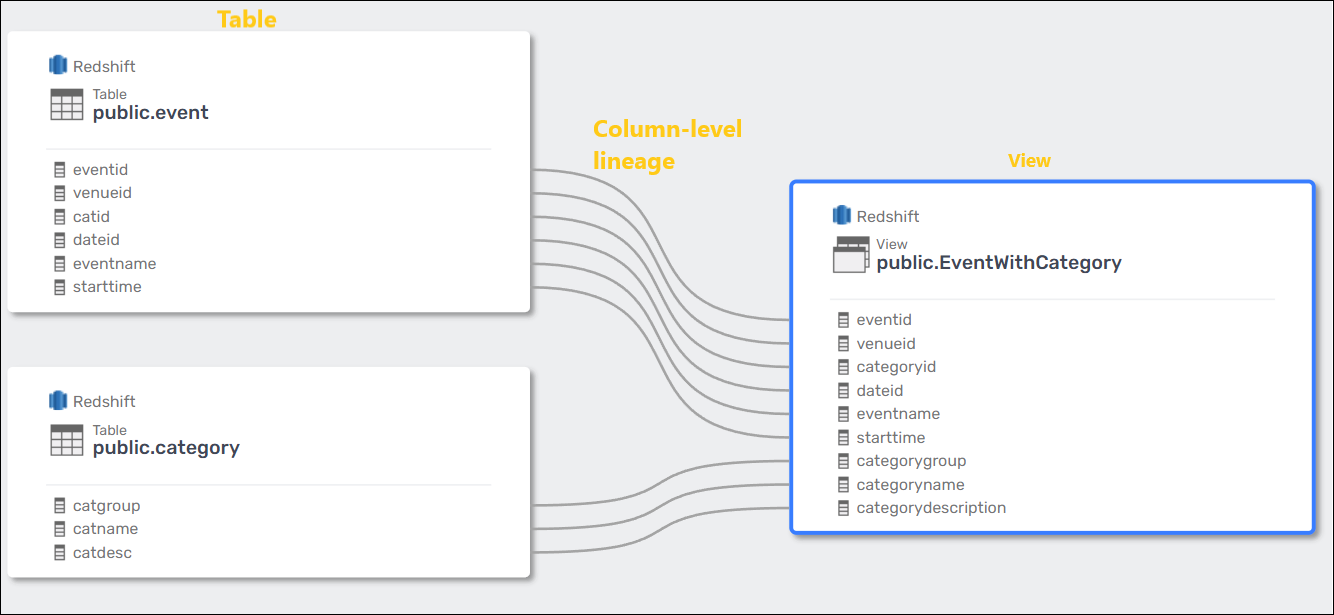
Redshift scripts are parsed with the PostgreSQL dialect. Check the PostgreSQL parser documentation to learn which statements are supported.
Procedures and functions
Dataedo extracts column-level data lineage from procedure and function scripts. Each script is divided into steps, represented as separate processes.
- Supported steps generate lineage automatically.
- Unsupported steps are marked with the first word of the process script followed by three dots (
...). These appear in the Data Lineage Configuration tab in Desktop.
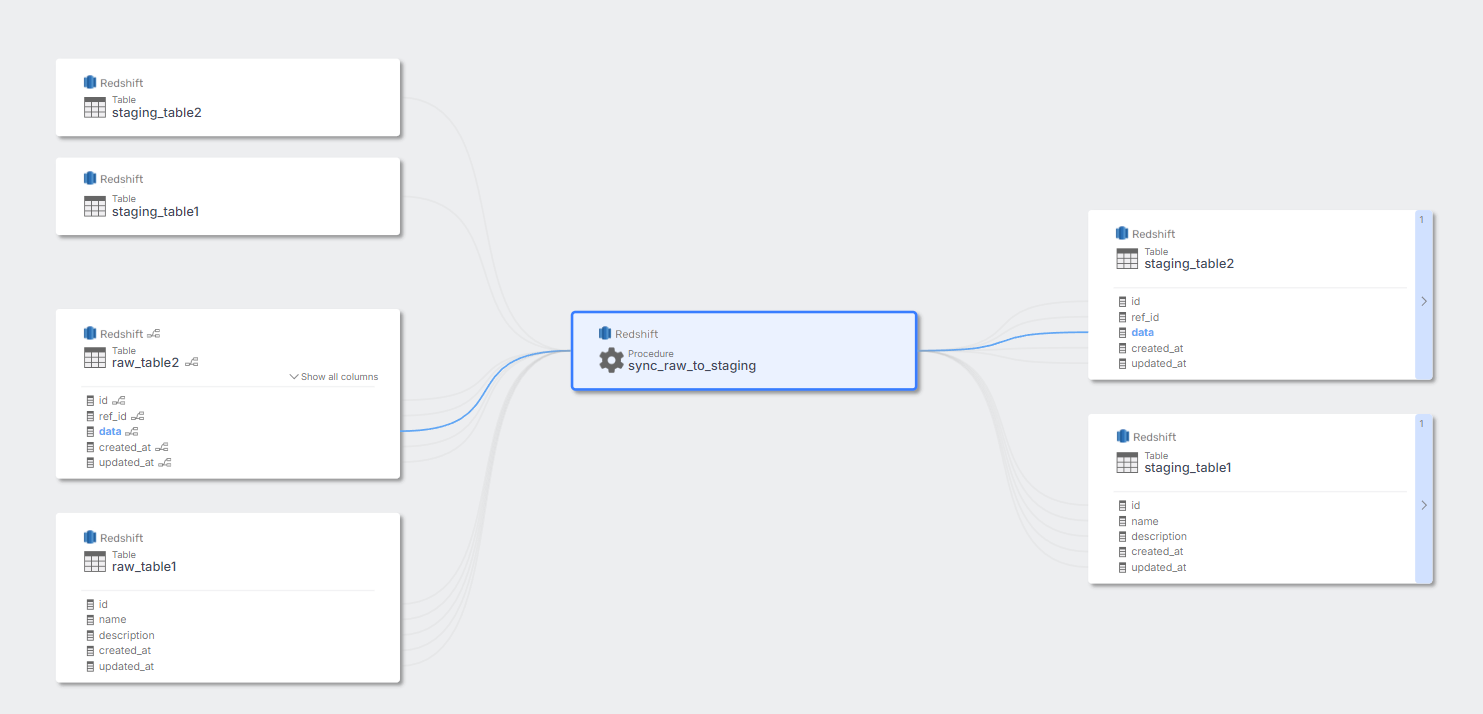
Redshift stores only the body of a procedure or function, without the CREATE PROCEDURE header. Dataedo restores the missing header before parsing, assuming the plpgsql language. Bodies written in Python or in plain SQL are therefore parsed as PL/pgSQL and may produce no lineage.
External tables
For external tables, Dataedo builds lineage from linked sources: the S3 location of the external table, or the external schema it belongs to. Both object-level and column-level flows are created — columns are matched by name between the source object and the external table.
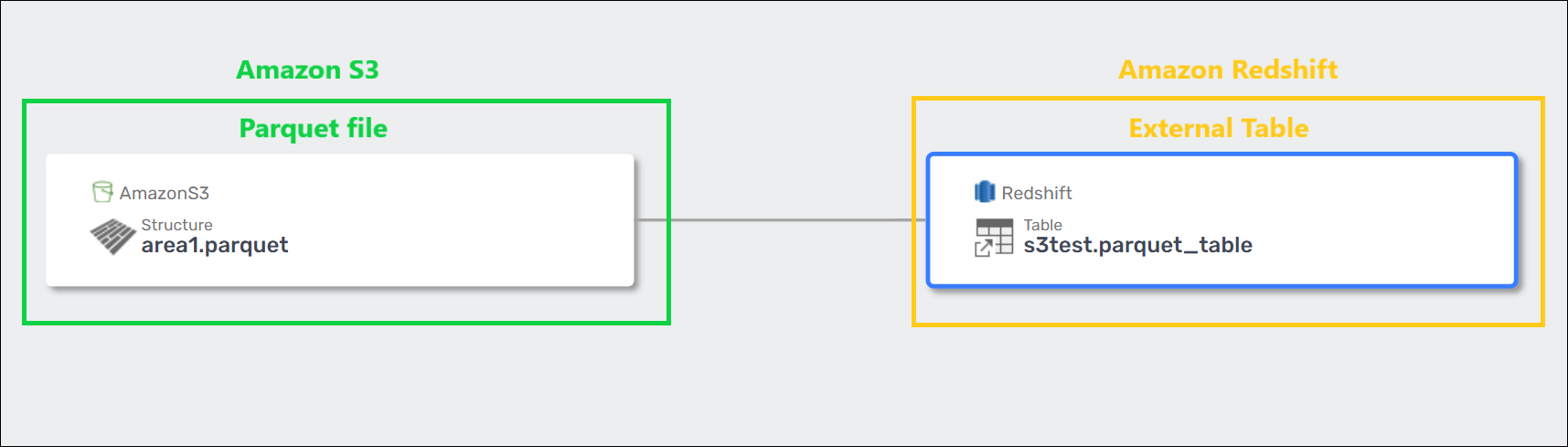
Dataedo assigns the linked source automatically when the matching documentation in the repository is an Amazon S3 source or a source created manually. External schemas over AWS Glue Data Catalog, Hive, PostgreSQL, and Amazon Kinesis have to be mapped to a Dataedo source by hand, during import or later in the connection details.
COPY commands
Dataedo reads successful COPY statements from SYS_QUERY_HISTORY, imports each of them as a SQL Script object, and builds object-level lineage from the loaded S3 location to the target table.
This runs only when the Data lineage from query history option is selected for the import task, and only for COPY statements the connecting account can see:
A read-only user sees only its own COPY commands. In Amazon Redshift "SYS_QUERY_HISTORY is visible to all users. Superusers can see all rows; regular users can see only their own data." A dedicated read-only Dataedo account will import no COPY commands at all unless it is a superuser or has been granted unrestricted syslog access:
ALTER USER dataedo_user SYSLOG ACCESS UNRESTRICTED;
See Required access level for the full list.
Known limitations
- Lineage is generated only for SQL syntax supported by the parser — check the limitations of the PostgreSQL parser.
- COPY commands live in the Redshift query history, which is purged automatically. Statements that have aged out cannot be imported.
- Column-level lineage for external tables matches columns by name; renamed columns are not linked.
- Cross-source lineage always needs a linked source mapped to a Dataedo source — Redshift itself only records the external endpoint, not what Dataedo has documented.
Troubleshooting
- Make sure the SQL Dialect at the data source level is set to PostgreSQL.
- Confirm the view script was imported — without access to
PG_CATALOG.PG_VIEWSthere is nothing to parse. - Rerun the import of the source; the schema may have been imported by an older version or with Parse SQL switched off.
- Verify that the parser supports the SQL syntax used in the routine (see Known limitations above).
- Check whether the routine is written in PL/pgSQL — Python and plain-SQL bodies are not parsed reliably.
- Rerun the import of the source with Parse SQL enabled.
- Make sure the object has a Linked Source with a correctly assigned Dataedo source.
- For external schemas over Glue, Hive, PostgreSQL, or Kinesis, assign the source manually — it is not matched automatically.
- Rerun the import of the source.
- Make sure the import task has Data lineage from query history selected.
- Verify the account can see other users' queries in
SYS_QUERY_HISTORY(superuser orSYSLOG ACCESS UNRESTRICTED). - Check whether the statements are still inside the query-history retention window.
- Make sure the source object has a Linked Source with a correctly assigned database.
- Rerun the import of the source; the schema may have been imported in an older version or with an incorrect configuration.
Need help?
If you run into any problems or have questions, reach out to Dataedo support.

