Steward Hub — Metadata Sync
The Metadata Sync module serves as the main place where you can manually resolve conflicts between your data source and Dataedo that were detected during Metadata Synchronization, or resolve formatting issues regarding descriptions.
Resolve Conflicts
If you choose to resolve a conflict using Dataedo's Classification, this change will be pushed to your source only during the next synchronization.
Each conflict is shown as a separate row on a grid. In each row you can:
- see which object has the conflict [A]
- see which metadata field (Classification) is changing [B]
- see the sensitivity level set in Dataedo and in your data source [C]
- decide whether the Classification from Dataedo or the data source should be kept [D]
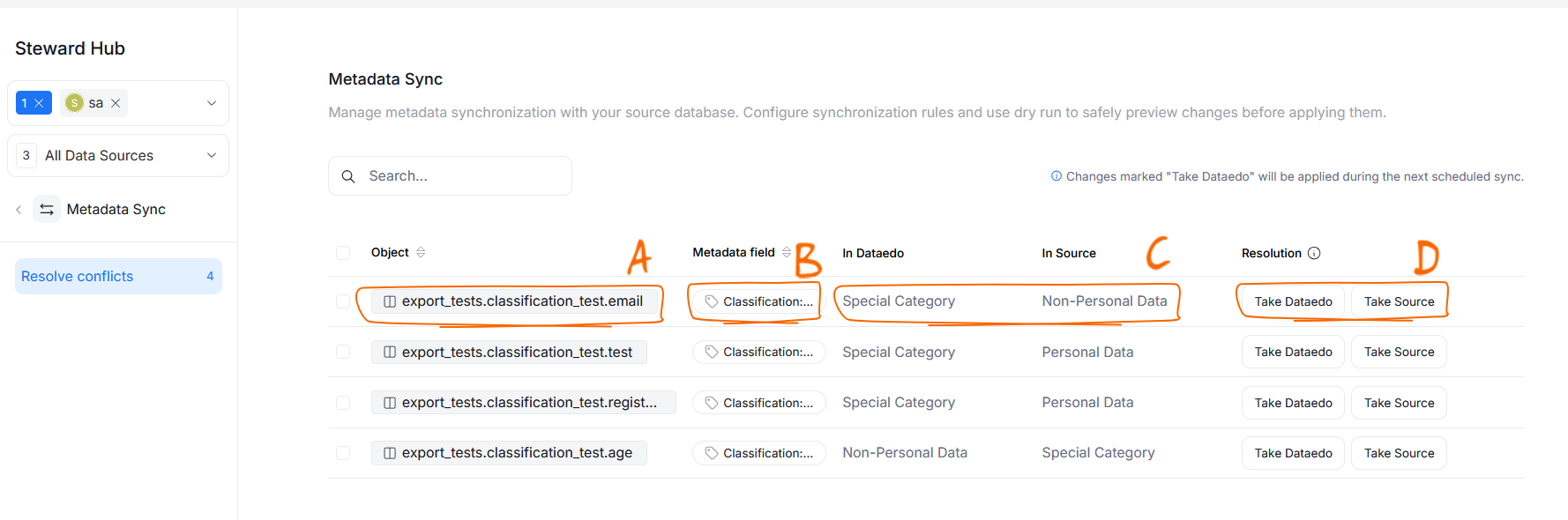
You can resolve every conflict one by one using the Take Dataedo or Take Source buttons.
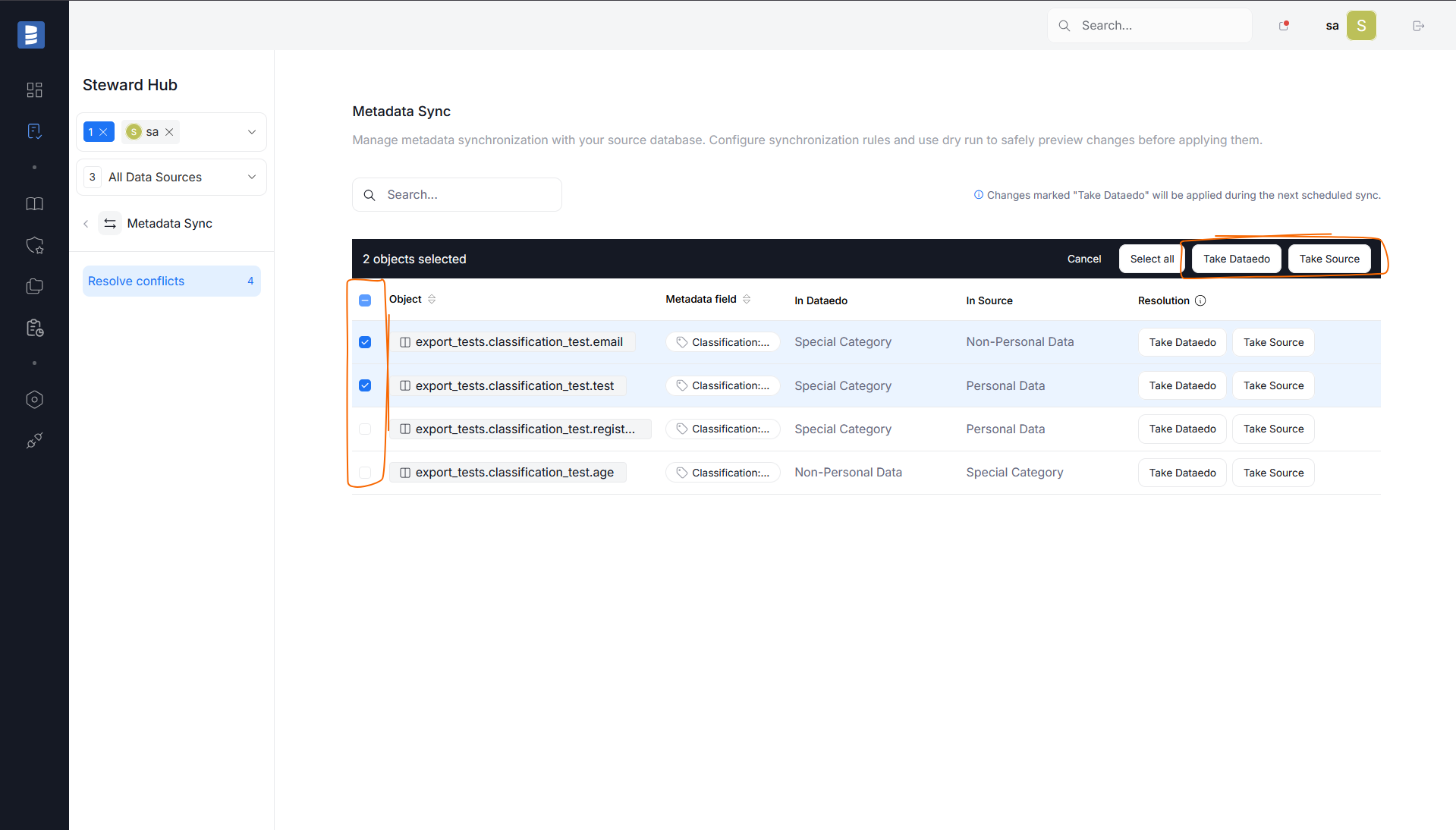
You can also resolve conflicts in bulk. To do so, select all conflicts you want to resolve using checkboxes. When you select multiple conflicts, a new row will appear on top of the grid. This row will show how many conflicts are selected for resolution. There, you can choose to resolve all of the selected conflicts using your preferred method (either Take Source or Take Dataedo).
Review Formatting Fixes
Descriptions can be blocked from export if they contain rich-text formatting that cannot be represented in your data source. For example, things like highlights, underlines, banners, or Dataedo user mentions might not be supported by the data source. The Review formatting fixes section of Steward Hub groups all blocked descriptions and lets you fix them.
Each blocked description is shown as a separate row on the grid, with its own columns:
- Object [A] — the object whose description is blocked (table, view, or column). Clicking it takes you to the object.
- Reason [B] — the unsupported formatting feature(s) causing the block. If a description contains more than one unsupported feature, all of them are listed for that row.
- Date occurred [C] — when the description was flagged during a Metadata Import.
- Review & Fix [D] — a button that opens a popup where you can fix the problematic description.

Descriptions flagged during a Dry Run are not added to this grid — only a real Metadata Sync populates it.
Reviewing and fixing a description
Click the Review & Fix button on a row you want to modify. This will open a comparison between the original description and a "safe", simplified version that removes the unsupported formatting. The parts of the description causing the block are highlighted, so you can quickly see exactly what will change.

If you are satisfied with the simplified version, click Apply & Save fix to update the description in Dataedo. Alternatively, you can type your own modified version, then save your changes. The fixed description will be uploaded automatically during the next Metadata Sync.

