Reference Data in Dataedo Portal
Lookups are available in Dataedo Portal in read-only mode, if you want to create a new lookup it still has to be done through Desktop. The community module is available for Reference Data as for other modules.
Lookup page
Each Lookup has an Overview and a Values tab.
Overview
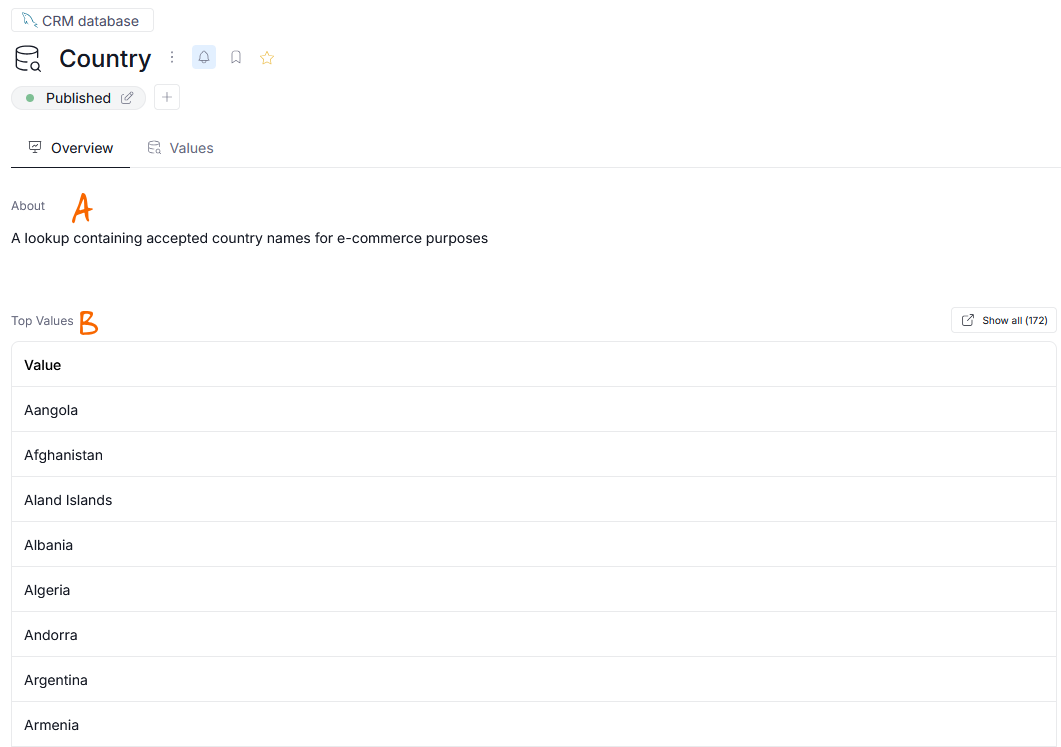
The first thing you will see on a lookup's overview page are its description [a] and top values [b].
When you scroll down, you will see the table column's that are related to your lookup [a], and a section with other linked assets [b].
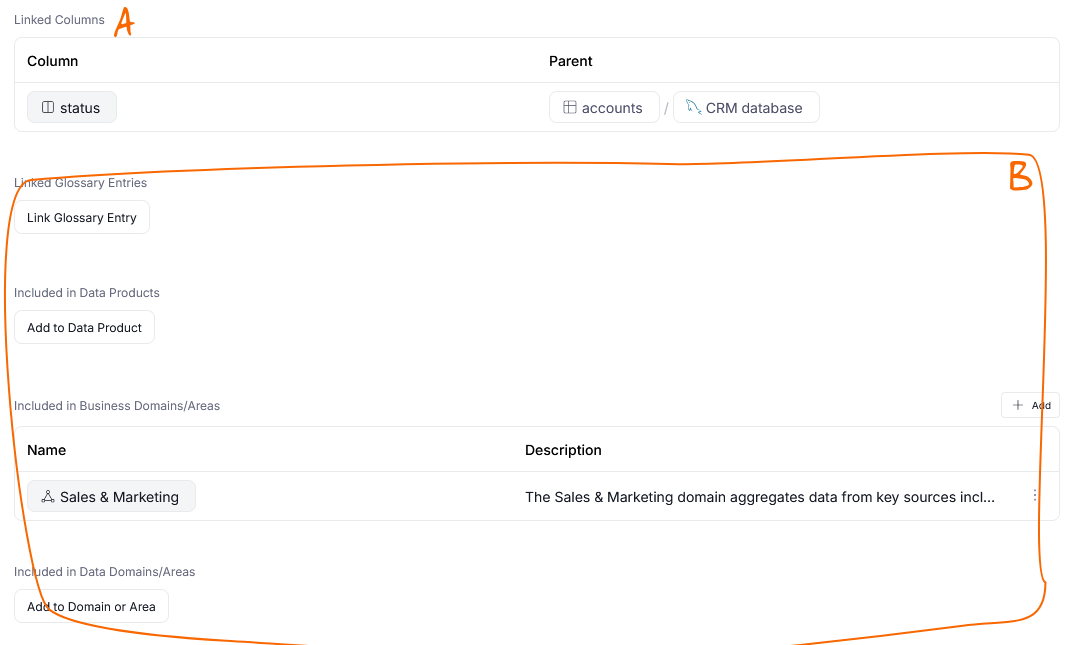
Other than that, the overview page supports the usual elements of Dataedo documentation - Custom Fields, tags and meta-information like creation date or last update.
Values
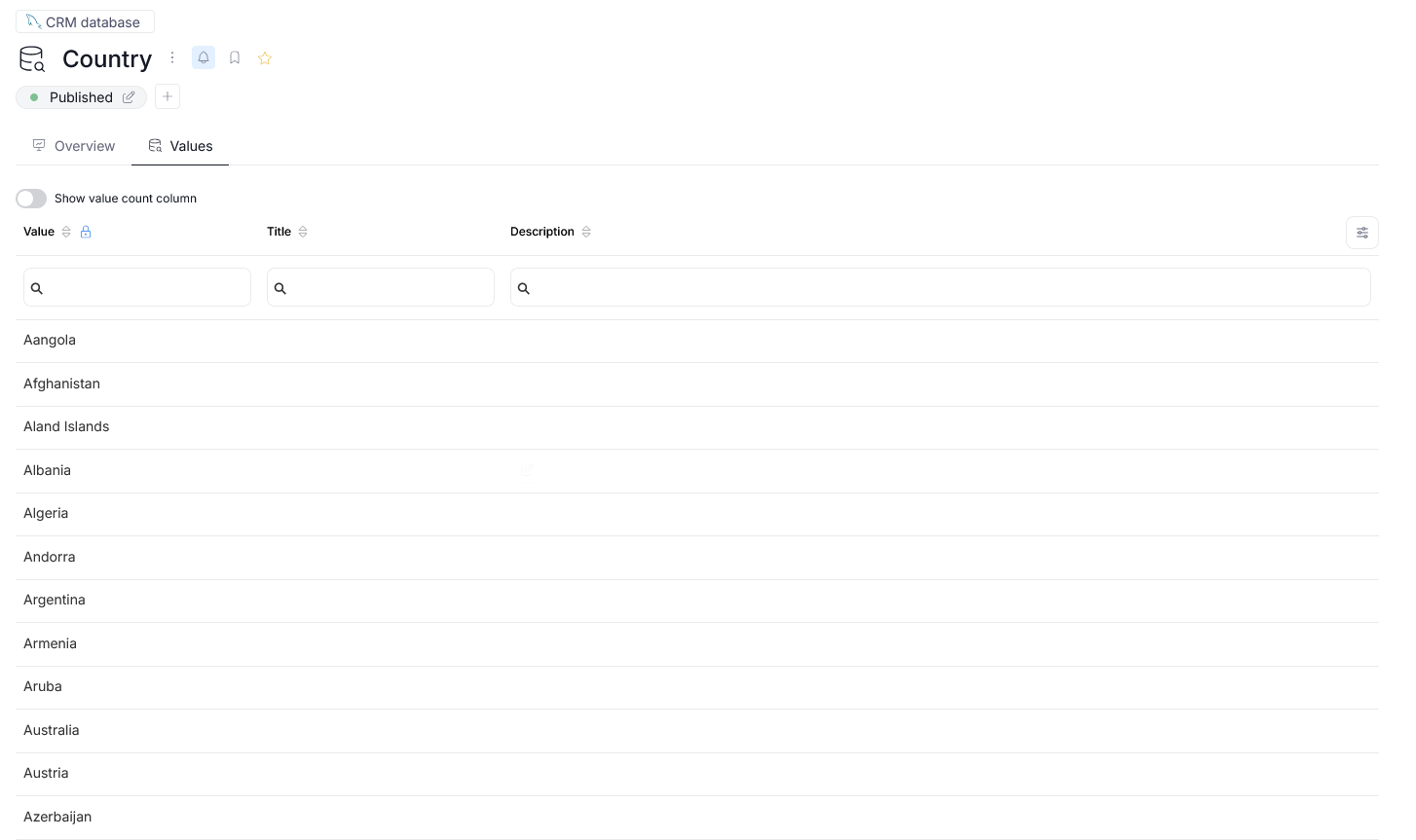
The Values tab shows a list of all the values in your lookup.
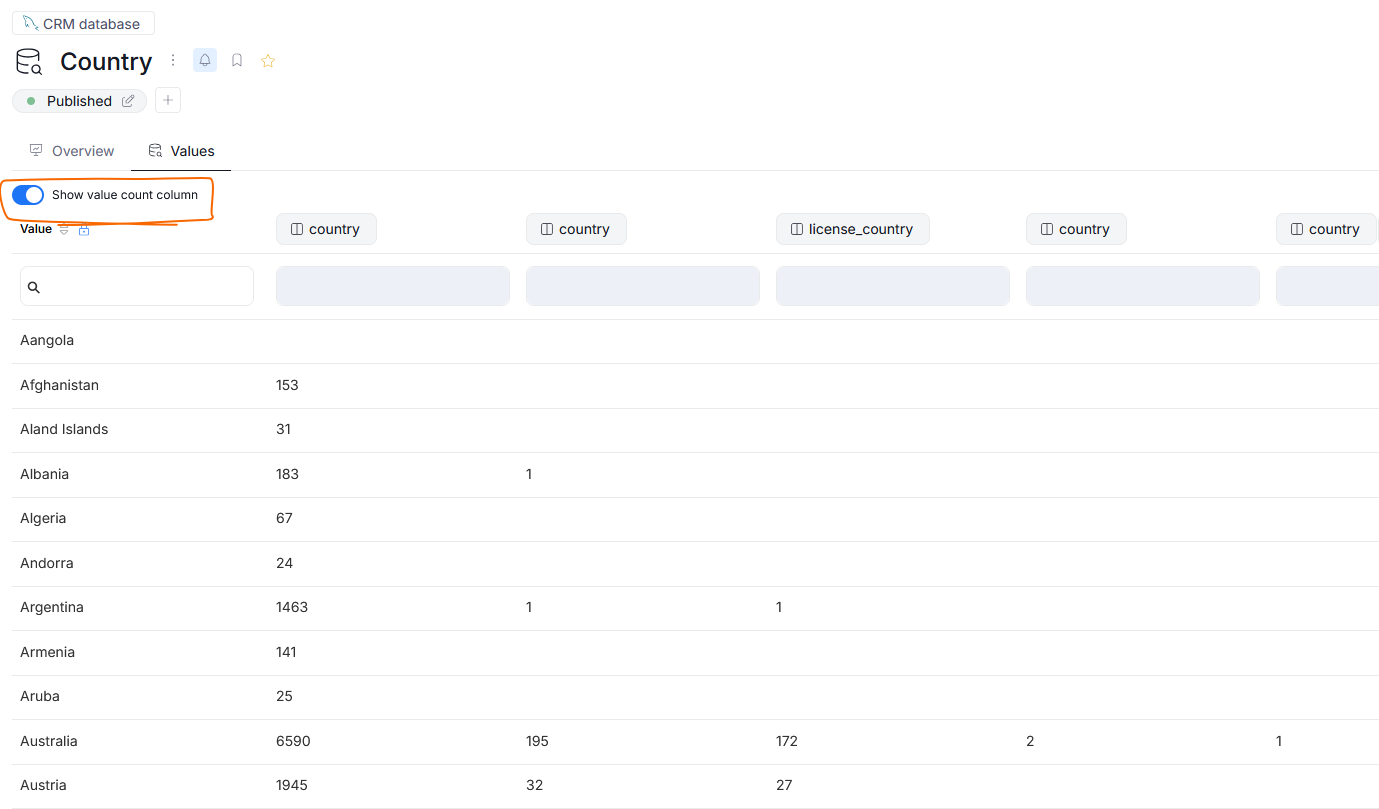
If there are any columns linked to your lookup, you can use the Show value count column switch to display how many rows (if any) matching a particular lookup value were found in each linked column.
Lookup linked to Column
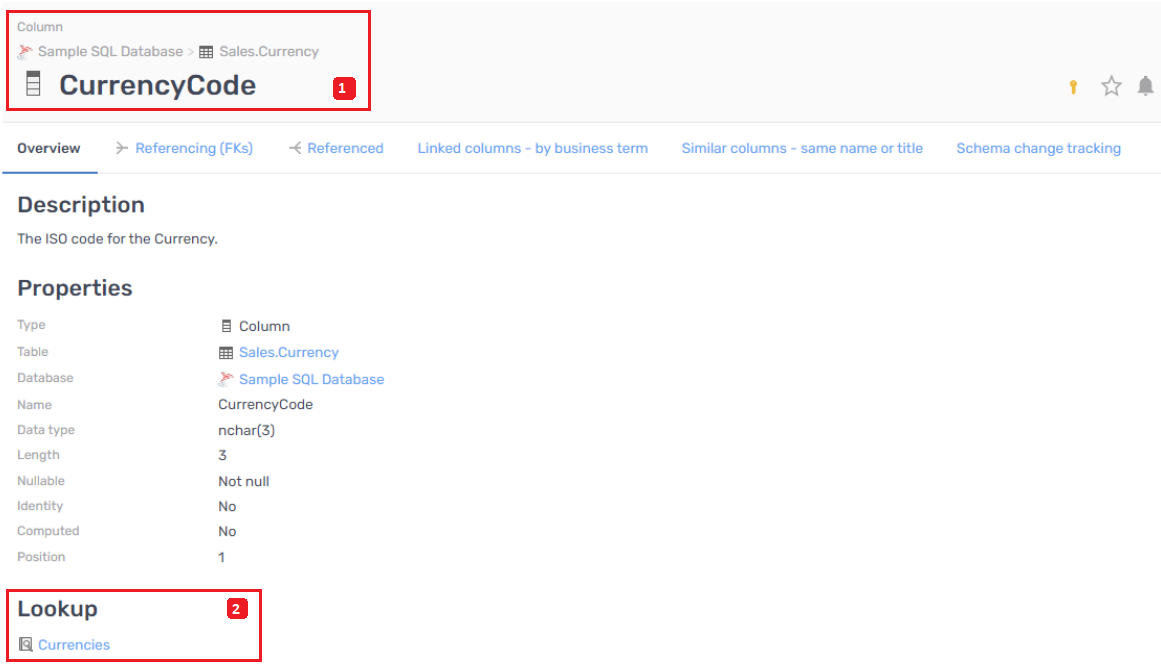
Example: on the CurrencyCode column page (1), which is a part of Sales.Currency table, there is a Lookup section (2) where linked Lookups are listed.
Lookups and Data Classification
You can use lookups to assist with automatic Data Classification of your data.
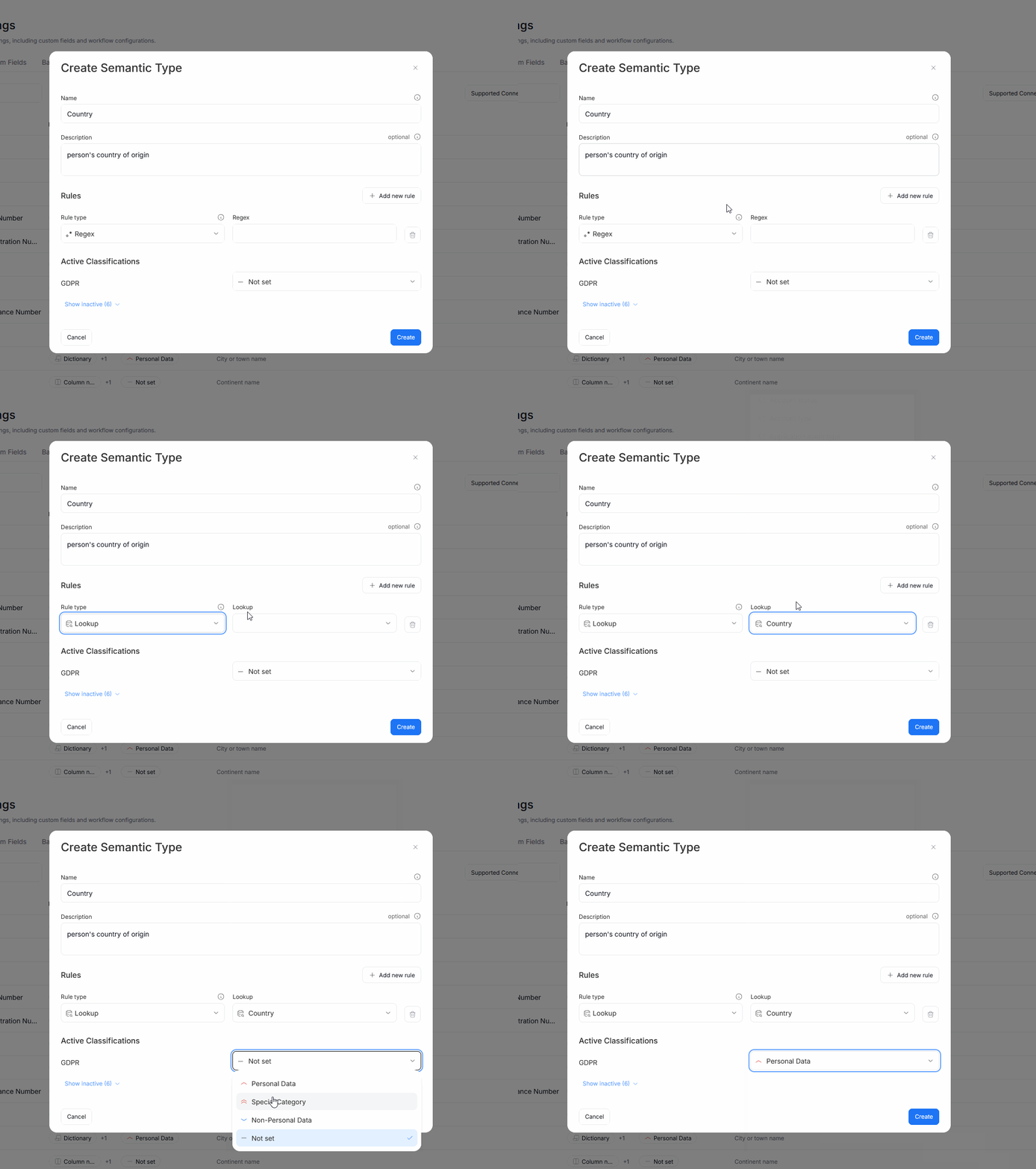
For example: let us assume that you want to generate a semantic type for detecting countries, and then use that type in a Custom classification to identify potentially sensitive data (customer's country of residence). You already have a lookup in your repository, which contains the names of the countries with which you can conduct business.
In such a case, you would navigate to settings>catalog settings and switch to the Semantic Types tab.
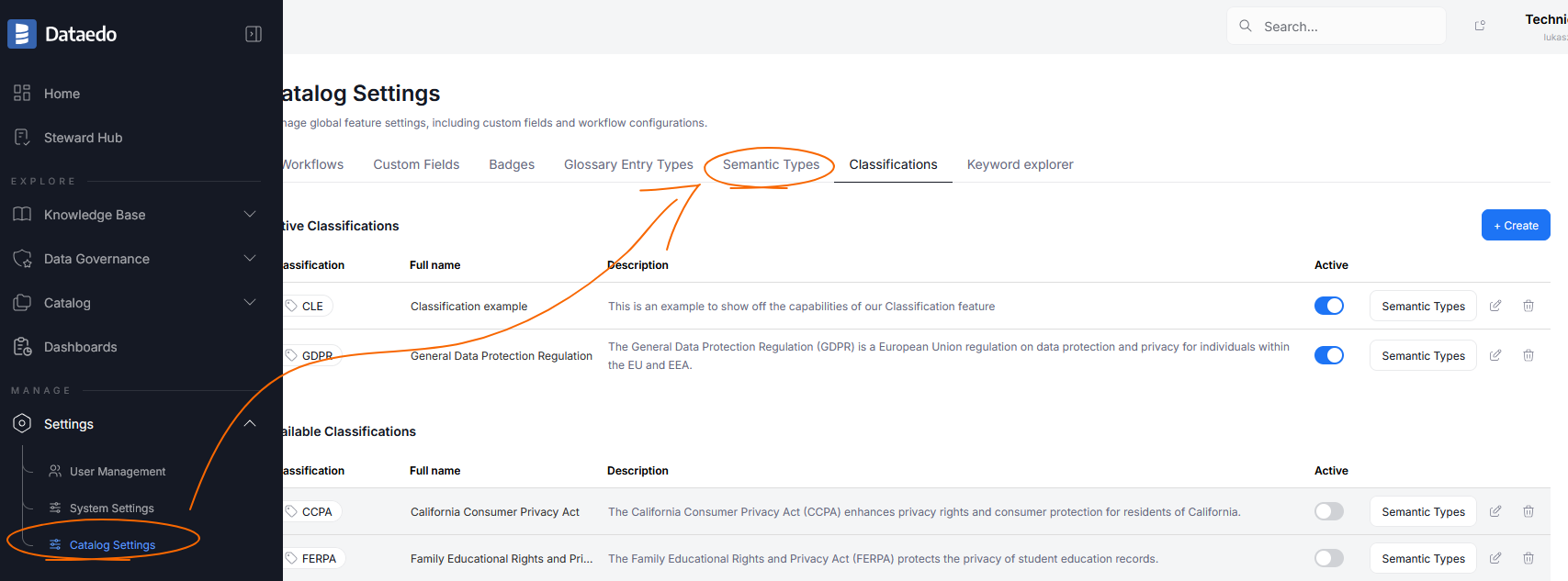
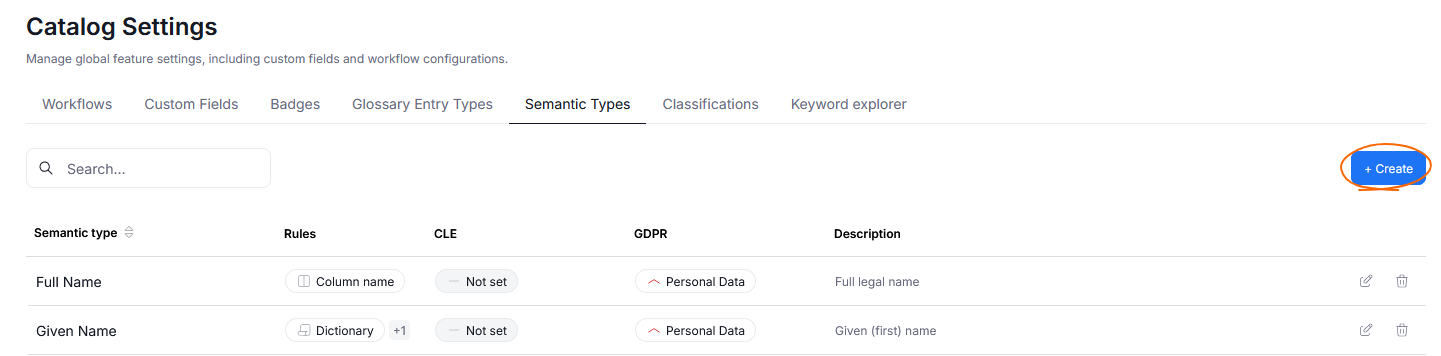
You would then click the Create button to open the semantic type configuration.
In the pop-up that appears you'd provide all the details of your semantic type and then choose lookup as a rule type. You can then immediately use the semantic type as a part of a Data Classification in your repository, or navigate to Classifications settings and configure it there.
Lookups and Data Quality
Existing lookups can also be used to streamline the process of ensuring Data Quality. If you have linked a column to a lookup, you can then easily check if all of that column values match the values in the lookup.
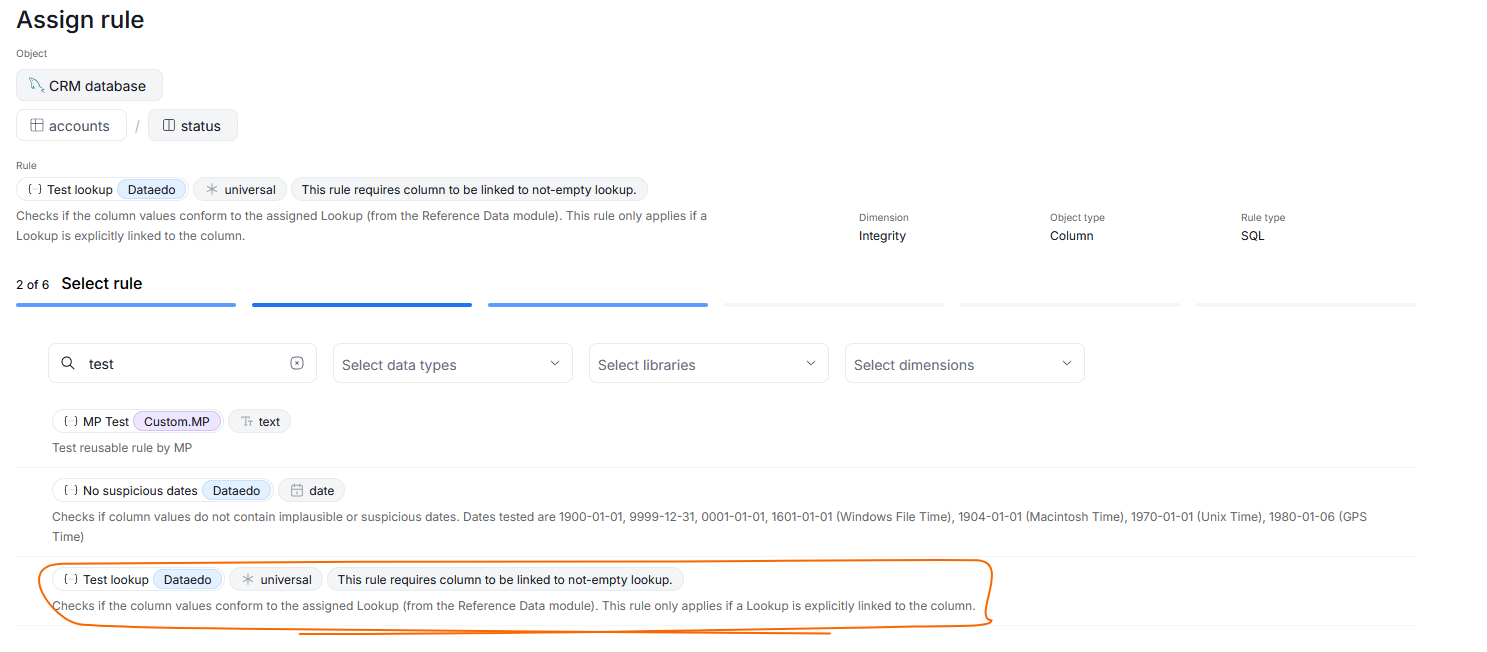
When adding a Data Quality rule instance, on the rule assignment step, choose the Test lookup rule. This will automatically take care of checking all of that column's values against the accepted ones defined by the lookup.
Community for lookup
You can discuss lookups within your community. You can comment on the whole lookup, but not on every value individually.
The community panel will display discussion only in the context of Lookups and its parent database/report.

