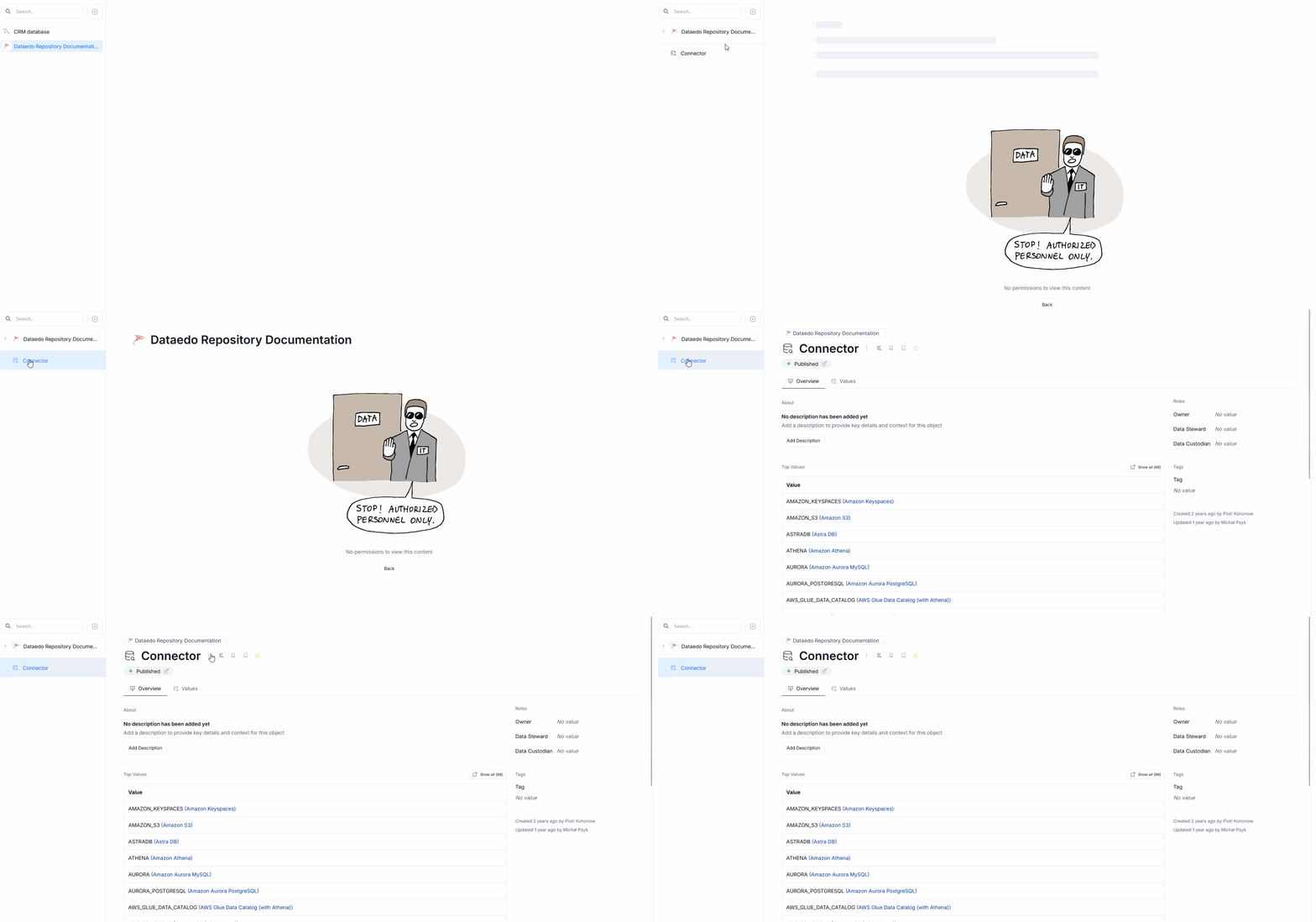
Interactions with permissions
Domains' role as a resource dedicated to modular management of your data assets is further highlighted by the ability to easily manage user permissions in context of the entire Domain rather than singular objects.
General principles
When you are given access to a certain Domain or Area, you will automatically be able to access all of the data assets linked to it. Remember that Domain's assets are cumulative, meaning that assets of a Domain also include the assets of its children. In other words — Domain's assets are its own assets and those of its children, but not those of its parent.
This behavior does not carry over to User custom fields (or any other custom fields) — if you designate a User as an Owner of a Domain, they will not automatically become an Owner of all assets within that Domain, nor will they gain access to that Domain or its areas. Access can be granted only through proper permissions.
Data Products
If you link a Data Product to a Domain, all of the Data Product assets will be automatically linked to the Domain as well. This means that when you receive access to a Domain, you automatically receive full access to its linked Data Products.
This interaction does not work the other way. Receiving access to a Data Product will not give you access to potential Domain(s) it is linked to.
Partial access
Due to these properties, giving users access to Domains can result in them having only limited view of certain objects within your repository
Domains
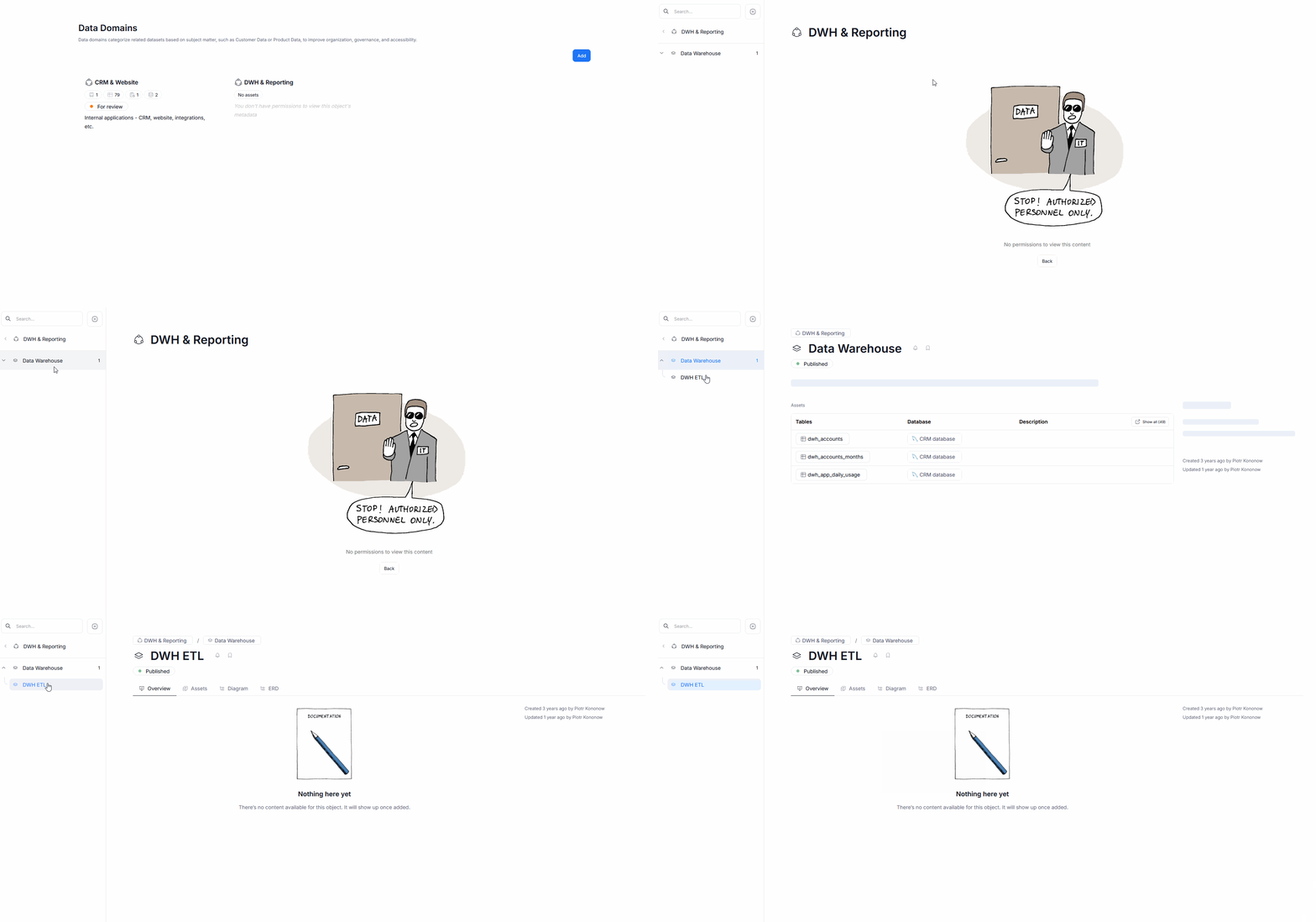
You can receive access only to an Area that is nested within a Domain. In such a case, when you navigate to the Domain View, you will see the name of a Parent Domain, alongside the information that you lack the permissions to view that object's metadata. However, when you click it, you will be able to navigate to the particular nested Area that you can access in the sidebar.
Data Sources and Report Catalog
When you gain access to a Domain, you can subsequently gain access only to select Tables extracted from connected Data Sources. If that happens, when you navigate to the Data Sources section of Portal, you will see the name of the affected source, with the information that you are not authorized to view its details. When you open it, once again no details will be visible, however you can use the sidebar to navigate to the table/row you have access to.
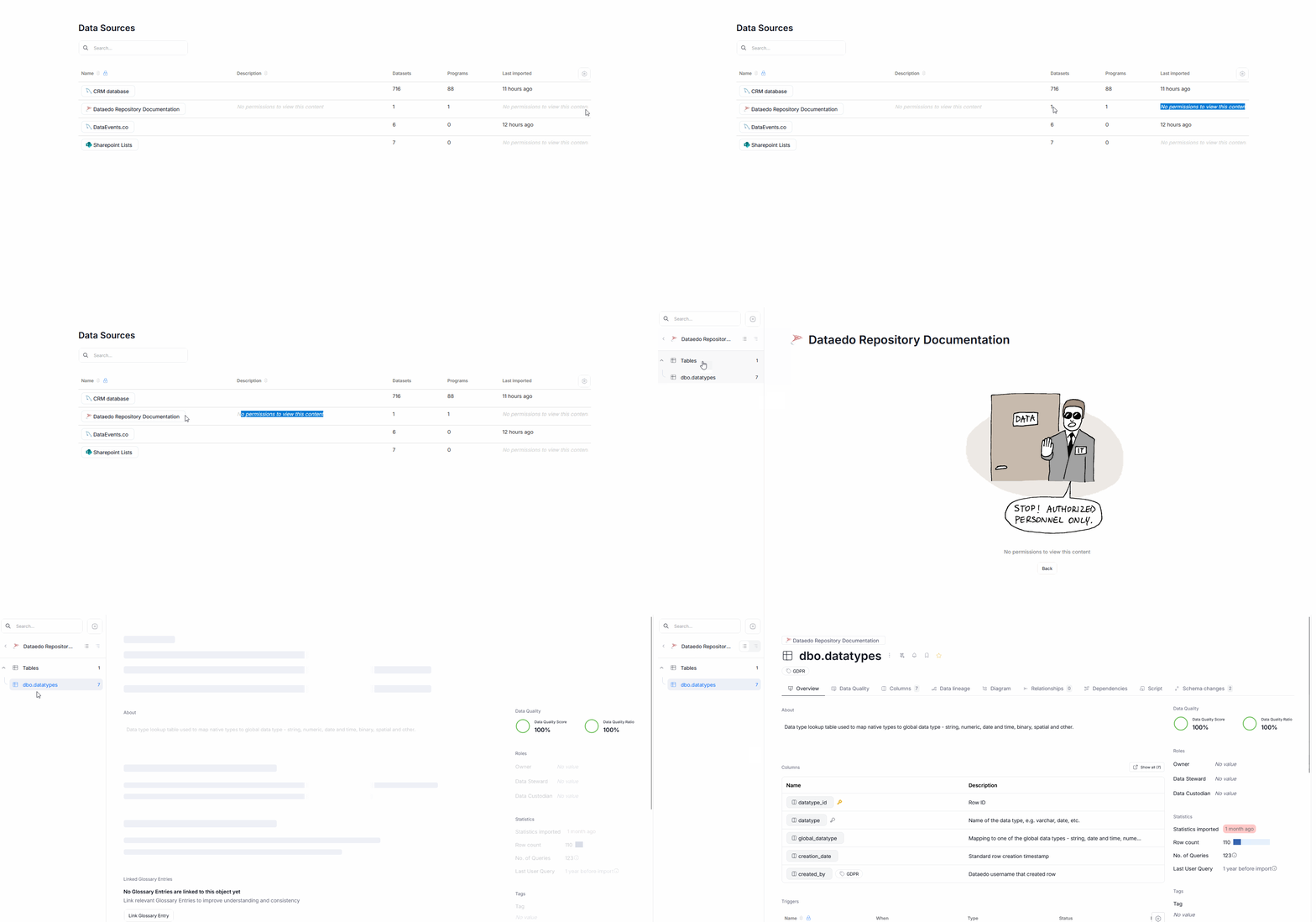
Using Domains is the only way to give User access to only selected Tables rather than to the entire Data Source's metadata.
Glossaries
You can gain partial access to Glossaries, when you receive access to only certain Terms included in them. If that happens you will be able to view the Glossary's name in the Glossary Tab, however, no additional data regarding that Glossary will be displayed.
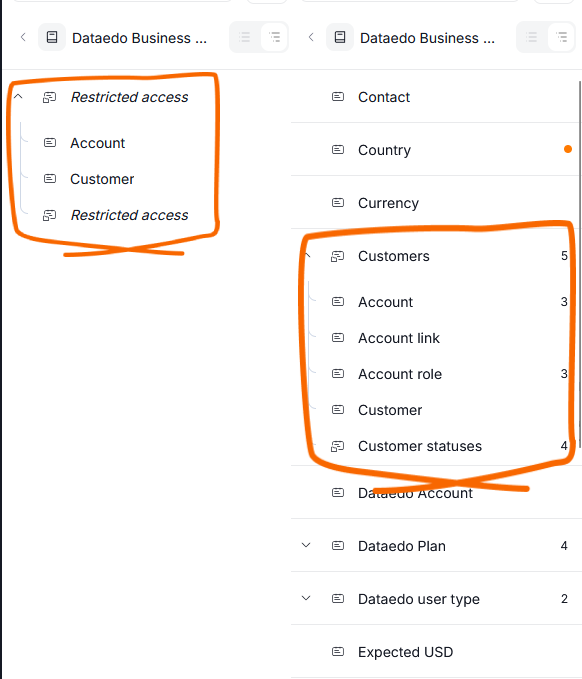
You can use the sidebar to navigate to the Terms you have access to. All the other terms, including that term's parents, children and siblings will not be visible to you, even their names will be hidden. Below you can see a side-by-side comparison of a Glossary sidebar view. The user on the left, has inherited access to Account and Customer Terms from a Domain, the user on the right, in contrast, has full access rights to the Dataedo Business Dictionary.
Lookups
If you receive access to a Lookup from a Data Source you cannot normally access, the page you see after navigating to Catalog>Reference Data will be entirely blank. However, you can still navigate to the Lookup, by clicking the name of the Source related to your Lookup, and finding its name in the sidebar.