Generate Descriptions Powered By AI for Glossary Terms
caution
LLMs can hallucinate. Always verify the output before saving it
In this article you'll see how to generate and manage AI descriptions for all types of glossary terms in Dataedo Portal. You'll also see detailed instructions for editing and saving descriptions, integrating with Dataedo Desktop, and covers necessary permissions and optimization tips.
Generate AI-descriptions
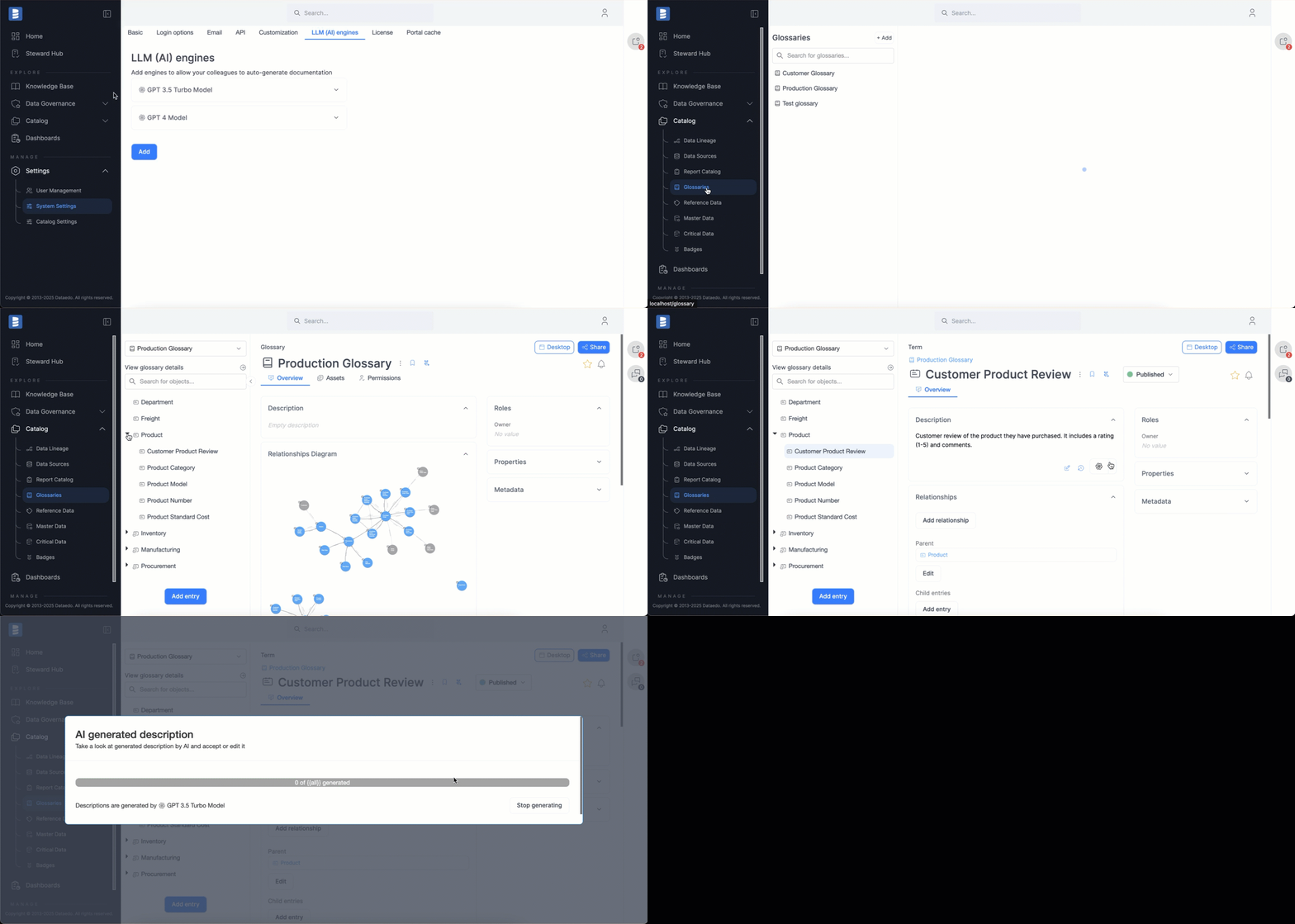
- Open the Term you want to generate descriptions for.
- Start editing the description.
- (optional) If you have multiple models configured, click the caret to select the engine you want to use.
- Click the AI description button and wait for descriptions to generate. Once the process finishes, your new description will appear automatically in the field.
- You can either Save the description if you are happy with the result, or Cancel changes to return to the previous state.
Useful tips
useful tip
If the generated text is unrelated to the term or KPI, link it to other related terms. For example, link Rental to Movie to generate descriptions related to movie rentals.
Useful resources
Watch the video tutorial on AI autodocumentation to learn more.

