Amazon Bedrock models
Follow the steps below to configure the AI Autodocumentation feature in Dataedo with models hosted in Amazon Bedrock. Dataedo connects to Bedrock through its OpenAI-compatible API and authenticates with a Bedrock API key.
Prerequisites
To use the AI Autodocumentation feature with Amazon Bedrock, you must generate a Bedrock API key and know the AWS region and model ID of the model you want to use. These are required to access the Bedrock API and use the AI models for autodocumentation.
You will also need the Admin role in Dataedo Portal to add the engine, and (Power) Data Steward permissions to the Dataedo Repository to create AI-generated descriptions.
Amazon Bedrock console
Generate a Bedrock API key
- Sign in to the AWS Management Console and open the Amazon Bedrock console.
- Open the API keys page.
- Generate a long-term API key and set its expiration.
Short-term API keys expire after a short time. Use a long-term key for an AI engine and note its expiration date, remembering to re-generate a key before it expires
- Copy the API key to your clipboard.
Get the endpoint and model ID
-
Choose the AWS region where the model is available, for example,
us-east-1. The endpoint for Dataedo includes the region:https://bedrock-runtime.<region>.amazonaws.com/openai/v1/ -
In the Bedrock model catalog, find the model you want to use and copy its model ID. The model must be available in your region and support Bedrock's OpenAI-compatible Chat Completions API.
Configure AI autodocumentation in Dataedo
- In Dataedo navigate to Settings > System Settings > LLM (AI) engines.
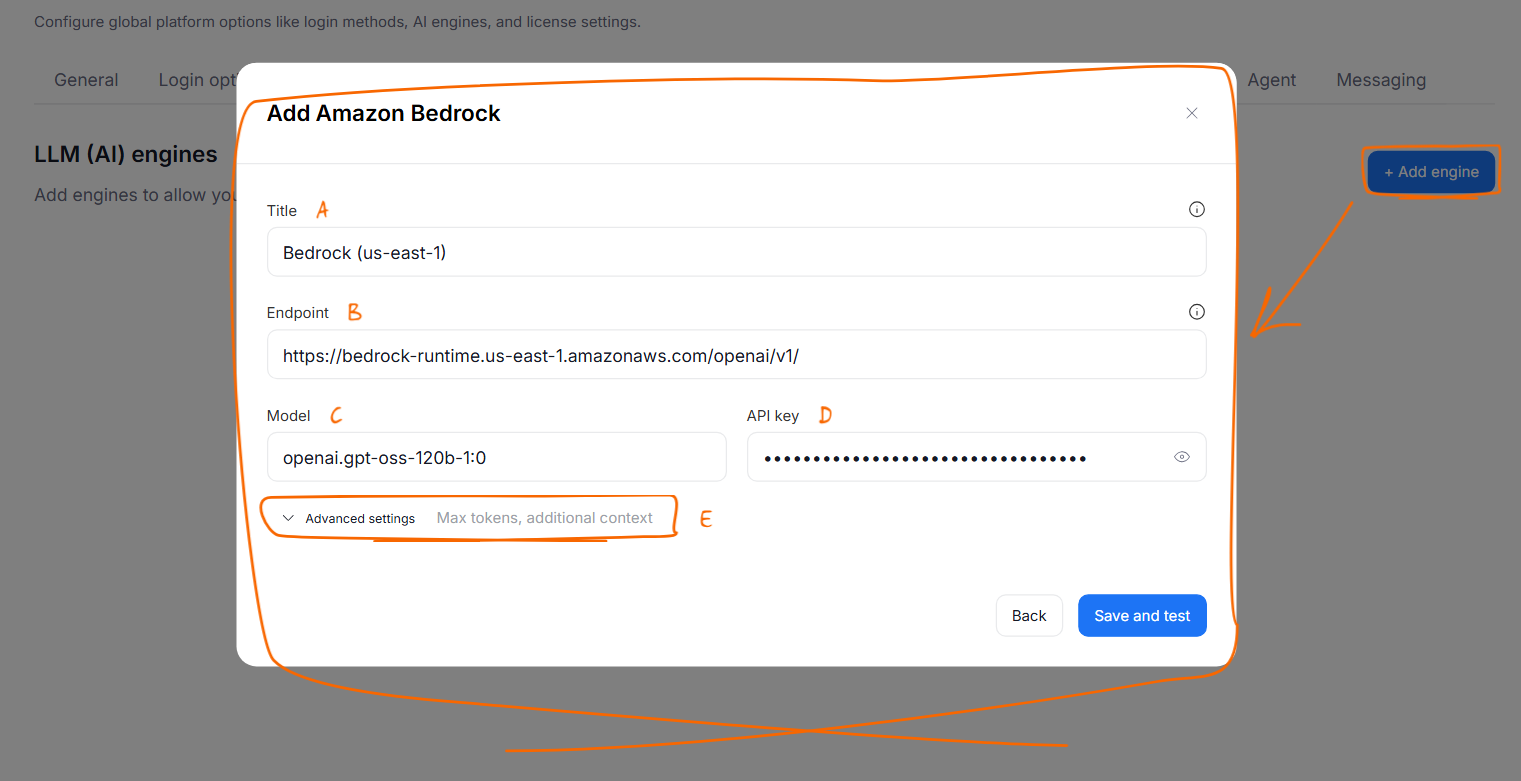
- Click + Add engine.
- In the New engine window, select Amazon Bedrock.
- Fill in the engine details:
- Title [A]: a user-friendly name shown to users when they choose an engine, for example
Bedrock (us-east-1). - Endpoint [B]: enter the endpoint for your region, for example
https://bedrock-runtime.us-east-1.amazonaws.com/openai/v1/. - Model [C]: enter the model ID. There is no model list for Amazon Bedrock.
- API key [D]: paste the Bedrock API key.
- Title [A]: a user-friendly name shown to users when they choose an engine, for example
- (Optional) Expand Advanced settings [E] to change Max tokens (default
4096) or to add Additional context for the prompts. See Add an AI engine for details. - Click Save and test.
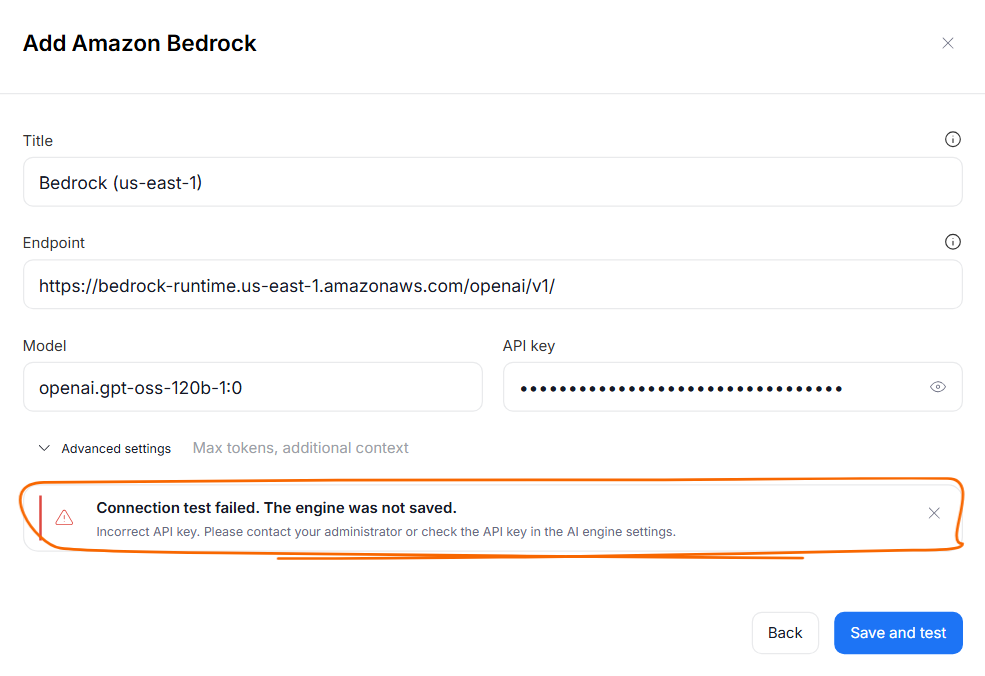
Dataedo Portal sends a short test prompt to Amazon Bedrock and saves the engine only if it responds. If the test fails, check the error message, correct the settings, and click Save and test again.