Testing foreign keys
If you have foreign and primary keys defined in your database, Dataedo will automatically import them and display them in a Relationship tab and ER diagrams. However, the constraints are missing, you might want to add relationships manually in the documentation. You can easily do that with user-defined relationships.
To ensure the highest quality of you documentation and reliability of the schema, Dataedo allows you to run tests on your metadata and check referential integrity in your database.
Prerequisites
Certain prerequisites have to be met before you can test the key relationships:
- You must have an up-to-date version of Dataedo Agent running in your repository
- You must have Edit permissions for the tables that are involved in the key relationship
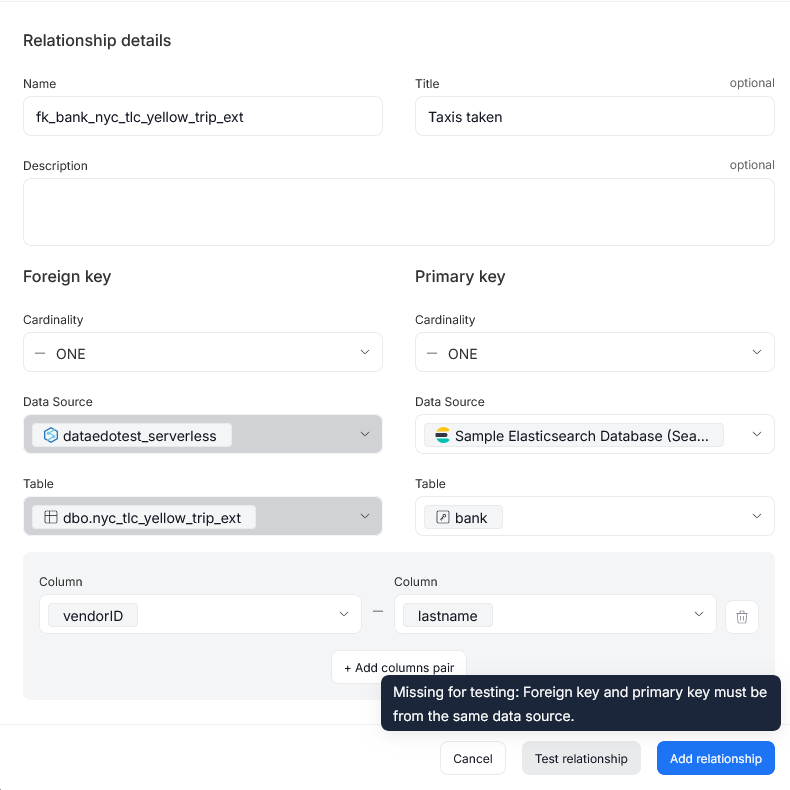
- Both tested objects must be a part of the same Data Source
If these conditions are not met, Portal will block you from executing the Foreign Key tests, with an appropriate message.
You can run key relationship tests on data imported from the following sources:
 Amazon Aurora MySQLAmazon Aurora PostgreSQL
 Amazon Redshift
 Azure SQL
 MariaDB
 MySQL
MySQL Oracle
 Percona
 PostgreSQL
 Snowflake
 SQL Server
Testing new foreign keys
Whenever you are adding a new Foreign Key for a supported Data Source, you have the option to test the relationship before saving it via the test relationship button.
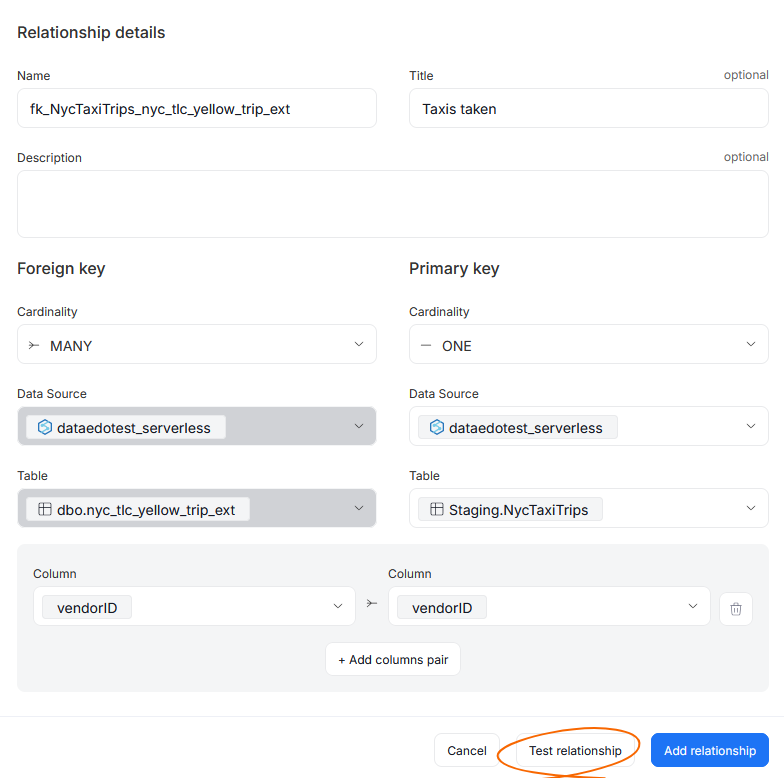
When you click it, the testing process will begin. Its result can either be a pass or a fail, and will be displayed in a modal in the top part of a popup. You can click details to go to a detailed summary of all checks and their results.
Key Relationship result status
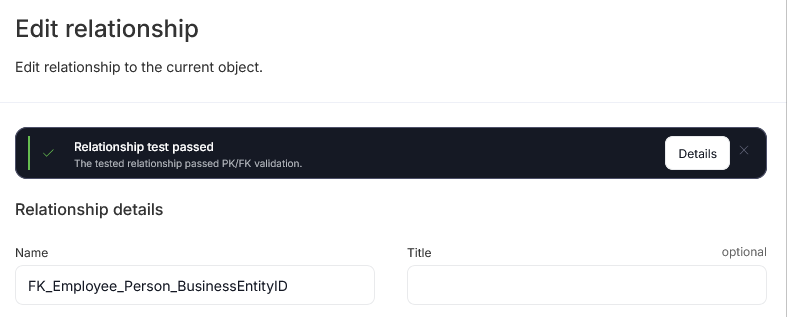
The test itself is optional, and is only meant to help you double-check whether the foreign key relationship is solid. Test results have no impact on the relationship itself, so the final decision is yours — you can still save a foreign key relationship even if the test failed.
Testing existing foreign keys
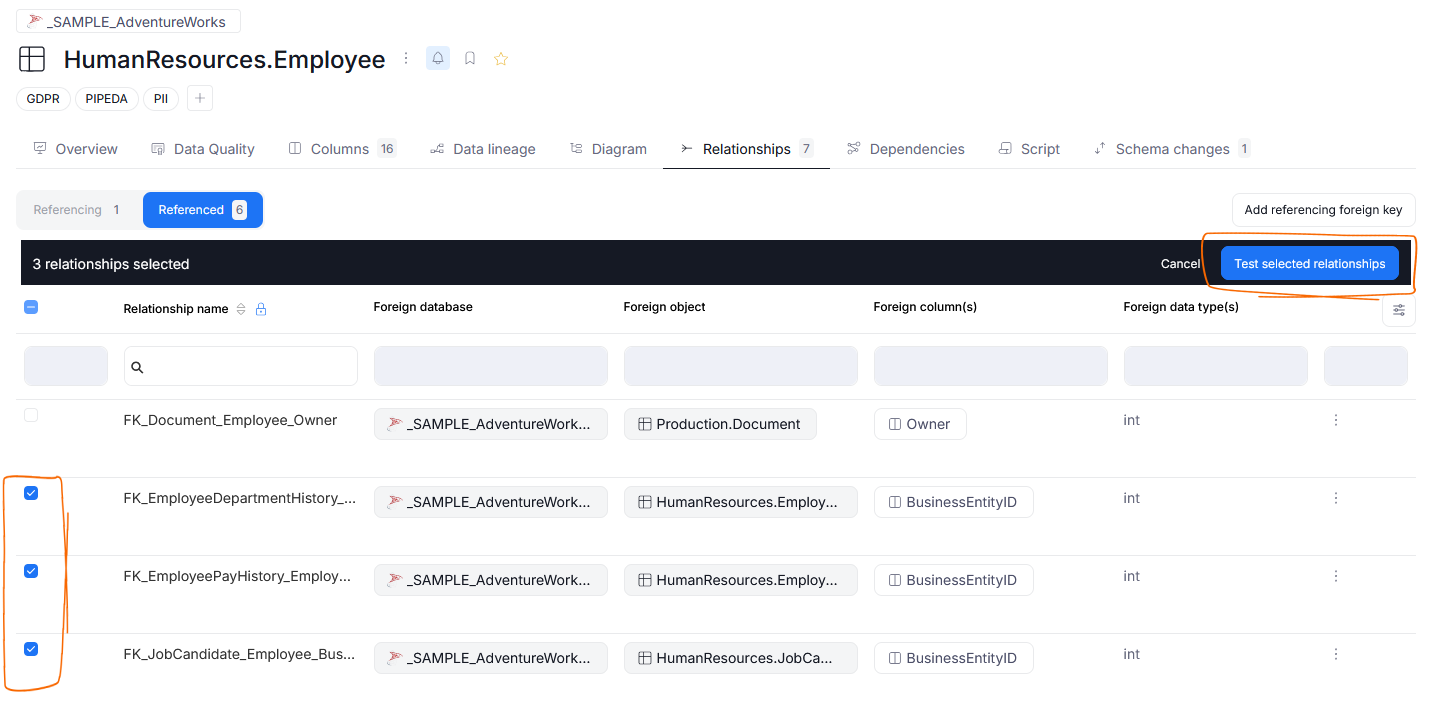
You can also test relationships that already exist in your documentation. To do so, open an object and navigate to its Relationships tab.
While there, you can select multiple already existing relationships, and test them all using the Test selected relationships button.
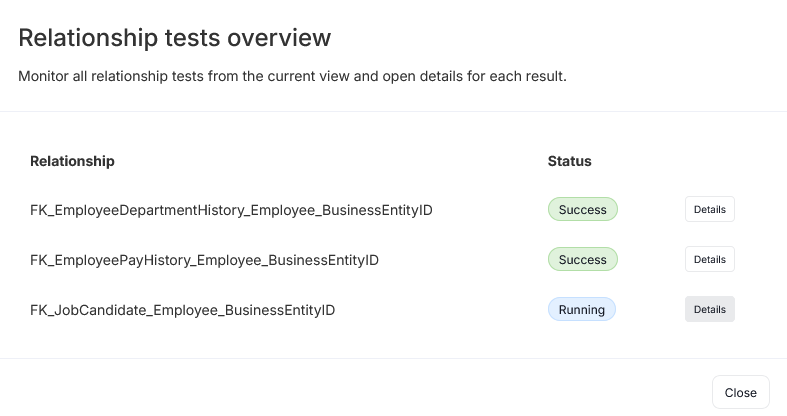
You will be presented with a popup showing all of the tested Foreign Keys, paired with their status. You can keep this screen on to check progress in real time, and view results of a finished run.
Viewing results
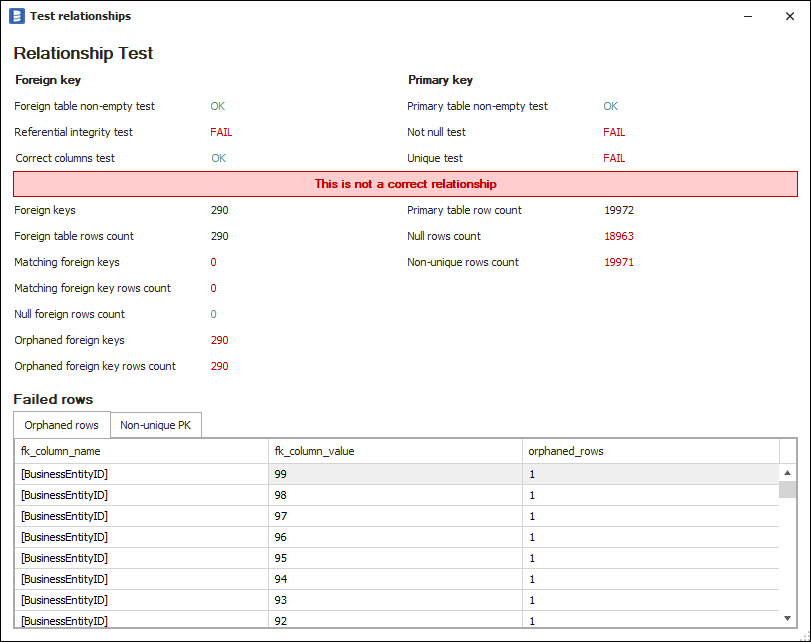
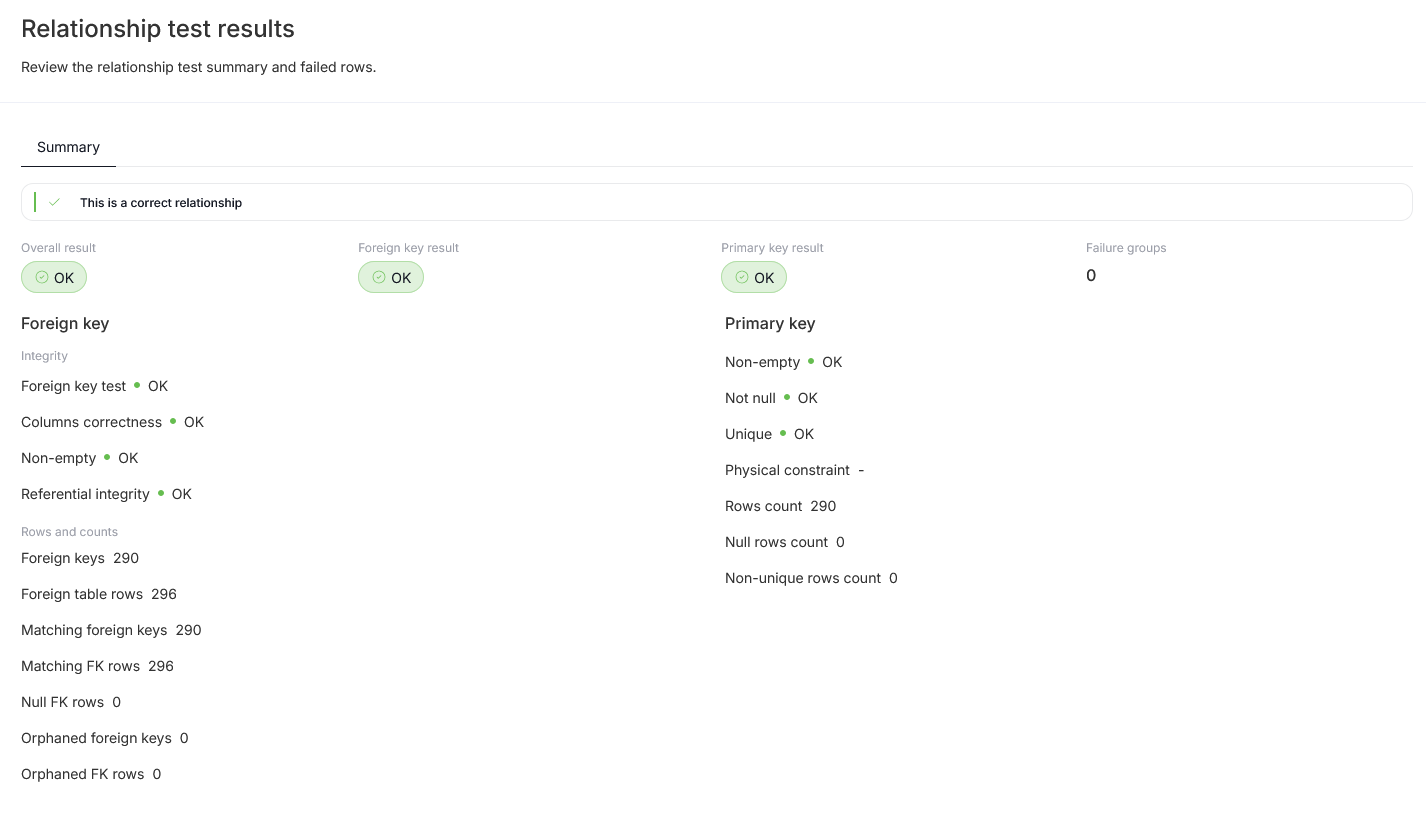
The detailed results of each Relationship Test are represented as a table showing a summary of conducted tests and testing statistics.
Conducted tests
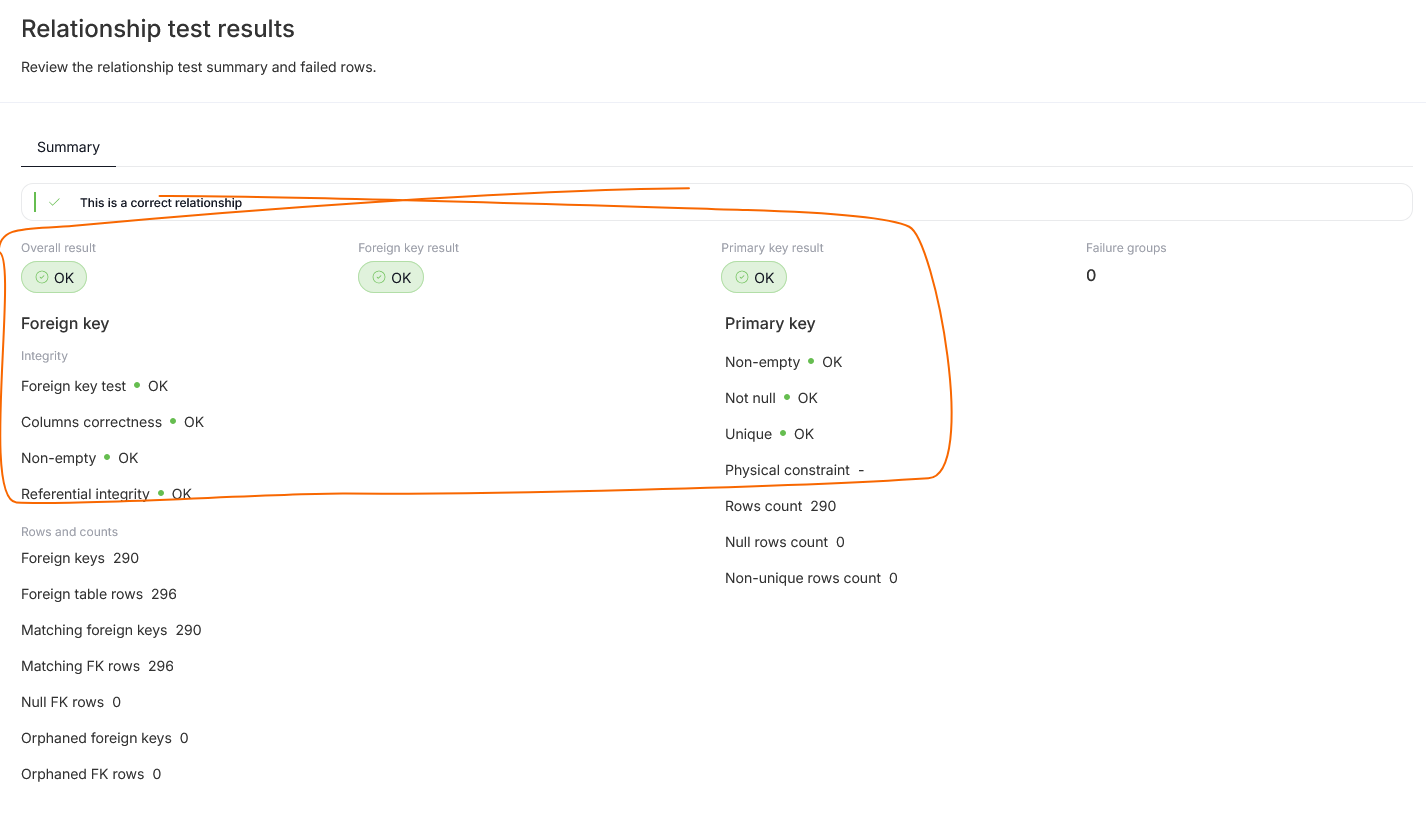
To test the relationship, Dataedo runs a number of tests on primary and foreign tables:
Foreign table/key
- Foreign key test - is the key marked as foreign in schema definition? If not, the test fails
- Columns correctness - If the column mapping is incorrect the test fails
- Non-empty - Does the foreign table have any rows (is it non-empty)? If it is, then it is impossible to tell if the reference is correct, and the test fails
- Referential integrity - Does every foreign key value (set of values) have a corresponding value in the primary key, i.e., is the reference correct/integral? If it isn't, then the test fails
Primary table/key
- Non-empty - Does the primary table have any rows (is it non-empty)? If it is empty, then it cannot be a correct primary table, and the test fails
- Not null - Is the primary key column(s) not null? If any of the rows are null, then it is not a proper primary key, and the test fails.
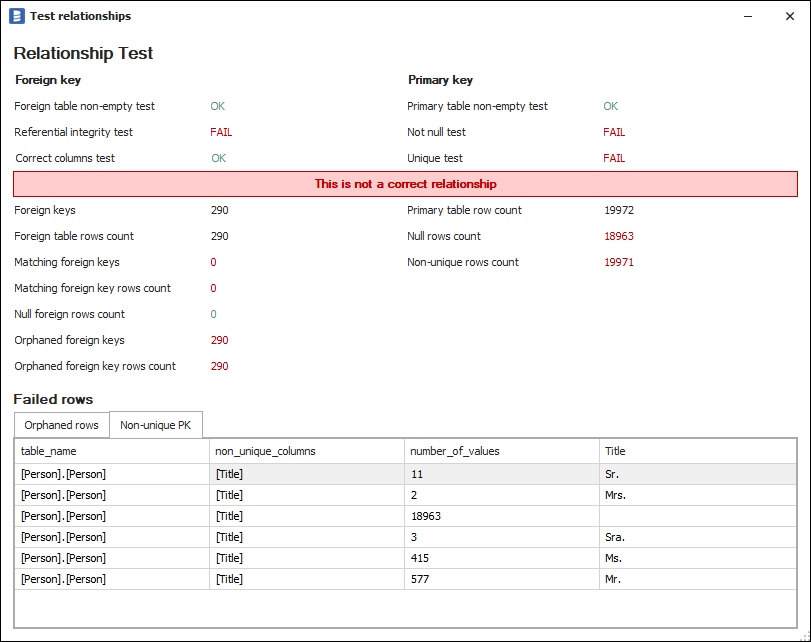
- Unique - Is the primary column(s) unique? If it isn't, then it is not a proper primary key, and the test fails.
- Physical Constraint - This test checks whether a Physical Constrain exists in the schema definition
These tests are then presented on the upper part of the results overview
Stats
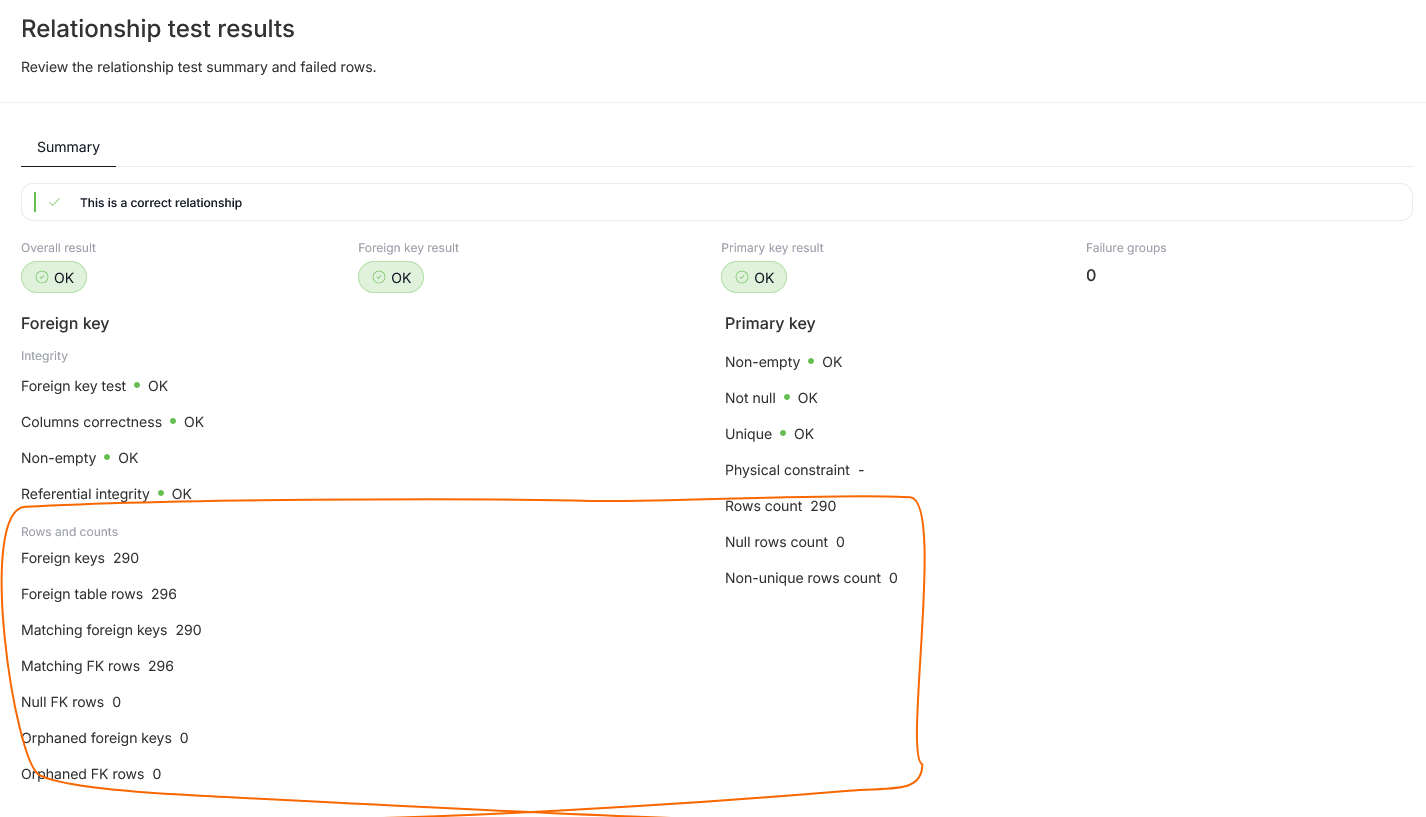
Additionally, the results view offers a summary of statistics regarding the tested data.
Failed Rows
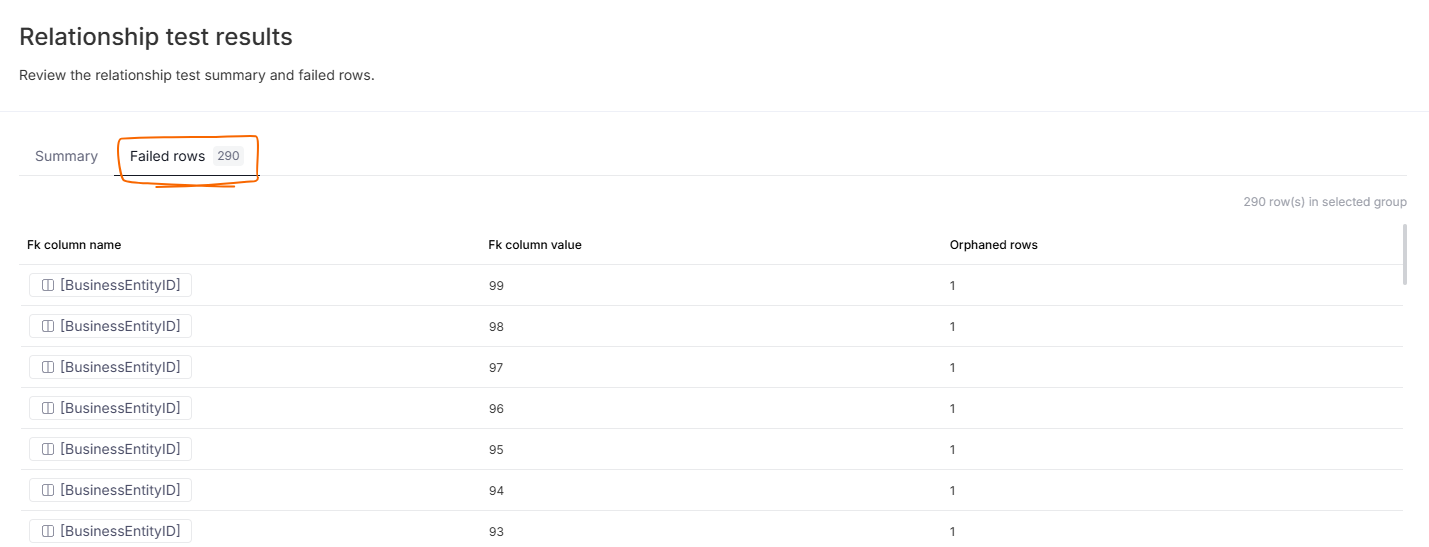
If your check resulted in a fail you can also open the failed rows tab, to see which data violated the tests.
Running Tests in Dataedo Desktop
This feature is eventually going to be deprecated, we advise using Portal when possible
The test is available in a window of the creation/editing of user-defined relationships in Desktop. You can access it on the Columns or Relationships tab for any table, view, or any other tabular object.
To run a test, you need to click on a button in the bottom left corner named "Test".
Note: Foreign key tester supports one-to-one relationships as well as many-to-many.
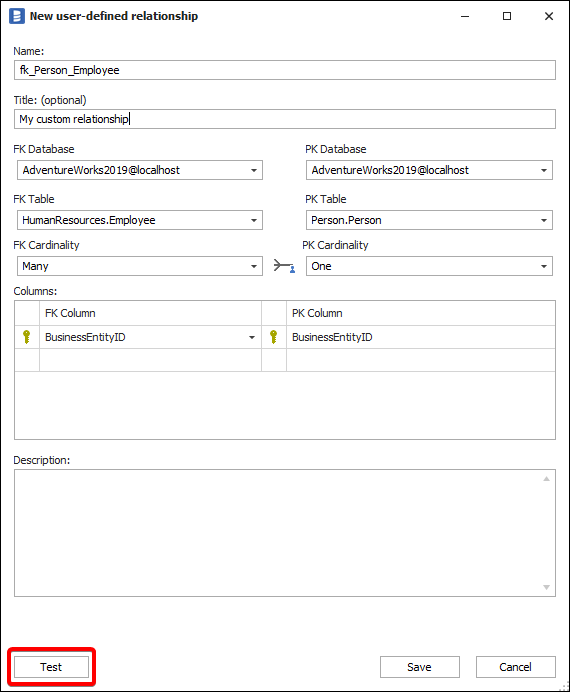
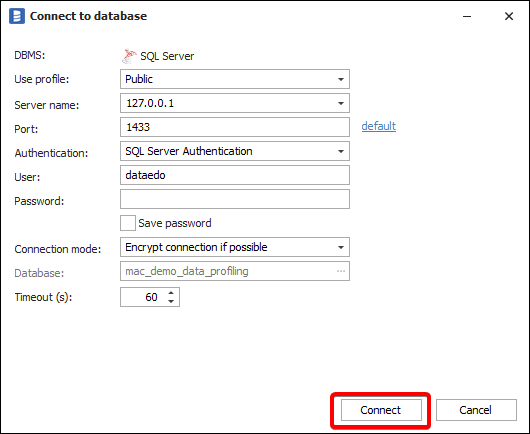
When you click it, you may be asked for connection details to the database you're testing against. Provide it and click on "Connect".
After that, you'll see either a green "OK" or a red "FAILED" text on the bottom of the window. If it states "OK," it means the test finished successfully, and the relationship you made is valid. You can click on "Save" to save your work. If it's "FAILED," you can modify it if needed.
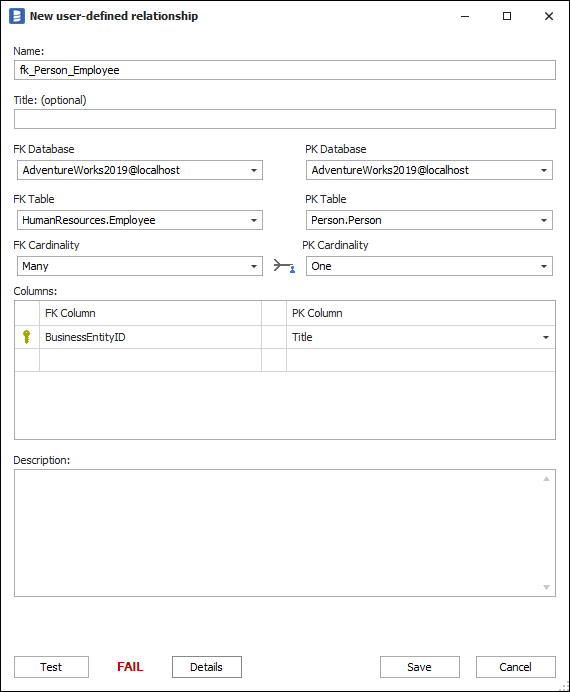
By clicking on "Details," you can also see a detailed report on the test's results. For the successful test:
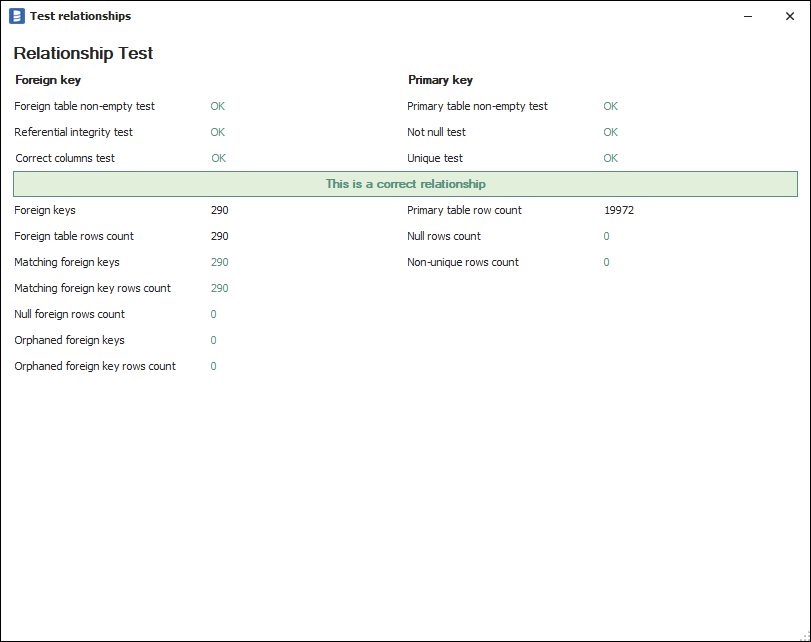
For failed, it looks like this: