Documenting JSON fields
Some columns in your data sources might contain JSON data. JSONs are often made up of smaller, internal subdivisions — separate keys and values that can also be important for your organization. As such, you might want to document these JSON values separately.
Importing JSONs
When scheduling a Metadata Import for a supported data source (currently: SQL Server and PostgreSQL), you will see an Import JSON structure checkbox in the Metadata extraction section of the import form. Turning it on will extract the internal structure of JSON columns during the import.
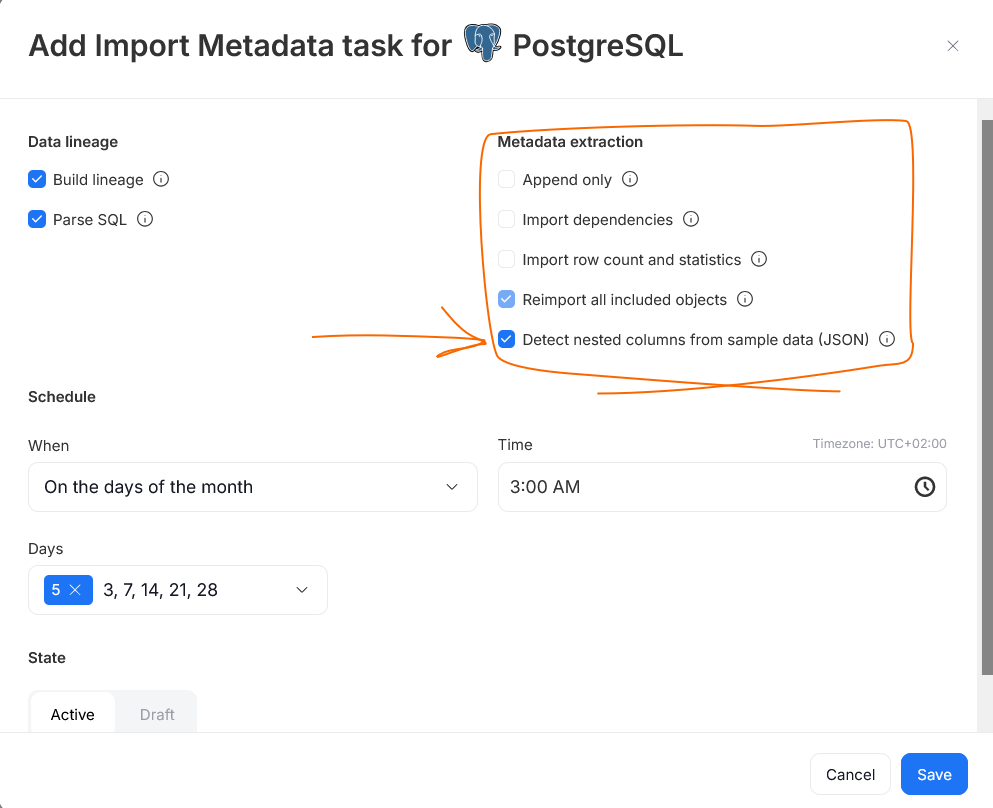
Place in catalog
Once imported, you can view the full structure of a JSON column in an object's Columns tab. The JSON structures are shown as a list of nested columns underneath the parent column.
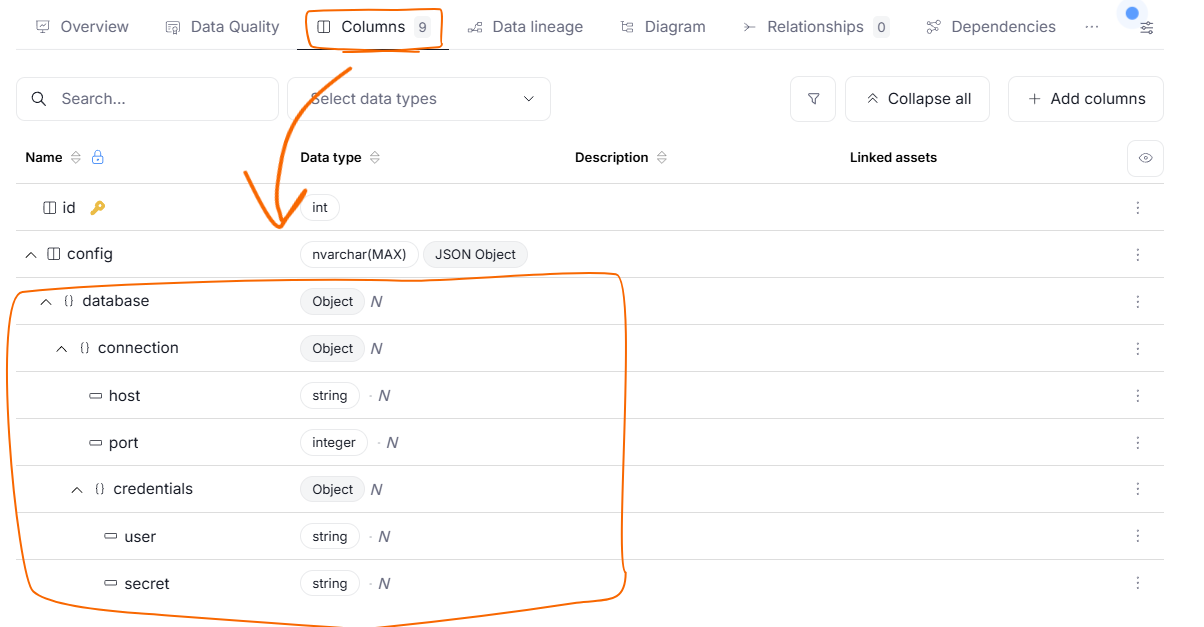
This representation will mirror the hierarchy of the original JSON. This means that objects and arrays found inside a JSON column are displayed as their own child columns, which can in turn contain further nested columns.
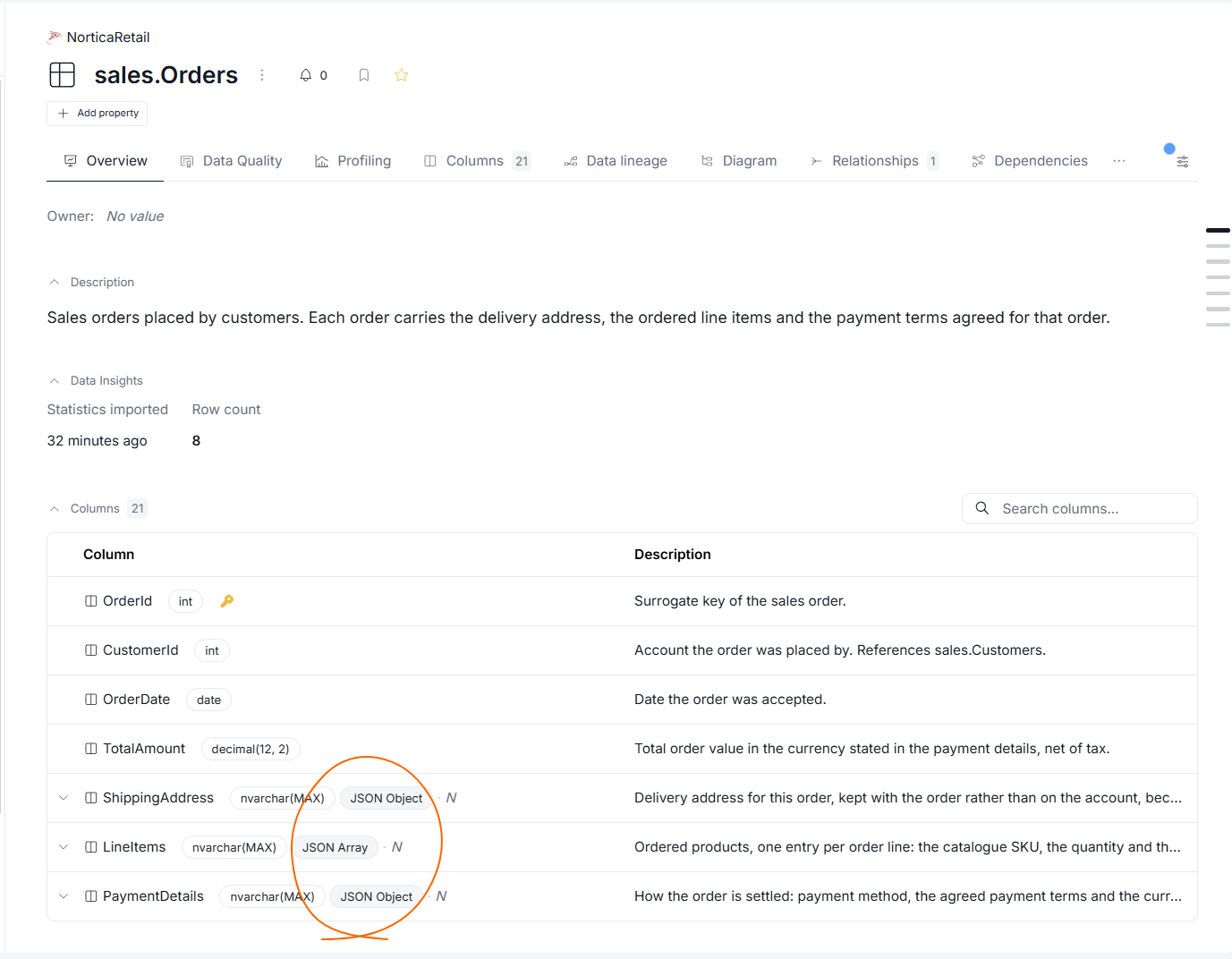
To help you tell them apart, JSON-related columns are marked with a text badge next to their type:
- a physical column holding JSON data is marked as JSON Object or JSON Array
- a nested object is marked as Object
- a nested array is marked as Array
- a scalar value has no badge
These badges appear in the column grids, and on the column's own page.
JSON badges
Documenting
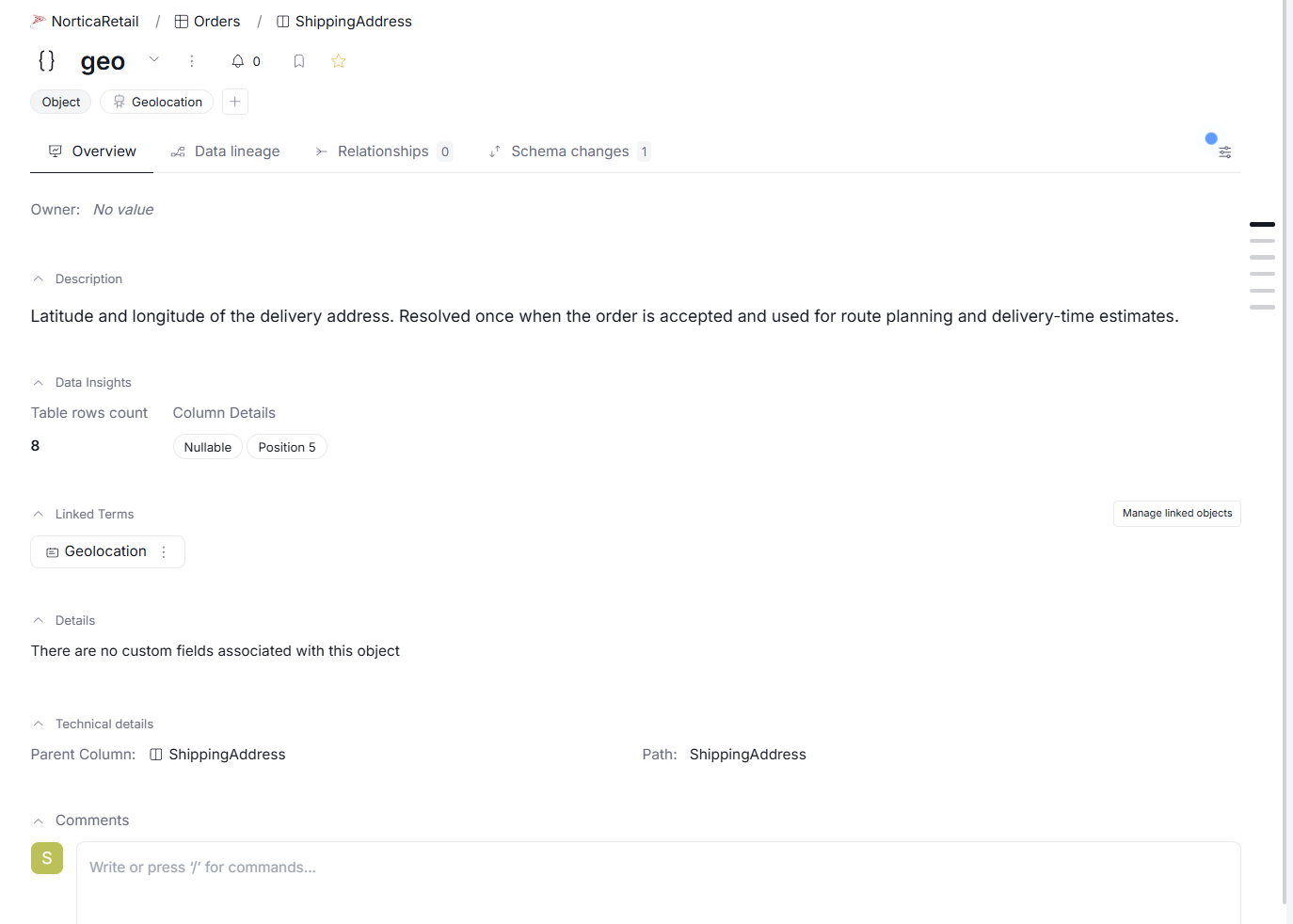
You can document nested JSON columns just like any other column. You can add descriptions, assign classifications, and link business terms to them, helping other users understand the meaning of individual JSON fields without having to inspect the raw data.
Mechanism
| Database | What is scanned for JSON |
|---|---|
| SQL Server | Text columns (e.g. nvarchar) containing JSON |
| PostgreSQL | Native json and jsonb columns, as well as text columns (text, varchar) containing JSON |
JSON detection relies on profiling. Before importing JSON structure, make sure you have profiled the table — sample values collected during profiling are what Dataedo uses to figure out the shape of each JSON column and its nested fields. This also means that JSON columns will not be detected during the first ever Metadata Import, as there will be no Data Profiling data to rely on.
Data Quality is currently not supported for JSONs. Old Data Quality rules for text columns, like VALID JSON, will still work as before.
Troubleshooting
If a JSON structure is not detected, the most common culprits are:
- this is your first Metadata Import in that source — there is no profiling data that can be used. See above for more details
- your JSON values are too short — since JSON values usually contain over 20 characters, shorter ones are ignored
- there are too few JSONs in your data sample — only columns where at least 5 values match JSON will be detected
- your data is not structured clearly — if your column contains mixed data, meaning that only some of its values are JSONs, it will not be detected

