Data Products
Data Products are flat, logical groupings of assets that represent a small, complete data functionality or service. They help structure assets around business value, enable clear ownership, and increase reusability and discoverability of assets across your organization.
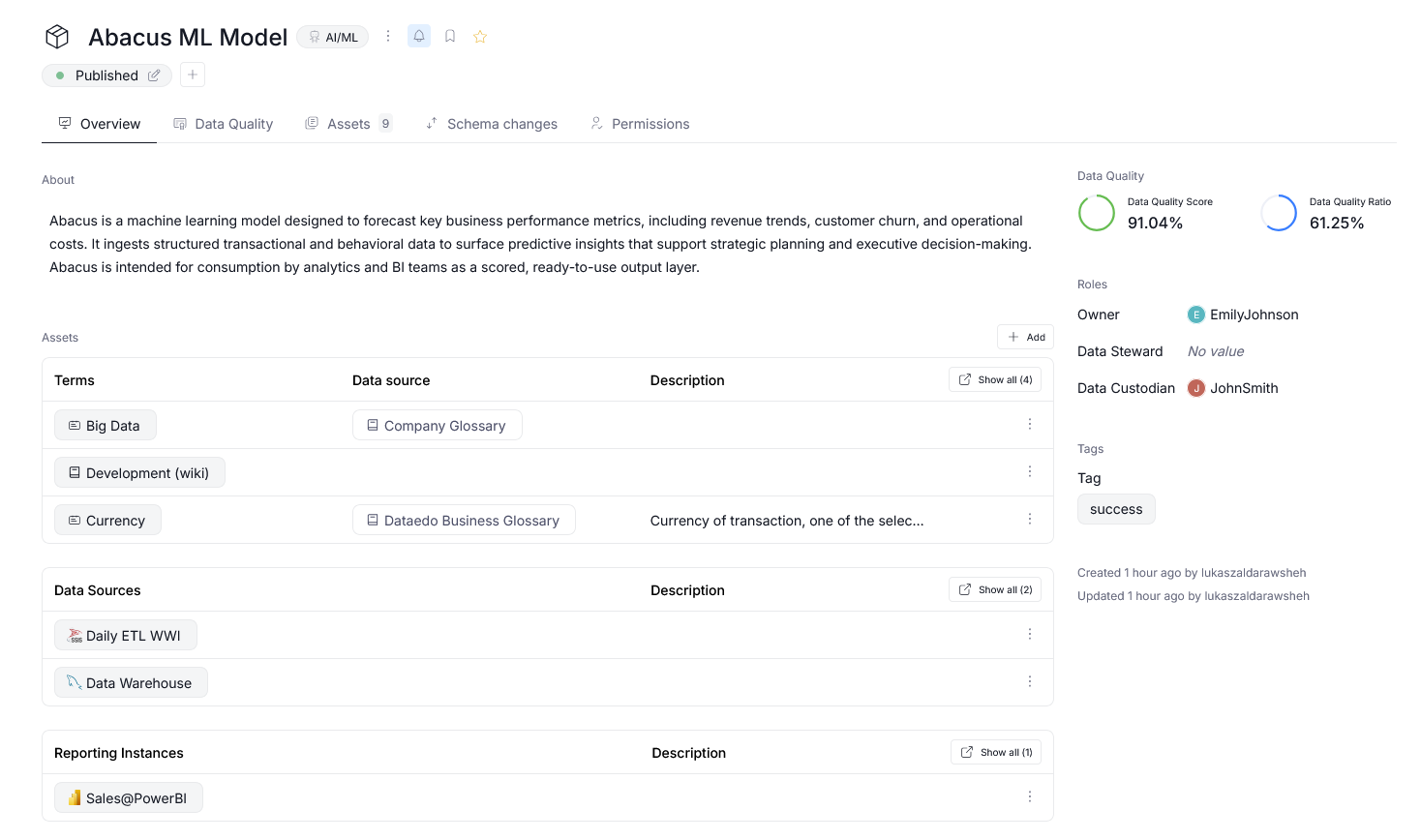
Each Data Product is:
- Flat – it does not contain sub-products or hierarchy
- Reusable – a Data Product is self-contained and can be reused across multiple applications or business contexts
Finding Data Products
To browse all available products, navigate to Catalog>Data Products.
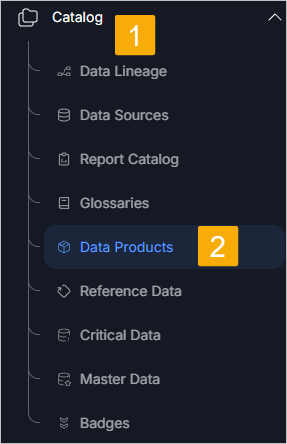
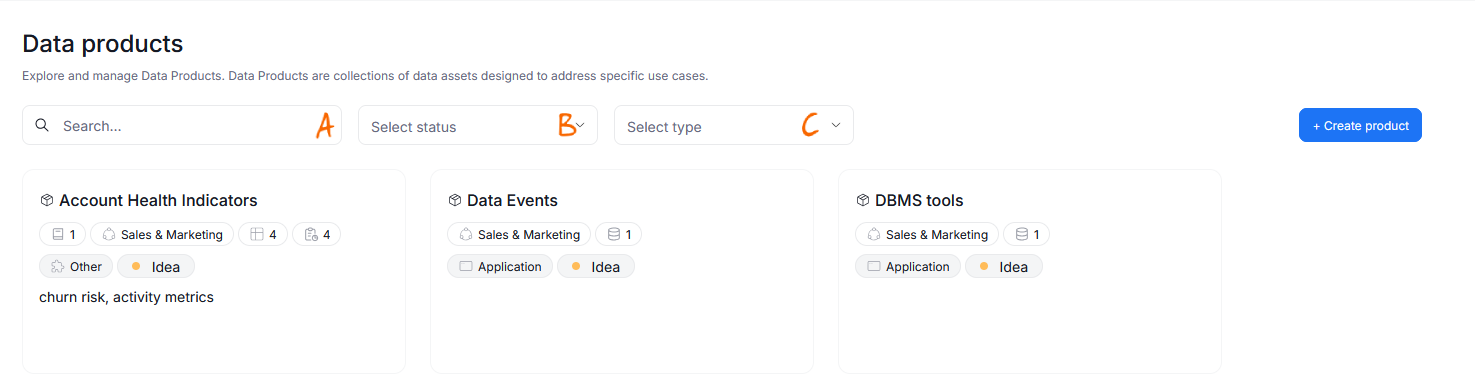
The Data Products tab allows you to search and filter your existing products using:
- [a] Product name or description (free input string)
- [b] Workflow status (drop-down list)
- [c] Product type (drop-down list)
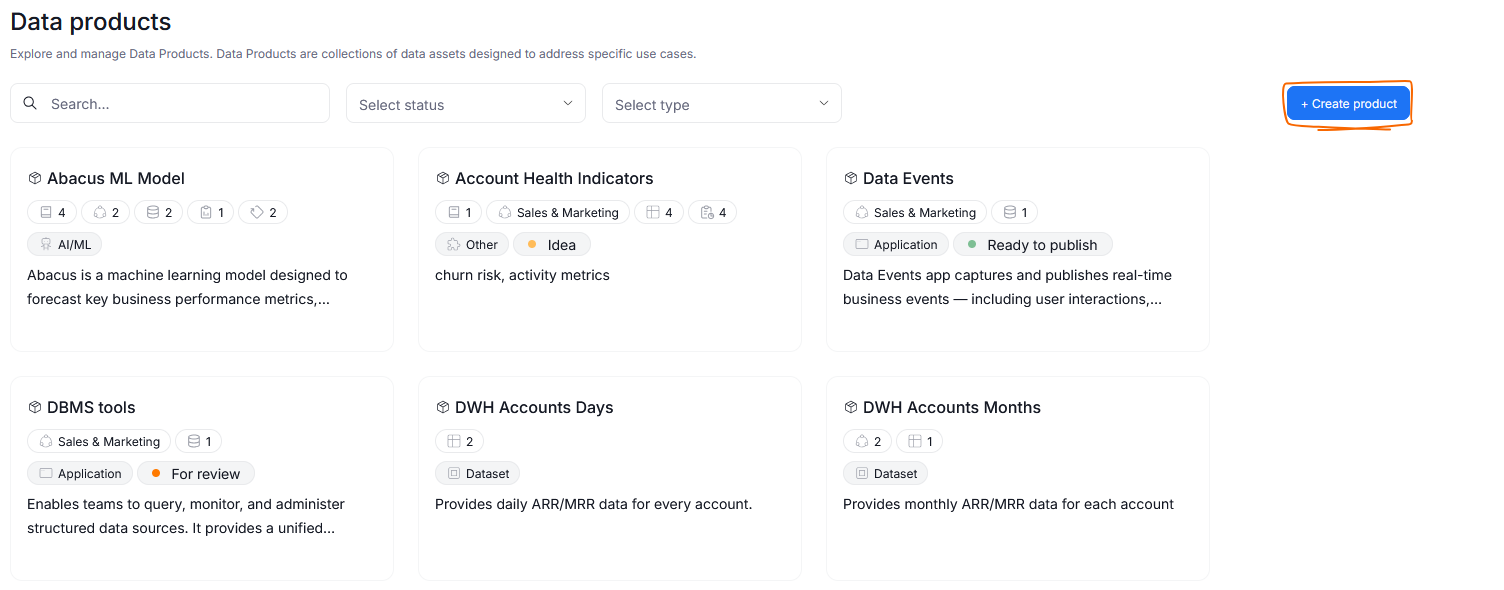
Creating a Data Product
You can create a new Data Product from the Data Products section. To start the process, click Create product in the top right corner.
A pop-up will appear. In there, you are asked to provide:
- Product's Title — its name that will be used across Portal
- Product's Type — a broad category your product falls into. Once assigned, type cannot be changed, since product's purpose is meant to remain constant.
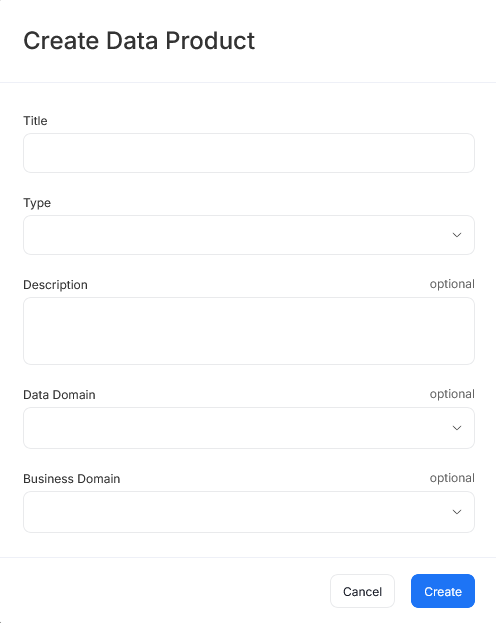
Optionally, you can also supply your Product's description, or link it to an existing Data or Business Domain. The description and linked Domains can be edited later on.
You will automatically follow a product you create and receive notifications.
Navigating a Data Product
Each Data Product contains the following tabs:
1. Overview
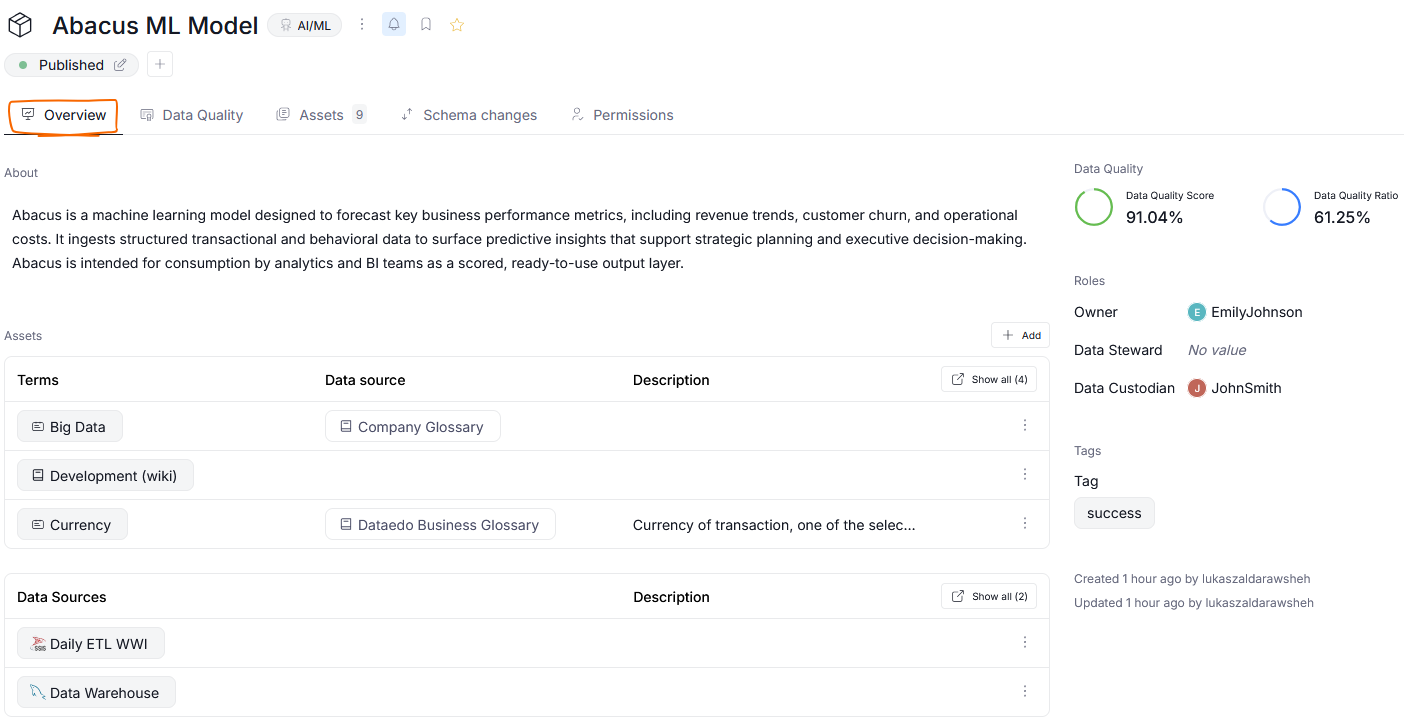
Contains:
- Description
- Linked assets and terms
- Linked Domains/Areas
- Pinned custom fields
- Tags, properties, and metadata
2. Data Quality (optional)
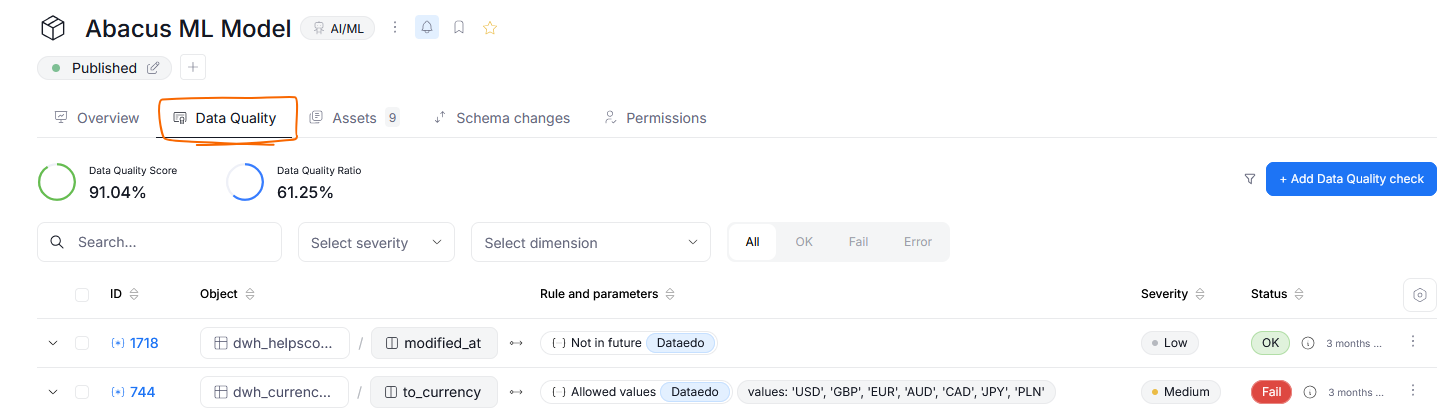
This tab is visible only if you have Data Quality enabled.
It displays a widget with the general Data Quality score and ratio metrics across assets in your Data Product. Beneath the widget, is a grid showing results of past Data Quality checks conducted on your assets.
3. Assets
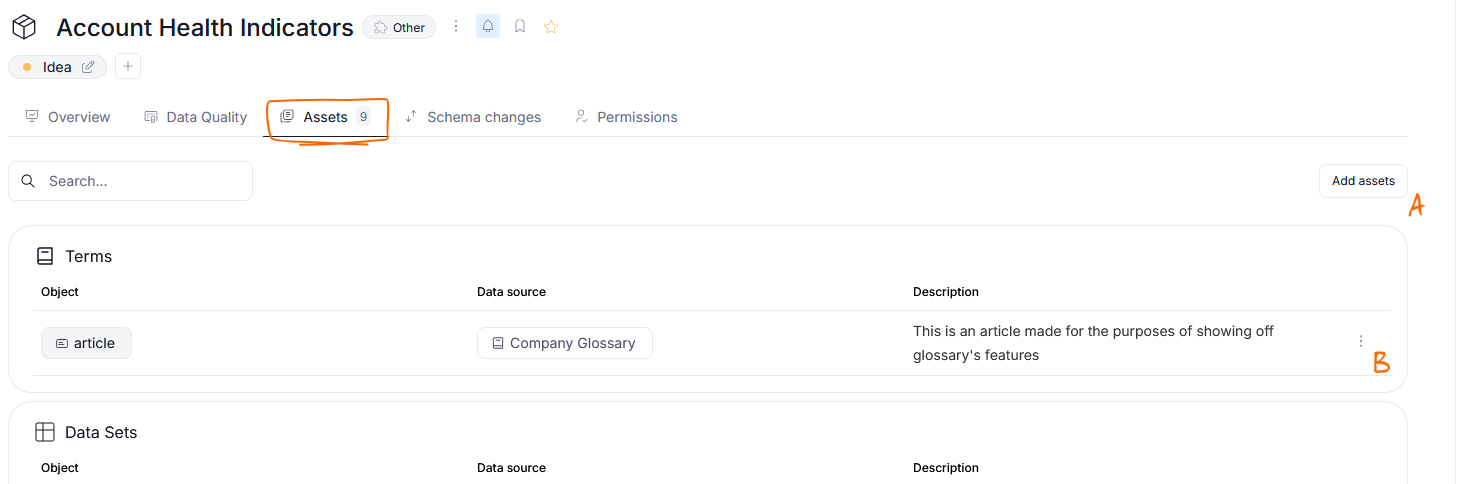
Displays all assets linked to the Data Product, divided into categories.
You can:
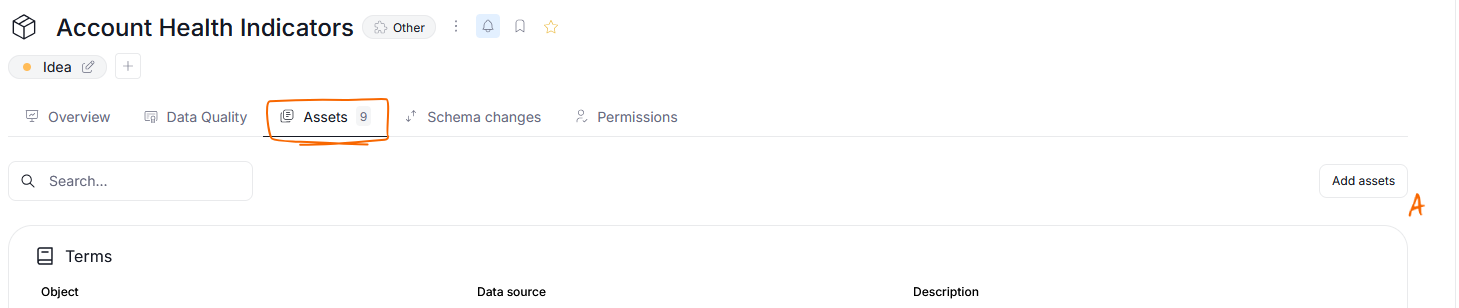
- Add new assets via Add Assets [a]
- Remove assets from the Data product using the three dots [b] menu
4. Schema Changes
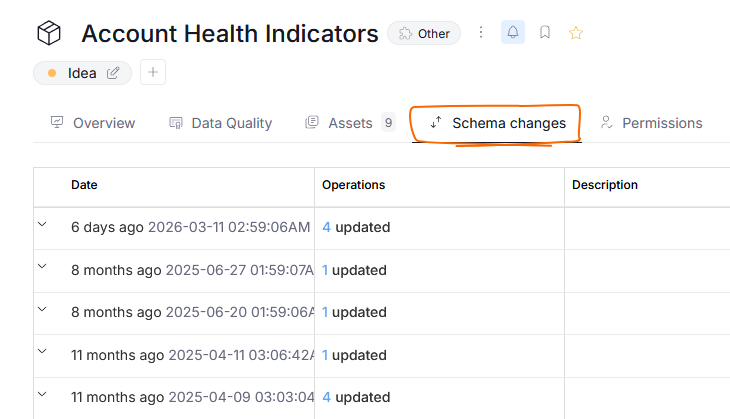
This tab shows tracked changes to tables and columns stored in your Data Product, helping monitor how its data structure evolves.
5. Permissions

This tab can be viewed by Admin users only. It lets them manage user and group access to the product.
Managing Assets
Data Products can contain following asset types:
- Glossaries
- Report Catalog entries
- Data sources
- Reference data
- Data and Business Domains
Linking Assets
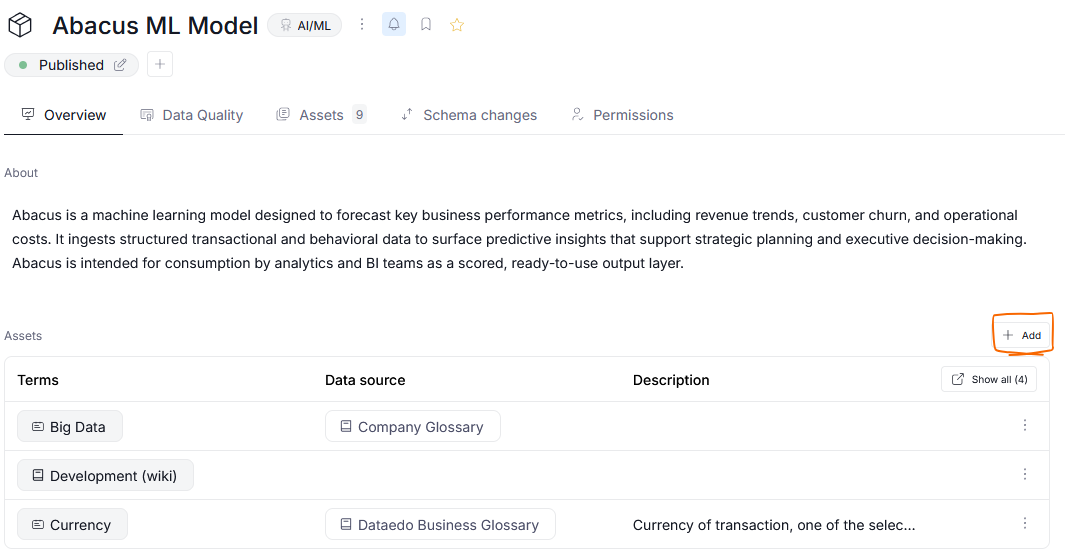
You can link assets by either:
- Clicking the plus icon in the Overview tab next to the "Assets" section.
- Opening the Assets tab and selecting Add Assets [A] in the top-right corner.
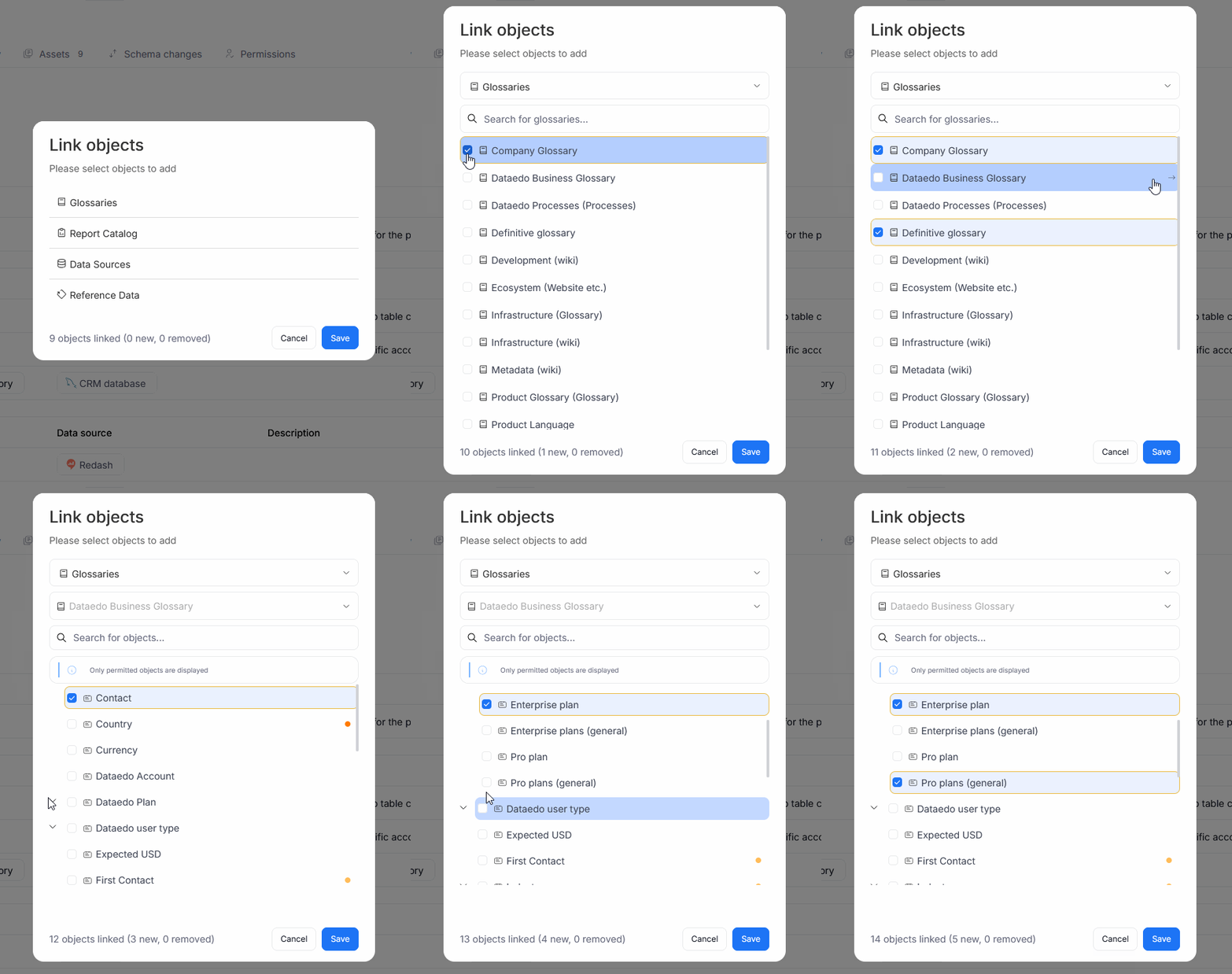
A popup will let you search and select assets in your repository. You can add the entire object, or expand its view using an arrow and select only some of its sub-objects (for example a database's table or a glossary's term).
Unlinking Assets
Removing an asset from a Data Product does not permanently delete it from your repository. That Asset can still be found in its original location, it simply won't be connected to a Data Product anymore
To unlink an asset from a Data Product, click the three dots next to the object and choose Unlink.

Access, permissions and Roles
In general, assets contained in a Data Product can be accessed by all user who are permitted to view it. The permissions in the Product's scope carry onto its assets. This means that Users who are Data Product's Viewers will be able to view all of the assets, while Data Stewards and Approvers will be able to not only view but also edit all of those assets.
Visibility of assets has an interaction with the Data Product's current Workflow status. If a Data Products is in a status that is not visible to a certain group of users those Users will not be able to view the Data Product or its assets, even if they are added from the Permissions tab. More details here.
Domains and Data Products
Data Products are often used within Domains. As such it is important to understand the difference in their purpose.
Domains are used for grouping assets that don't change frequently, while Data Products are better suited for assets that constantly evolve and change. A good example of a Data Product would be an API with its metrics.
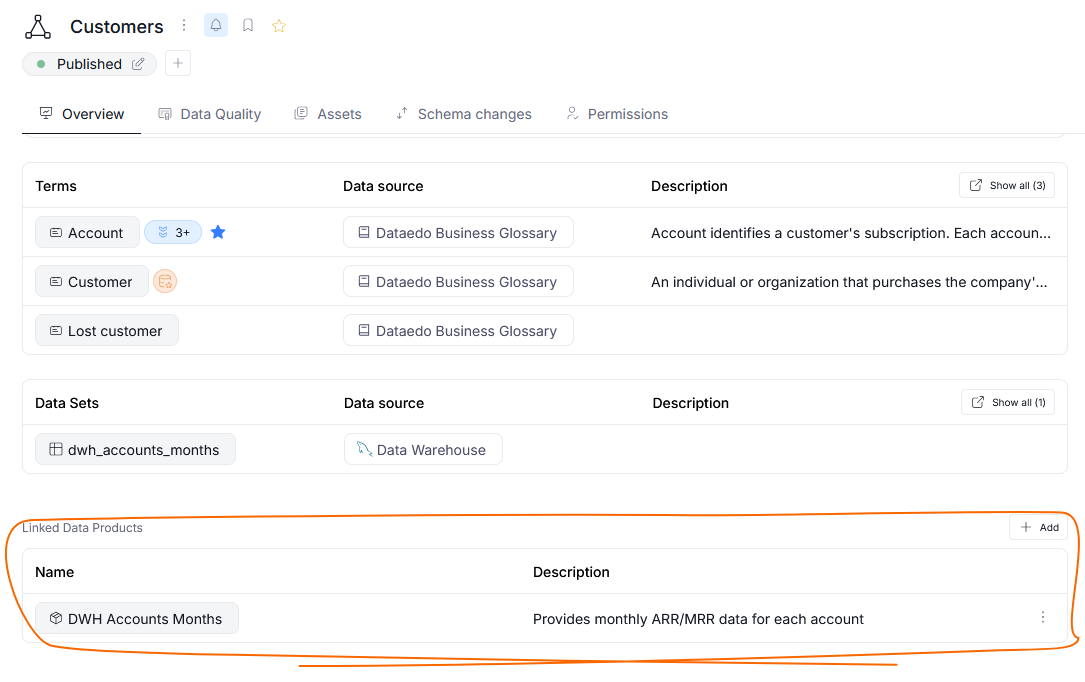
When a Data product is linked to a Domain, it is visible to all users who can view that Domain. Those users will also gain access to all assets contained in the Data Product.
Need help?
If you run into any problems or have questions, reach out to Dataedo support.

