Community
Dataedo's Community lets the members of your organization discuss, plan, and suggest improvements in your data catalog. Each page of a catalog contains its own comment section, where you can post, reply, mention other users, and set reminders. In this article, you will learn how to make full use of the Community.
Accessing comments
Users with community view permissions can view comments. These permissions are available to every user role except Viewers, Explorers, and Approvers.
To add and edit comments, you need community edit permissions, which are available to Admins, Data Community Members, and (Power) Data Stewards.
Community hub
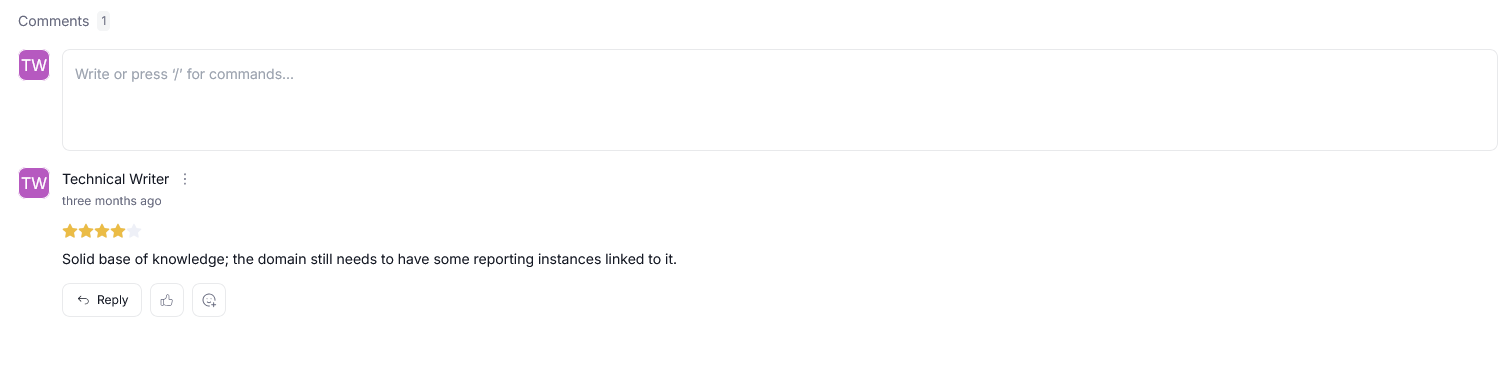
You can find the Community hub by scrolling to the end of the page you are currently viewing.
Commenting
There are multiple ways to leave a comment and participate in a discussion.
Start a new discussion thread
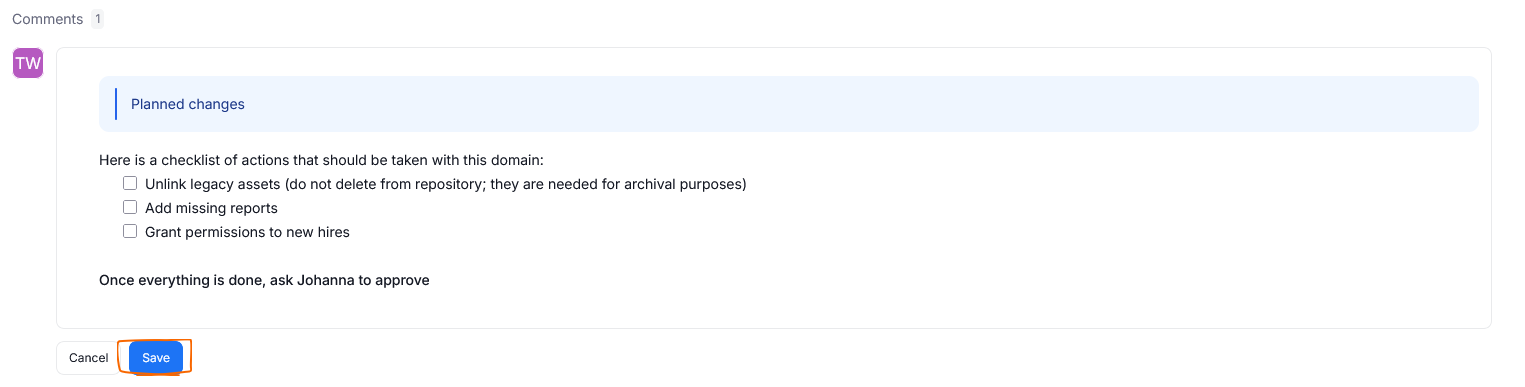
To start a new discussion thread, just type in the text box that appears at the top of the Community section. Comments use the same rich text editor as our descriptions — so they can include photos, graphs, lists, code snippets, etc.

Once you write a comment, click Save to post it.
Reply in a thread
If you want to participate in an existing discussion, simply click reply under a comment. This will automatically mention the author you are replying to and let you write your response.
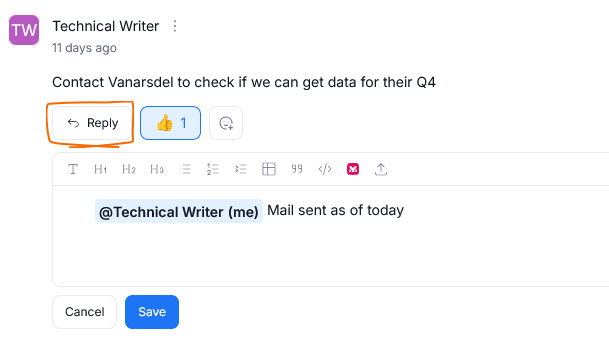
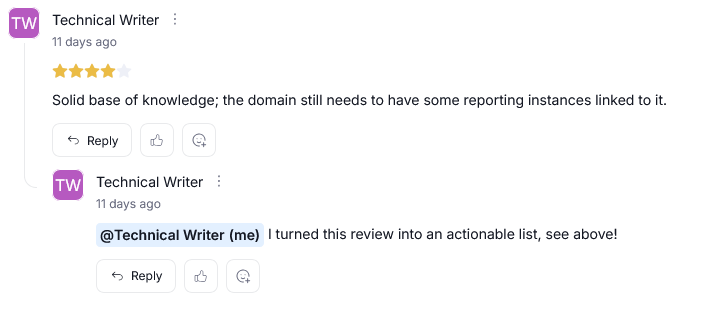
The comment thread is structured. Replies are indented and marked with a solid line leading back to the original comment.
Review an asset
There is also a special type of comment, the Review. You can leave these only by pressing the star icon next to an asset's header. This opens a comment where, in addition to textual content, you also have to provide a rating on a 1 to 5 scale.
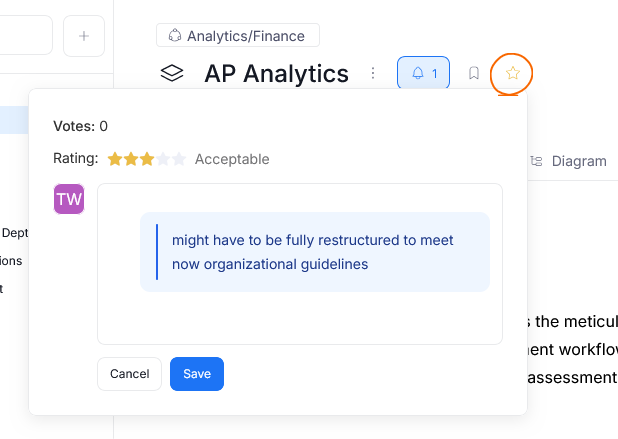
This feature is helpful when preparing for an audit or introducing a consultant to review and suggest improvements to your data catalog. You can review each object only once.
Editing and deleting
You can edit and delete your own comments. To do so, press the three dots icon and select the appropriate option.
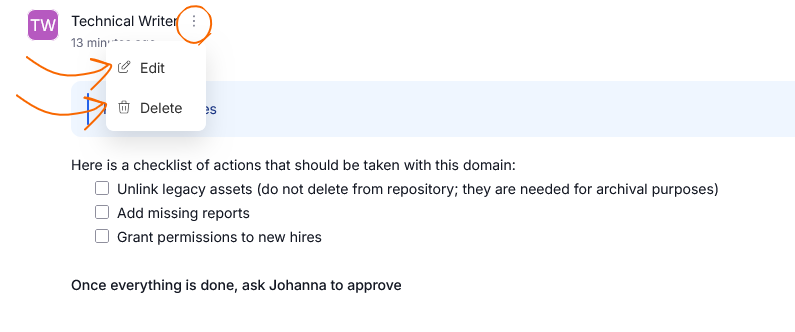
Editing a comment lets you rewrite the existing content, add new elements, and — in the case of reviews — change the star rating.
Editing and deleting comments is permanent. Dataedo does not keep a history of Community changes.
Other features
Reactions
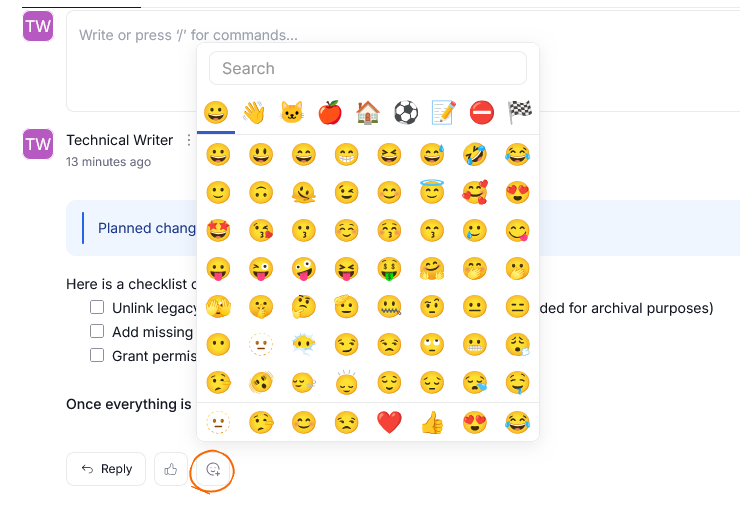
You can react to your comments or those left by other users. The default reaction is a like.
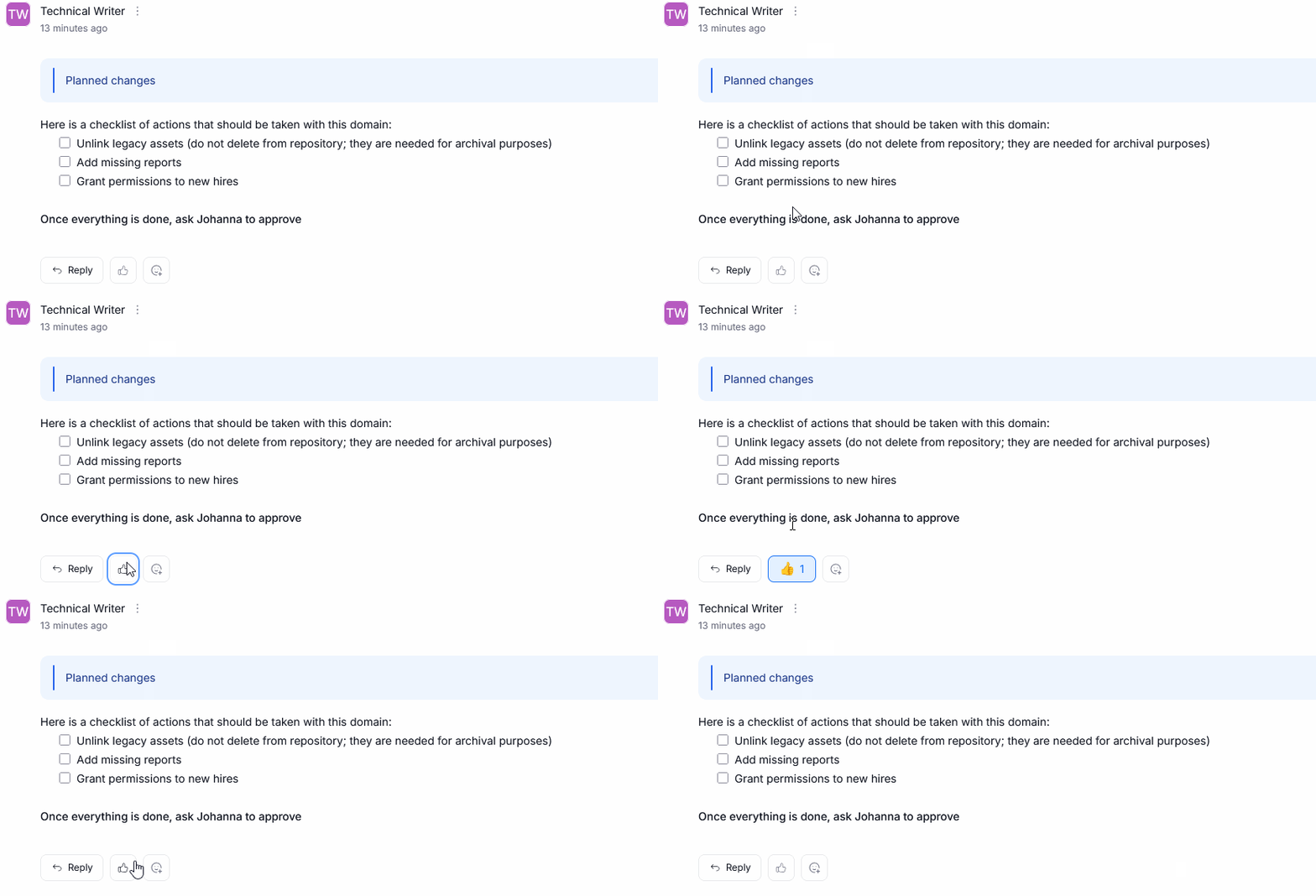
You can also react using other emojis. To do so, use the other reactions icon.
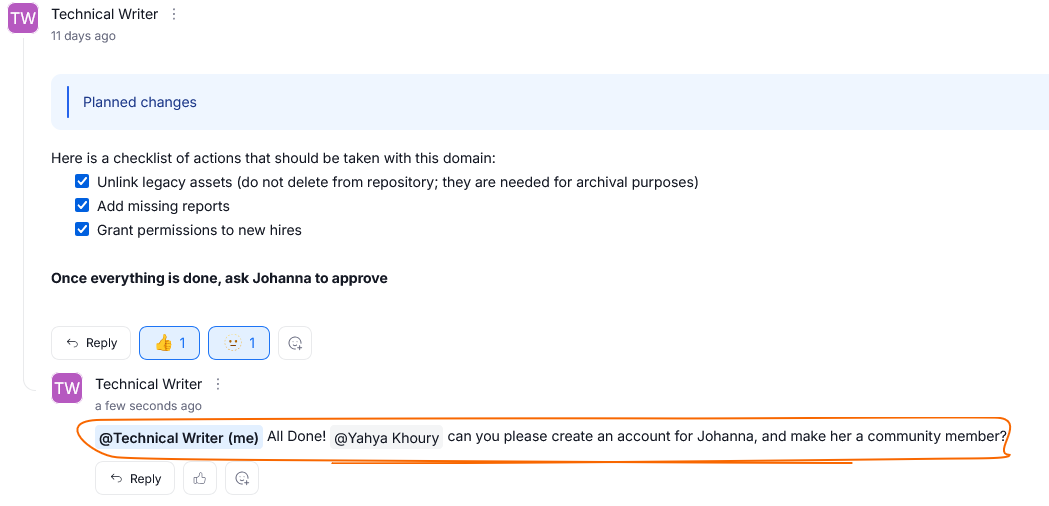
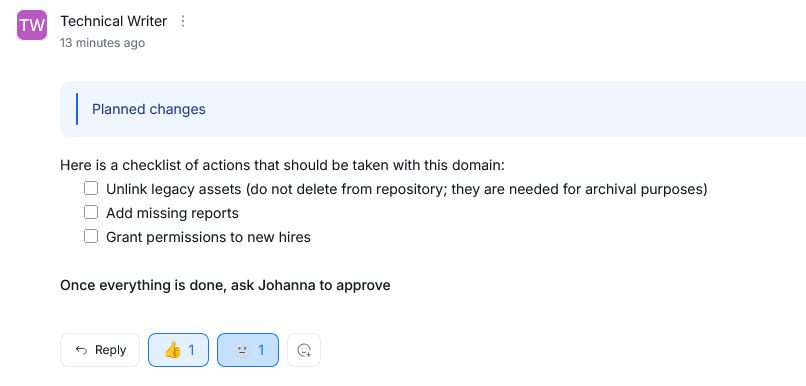
Each comment shows an overview of reactions. If you have reacted in any way yourself, the corresponding icon is highlighted.
Mentions
Community lets you mention users. To do so, open the mention menu by typing @ when writing or editing a comment. This will show a list of all active users in your repository. You can also start typing the user's name to narrow down the results.
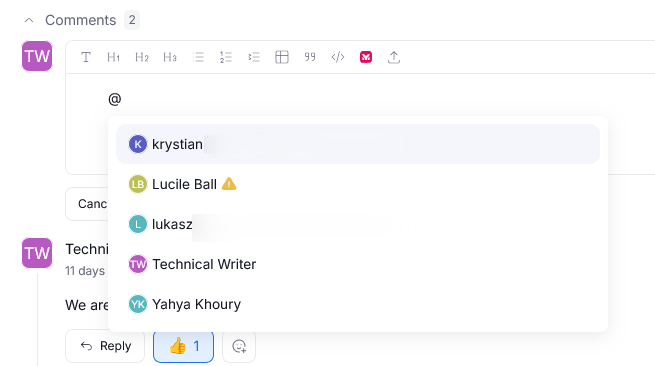
When you mention a user, they will receive a notification. They will also start following the object if they are not already.
Mentions that refer to you specifically are highlighted and bolded, making them easy to recognize.