Refreshing Imported Metadata
Working with up-to-date data is of utmost importance for a business to ensure you make decision based on most accurate and relevant information available. As such it is very important to keep your Data Catalog and the metadata of your data sources updated.
The Dataedo Scheduler module allows you to automate your metadata updates.
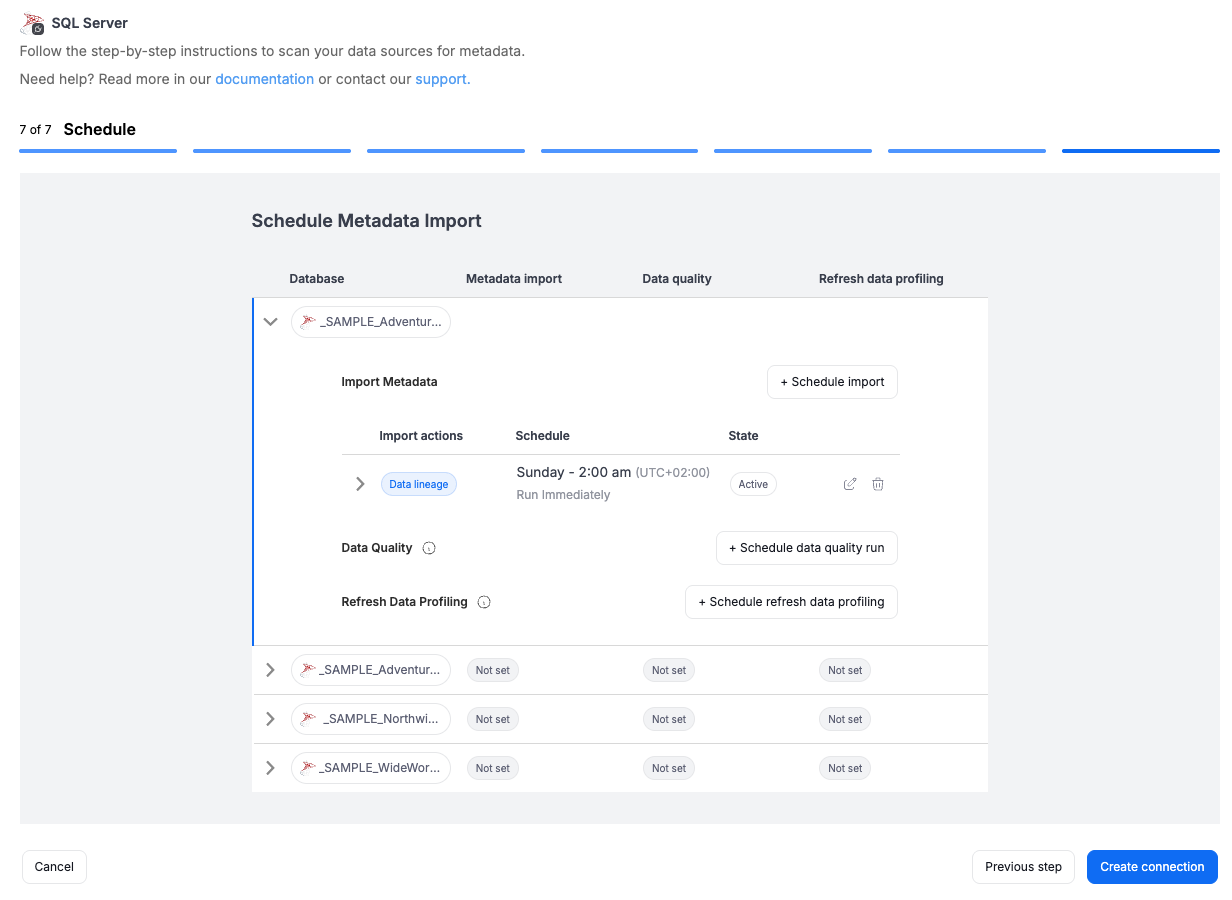
You can schedule recurring Metadata Import tasks when first establishing a connection. At this point you are able to specify parameters like frequency, and state (active or draft) of the import.
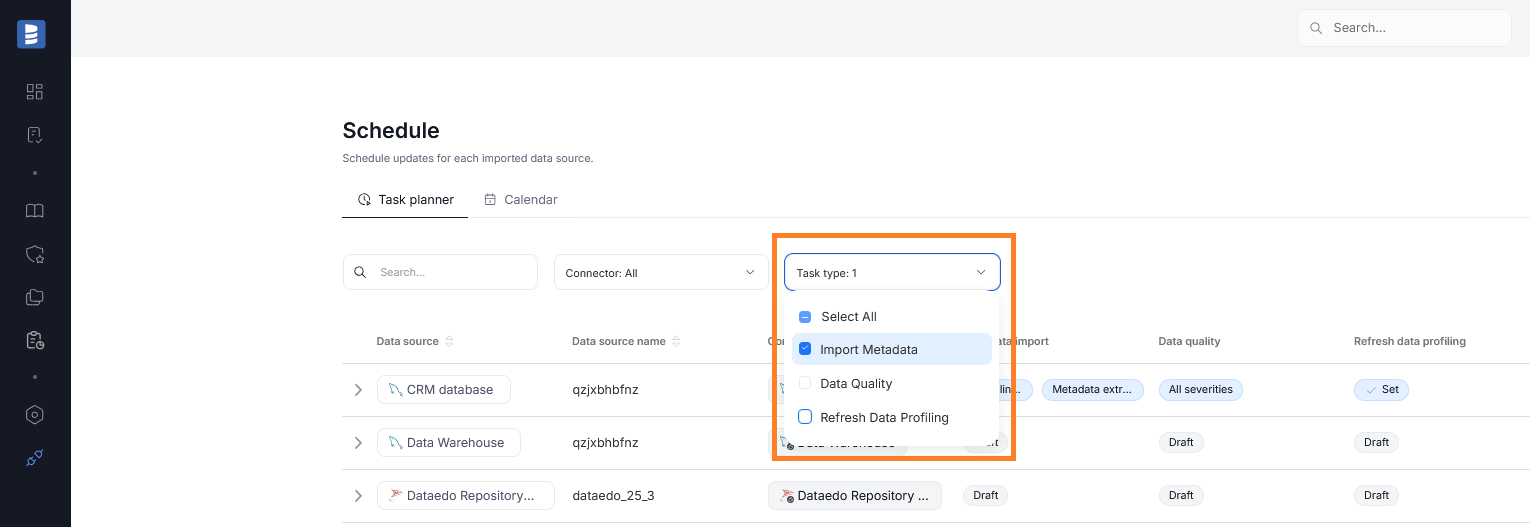
All scheduled tasks, including recurring Metadata Imports can be viewed by navigating to Connectors>Schedule. To view the sources for which Metadata Imports are configured, make sure that only the Import Metadata category is selected in the Task type field.
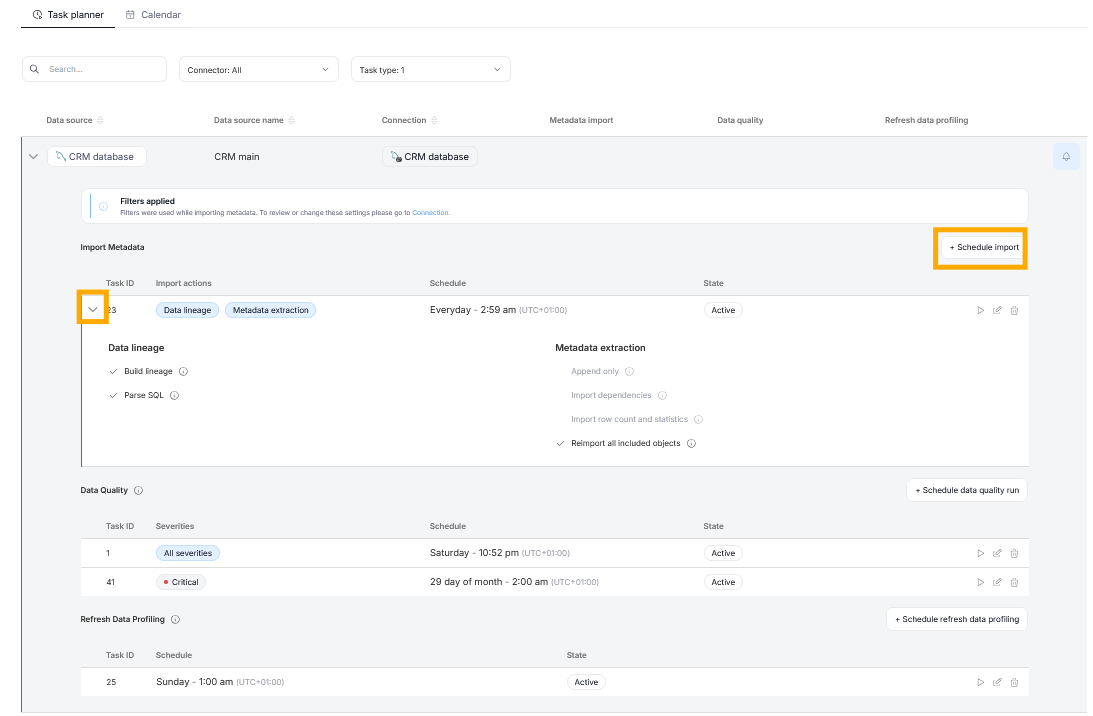
When you expand a Data Source's tab, you will see a grid with all of its scheduled tasks. Metadata Imports will be on the top. You can further expand the task to see its details, be able to run it immediately, edit or delete it. You can also add a new Import Task for that Data Source using the Schedule Import button. You can schedule imports for all metadata in your catalogue, including those originally imported via Desktop.
A full breakdown of adding new tasks and managing existing ones can be found in the Scheduler article.
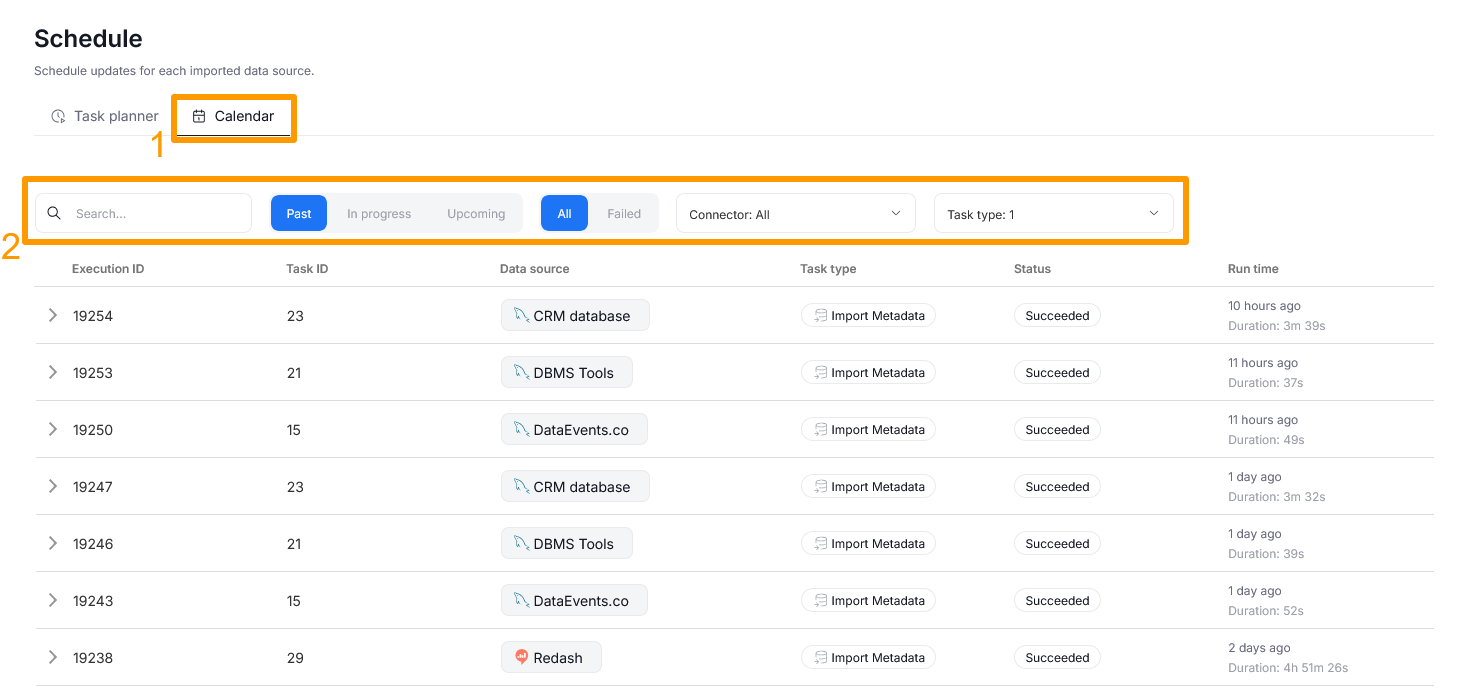
The Scheduler Calendar tab [1] lets you view the history of scheduled tasks, including imports. This is useful when you want to control when was your Data Source last refreshed, or when is the next update going to take place. Filters [2] give you more control over the History, letting you select what exactly you want to see.
Removing objects deleted in the source
Keeping the catalog up to date is not only about pulling in new metadata, but also about removing what no longer exists. When an object is removed in the original data source, a following Metadata Import marks it as deleted rather than erasing it, so its documentation, tags, and lineage are preserved until you decide what to do with it. Deleted objects are marked with a gray dot in grid views

When you open such an object, you can permanently remove it from the catalog using the Delete option under the three-dots menu.

A popup will appear, where you have to confirm your decision. After the object is removed, you are taken one level up — for example, deleting a column takes you back to its table.

If you would rather review everything that was marked as deleted in one place and clean it up in bulk, use the Deleted Objects module in Steward Hub.

