Removing objects from Dataedo
Data sources can be removed only by users with global Connection Managerpermissions
If you imported a datasource to your repository, but do not want to use it anymore, you can safely remove it using Dataedo Portal.
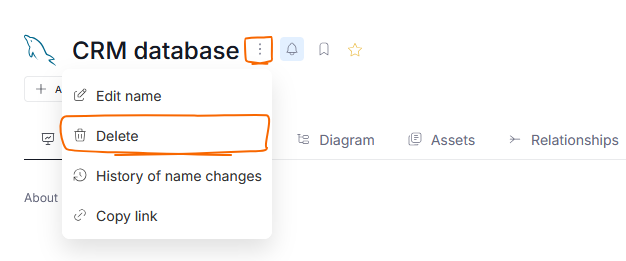
To do so, go to Data Sources and open the source you want to delete. While in its view, click the three dots and select Delete.
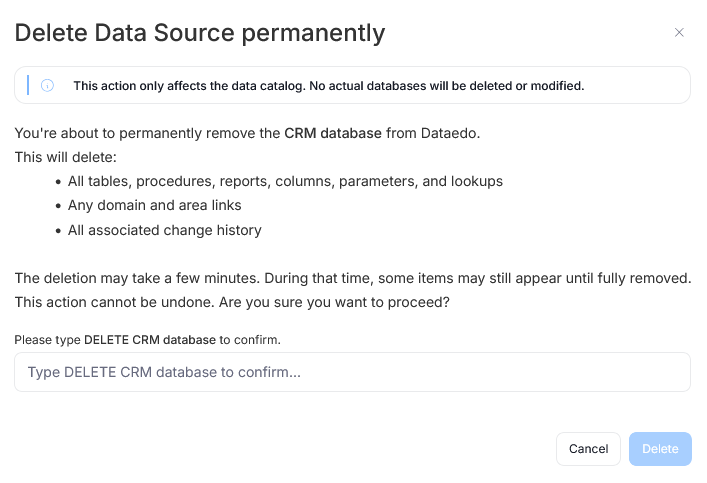
This opens up a popup. Since removing a Data source is a potentially destructive action (it will lead to deletion of all objects in that Data source and their respective documentation), you will have to confirm your intent by manually typing in the deletion confirmation.
In Portal, you can remove only entire data sources. If you want to delete a singular data object (eg: a table or a report instance) you have to do it through Desktop

