Extended properties and Custom Fields
Oracle and Oracle PeopleSoft connectors offer extended properties support for jobs only.
Extended properties - custom fields
Some data storage and business intelligence services offer an extended properties function — user-defined metadata fields attached to various schema elements like tables, columns, stored procedures, etc. Dataedo has a similar function - custom fields. You can map the extended properties onto your defined custom fields during metadata imports in Portal.
Mapping
If extended properties are detected in your data sources, you will be prompted to map them to Custom Fields in your repository during one of the imports step. This action is optional and you can skip it. Doing so, will result in extended properties data not being carried over to your repository.
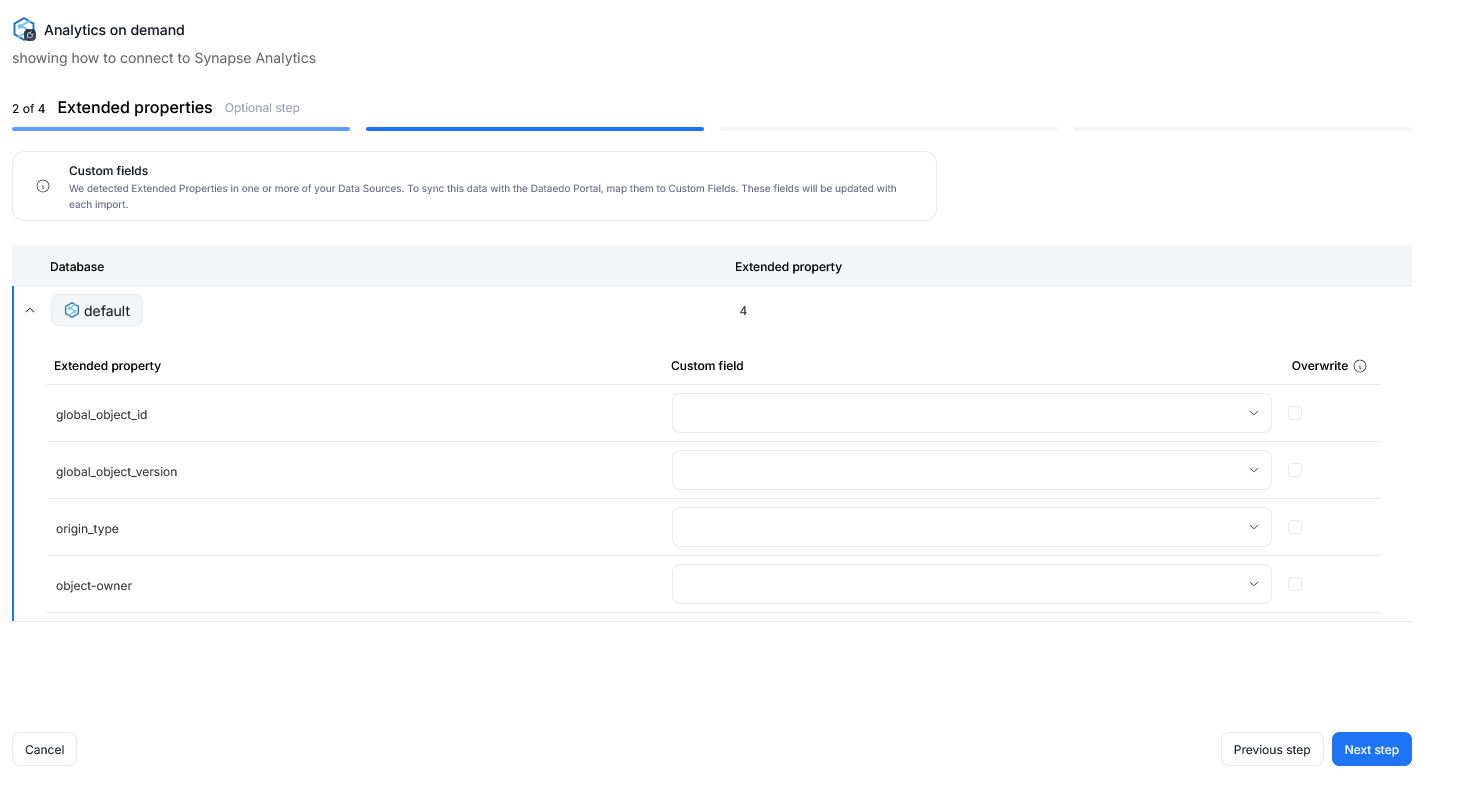
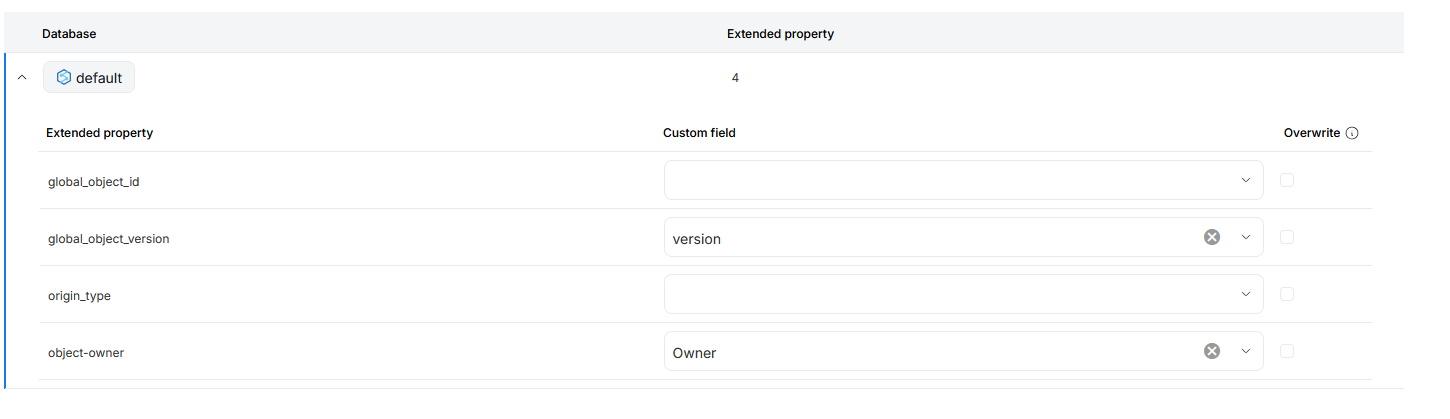
Each extended property can be mapped to an existing Custom Field in your repository. You can rely on fields created previously, or make a new one during the Metadata Import directly.
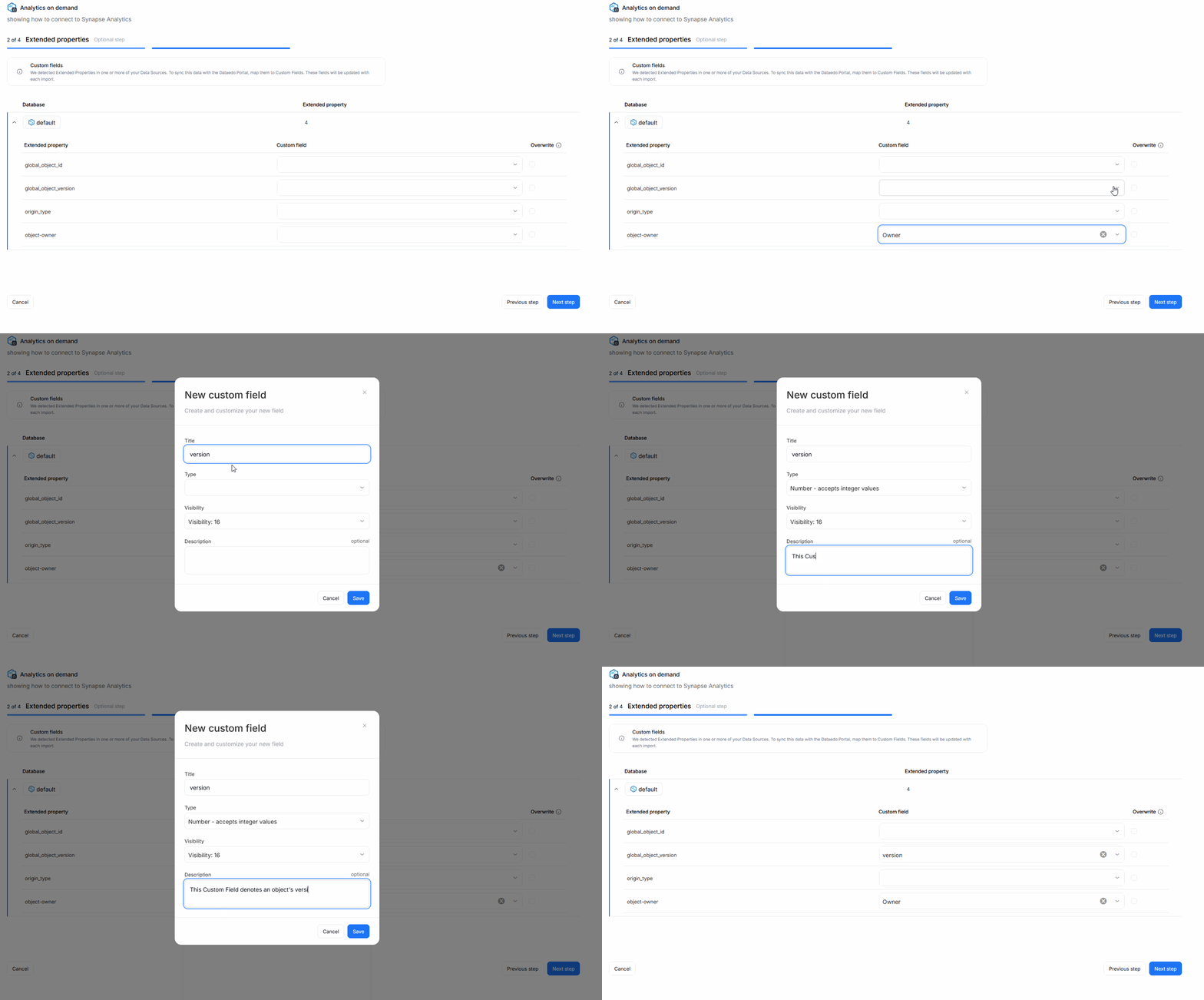
There is also an overwrite box you can check next to every mapped Custom Field. This parameter ensures, that with every metadata import, the extended property's value will be overwritten to Custom Fields. This interaction overwrites both previous mappings (if the extended property's value has changed since) and manual, user-edited values.
Repository vs database scope
Custom fields are defined globally for the entire repository which can hold multiple databases. Mapping custom fields to extended properties, however, is defined per database/documentation. This means that each database can use different names for extended properties, and for each database, you can choose which properties you want to import.
To simplify with an example: you can define a version Custom Field and assign it to Table objects. Now all table objects in your repository will have a version Custom Field visible in their overview.
However, you can import tables from multiple sources. Let's assume you have two databases: SQLserver and Amazon Redshift. In Redshift, the extended property which stores version information is called product-version, while in SQLserver it would be called development-iteration. During each respective datasource's metadata import, you can map their uniquely named extended properties to the same version Custom Field, without any conflicts in your repository.

