Publishing documentation on Confluence
Dataedo 6 has a Confluence-friendly HTML export that you can embed in a Confluence page.
Before you start
To be able to publish Dataedo export on Confluence you need:
- Separate web server (like Apache or IIS) to host Dataedo export HTML pages
- Confluence with HTML macros enabled (details below)
How it works
Confluence enables embedding external HTML in its pages. The disadvantage of this approach is that it requires a separate web server to host Dataedo export HTML.
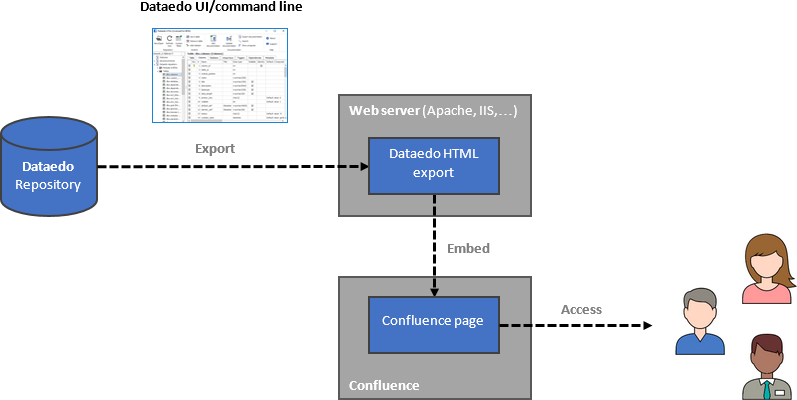
Step 1: Publish export on web server
You will need to host your Dataedo documentation on a separate web server. This is explained in this article:
[Publishing documentation on a web server])(/data-catalog/building-catalog/sharing/exporting-documentation/publishing-on-web-server "Publishing documentation on a web server").
Step 2: Configure Confluence
To embed Dataedo documentation in Confluence, first, we need to enable HTML macros.
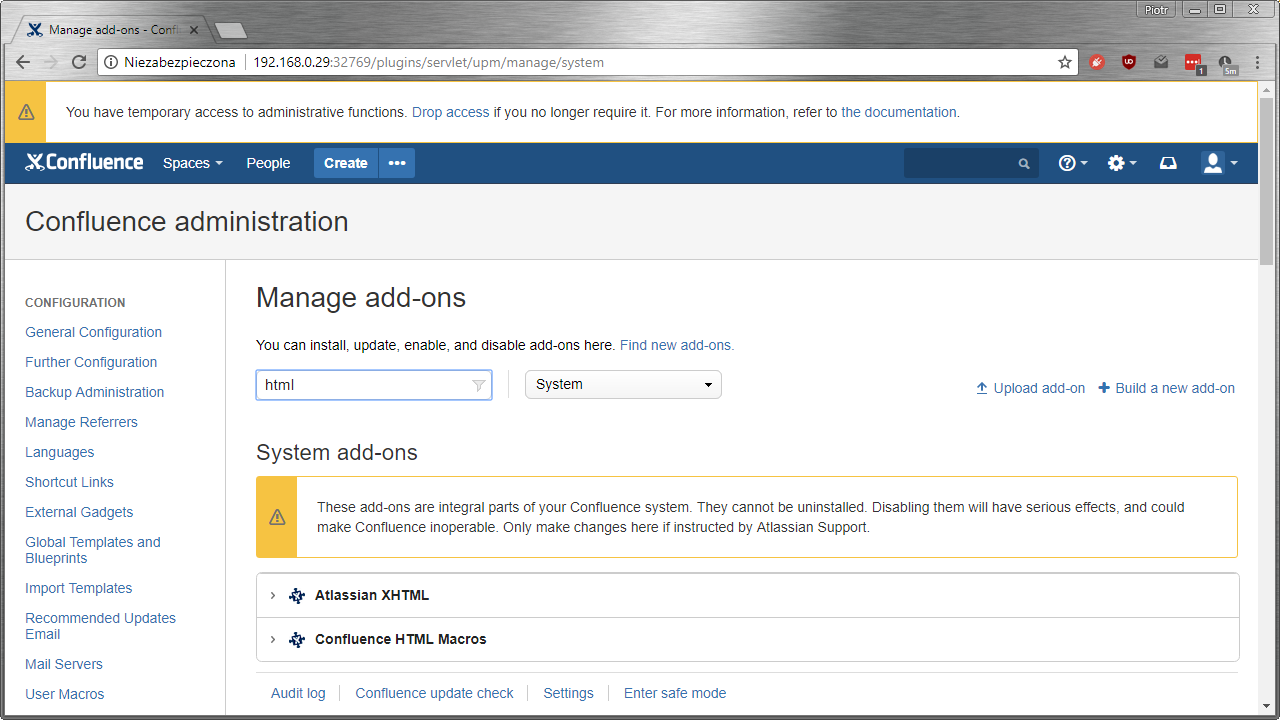
Open the Configuration pane in Confluence (you'll need administrator access), and click Manage add-ons on the list.
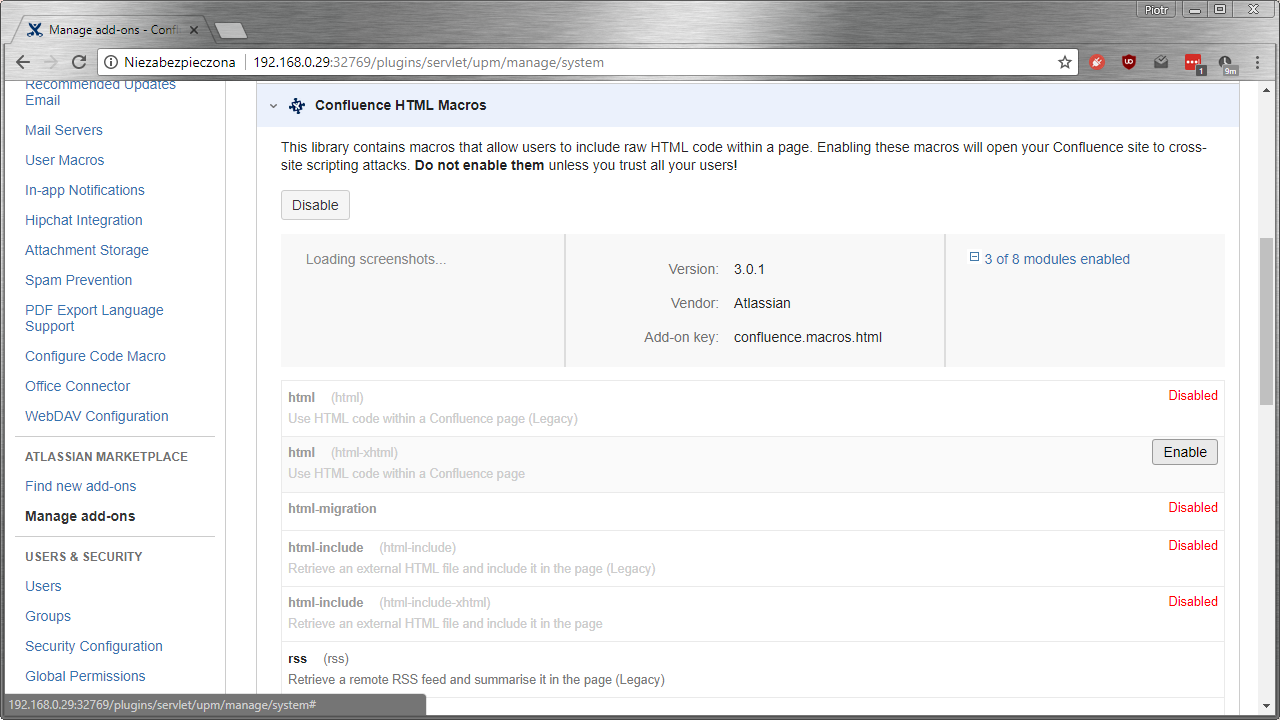
Type html in the add-on search bar and set the filter to system add-ons. Expand Confluence HTML macros.
Find and enable the html-xhtml macro and enable it.
Step 3: Create a documentation page in Confluence
On a new page, click the plus icon and from the list choose Other macros.
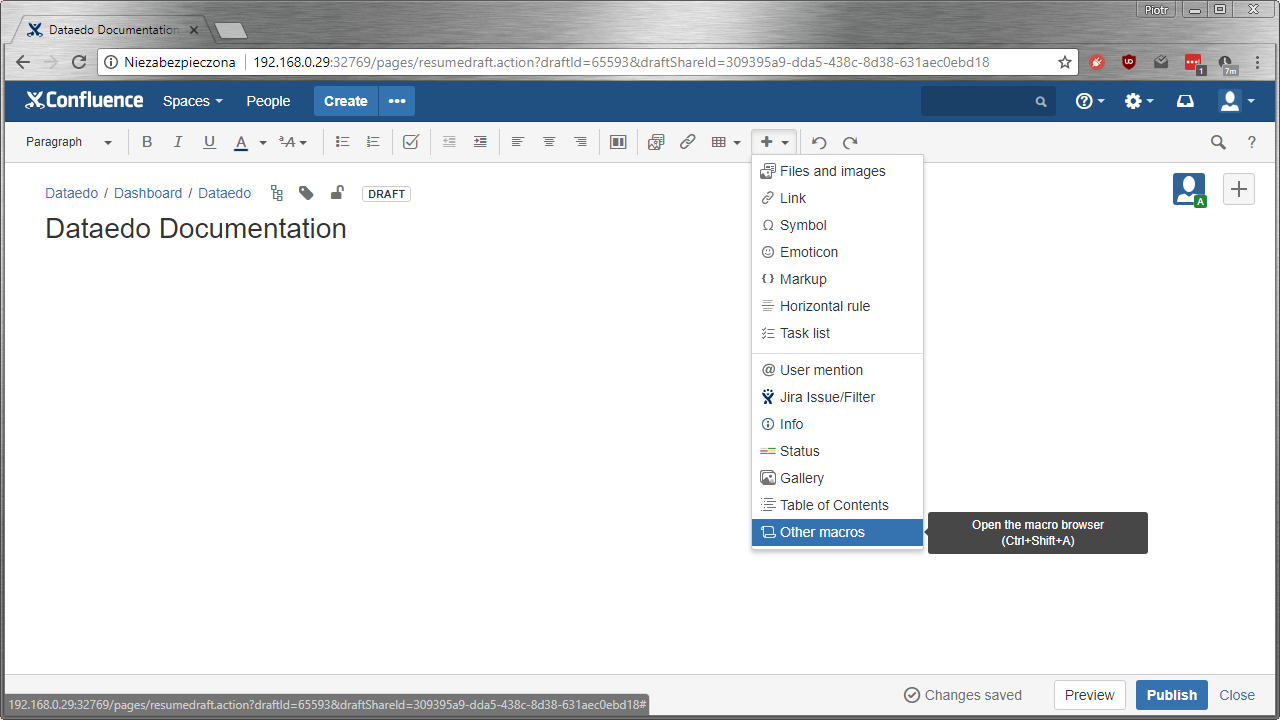
Type html in the search bar and double-click the macro.
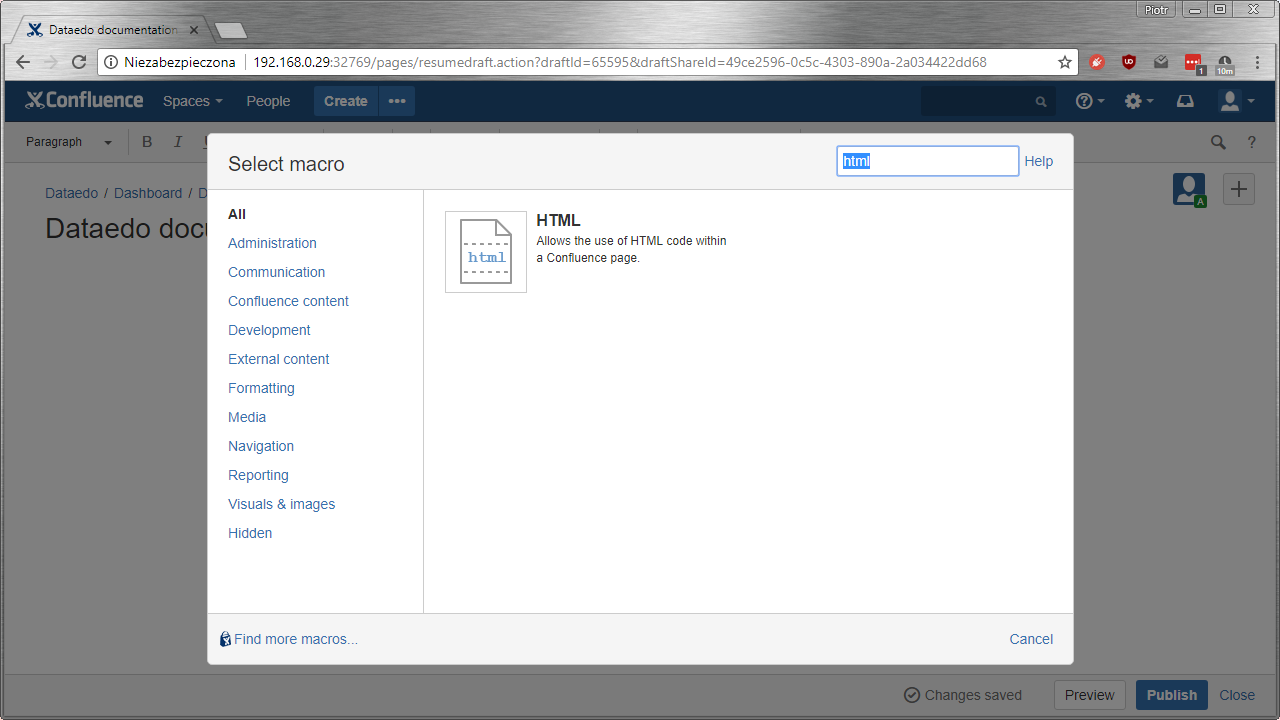
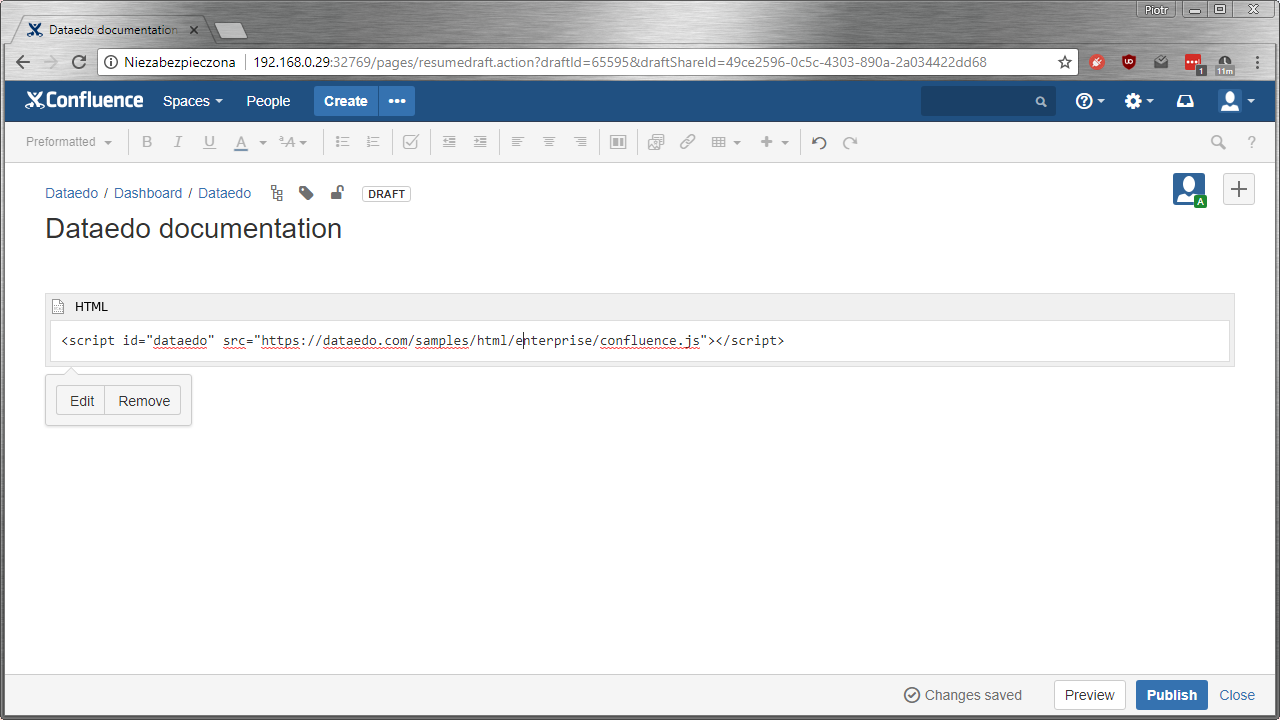
In the new box visible on the page, paste the script below, substituting the path of your documentation for https://dataedo.com/samples/html/enterprise/.
<script
  id="dataedo"
  src="https://dataedo.com/samples/html/enterprise/confluence.js"
></script>
Click the Publish button and your documentation is ready.
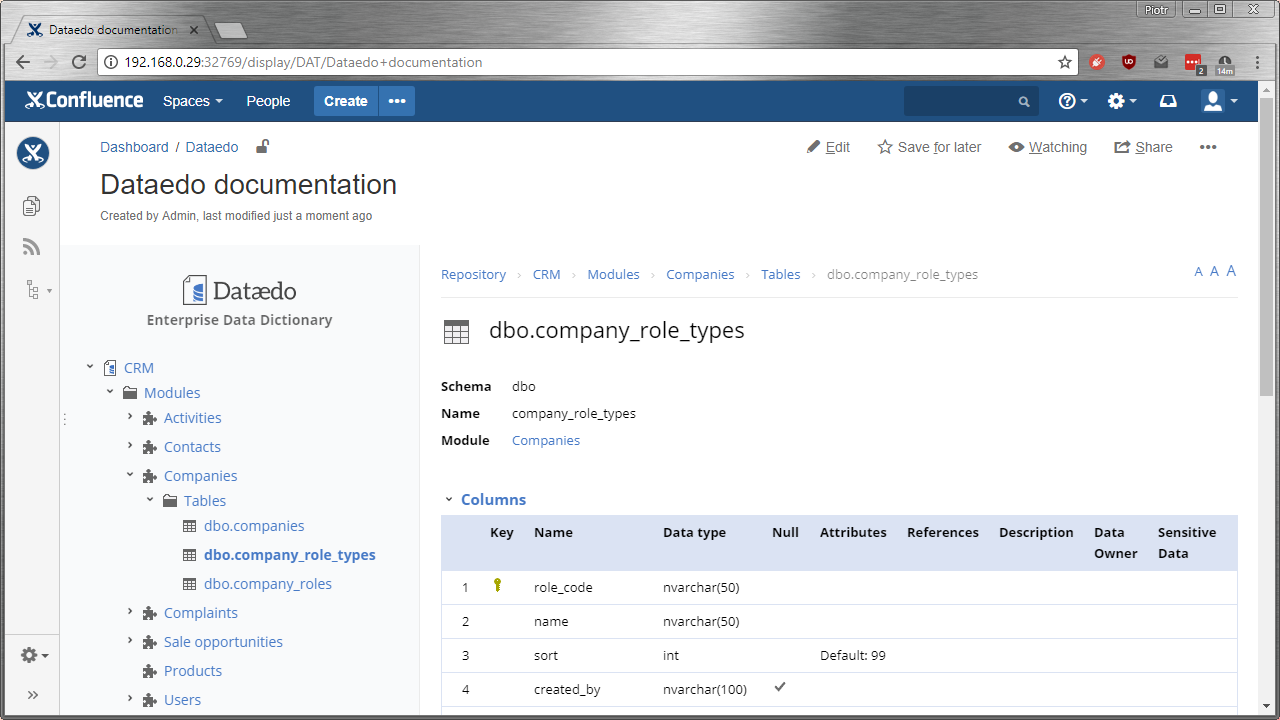
Update changes
If your documentation needs to be updated just overwrite your previous documentation on the web server with the new one. No changes are required in Confluence.

