Database schema change tracking
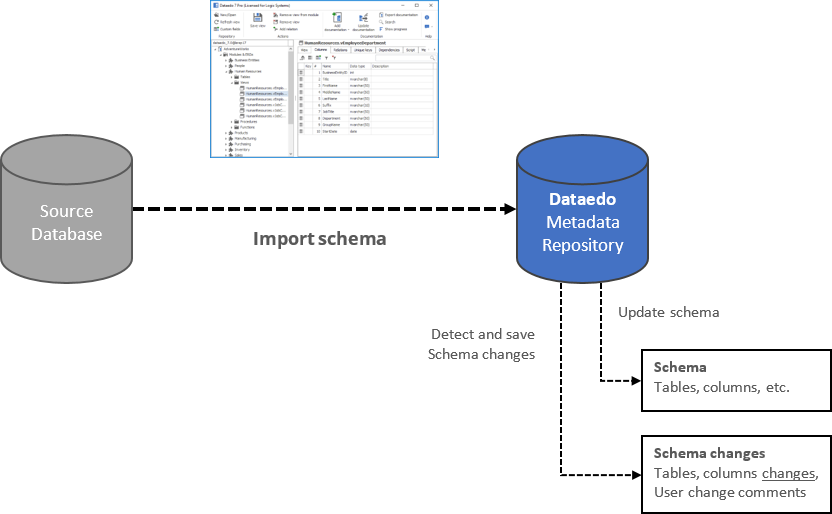
Schema Change Tracking keeps the history of changes detected in source databases while importing schema using import schema changes functionality.
How it works
During each schema import, Dataedo compares schema elements (tables, columns, data types, and other attributes) and saves changes in the repository (in dedicated tables).
Reports
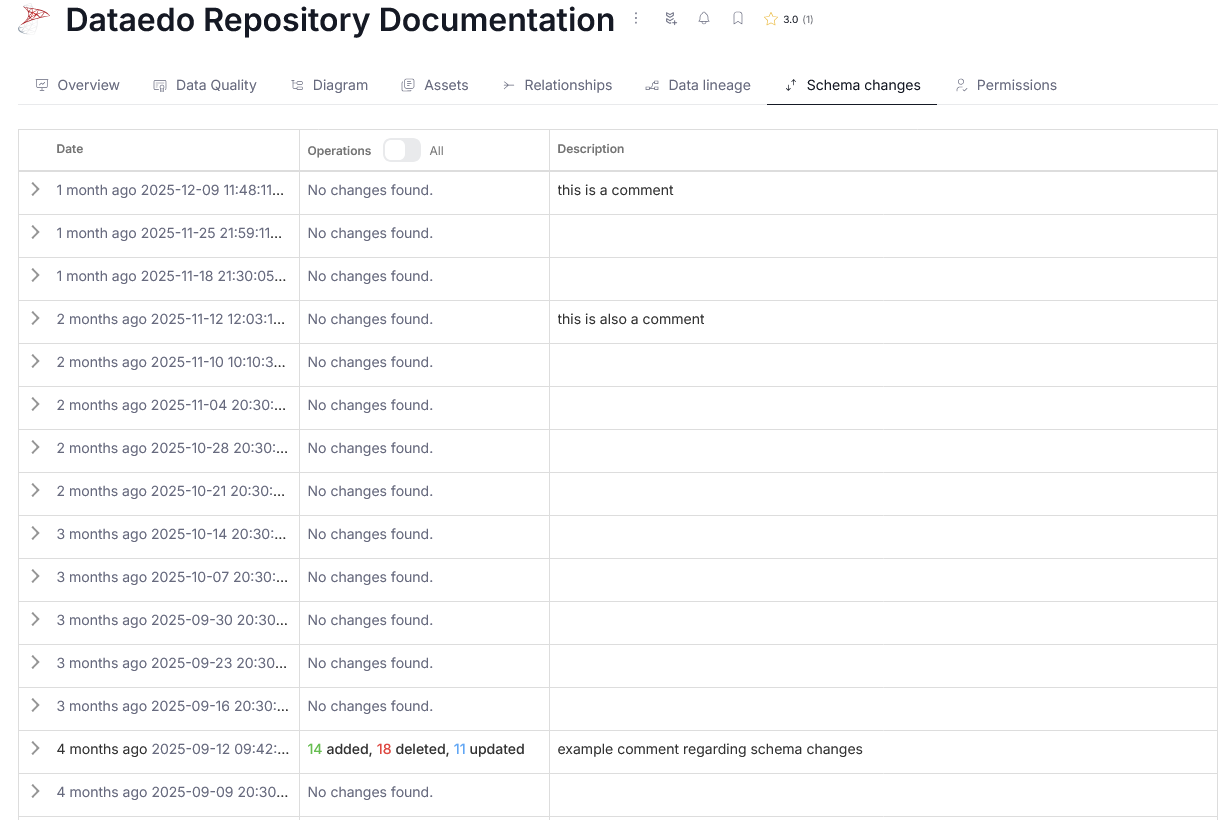
Dataedo provides interactive schema change reports both in Desktop and Portal.
Schema Change Reports
The objects for which a Schema Changing report is available are:
- Data sources
- Report Instances
- Tables
- Views
- Procedures
- Functions
- Data Products
- Domains/Areas
All reports are available from the Schema Changes tab of a specified object.

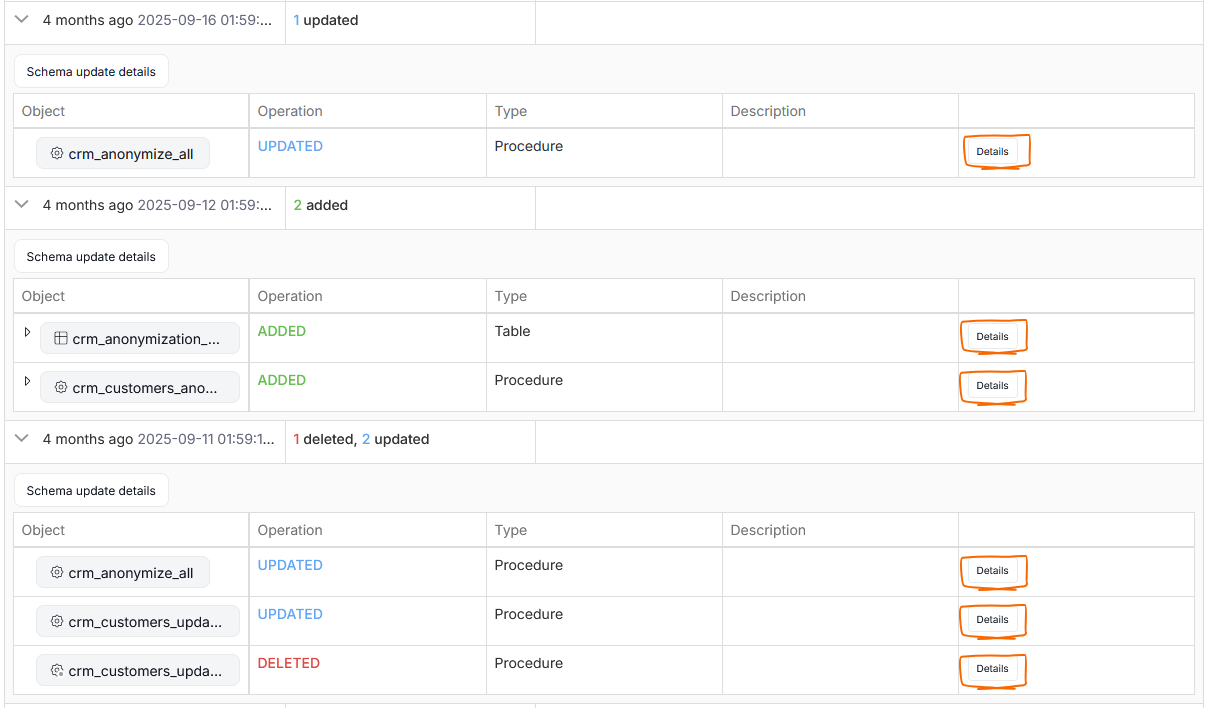
Manual objects with Schema Change Tracking (Domains, Areas, and Products) aggregate all objects linked in them. Therefore their Schema Change Report shows which linked objects were changed. Clicking the Details button will open the relevant object's report form.
Report form
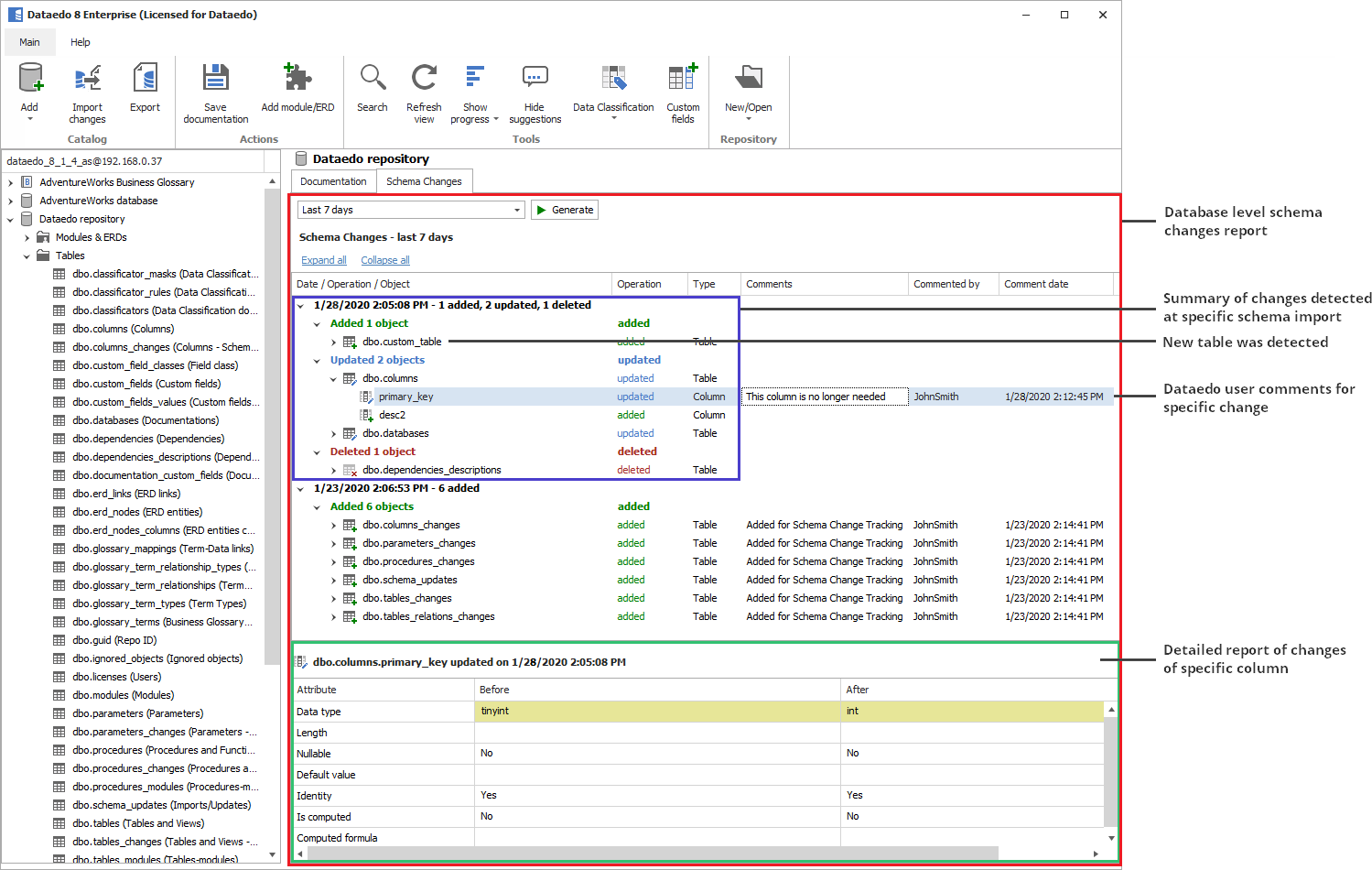
All Schema Change Tracking reports in Dataedo Editor have the same layout:
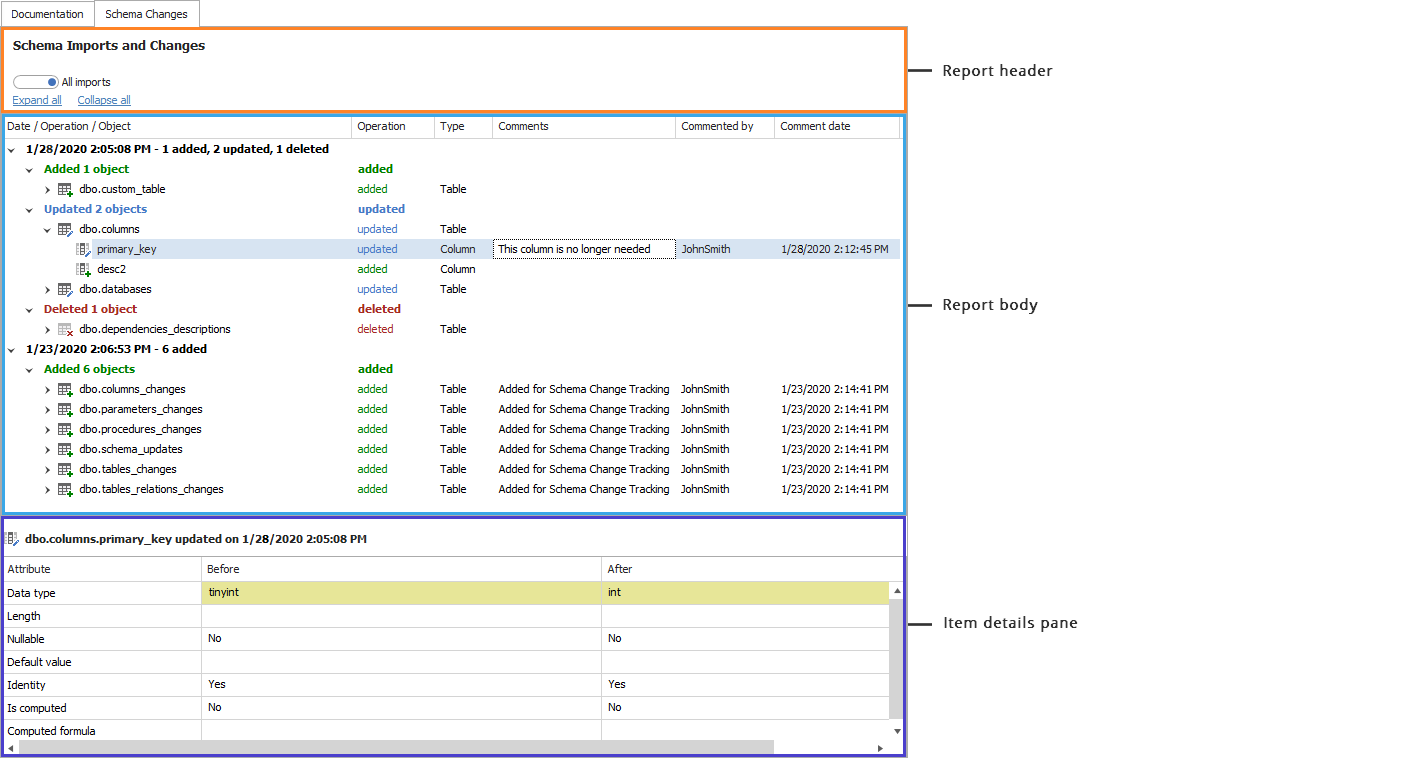
- Report header - allows you to change the scope of the report
- Report body - displays the content of the report - schema changes
- Item details pane - this pane displays details of the selected element in the report body
Dataedo Desktop does not include schema change reports in the exports
Commenting
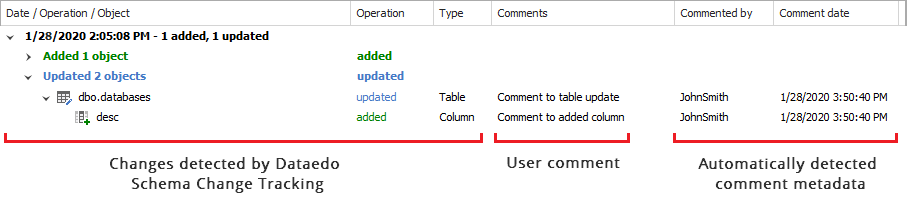
In desktop, users can comment on specific schema changes using the Comments field of the report. Along with the comment, the date and username of the person who last updated the comment are saved and displayed.
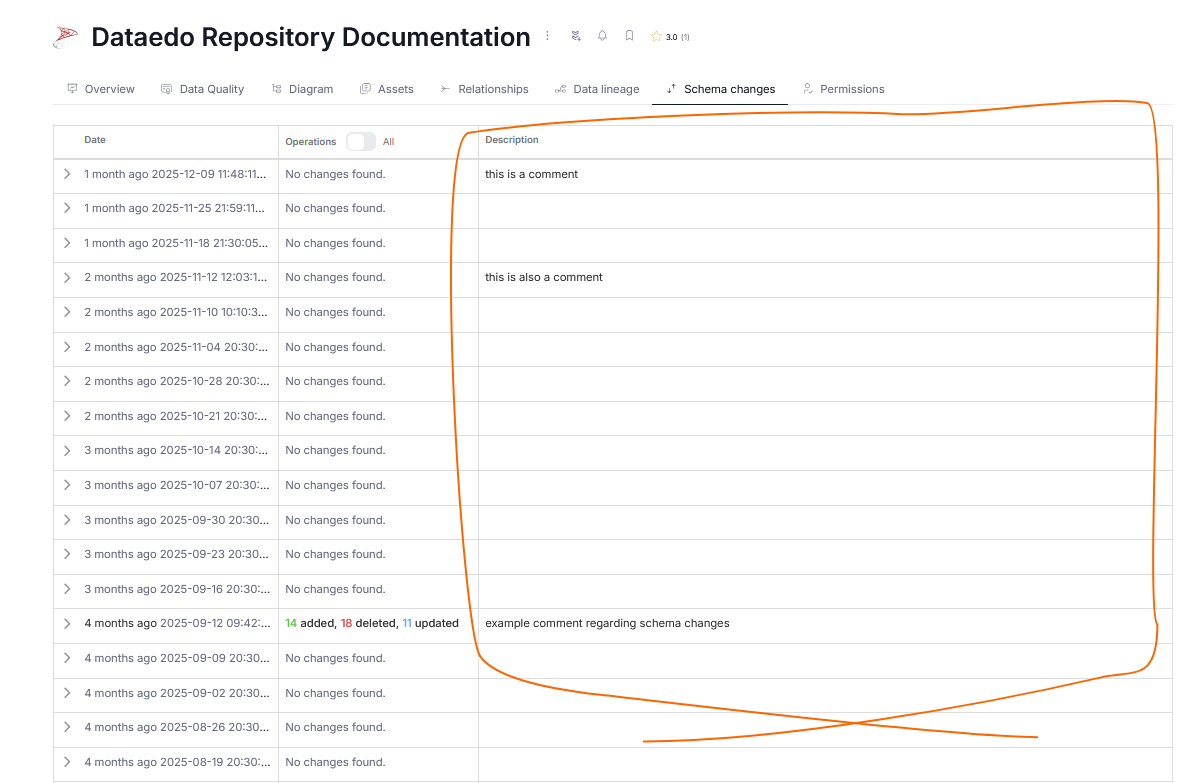
Comments are also displayed in the schema tracking report visible in Portal in the Description column.
Reading and navigating the report
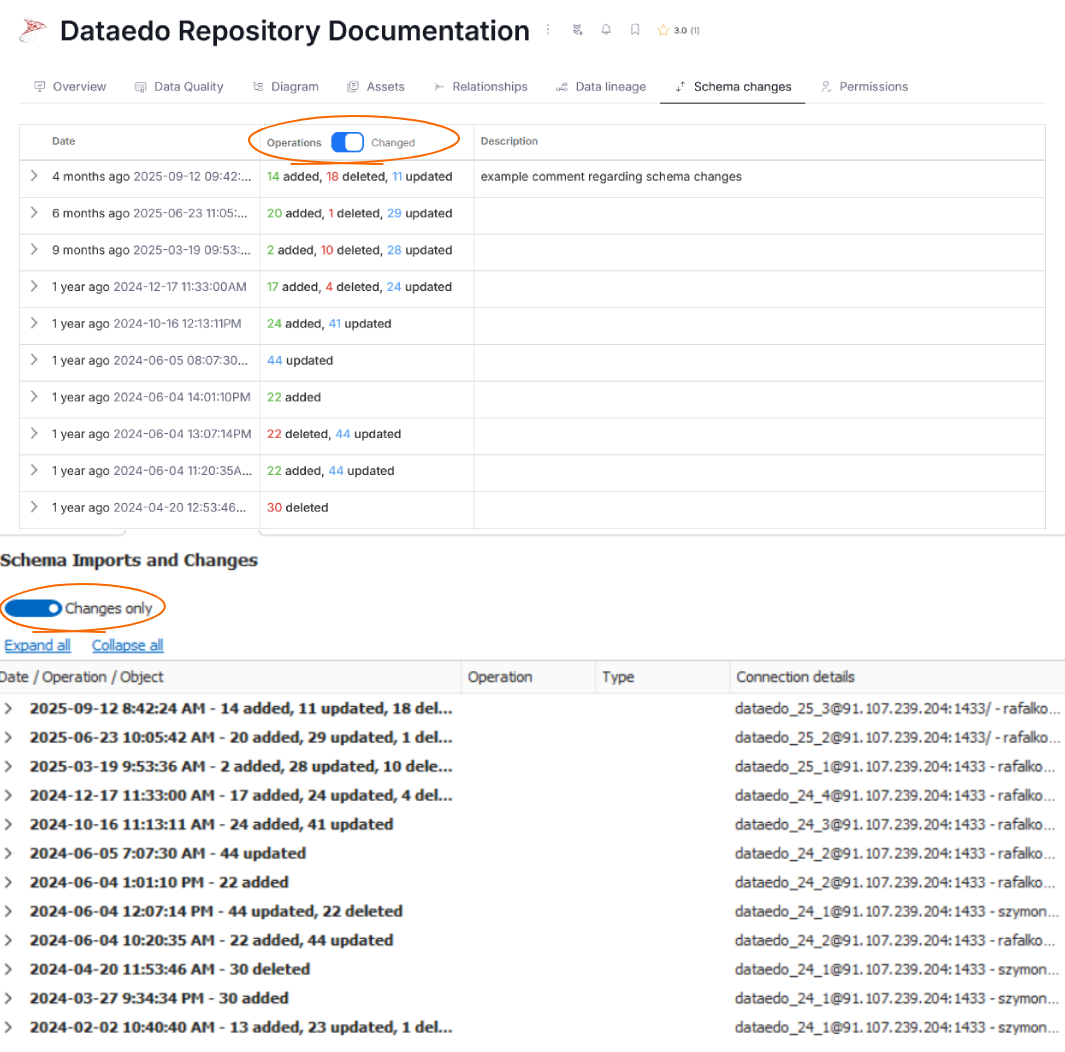
In Desktop and Portal change reports, you can switch between two modes of display using a toggle. You can move between a view that shows reports from all imports*, or only the imports during which changes were detected.
Levels - summary report
Documentation and module reports have the following levels:
- Update time - this level represents a particular schema import when changes were detected
- Operation type - type of operation that was performed on objects: Added/Updated/Deleted
- Object - specific object that was added, updated, or deleted (table, view, function, or stored procedure)
- Element - specific object element (column, key, parameter) that was added, updated, or deleted
Levels - object report
Tables, views, and other database objects have the following levels:
- Update time and operation type - this level represents a particular schema import when changes were detected and the type of operation that was performed on the object: Added/Updated/Deleted
- Element - specific object element (column, key, parameter) that was added, updated, or deleted
Report columns
- Date / Operation / Object
- Operation - type of the operation detected for this object
- Type - type of object in this particular row
- Comments - comments provided by the user directly in the report
- Commented by - automatically saved username that last updated the comment
- Commented date - automatically saved date and time when the comment was last updated
Item details pane
The pane at the bottom of the report window shows details of the change of an object or element as a list of its attributes and values before (Before column) and after (After column) the change.
Color coding:
- Green - attribute was added
- Red - attribute was deleted
- Yellow - attribute was updated

