Configuring badges
Badges can serve as a powerful tool to mark data important to your business — significance for security or financial decisions are just a few of them. This is why Dataedo lets you add custom badges best fit for your organization's purposes, and configure quick access to crucial badge lists directly from the main navigation tree.
Create and edit a badge
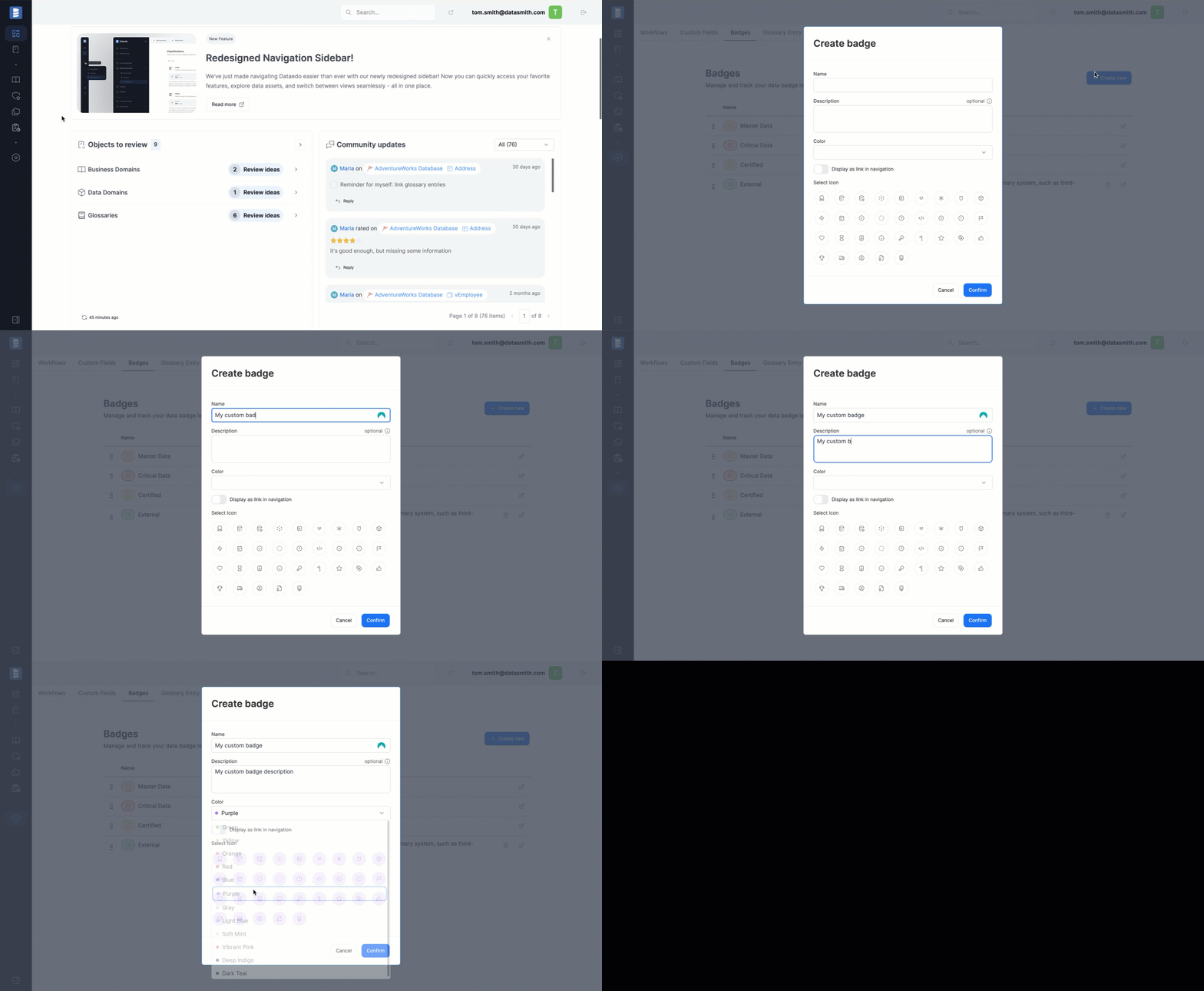
Admin users can create custom badges. To do navigate to Settings>Catalog settings and switch to the Badges tab.
When creating a badge, the name, color, and icon are required. The Show in Main Menu option determines whether a separate navigation item will appear under the Catalog.
Badges in navigation tree
By default, the Critical and Master Data badge lists, are accessible from the navigation, along with a grouped section called 'Badges' that includes all created badges. Clicking on one of the icons takes you directly to the overview of all objects having that badge assigned.
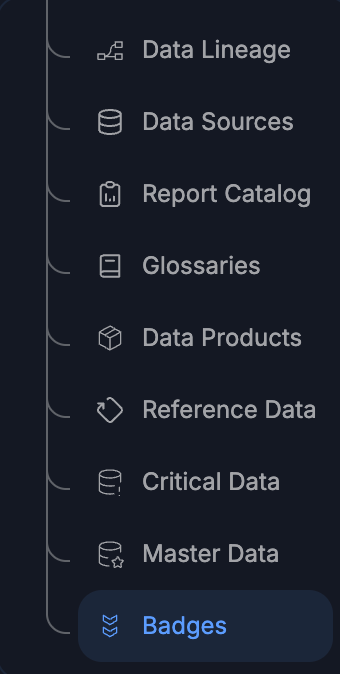
Admin users can control which Badge Lists are displayed in the navigation, with the help of the Show in Main Menu parameter in Badges Settings.

